

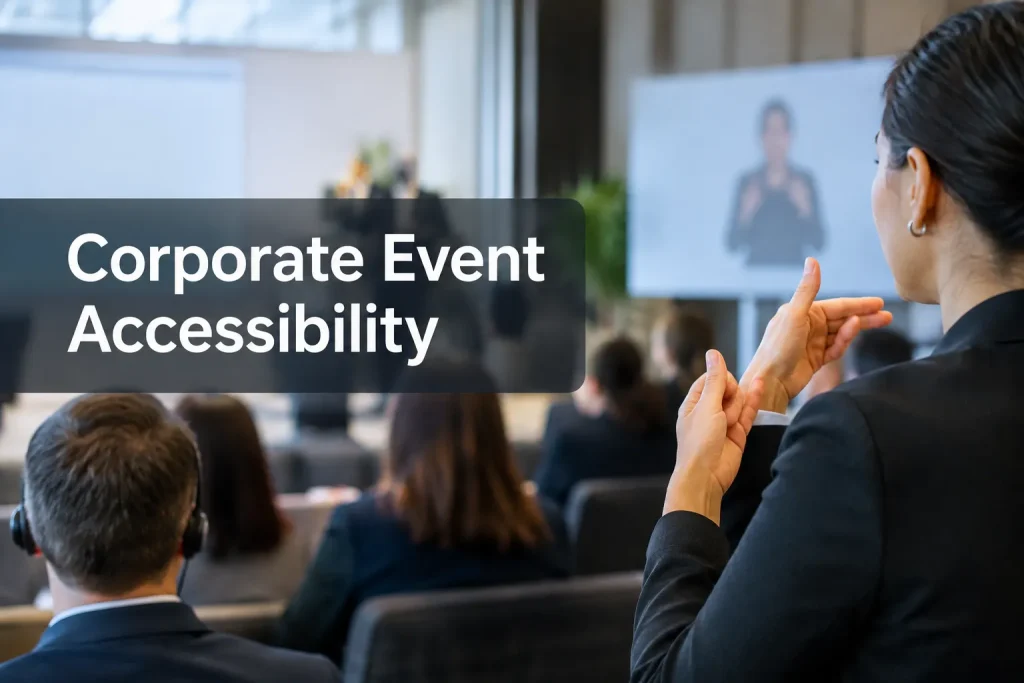
If attendees cannot follow the keynote or ask a question in a breakout, the event’s language access has a gap. For Deaf, hard-of-hearing and multilingual attendees, a corporate event accessibility plan should identify the captioning and interpreting needed for each session, where attendees will use those services, who runs the equipment and what staff will do if a feed fails. That plan addresses communication access; the rest of the event still needs its own accessibility assessment.
The caption toggle on a keynote stream will not cover concurrent breakouts or a remote attendee’s language channel. Set the scope before you lock the schedule and AV design.
Start with the attendee and the session
Ask about access in registration, with a private way to reply outside the form. A useful prompt is: “What communication support would help you participate? Please tell us the session, preferred language or service, and whether you will attend in person or remotely.” Offer examples such as live captions, sign-language interpreting and spoken-language interpreting, but leave room for other requests. Do not ask for a diagnosis.
Follow up in private about the interaction. A keynote with slides and a small-group workshop may call for different arrangements. Publish the services you have arranged, a contact for additional requests and a response date your team can meet. Keep requests with the access lead; suppliers and staff need delivery details rather than a participant’s personal information.
Map the program by session and room. Count concurrent rooms as well as speakers: one interpreter or captioner cannot cover two live breakouts at once. Include rehearsal, opening remarks, panels, audience questions, sponsored sessions, off-site activities and remote-only segments if they are part of the experience.
|
Record for each session |
Example of the decision to capture |
|---|---|
|
Format and participation |
In-room panel with remote Q&A; audience microphones are required |
|
People and languages |
Requested sign language, spoken language pairs and caption language |
|
Service coverage |
Live captions for the panel and Q&A; interpreter for both directions of exchange |
|
Delivery |
Caption display in the room and on the stream; interpreter visible on camera |
|
Owner and backup |
Producer owns the signal; technician tests the fallback connection |
Set the budget before the room plan is fixed
Request quotes against the session map rather than an all-day headcount alone. Include concurrent tracks, interpreter staffing and breaks, captioning method, languages, preparation, rehearsals, onsite or remote delivery, screens or receivers, technician time and post-event files. With that scope, you can spot an unstaffed breakout or an interpreter feed that stops short of the webcast.
Leave room in the budget and schedule for requests received after registration opens. If coverage cannot stretch across every track, revisit the agenda and room allocation with the access lead rather than silently removing an agreed service. Give providers a written scope identifying covered sessions, attendee-facing output, the person responsible for each feed and a failure response.
Choose the right communication services
Ask suppliers for the particular service each participant needs. An attendee may read a caption display, listen to an interpreted audio channel or communicate through a sign-language interpreter; the way they ask questions matters as much as the way they receive the presentation.
|
Service |
Useful for |
What it does not replace |
|---|---|---|
|
Live captions or CART |
Real-time text of speech and relevant sounds for in-room or remote attendees |
Sign-language interpreting or a translated spoken-language channel |
|
Sign-language interpreting |
Two-way participation in the sign language an attendee uses, such as ASL when requested |
Captions, or interpreting into a different sign language |
|
Spoken-language interpreting |
Real-time spoken communication between language groups |
Captions for someone who needs text |
|
Translated captions and written translation |
Reading in another language, including agendas, slides or follow-up materials |
A usable audio channel when an attendee needs to listen and respond |
|
Assistive listening |
A clearer audio signal through supported devices or venue systems |
Captions or interpreting |
Scope ASL and other sign-language requests
Ask which sign language and which parts of the program need coverage. ASL is one sign language, not a universal option. An attendee might need interpreting for discussion as well as prepared remarks. Give interpreters agendas, speaker names and terminology ahead of time; place them where attendees can see both the interpreter and the presentation. Arrange changes and breaks with the interpreting team.
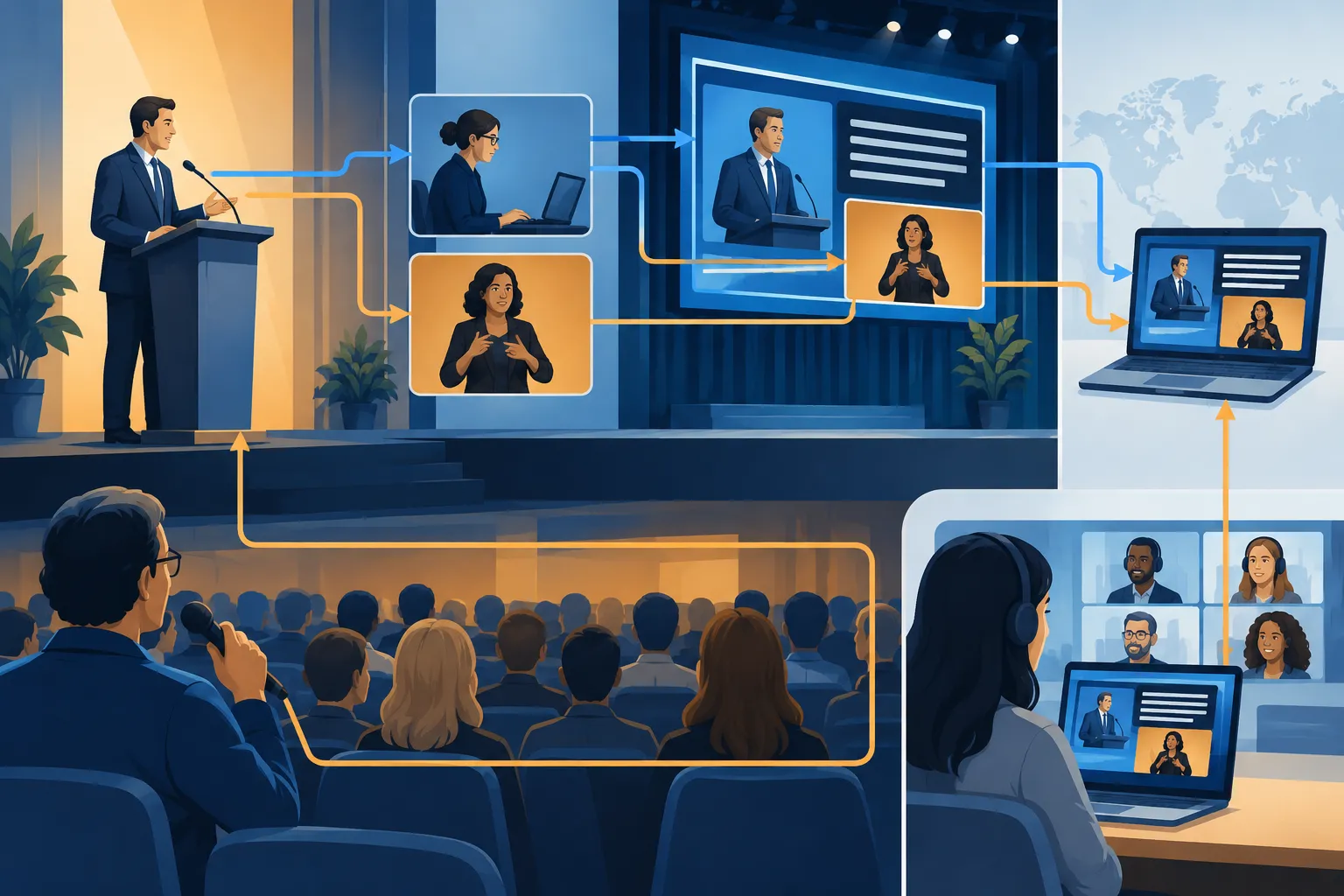
For streamed sessions, decide how the interpreter will appear in the outgoing video and the recording. The front row may have a clear view while a viewer on a phone sees a tiny figure. Team Stream’s ASL and CART for Conferences has more on sign language interpreting for accessible events.
Design captions for the room, not just the platform
Specify whether a live human captioner, automated speech recognition or a combination with human oversight will produce the captions. Consider the session’s vocabulary, audio conditions and consequences of errors. Send acronyms, names and technical terms in the preparation materials. If an attendee has requested a human service, discuss the arrangement with them before changing it to automated captions.
In a room, captions need a readable screen and a sightline from the seats where people will use them. On a stream, viewers need a way to turn captions on or see them in the delivered video, including when slides or camera layouts change. Test audience microphones as carefully as the speaker mic: an unmic’d question will disappear from both the caption feed and the remote experience.
Map spoken-language access in both directions
For multilingual meetings, list the source and target languages for each session and how attendees will hear or read the output. A live interpreter may use a headset channel or remote audio feed; translated captions may suit a different group of participants. If multilingual attendees need to ask questions, the return path matters too. Specify who interprets their questions back to speakers, how the moderator pauses for the exchange and how the remote audience selects a language channel.
Translate the high-use written items before the event: joining instructions, agenda, room changes and safety communications. Plan subtitling or captioning for prerecorded video as a separate deliverable from live-event captions.
Build the room and remote delivery together
Poor audio or the wrong screen can make a booked service unusable. Give the AV lead a signal and display plan alongside the supplier details.
-
Audio: Send clean speaker and audience-mic feeds to captioners and interpreters. Confirm how remote speakers and video playback enter those feeds.
-
Screens and sightlines: Position caption screens and interpreters so a person can follow the speaker, slides and access service without constantly turning away. Walk the seating layout after staging and sponsor graphics are installed.
-
Lighting and cameras: Light in-person interpreters without washing out the projection. For the webcast, rehearse interpreter framing and caption placement through slides, panels and split-screen layouts.
-
Remote participation: Test the actual attendee route to captions, language audio and Q&A using a laptop and a phone. Include dial-in or alternative joining routes when those are offered.
-
Breakouts: Document which room or channel gets each service. A move between sessions needs a handoff, not a hope that the same feed will follow.
Keep physical venue accessibility, accessible registration, screen-reader-compatible materials, seating and emergency arrangements in the wider event plan. A good language feed does not fix a blocked entrance or an inaccessible sign-up form.
Put the plan into production
Assign one access lead who can approve changes, and name an AV counterpart with control over microphones, screens and stream routing. Give each provider the run of show, session descriptions, speaker names and terminology in advance. Build time for provider sound checks and a full attendee-view rehearsal.
At rehearsal, have someone read the captions from an attendee seat, watch the interpreter on the smallest expected remote screen, switch language channels and ask a question from the audience. Drop the caption connection as a test, move a breakout in the run of show and ask a presenter to speak off mic. Record the fallback, the person authorized to pause the program and how attendees will hear about a change.
|
Stage |
Access lead |
AV or production team |
Service provider |
|---|---|---|---|
|
Before registration |
Set request route and publish planned support |
Assess screens, microphones and platform options |
Advise on coverage and preparation needs |
|
Before the event |
Confirm individual arrangements and session map |
Route and label feeds; configure views and channels |
Review agenda and terminology |
|
Rehearsal |
Test as an attendee and log fixes |
Test displays, audio, stream and fallback |
Confirm service quality and handoffs |
|
Live program |
Handle requests and approve changes |
Monitor feeds and restore failures |
Deliver service and flag problems promptly |
|
Afterward |
Gather feedback and decide follow-up formats |
Export usable recordings and source media |
Prepare agreed captions, subtitles or translations |
Name the post-event deliverables in the agreement. A recording may need caption editing and timing before publication. If you will publish the talks, scope that work along with any translation or subtitling.
Language access is not a full ADA compliance finding
In the United States, effective communication duties depend on the organization and circumstances. The appropriate aid is shaped by the interaction and the person’s communication needs. A captioning contract, an interpreter booking or an AI feature cannot certify an entire corporate event as ADA compliant. Venue routes, seating, digital registration, materials and other access needs require their own assessment. In other locations, applicable duties may differ.
“A public accommodation shall furnish appropriate auxiliary aids and services where necessary to ensure effective communication.” – U.S. Department of Justice, Title III regulations
Keep the language access plan with the production documents and the broader accessibility plan. For a public-facing event or a disputed accommodation, involve legal or accessibility specialists in decisions about applicable requirements. Do not advertise the event as “fully accessible” solely because you booked one communication service.
A handoff-ready language access checklist
Before invitations go out, the access lead should be able to answer these questions:
-
Is there a private request path, and does someone own the responses?
-
Are requested languages and communication modes mapped to each session, including Q&A and concurrent breakouts?
-
Have captions, sign-language interpreters, spoken-language interpreters and translated materials each been scoped separately where needed?
-
Does every provider receive clean audio and session preparation materials?
-
Can in-room and remote attendees actually find, see and use the service?
-
Has someone rehearsed audience questions, layout changes and failure recovery?
-
Are recordings and follow-up materials covered by a separate deliverable?
Book access for the sessions attendees will use and rehearse the signal path from microphone to attendee. Team Stream can help scope interpreting, live captioning, translation and event equipment or technician support for in-person, hybrid and virtual programs. Bring the session map and attendee requests when you contact the team; those details determine what needs to work on show day.
