

Translate Video to Subtitles for Global Reach
If your team is producing webinars, training videos, conference recaps, sermons, demos, or product explainers, subtitles are no longer optional. They help viewers understand your message in noisy environments, improve accessibility, support compliance, and make multilingual content far easier to scale across regions.
Competitor articles tend to focus on subtitles as a simple add-on. The bigger opportunity is broader: businesses need a reliable workflow to translate audio from video, convert spoken language into accurate on-screen text, localize tone and terminology, and deliver content that works across YouTube, internal communications, social media, eLearning, and live or hybrid events. That is where a partner like Team Stream stands out – with accurate human and AI-powered translation and interpreting, real-time captioning, subtitling, voiceover, accessibility support, and event-ready execution backed by more than 25 years of experience.
Why subtitle translation matters more than ever
A strong subtitle strategy does more than help you reach viewers who speak another language. It also improves comprehension, accessibility, search visibility, and content reuse.
Many competing pages talk about “global reach,” but often miss these practical realities:
-
Viewers frequently watch business videos without sound.
-
Compliance and accessibility expectations are rising.
-
Multilingual subtitles are often the fastest way to repurpose existing content.
-
Translation quality matters just as much as timing and readability.
-
Live, virtual, and hybrid events require a different workflow than pre-recorded videos.
For organizations running events or publishing important business content, poor subtitles are worse than no subtitles. If a caption mistranslates a key claim, omits a speaker label, or misses technical jargon, the audience loses trust fast.
What it really means to translate a video to subtitles
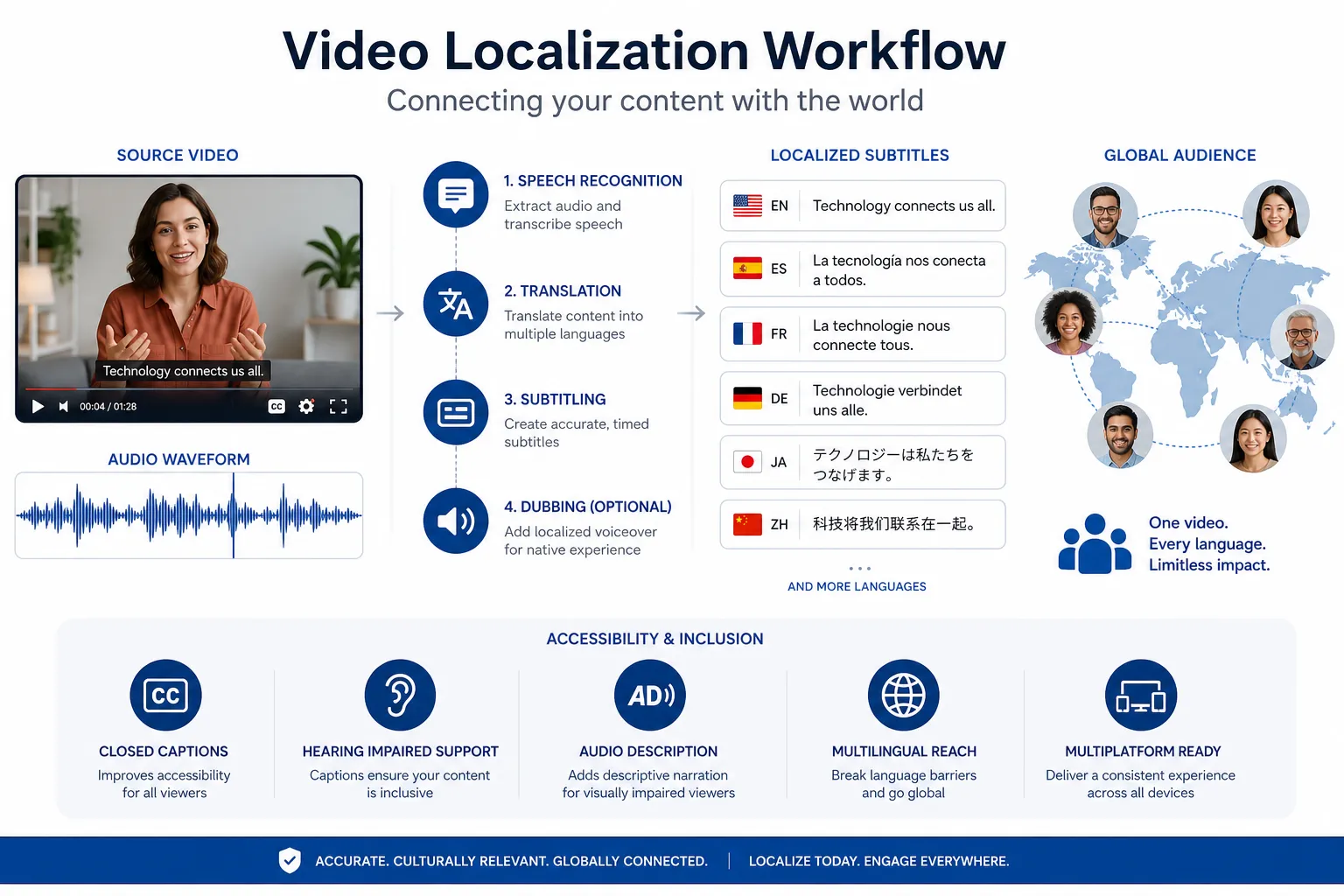
At a practical level, translating a video to subtitles involves four separate tasks:
|
Step |
What happens |
Why it matters |
|---|---|---|
|
Transcription |
Speech is converted into text |
Captures the source message accurately |
|
Translation |
The transcript is translated into the target language |
Preserves meaning, tone, and terminology |
|
Subtitle adaptation |
Text is timed, split, and formatted for reading on screen |
Makes captions easy to follow |
|
QA and delivery |
Linguists or reviewers check accuracy, sync, and formatting |
Prevents embarrassing errors |
That distinction matters because many “free” tools can translate voice in video roughly, but they do not always handle line breaks, speaker changes, idioms, brand terminology, accessibility, or compliance requirements well.
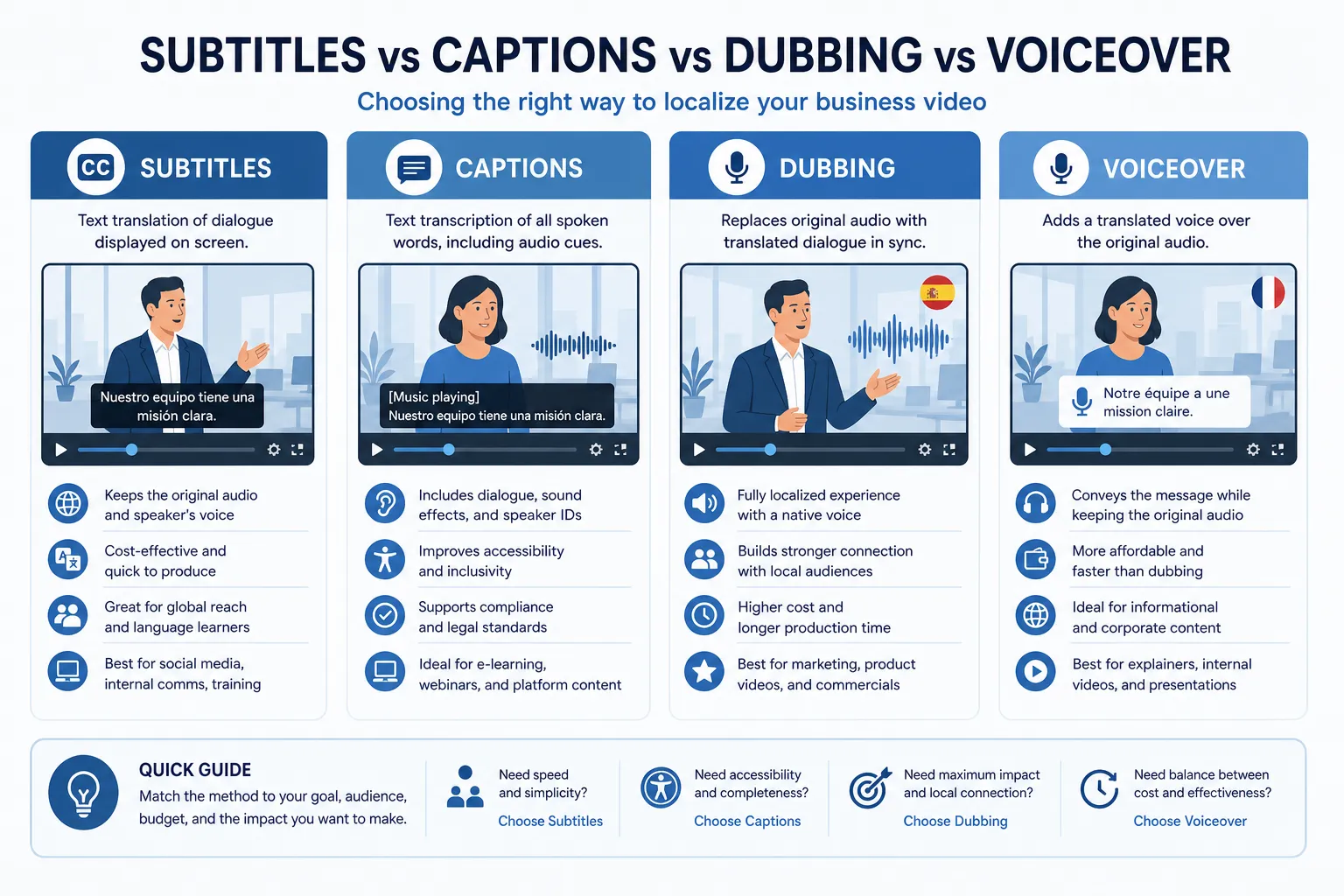
Subtitles vs. captions vs. dubbing vs. voiceover
Competitor content often blends these terms together. They are related, but not interchangeable.
|
Format |
Best for |
Includes non-speech audio? |
Replaces original speech? |
|---|---|---|---|
|
Subtitles |
Translation and readability |
Usually no |
No |
|
Closed captions |
Accessibility |
Yes |
No |
|
Voiceover |
Training, explainer videos, narrated content |
N/A |
Partially |
|
Dubbing |
High-immersion multilingual content |
N/A |
Yes |
If your goal is to translate subtitles to English, launch multilingual YouTube content, or add translated subtitles to video quickly, subtitles are usually the fastest and most cost-effective path. If immersion matters more, voiceover or dubbing may be the better choice.
Common themes from competing articles – and the gaps they leave behind
After reviewing leading articles from HeyGen, LILT, and Translate.One, several themes appear repeatedly:
What competitors cover well
-
Video translation helps expand global reach.
-
Subtitles are cost-effective.
-
AI can accelerate translation.
-
Voiceover and dubbing are useful for some use cases.
-
eLearning, training, and marketing benefit from localization.
What they often gloss over
-
The difference between “machine translated text” and broadcast-ready subtitle files.
-
How to translate text from video when visuals contain slides, lower thirds, charts, or on-screen prompts.
-
Why accessibility standards matter for corporate communication and public-facing events.
-
The need for human review when technical, legal, faith-based, medical, or brand-sensitive language is involved.
-
How live captioning and live interpreting fit into conferences, trade shows, and hybrid broadcasts.
-
The operational side: equipment, technicians, remote options, platform compatibility, and event logistics.
That is where Team Stream offers stronger real-world value. Beyond pure translation, the team supports end-to-end language and accessibility solutions tailored to the setting – pre-recorded video, live stream, in-person event, hybrid conference, or multilingual internal communications rollout.
The business case for translating audio and text from video
When teams decide whether to invest in subtitle translation, they usually ask one question: will people actually use it?
The answer is yes – if the subtitles are accurate, readable, and matched to the audience.
“86 percent of businesses leverage video in their marketing strategy.” – HubSpot
That alone raises the stakes. If video is central to marketing, sales, training, and brand communication, then subtitle quality directly affects performance.
Competitor content also points out something just as important: many people watch videos muted or in sound-sensitive settings. That makes subtitles useful not only for global audiences, but for your current audience too. In practice, translated subtitles improve:
-
Viewer completion rates
-
Accessibility for deaf and hard-of-hearing audiences
-
Comprehension for non-native speakers
-
Search discoverability on video platforms
-
Reuse of existing content in new regions
Where subtitle translation delivers the most value
Marketing and campaign videos
If you want to translate video with subtitles for paid campaigns, social clips, or product launches, subtitles help you move fast without a full re-record. They are especially useful when adapting one master video into multiple languages.
Corporate training and internal communications
When companies need to translate audio from a video for onboarding, compliance training, executive updates, or HR content, clarity matters more than speed alone. Team Stream’s mix of AI-assisted workflow and human review helps preserve specialized terminology and reduce risk.
Conferences, trade shows, and live events
This is a major content gap in competitor articles. Subtitle translation is not just for edited videos. Event organizers increasingly need:
-
Live captioning for general sessions
-
On-screen translated text for multilingual audiences
-
Remote and in-person interpreting
-
Technician support and equipment rental
-
Accessibility coverage for hybrid streams and recordings
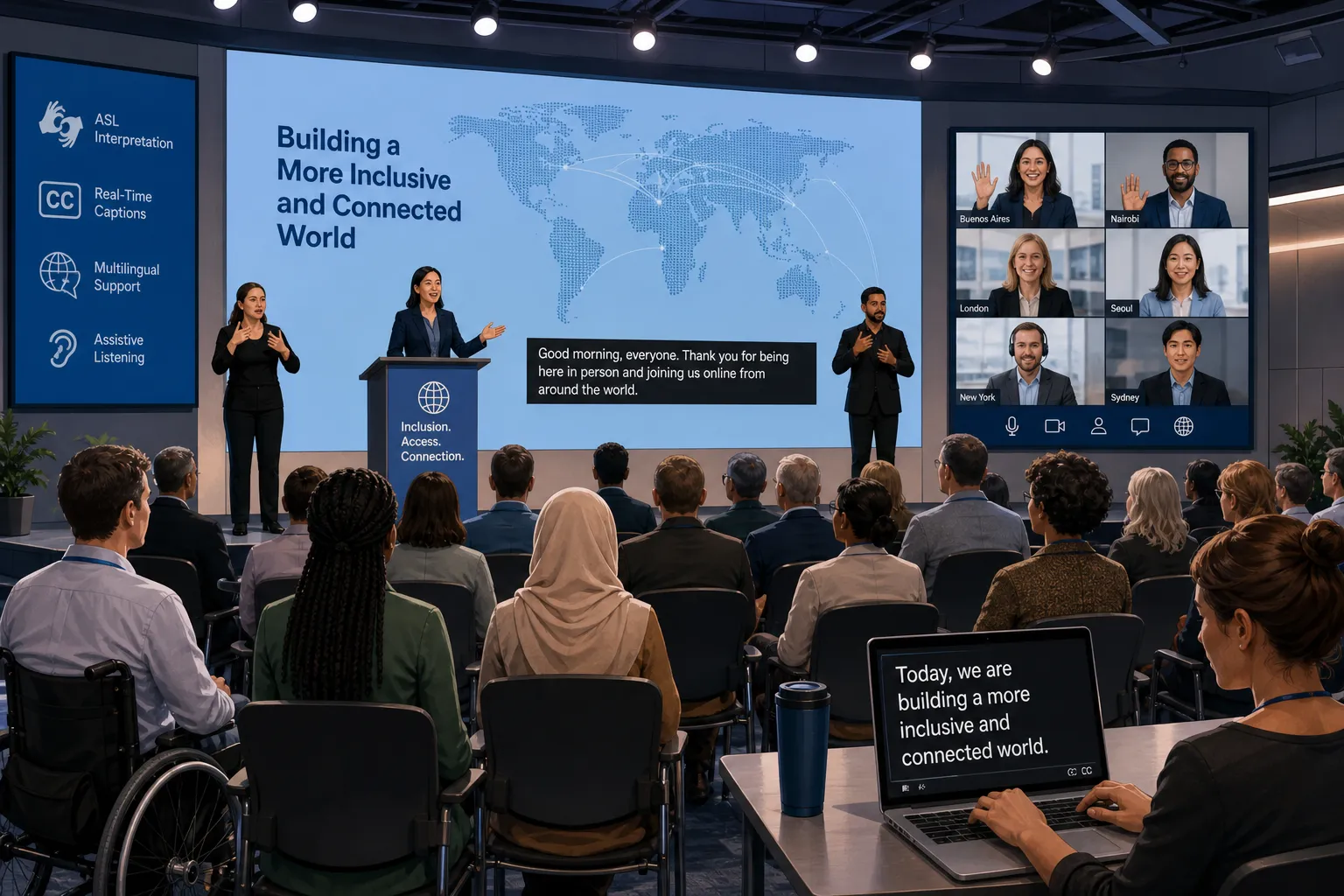
For these environments, Team Stream is not just a translation vendor. It is an operational partner that helps ensure language access and accessibility run smoothly from planning through delivery.
YouTube and social video
If your team wants to translate YouTube video to English subtitles or publish multilingual clips across platforms, subtitles are often the easiest format to test. You can start with key assets, measure audience response, then expand into voiceover or dubbing where ROI is strongest.
Churches, ministries, and community outreach
Messages meant to inform, inspire, or guide need to remain faithful to the speaker’s tone and meaning. That is why organizations often prefer a human-reviewed workflow, especially when translating sermons, testimony videos, announcements, or live-streamed services.
How to translate subtitles the right way
There is a big difference between “the tool produced text” and “the final subtitles are publishable.” A strong workflow looks like this:
1. Start with a clean transcript
If you need to translate audio from video to English or another language, accuracy begins with transcription. Poor source transcripts create downstream errors in every translated subtitle.
2. Translate for meaning, not just words
Literal translation can break humor, instructions, legal phrasing, or cultural nuance. Good subtitle translators adapt phrasing for the target audience while keeping the speaker’s intent intact.
3. Adapt the text for subtitle reading speed
A sentence that works on paper may not work on screen. Subtitle editors must account for:
-
Characters per line
-
Reading speed
-
Shot changes
-
Natural pauses
-
Speaker changes
-
Mobile viewing
4. Review on-screen text too
Another common gap: many articles discuss audio only. In reality, teams often need to translate text in video as well – slides, labels, product UI, lower thirds, disclaimers, or titles. If you ignore those elements, your multilingual version still feels incomplete.
5. Perform QA before publishing
Every deliverable should be checked for timing, spelling, terminology, and formatting. For business-critical content, human QA is essential.
When free tools help – and when they fall short
Some users search for a way to translate video to English free or get English subtitles quickly. Free tools can be useful for:
-
Rough internal understanding
-
Early-stage content review
-
Very low-risk personal projects
-
Draft transcripts before editing
But they often struggle with:
-
Technical or branded terminology
-
Multiple speakers
-
Accents or noisy audio
-
Cultural nuance
-
Subtitle timing and readability
-
Accessibility requirements
-
Confidential or regulated content
If your goal is simply to understand the gist of a clip, a free option may work. If your goal is to publish client-facing, public-facing, or compliance-sensitive content, professional review is the safer choice.
AI vs. human translation for subtitles
The best approach is rarely “AI only” or “human only.” It is the right mix.
|
Approach |
Strengths |
Weaknesses |
Best use |
|---|---|---|---|
|
AI-only |
Fast, scalable, affordable |
May miss nuance and formatting quality |
Drafting and low-risk volume work |
|
Human-only |
High nuance and judgment |
Slower and more expensive |
Sensitive, high-stakes content |
|
AI + human review |
Balances speed and quality |
Requires process coordination |
Most business subtitle workflows |
This hybrid model is central to Team Stream’s value. Clients get accurate human and AI-powered translation and interpreting, rather than a one-size-fits-all process. That means the workflow can match the content: fast-turn social clips, multilingual conference sessions, compliance-friendly training libraries, or polished external campaigns.
How Team Stream supports multilingual video and event accessibility
Many providers can help translate language from video. Fewer can support the full communication environment around it.
What makes Team Stream especially useful
-
Accurate human and AI-powered translation and interpreting
-
Real-time captioning for accessibility and engagement
-
Closed captioning, subtitling, voiceover, and written translation
-
Support for live, virtual, and hybrid events
-
Compliance-friendly solutions for inclusive communication
-
Professional equipment rental and technician support
-
Flexible in-person and remote delivery
-
More than 25 years of experience
-
Strong responsiveness and customer service
This matters because multilingual communication is rarely a single-file problem. One client may need translated subtitles for a training library. Another may need live captions for a hybrid summit, on-site interpretation headsets, post-event subtitling, and translated highlight videos. Team Stream is built to handle that broader reality.
What a strong subtitle translation brief should include
If you want better results from any provider, do not just upload a video and say “please translate.” A better brief includes:
-
Source language and target language(s)
-
Intended audience and market
-
Platform: YouTube, LMS, webinar platform, social, internal portal
-
Whether you need subtitles, captions, voiceover, or all three
-
Brand glossary or approved terminology
-
Any on-screen text that also needs translation
-
Deadline and delivery format
-
Accessibility or compliance requirements
This saves time, improves consistency, and reduces revision cycles.
Best formats and deliverables to request
Different teams need different outputs. Here is a practical guide:
|
Deliverable |
Best for |
Notes |
|---|---|---|
|
SRT |
YouTube, many video platforms |
Common subtitle file format |
|
VTT |
Web video players |
Useful for HTML5 environments |
|
Burned-in subtitles |
Social clips, universal playback |
Always visible, not toggleable |
|
Closed captions |
Accessibility compliance |
Includes non-speech audio |
|
Voiceover audio files |
Training and narration |
Requires audio production workflow |
|
Translated transcript |
Review, repurposing, SEO |
Useful for blogs, PDFs, and handouts |
Screenshot example of an AI video translation platform
Competitor tools like HeyGen have helped popularize AI-led video translation workflows. For some teams, these platforms can be part of the process – especially during early experimentation or for rapid multilingual output.
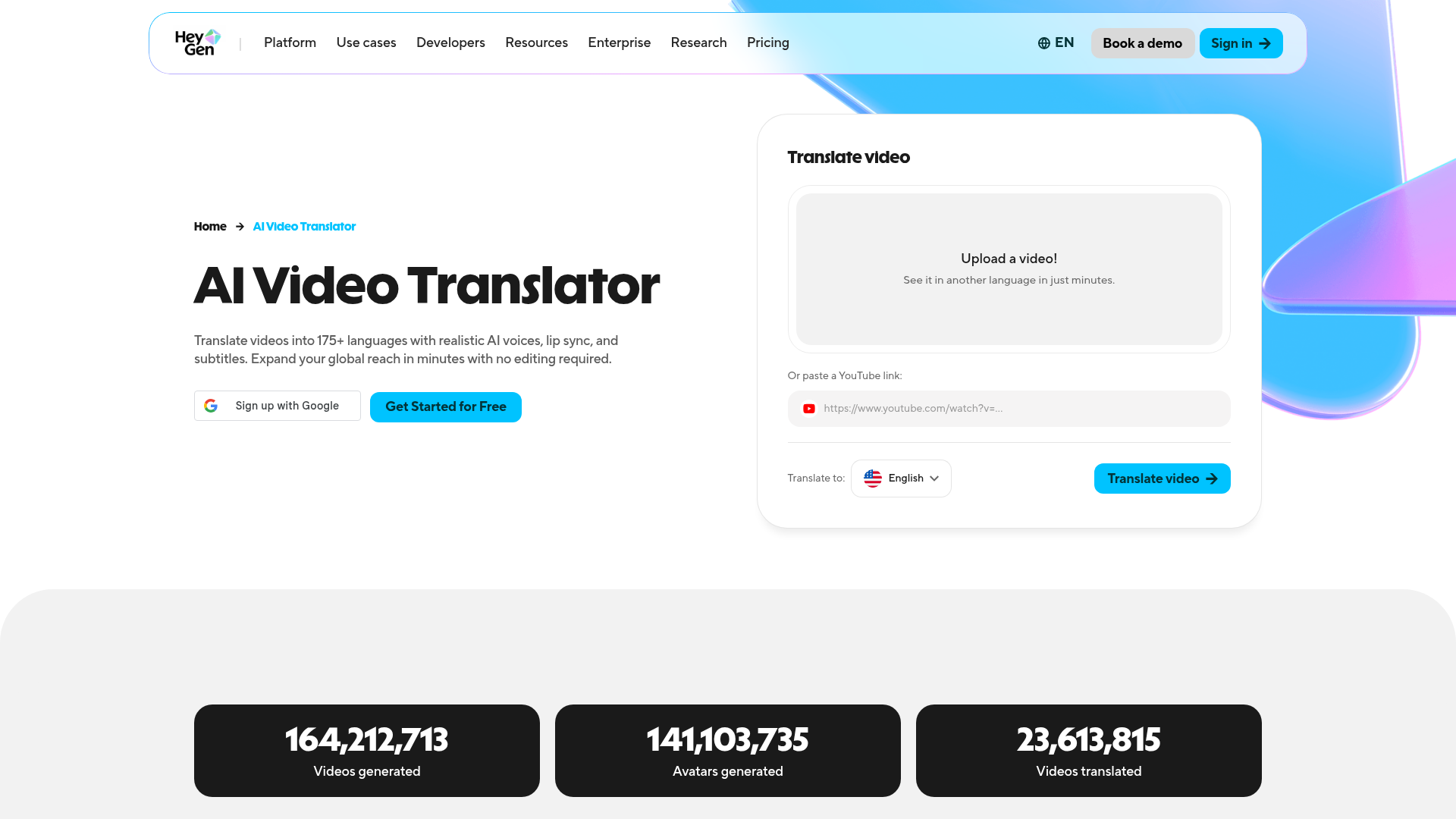
Still, software alone does not replace event logistics, language strategy, live accessibility support, or expert QA. That is why many organizations use tools selectively while relying on Team Stream for dependable, polished delivery.
Mistakes to avoid when translating subtitles in video
Treating subtitles as an afterthought
If subtitles are created at the very end with no planning, quality drops and timelines tighten.
Ignoring accessibility
Subtitles help with language access, but accessibility may also require closed captions, live captioning, speaker IDs, and compatibility with event or learning platforms.
Translating speech but not visuals
If charts, slides, banners, and UI text remain in the source language, the experience feels unfinished.
Using literal translation for every line
Natural subtitle translation prioritizes meaning and clarity, not word-for-word duplication.
Skipping human review for high-stakes content
Legal disclaimers, executive messaging, faith-based content, training content, and healthcare-related communication should be reviewed carefully.
A practical workflow for global-ready video content
If you want a repeatable process to translate and subtitle video efficiently, use this model:
-
Audit your existing video library.
-
Prioritize high-value content first.
-
Decide which assets need subtitles only and which need captions, voiceover, or dubbing.
-
Standardize terminology and brand language.
-
Build a review workflow for sensitive content.
-
Ensure formats match your publishing platforms.
-
Plan for accessibility from the start.
-
Partner with a provider that can support both content and events.
This is especially effective for organizations managing regional campaigns, internal video libraries, product education, conference recordings, or multilingual streaming.
Final verdict: subtitles are the fastest path to global reach – but quality wins
If your goal is to expand the reach of existing video content, subtitle translation is often the smartest first move. It is faster and more affordable than full dubbing, improves accessibility, supports SEO and engagement, and helps audiences understand your message across languages and settings.
But results depend on execution. To translate video subtitles well, you need more than automation. You need a workflow that respects language, timing, accessibility, audience expectations, and the realities of live and recorded delivery.
That is why organizations turn to Team Stream. With over 25 years of experience, flexible remote and in-person service, real-time captioning, expert translation and interpreting, equipment and technician support, and a tailored approach to every project, Team Stream helps businesses, churches, conference planners, and event producers deliver multilingual communication that is clear, inclusive, and professional.
If you are ready to translate video to subtitles with confidence – and want a partner who can also support live captioning, interpreting, voiceover, and accessibility for virtual, hybrid, or in-person experiences – Team Stream is built for exactly that.
FAQ
How can I translate a video to subtitles?
Start by creating an accurate transcript, then translate the spoken content into your target language and format it as timed subtitle lines. For the best results, use a workflow that includes human review, subtitle timing, and quality assurance, especially for business, training, or event content.
Can Chatgpt translate videos?
ChatGPT can help translate a transcript or subtitle text, but it does not replace a full production workflow by itself. To publish polished multilingual video, you still need transcription, subtitle timing, accessibility checks, and often expert review.
Can I translate a video in real time?
Yes, real-time workflows are possible for live, virtual, and hybrid events using live captioning, interpreting, and event-ready language support. This usually requires the right platform setup, experienced operators, and in some cases technician or equipment support.
How much does a video translator cost?
Costs vary based on video length, number of target languages, turnaround time, and whether you need subtitles only or added services like closed captions, voiceover, dubbing, or live support. Free tools can help with rough drafts, but professional-quality output costs more because it includes review and formatting.
What is the best free video translator?
The best free option depends on whether you need a rough understanding or publish-ready subtitles. Free tools are useful for quick drafts, but for accurate, audience-ready, and compliance-friendly results, a professional partner like Team Stream is the better choice.
