

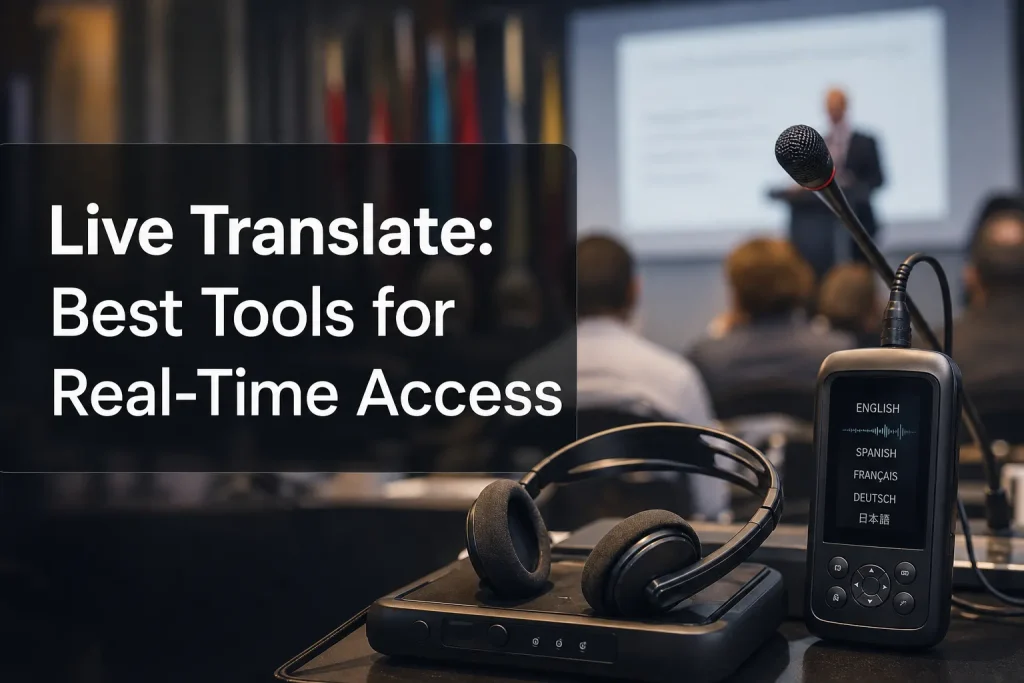
Live Translate: Best Tools for Real-Time Access
When people search for live translate solutions, they are rarely looking for technology in the abstract. They need to solve a real communication problem now: a multilingual conference, a hybrid town hall, a product launch, a training webinar, a church service, a live stream, or a customer-facing event where accessibility and understanding cannot be left to chance.
For event organizers, operations teams, corporate communications leaders, and producers, the challenge is bigger than finding a live translation app free enough to test. The real question is: what kind of real-time access do you need, and what level of accuracy, accessibility, and operational support will protect the audience experience?
A mobile app might work for a traveler. A browser tool might help with informal conversations. But for live events, broadcasts, and compliance-sensitive environments, you often need a complete live translation system that combines interpreting, captioning, technology, and technical execution.
This guide breaks down the best tools for live translation across apps, devices, software, websites, and professional services, with a clear focus on what works in the real world.

What “live translate” really means
Live translation can describe several different use cases, and mixing them together is where many buyer guides fall short. Competitor content tends to compare apps only, but event teams need a broader framework.
The five main categories of live translation
|
Type |
Best for |
Typical output |
Main limitation |
|---|---|---|---|
|
Mobile translation apps |
Quick conversations, travel, simple exchanges |
Text and synthetic voice |
Limited context, not event-grade |
|
Browser-based translator tools |
Online meetings, informal remote use |
Captions, text, voice |
May lack production controls |
|
Translation devices |
One-on-one conversations on the go |
Audio in earbuds or handheld device |
Not ideal for large groups |
|
Live event translation systems |
Conferences, trade shows, worship, broadcasts |
Interpreting audio feeds, captions, subtitles |
Requires setup and support |
|
Professional language services |
High-stakes or public-facing communication |
Human interpreting, captioning, translation |
Higher coordination needs, but best quality |
Live translation is not just one feature
A team searching for a live text translator may actually need:
-
multilingual captions on screens
-
audio interpretation into headsets
-
subtitling for a live stream
-
voiceover for remote viewers
-
translated post-event assets
-
accessibility support for Deaf and hard-of-hearing audiences
That is why the strongest solution is often not a single app, but a coordinated service model.
Why live translation matters for accessibility and engagement
Live translation is about more than convenience. It improves participation, reach, and inclusion.
For businesses and organizations serving diverse audiences, real-time access helps:
-
remove language barriers during live communication
-
support multilingual employees, customers, attendees, and communities
-
improve comprehension in fast-moving sessions
-
make virtual and hybrid events more inclusive
-
strengthen compliance with accessibility expectations
-
increase confidence in global communication
Many competitors focus only on translation speed. That misses the bigger operational value: people engage more when they can actually follow what is happening.
Where apps help and where they fall short
Google Translate, DeepL, and similar tools are useful. They can help with live translate text, quick phrase conversion, and everyday communication. For an individual trying to translate to English on the fly, they are often good enough.
But event environments expose weaknesses quickly.
Common limits of consumer live translation tools
1. They struggle with context
Short phrases are easier than technical presentations, panel discussions, or brand messaging.
2. They are rarely built for production
Most live translation app options are not designed for:
-
stage audio routing
-
interpreter feeds
-
audience headset distribution
-
broadcast mixing
-
multilingual streaming
-
compliance workflows
3. They often prioritize convenience over accountability
If captions fail during a keynote or the wrong terminology appears during a regulated industry session, there is usually no technician or project team backing the tool.
4. They may not provide the accessibility layer you need
Translation is not the same as captioning. A live stream translator may convert language, but still fail to deliver readable, synchronized captions for viewers who need them.
Best live translate tools by use case
Instead of naming one universal winner, it is more useful to match the tool to the scenario.
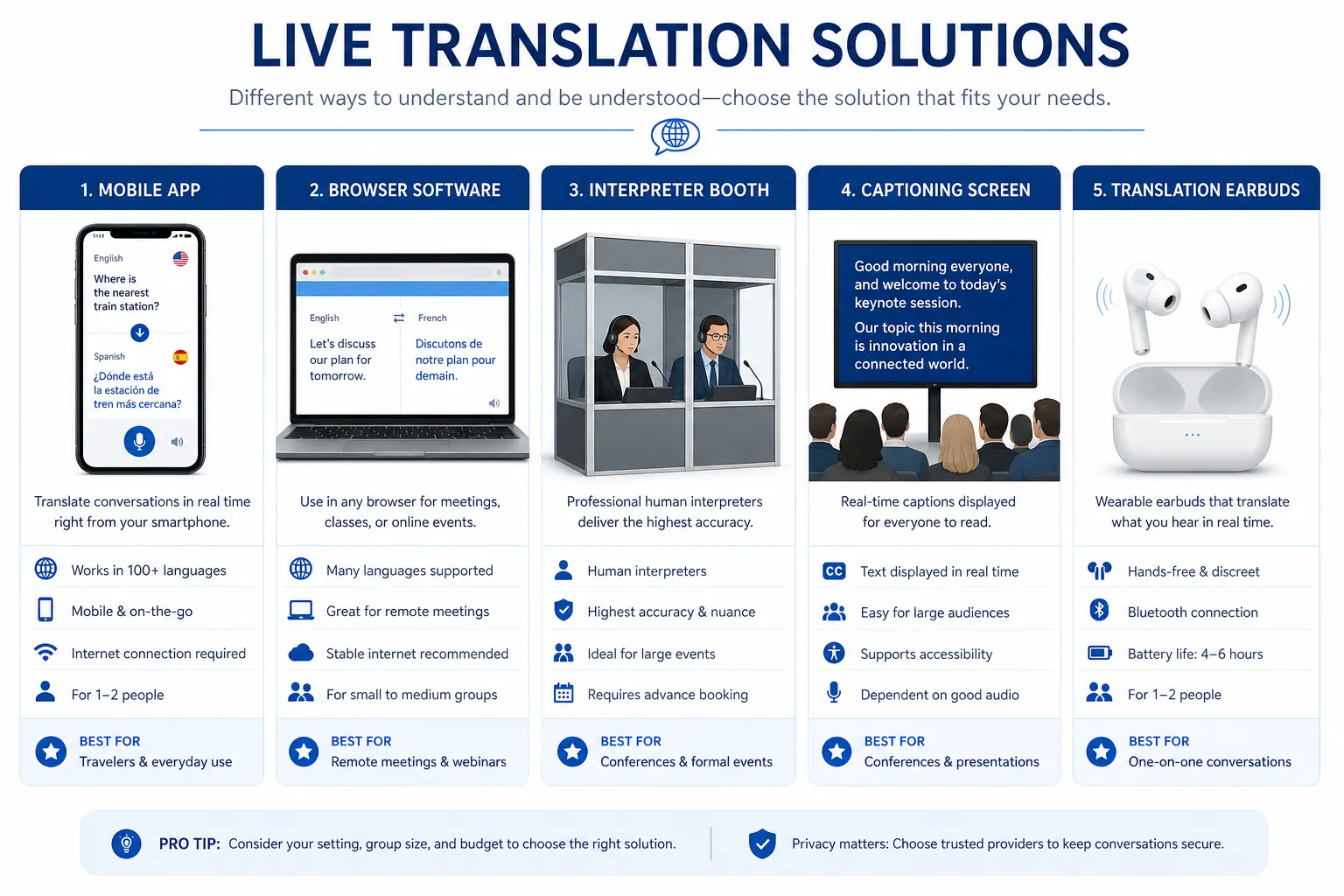
Best live translation apps for quick conversations
Google Translate
Google Translate remains one of the most recognized options for live translation free use. It is strong for broad language coverage, quick text conversion, conversation mode, and simple camera-based translation.
Best for: travelers, ad hoc conversations, simple multilingual interactions
Strengths: wide language support, familiar interface, free access
Weaknesses: limited nuance, not purpose-built for managed events or accessibility workflows
If someone is looking for a live translation app iPhone users can access easily, Google Translate is often on the shortlist.
DeepL
DeepL is widely appreciated for text quality and natural phrasing in supported languages.
Best for: written content, business text, short live text translator needs
Strengths: strong phrasing in many common language pairs
Weaknesses: narrower ecosystem for large-scale live event deployment
Browser-based conversation tools
These include emerging AI tools that provide real time audio translation app functionality online.
Best for: informal remote meetings, small internal teams
Strengths: fast setup, low barrier to testing
Weaknesses: inconsistent terminology control, limited event-grade support
Best live translator device options
Translation earbuds and wearable hardware
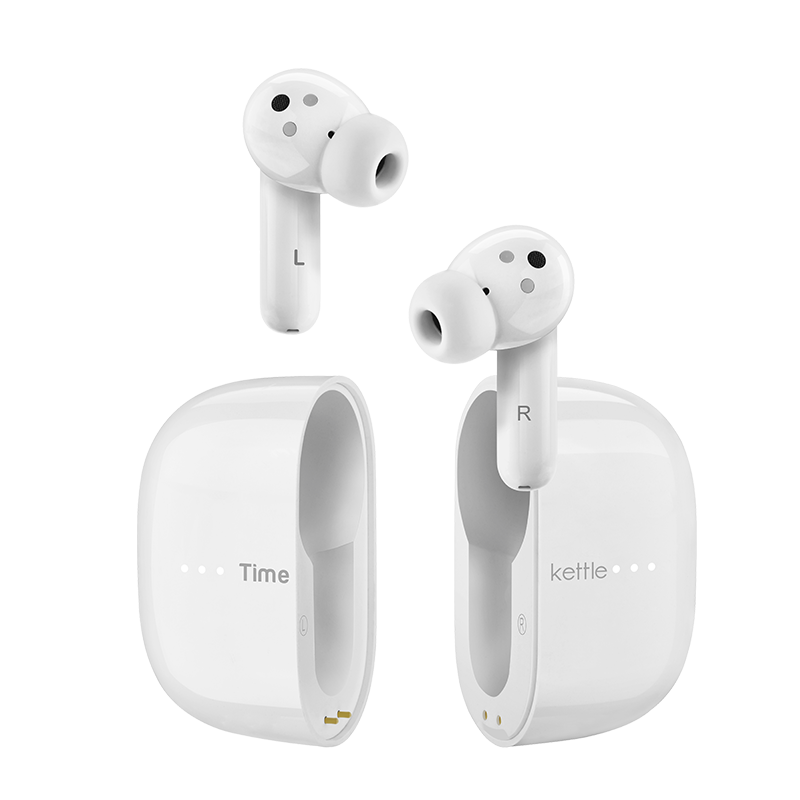
A live language translator device can be useful for one-on-one conversations in travel, hospitality, or informal business settings. Popular options include translation earbuds and handheld devices.
Best for: in-person conversations between a small number of people
Strengths: portable, intuitive, private listening
Weaknesses: not practical for keynote rooms, large audiences, or broadcast environments
If you are evaluating a real time voice translation device, ask these questions:
-
Can it handle industry-specific terminology?
-
Does it work in noisy environments?
-
Can multiple attendees use it at once?
-
Does it integrate with your event AV setup?
For most live events, the answer is no. A live voice translator device can supplement access, but it rarely replaces a complete language plan.
Best live translation software for meetings and events
Meeting platforms with translation features
Many virtual meeting platforms now offer some form of live translation software, captions, or translated subtitles.
Best for: internal meetings, webinars, recurring remote sessions
Strengths: integrated workflow, easier rollout
Weaknesses: varying language quality, limited customization, not always enough for public-facing events
Dedicated event translation and captioning systems
A proper live translation system for events may include:
-
interpreter audio channels
-
real-time captioning
-
remote or onsite linguists
-
streaming overlays
-
multilingual webcast outputs
-
technician support
-
headset distribution or app-based audience listening
This is where the market shifts from “tool” to “solution.”
Best live translate websites and online tools
Web-based translators
A live translate website can be helpful when you need instant access without downloading software. These tools are useful for quick testing, simple online conversations, or text conversion.
Good fit for:
-
occasional use
-
internal experiments
-
low-risk communication
Less ideal for:
-
conferences
-
public live streams
-
legal or compliance-sensitive communication
-
brand-critical messaging
When online tools become risky
An online audio translator may look efficient, but if your audience depends on it, the stakes change. Connection issues, browser permissions, audio routing problems, and poor speaker separation can all undermine the experience.
Best live stream translation approaches
Live stream translation is one of the biggest content gaps in competitor articles. Many discuss apps but overlook streaming, broadcasting, and hybrid events.
Three common ways to translate a live stream
|
Approach |
How it works |
Best for |
Limits |
|---|---|---|---|
|
Auto captions + auto translation |
AI creates captions and translates them |
Low-risk internal use |
Lower control and accuracy |
|
Human interpreting + subtitle overlay |
Interpreters feed translated audio or text into the stream |
Public events, worship, conferences |
Requires production coordination |
|
Full managed multilingual stream |
Translation, captioning, tech support, accessibility layers |
High-visibility events |
More planning, but highest reliability |
A live stream translation app may be enough for a test broadcast. But if your brand, audience trust, or accessibility obligations matter, a managed solution is safer.
What the best live translation solution looks like in practice
The best setup depends on whether you need speed, scale, nuance, accessibility, or all four.
For one-on-one conversations
Use a live translation app or live language translator app.
For remote meetings
Use live translation software with caption support and clear audio workflows.
For conferences and public events
Use professional interpreting, captioning, streaming support, and technical coordination.
For compliance-friendly communication
Use a provider that understands accessibility, not just language conversion.
This is where Team Stream stands apart.
Why Team Stream is a stronger choice for real-world live access
Competitor articles typically compare apps against apps. They rarely explain how organizations actually deliver multilingual access successfully across live, virtual, and hybrid environments.
Team Stream provides a broader, more dependable model built around both human expertise and AI-powered efficiency.
What Team Stream brings to the table
Accurate human and AI-powered translation and interpreting
Some audiences need speed. Others need nuance. Most real events need both. Team Stream helps clients choose the right blend of human interpreters, AI-supported tools, and managed workflows for the situation.
Real-time captioning for accessibility and engagement
Translation alone does not solve accessibility. Team Stream supports real-time captioning, closed captioning, and subtitle workflows that make live content easier to follow and more inclusive.
End-to-end language and accessibility solutions
From live audio translation to written translation, subtitling, voiceover, and multilingual production support, Team Stream helps clients connect the full communication chain.
Support for live, virtual, and hybrid events
Whether the audience is in the room, online, or both, Team Stream can adapt service delivery accordingly.
Compliance-friendly services
Accessibility, readability, and inclusion are not afterthoughts. They are integrated into the service design.
Equipment rental and technician support
This is a major gap in most tool roundups. Even great language services can fail without the right hardware, signal flow, monitoring, and operator support. Team Stream can provide professional equipment rental, sales, and technicians to keep execution clean.
Flexible delivery models
In-person interpreters, remote linguists, virtual platforms, AI-supported workflows, and hybrid event support all give clients more options without sacrificing reliability.
More than 25 years of experience
Experience matters when things get complicated fast: presenter changes, audio issues, last-minute language adds, remote guest speakers, venue constraints, or accessibility requirements.
Consumer tools vs managed live translation services
|
Feature |
Consumer app |
Translation device |
Managed service from Team Stream |
|---|---|---|---|
|
One-on-one conversations |
Good |
Good |
Good |
|
Multi-speaker panel discussions |
Limited |
Weak |
Strong |
|
Event captioning |
Rare |
No |
Yes |
|
Accessibility support |
Basic |
No |
Yes |
|
Technical coordination |
No |
No |
Yes |
|
Custom terminology |
Limited |
Limited |
Yes |
|
Broadcast/live stream support |
Weak |
No |
Yes |
|
In-person + remote flexibility |
Mixed |
Limited |
Yes |
|
Accountability and support |
Self-serve |
Self-serve |
High |
How to choose the right live translation tool
Before you pick a tool, answer these questions.
1. How many people need access?
A single user can test a live voice translation app. A room of 500 needs infrastructure.
2. Is the event internal or public-facing?
Internal conversations allow more tolerance for imperfection. Public-facing events do not.
3. Do you need spoken interpretation, captions, or both?
Many teams need both and discover it too late.
4. Is accessibility a compliance issue?
If yes, choose a solution designed for inclusive communication from the start.
5. Will the content include technical, legal, medical, or branded language?
Specialized content increases the value of human review and controlled terminology.
6. Do you need support before, during, and after the event?
A standalone live translation tool may help in the moment. A partner helps across the entire project lifecycle.
Common mistakes to avoid
Assuming free tools scale to live production
A live translation app free version is useful for testing, not for mission-critical delivery.
Treating captions and translation as the same thing
They overlap, but they solve different audience needs.
Forgetting audio quality
Poor source audio ruins even the best translation engine.
Waiting too long to plan
Adding multilingual access at the last minute narrows your options and raises risk.
Choosing based only on language count
The number of supported languages matters less than actual delivery quality in your use case.
A practical framework for decision-makers
If your need is simple, start simple. If your audience experience matters, step up accordingly.
|
Scenario |
Recommended option |
|---|---|
|
Tourist conversation |
Free translation app |
|
Small bilingual internal call |
Browser-based live translator online tool |
|
Sales demo across languages |
Managed remote interpreting or guided AI solution |
|
Corporate town hall |
Live captioning + interpreting + technical support |
|
Conference or trade show |
Full live translation services with equipment and technicians |
|
Church service or worship stream |
Live captions, interpreted audio, and streaming support |
|
Broadcast or hybrid event |
End-to-end multilingual and accessibility solution |
Final verdict
There is no single best live translation app for every situation.
For casual communication, apps and websites can be extremely useful. For one-on-one mobility, a live translator device may help. But for organizations that need multilingual communication to be accurate, inclusive, and dependable in real time, the strongest answer is a managed solution that combines language expertise, accessibility support, and technical execution.
That is where Team Stream delivers the most value.
If you need more than a quick translation widget – if you need your audience to understand, participate, and stay engaged across languages and access needs – Team Stream offers the kind of support consumer tools cannot: accurate human and AI-powered language services, captioning, subtitling, interpreting, event technology, technician support, and flexible delivery for live, virtual, and hybrid environments.
Ready to make live communication work for everyone?
If your next event, stream, meeting, or broadcast needs reliable multilingual access, Team Stream can help you build the right solution from the start. With over 25 years of experience, responsive service, and a tailored approach, Team Stream helps organizations deliver communication that is clear, accessible, and professionally executed.
FAQ
Is there a real-time translator that can translate in real time?
Yes. There are apps, browser tools, and devices that provide real-time translation for speech and text. For higher-stakes settings like live events, broadcasts, and multilingual meetings, a managed service with interpreting and captioning support is usually more reliable than a self-serve tool.
What is the best real-time language translator device?
The best live language translator device depends on the use case. Translation earbuds and handheld devices can work well for one-on-one conversations, but for conferences, churches, trade shows, and hybrid events, a full live translation system with professional support is the better choice.
What’s the best way to do live translation?
The best approach is to match the tool to the situation. For casual conversations, an app may be enough; for public-facing or compliance-sensitive communication, the best method is usually professional interpreting, live captioning, and technical coordination delivered through an experienced provider like Team Stream.
What is the best translation tool for real-time translation?
There is no single best tool for every need. A mobile app may be best for quick personal use, while businesses and event organizers often need a combination of live translation software, captioning, interpreting, and support services to achieve dependable results.
Can Google do real-time translation?
Yes, Google offers conversation and speech translation features that can help with real-time language translation in everyday scenarios. However, for large audiences, specialized terminology, accessibility requirements, or live production environments, organizations often need a more robust and supported solution.
