

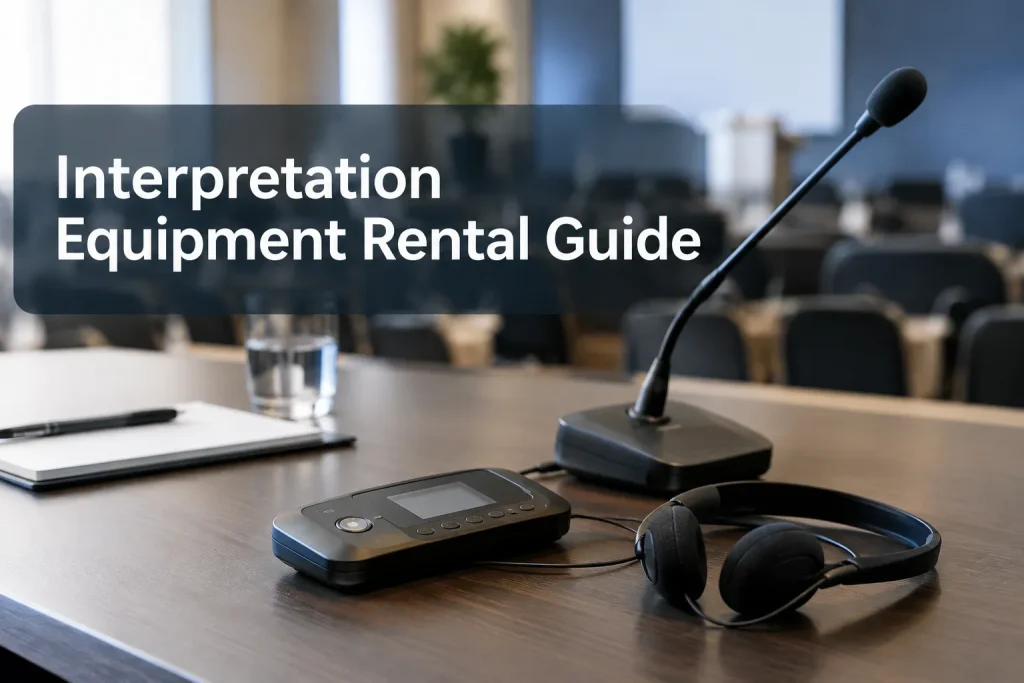
An interpreting equipment rental starts with the audience. Will people stay in one room, walk through a venue or listen online? A seated conference with several language channels needs a different setup from a walking tour or a small meeting. Give the rental provider your room plan, listener counts, languages and audio sources so they can specify transmitters, receivers, interpreter workstations and support.
Start with the event format
Map every place people will listen, including breakout rooms and online sessions. That map tells the provider where the interpreter needs floor audio and where each language must be available.
|
Event |
Typical approach |
Planning question |
|---|---|---|
|
Seated conference or general session |
Interpreter workspace, language-channel distribution and audience receivers |
Will the same channels need to work in breakout rooms too? |
|
Small meeting |
Compact interpretation setup or a remote-interpreter feed |
Can the interpreter hear every participant clearly, including remote speakers? |
|
Walking tour or site visit |
Portable transmitter and receiver system |
Where will the group move, and how will the interpreter hear the guide? |
|
Hybrid or streamed event |
Venue audio plus a path for remote interpreters and online listeners |
Who routes each language into the meeting or stream? |
For consecutive interpreting, the speaker pauses while the interpreter speaks. That format may not need a full simultaneous system. If the interpreter speaks while the speaker continues, plan a clean feed to the interpreter and a separate channel for listeners. Settle the interpreting format before ordering equipment.
On a multilingual tour, ask how the interpreter will hear the guide and send a separate language feed. A kit that carries only the guide’s voice to receivers may leave out that return path. In a hybrid program, remote listeners need a platform language channel or a separate audio stream; they cannot use the in-room receivers.
What belongs in an interpretation equipment rental
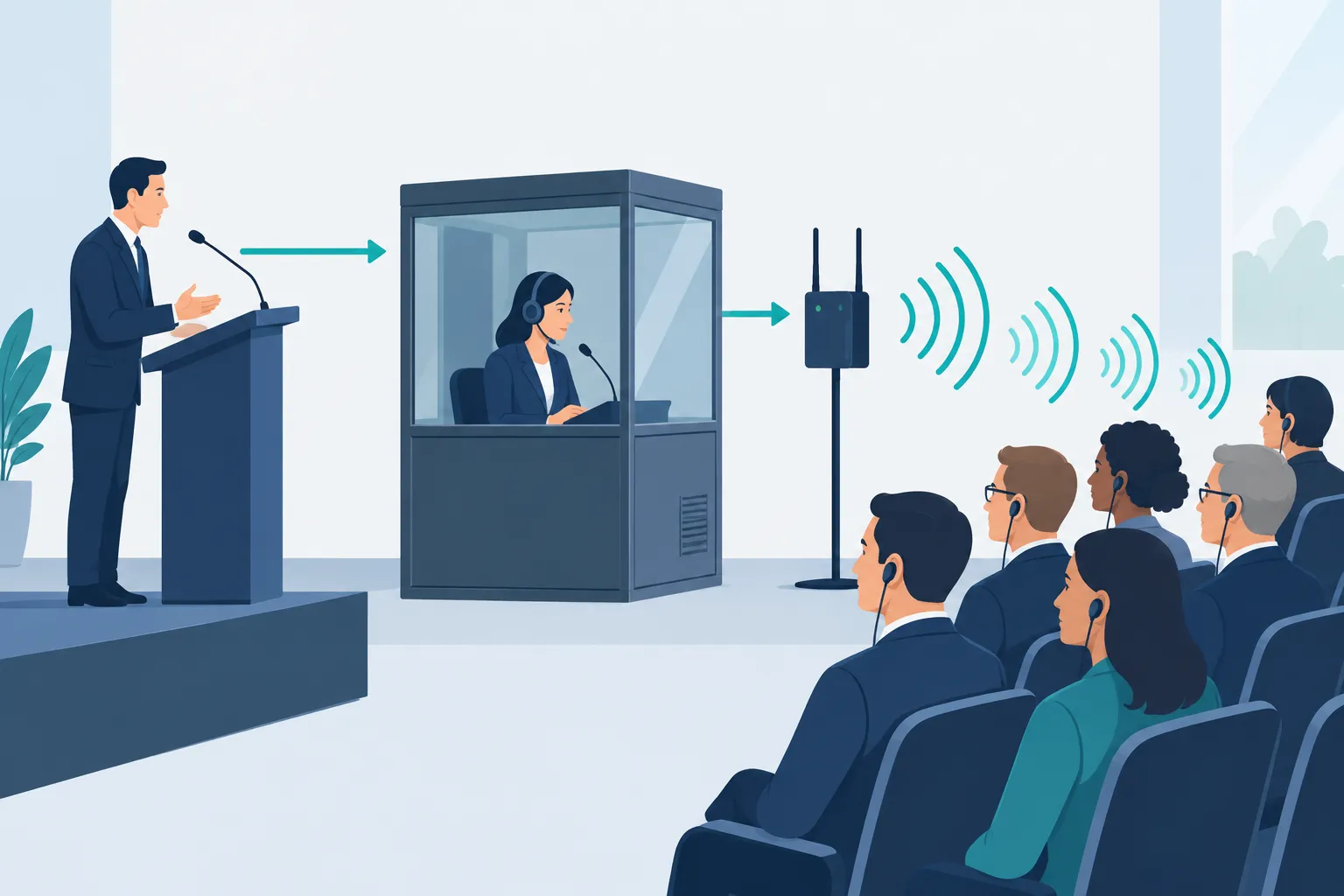
Trace the audio path before counting headsets: speaker microphone → interpreter monitoring and microphone → language transmission → listener receiver and earpiece. Each link needs a named owner.
Floor audio and the interpreter position
The interpreter needs a clear feed from every speech source. Give the AV team a list that covers lectern and panel microphones, audience questions, video playback and remote participants. Ask them to route those sources to the interpreter position without feeding the interpretation back into the interpreter’s headphones.
ISO 20109:2025 addresses both equipment and the audio and visual signal delivered to interpreters and audiences:
“the quality of sound and image transmitted to interpreters and from interpreters to the audience.” – International Organization for Standardization
At the interpreter position, a console or workstation provides audio monitoring and a microphone for the language channel. For a seated simultaneous session, a booth can keep room noise out of that microphone. On a tour, a mobile transmitter and a position close enough to hear the guide may be more useful. Remote interpreters need a return-audio and communication path agreed with the platform operator.
Language channels and audience receivers
Transmitters carry the language channels, and listeners select a channel on their receivers. Tell the provider how many languages run at the same time. Count receiver users by language and room, including overflow seating, then plan charging or batteries, sanitizing, pickup, returns and replacements.
The room PA carries sound to everyone in the space. Interpretation receivers give individuals a language choice. Include captions in the event plan for people who prefer to read or need hearing access; a receiver does not provide text.
RF vs infrared: match the signal to the venue
Radio frequency (RF) and infrared (IR) both distribute interpreted audio. Choose according to audience movement, coverage and whether language audio must stay within a particular room.
|
Consideration |
RF |
Infrared |
|---|---|---|
|
How it reaches receivers |
Radio signal from a transmitter and antenna |
Light from emitters to compatible receivers |
|
Movement |
Useful when listeners need to move around an area |
Better suited to defined spaces with planned emitter coverage |
|
Room boundaries |
Coverage may extend beyond the intended room |
Walls generally contain the signal, which can help separate adjacent sessions |
|
Main planning risk |
Frequency coordination and coverage in the actual venue |
Obstructions, emitter placement and line-of-sight coverage |
RF suits tours and mobile groups; IR can suit fixed rooms with separate sessions. Give the provider a venue plan and test coverage on site with a listener receiver. For multiroom events, ask how simultaneous sessions will be isolated and whether attendees need to retune as they move.
When rental makes more sense than buying
Renting suits occasional events, changing venues or programs with varying language needs and audience sizes. You can size the kit to the event and bring in technician support without storing, maintaining and tracking receivers. Buying can make sense for teams running similar events often enough to justify managing the equipment and using the same system across venues.
|
Cost or responsibility |
Rental |
Purchase |
|---|---|---|
|
Equipment capacity |
Sized for each event |
You own a fixed capacity until you add units |
|
Storage and upkeep |
Rental provider handles its inventory between events |
Your team handles storage, charging, repairs and replacements |
|
Venue changes |
System can be specified for each space |
Owned system may need additions or a different distribution method |
|
Staffing |
Technician support can be included in the scope |
You still need someone who can set up and operate the system |
When comparing interpretation equipment for sale with a rental quote, compare the full operating job, not only the hardware price. Include receiver loss, charging and cleaning, transport, channel coordination and trained staffing. Buying receivers does not eliminate the need for interpreters or a clean audio feed.
Decide what technician support the event needs
A single-room session may need delivery, setup, a sound check and an operator. Multiroom conferences and hybrid programs call for closer coordination with house AV, the streaming crew and the venue. Assign each audio handoff before load-in.
The technician’s scope may include:
-
Placing transmitters or IR emitters and checking coverage from the audience seats and room edges.
-
Connecting floor microphones, video playback and remote-call audio to the interpreter feed.
-
Testing each language at a listener receiver and at the stream or virtual platform, if applicable.
-
Helping interpreters monitor and select the correct audio, then troubleshooting during sessions.
-
Managing receiver distribution, returns and spare units with event staff.
Find out whether the technician stays during the show or leaves after setup. Schedule a test using the microphones and playback sources that speakers will use on stage. If several vendors touch the audio path, designate one person to approve routing changes during the event.
What affects an interpretation equipment rental quote
Receiver count tells a provider little about a complex program. Send the number of simultaneous channels and rooms, event days, interpreter positions, venue layout and staffing needs. The breakout schedule matters too: listeners may need different channels in different rooms at overlapping times. Technology and logistics affect the quote as well.
Send providers one clear request that includes:
-
Program: dates, venue, daily schedule, load-in window and rehearsal or sound-check time.
-
Languages: floor language, interpretation languages and which sessions run concurrently.
-
Audience: expected receiver users per room, whether attendees move, and who will issue and collect units.
-
Spaces: room diagrams or capacities, seating layout, breakout locations and any outdoor or walking segments.
-
Audio and video: microphones, playback, PA, streaming platform, remote speakers and the AV contact responsible for routing.
-
Delivery: whether you need interpreters, booths or workstations, receiver staffing, on-site technicians, captioning and support for virtual participants.
Ask for equipment, staffing, transport, setup, rehearsal and show-time support as separate line items. You’ll be able to spot a missing receiver desk or an omitted route for online language channels. If the agenda changes, send an updated room and channel plan.
Keep interpreter-service costs separate from equipment costs, with the supplier of interpreters, workstations and technicians named in the scope. Name the AV provider handling the microphone mix and streaming handoff as well. That connection should have a clear owner.
Day-of-event checks that prevent silent channels
Before doors open, have someone listen through a receiver from the audience area on every active language channel. Repeat the test with a person speaking into each type of microphone, with video playback and with a remote participant if those sources appear in the program. Confirm the interpreter can hear the floor without hearing their own interpreted output returned to them.
Put charged receivers and earpieces at the pickup point, label the channel choices in language names attendees recognize, and keep a process for swaps and returns. During a hybrid event, listen to the attendee-facing stream as well as the in-room receiver: a good venue feed does not prove the online language feed is correct.
The right rental is a complete signal path
Choose equipment according to how the audience moves and listens. Price interpreter audio, language distribution, receivers, AV handoffs and technician time together. If your event also needs interpreting and captions, Team Stream can scope the rental alongside language and accessibility support. Send Team Stream the agenda, venue layout and audience estimates to get a plan for the full event.
