

Before you book language access services for a conference, map who needs interpreted audio, live text, or translated materials. Then work out how each service will reach attendees. Your schedule and registration responses will give a provider the room-by-room detail needed for a useful quote.
For a U.S. conference, carry that scope through the quote, technical plan, and attendee-side rehearsal.
1. Map who needs access to what
Give each session, breakout, workshop, networking segment, and remote stream its own row. A keynote delivered in one language to listeners using two others calls for different coverage than a multilingual panel with audience questions. Include pre-recorded videos, slides, handouts, signs, and post-event recordings.
|
Ask for each session |
Write down before requesting a quote |
|---|---|
|
Who speaks and in which language? |
Source languages, language changes, named speakers, and likely accents or specialist vocabulary |
|
Who needs to receive it? |
Attendee languages and whether access is needed in the room, online, or both |
|
Who needs to participate? |
Q&A, small groups, speaker questions, and two-way conversations |
|
What must be readable? |
Live speech captions, translated captions, slide text, handouts, and video subtitles |
|
Where will it happen? |
Room, times, overlapping sessions, virtual platform, and recording plan |
Put this question on the registration form: “Which language would you prefer for conference sessions? Do you need spoken-language interpreting, live captions/CART, sign-language interpreting, an assistive listening option, or another communication accommodation? Please tell us which sessions and how we can contact you privately about the request.” Give attendees a named contact and a way to update a request after registration. Share individual accommodation details only with the team arranging them.
Ask attendees which language and, where relevant, which variety or dialect they prefer. Find out whether they want to hear it, read it, or speak it in a discussion. Keep disability-related communication requests distinct: Spanish audio does not provide English CART for someone who needs text, and captions do not meet a request for sign-language interpreting.
One plenary entry might read: “Main ballroom, opening keynote and moderated Q&A; English stage audio; Spanish interpreted audio for in-room and remote attendees; English live captions on the room screen and online; one handheld audience microphone; AV lead owns the source feed; provider owns interpreted return and caption output.” Give breakouts their own details; they may use different languages or equipment.
2. Match each session to the right service
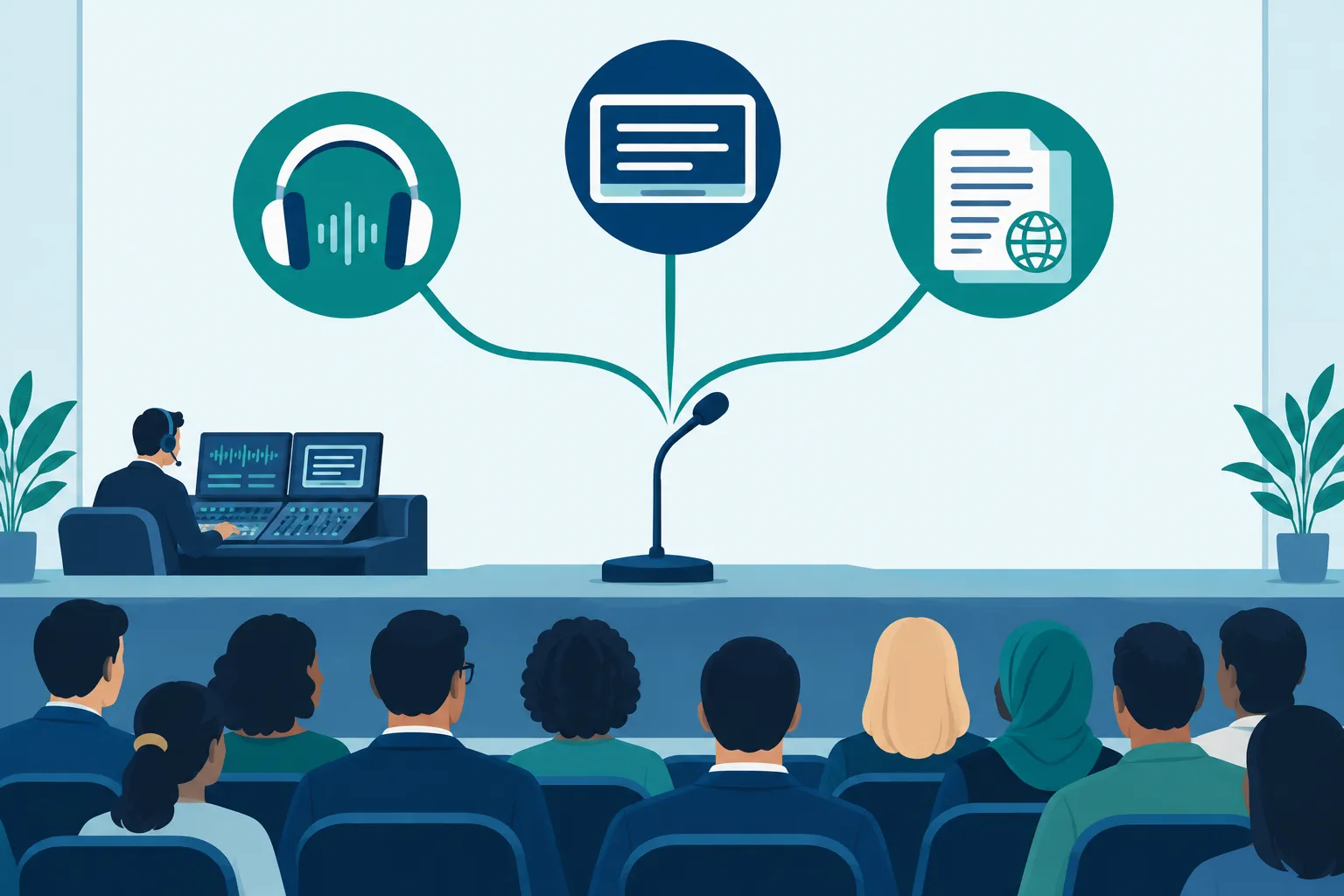
Specify the output attendees need. Live interpreting delivers speech, captions provide text as someone speaks, and written translation covers materials prepared for reading.
|
Need |
Service to scope |
Planning consequence |
|---|---|---|
|
Audience hears a speaker in another language during a keynote |
Simultaneous interpreting |
Provide a clean source audio feed, interpreter audio return, and a way to select the right channel |
|
Short interview or small discussion with pauses |
Consecutive interpreting |
Allow extra agenda time and tell the moderator when to pause |
|
Attendee needs real-time text of speech in the source language |
Live human captioning or CART, as appropriate to the request |
Route every speaking microphone to the captioner; decide where attendees read text |
|
Attendee needs communication through sign language |
Qualified sign-language interpreting |
Arrange sightlines or an appropriately sized video view; discuss any requested sign language with the attendee |
|
Attendees need written materials in another language |
Written translation and accessible file preparation |
Freeze source copy and set review and distribution deadlines |
|
Video is played during a session or published later |
Captions, subtitles, and possibly voiceover |
Supply the media file early and distinguish live playback from the final recording |
Use simultaneous interpreting when a speaker needs to continue without pauses. Choose consecutive interpreting if the format allows speakers to take turns. On a panel, decide whether the interpreter handles both stage-to-audience and audience-to-stage questions, and give questioners a microphone.
Team Stream’s conference translation services overview explains spoken-language coverage across event formats. In your session matrix, specify which channels the team must book and test.
Choose in-person, remote, or hybrid staffing based on the room and platform feeds. A remote interpreter needs clean source sound and a return path to attendees; an on-site interpreter needs a suitable position, monitor audio, and production coordination. Have the provider spell out coverage for long sessions, breaks, parallel rooms, and speaker changes.
Automated captions and AI translation can serve some sessions. For high-stakes material, specialist terms, or an accommodation request, agree on the qualified human service and any review process in advance. Automation alone does not meet a request for CART or sign-language interpreting.
3. Turn the scope into a vendor brief
Send providers the same brief so their quotes cover the same work. Include event dates, venue and time zone, concurrent sessions, speaking and receiving languages, estimated audience by channel, and delivery format. Add the floor plan and platform details if you have them.
Request a proposal that specifies:
-
The service and language pair for each session, including Q&A and any hallway or exhibit conversations, plus coverage for breaks and overruns.
-
Interpreter and captioner assignments, the technical lead, shift handoffs, subject-matter preparation, and who can approve event-day changes.
-
Audio channels and caption access, translated documents and accessible formats, and whether recording, transcript cleanup, or reuse is part of the job.
-
Who supplies microphones, receivers/headsets, interpreting equipment, screens, operator laptops, connectivity, spares, and on-site technicians.
-
Setup and rehearsal time, equipment transport, booking minimums if any, overtime triggers, cancellation terms, and recording or distribution permissions.
-
The response to a lost internet connection, faulty receiver, disconnected remote linguist, or unscheduled speaker.
Compare the complete attendee experience in each proposal. An interpreting rate can leave receivers, technicians, a second room, or captions out of the total. Require providers to mark their assumptions and exclusions.
4. Connect captions, audio, and audience access
Give the AV lead a signal-flow plan for each room. Route the moderator, speakers, and audience microphones to the interpreters and captioners. A laptop microphone collecting room sound will miss quiet questions and produce a weaker feed.
For in-person attendees, set a receiver pickup and return point, label channels, clarify the headphone arrangement, and staff device support. Test reception at the back of the room and near entrances. For screen captions, test text size and sightlines from reserved seating. For captions on personal devices, test the join link, Wi-Fi, and a way in without scanning a QR code.
For remote attendees, map the entire path: speaker microphone → meeting or broadcast feed → interpreter/captioner → language or caption channel → attendee device. Assign someone to enable platform settings, grant interpreter permissions, manage breakout rooms, and watch the attendee view. Test whether a participant can use captions and interpreted audio together.
Put a fallback beside each path: a spare receiver, an alternate text join link, and an agreed announcement and pause procedure if interpreted audio or captions drop. Name the person who spots the failure, calls the vendor, and tells attendees what to do. Preserve the requested access service during recovery; unreviewed automation is not a quiet substitute for a requested human service.
Tell attendees in the invitation which services you plan to provide and whom to contact about additional needs. Give late requests a place in the escalation plan, even after the registration deadline.
“Covered entities must provide auxiliary aids and services when needed to communicate effectively with people who have communication disabilities.” – U.S. Department of Justice, ADA.gov
5. Rehearse the experience, then run the event
Rehearse with the microphones, platform settings, rooms, and viewing devices attendees will use. Have someone join Spanish audio on a phone and read the captions from the rear seats; an operator’s laptop test cannot tell you whether either route works for a guest.
|
When |
Planner’s handoff |
|---|---|
|
Before procurement |
Collect requested languages and accommodations; map sessions, formats, and speaking directions |
|
When booking |
Approve the service matrix, staffing, deliverables, AV responsibilities, and contingency plan |
|
Before rehearsal |
Supply scripts, slides, names, acronyms, videos, and a glossary; flag confidential material |
|
At technical rehearsal |
Test every input, channel, caption view, receiver, room change, remote return feed, and failure contact |
|
At doors open |
Post plain-language instructions, staff the receiver desk and help contact, and verify channels again |
|
During sessions |
Monitor audio and text, pass changes to the language team, and give moderators a Q&A microphone |
|
After the event |
Collect equipment; approve any corrected captions, transcripts, subtitles, or translated assets before publishing |
Assign one producer to make decisions if the agenda moves. Tell speakers to use microphones, avoid talking over one another, and identify last-minute slide changes. Give moderators a short script explaining how participants select their language channel, request help, and ask questions.
Make language access a production decision
Build the service matrix session by session, use it to brief providers, and test the attendee experience before doors open. Your team can then catch an uncovered breakout, missing caption path, or equipment gap in time to act. Team Stream can scope interpreting, captioning, translation, equipment, and technician support together for live, hybrid, or virtual events. Send the agenda, languages, access requests, and AV contact to discuss the setup your event needs.
FAQ
What does language Access mean?
At a conference, language access means making spoken and written event information usable for participants who need another language or communication format. That may involve interpreting, translated materials, captions, CART, or sign-language interpreting, depending on the person and session.
Is language Access a civil right?
Legal duties depend on the organization and event. U.S. disability access requirements can require effective communication and appropriate auxiliary aids, such as sign-language interpreters or other services; do not assume one legal rule applies to every private conference or every language request. Scope the attendee’s need and involve your organization’s accessibility or legal lead when determining obligations.
What do interpreters charge per hour?
There is no single useful hourly rate for a conference brief. Ask for a written quote that separates language pairs, staffing and session coverage, preparation, rehearsal, equipment, technician support, travel if applicable, and overtime, so you can compare the full event cost.
