

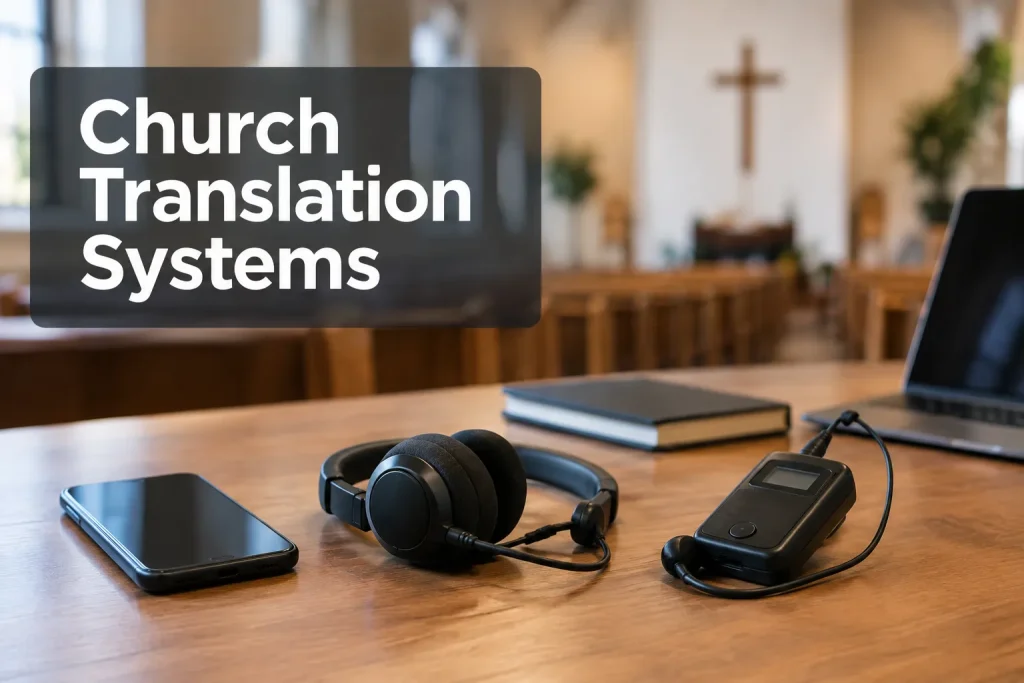
Start with where people will listen. Phones make sense if attendees can get online and bring earbuds; dedicated receivers are easier to depend on when connectivity is weak or the same group attends each week. If sermons and pastoral messages call for a skilled interpreter, budget for that person alongside the listening channel. Whatever church translation equipment you choose, give the operator a clean source feed and a way to hear trouble before the congregation does.
Choose church translation equipment by delivery path
“Translation headsets for church” can refer to an interpreter’s monitoring headset or a congregation member’s receiver and earpiece. Neither device translates on its own. A person or an automated system interprets the speech; the equipment carries the audio to listeners. Written service materials are translated, while a live sermon is interpreted.
|
Setup |
Listener experience |
What the church operates |
Best fit |
Main constraint |
|---|---|---|---|---|
|
Phone-based listening |
Open a link or app, select a language, listen through personal earbuds |
Source audio, interpretation platform, network and access instructions |
Changing attendance, multiple locations, remote listeners |
Device access, network capacity and listener setup |
|
Dedicated wireless receivers |
Pick up a tuned receiver and earpiece |
Interpreter feed, transmitter, receiver inventory and charging |
Regular in-room group, limited guest Wi-Fi |
Checkout, cleaning, battery and coverage work |
|
Staffed human interpretation |
Listen by phone or receiver, with a person interpreting live |
Interpreter monitoring, microphone, language channel and support operator |
Nuanced sermons or important ceremonies |
Staffing and preparation; it still needs a delivery channel |
If the distribution equipment supports both, one interpreter’s audio can reach phones and receivers. Captions can run alongside either option. Make sure volunteers can repeat the setup next Sunday.
Trace the audio before buying translation devices for church
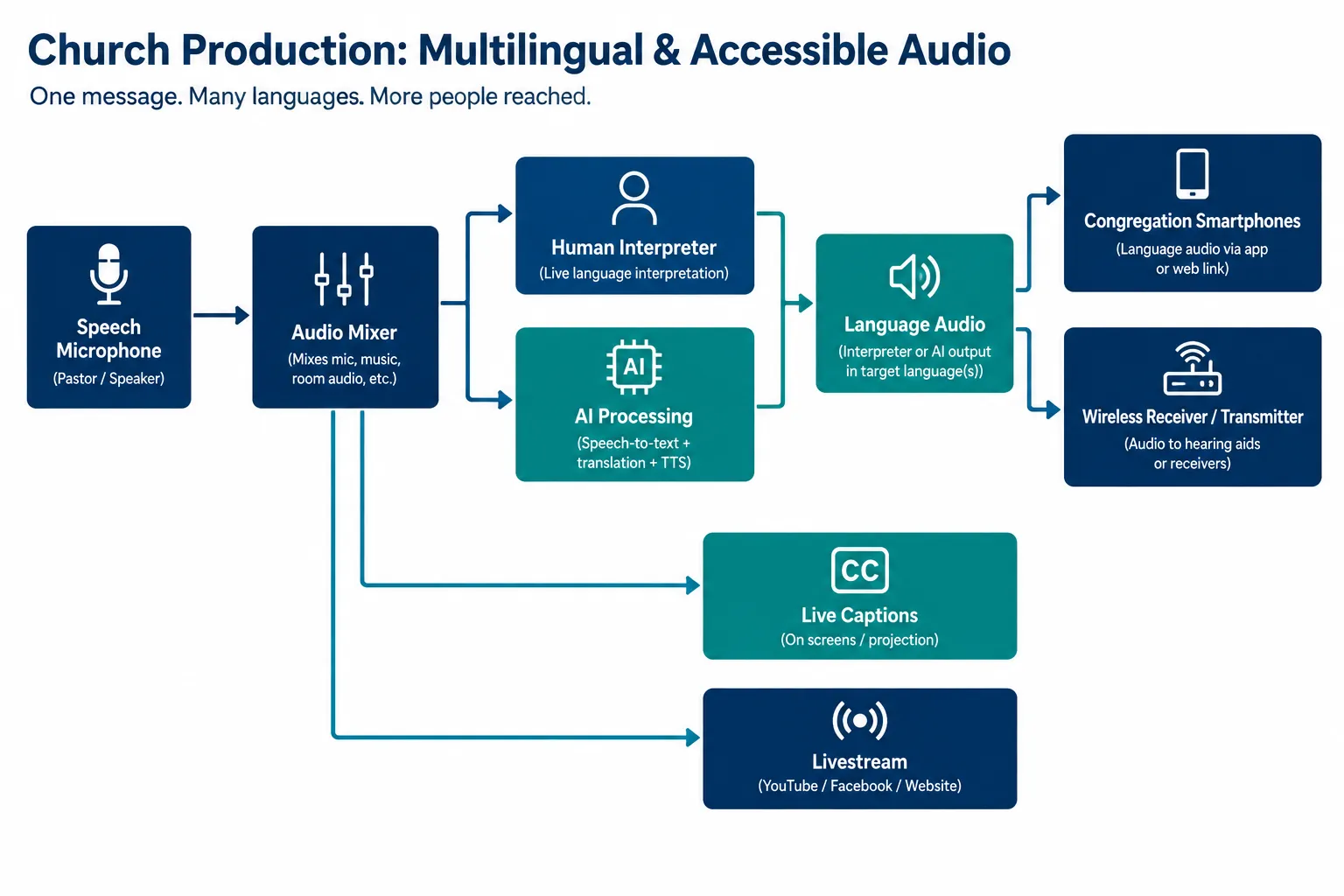
Trace the route from speaker to listener: speech microphone → mixer output → interpreter or speech-processing input → language channel → phone, receiver or stream. Draw a separate route for captions. An earpiece cannot rescue a muddy source feed.
Give the interpreter or AI a usable source
Ask the audio team for a feed that puts speech first. Include the pastor’s mic, handheld questions, scripture readers and video playback. A room microphone aimed at the PA, or a house mix heavy on music, makes words harder to follow. Agree on the inputs and assign someone to unmute them as speakers change.
Give the interpreter headphones for the feed and a microphone for the target-language voice. Place them where nearby worshippers will not hear a second spoken sermon. Keep monitoring and output paths separate so their voice does not loop into their headphones. AI speech interpretation needs that same clean input; test names, scripture references and speaker changes before the service.
Count channels, listeners and locations
Write down each language and how many people expect to listen in the room or online. Count receiver units per language and make channel selection clear. For phones, walk the visitor’s route from the sign or QR code to language selection and volume. Some attendees will lack a charged phone or prefer not to install an app; keep physical listening options if they need them.
Test reception or network access in overflow spaces as well as the sanctuary. A connection at the sound desk tells you little about what happens when the room fills.
Phones versus wireless interpretation headsets
With phone listening, the church stores and maintains fewer receivers. But attendees need a supported device, working headphones, a usable way to join and enough battery. The audio also needs a suitable network. Cellular service can help some listeners, though coverage and data use vary.
For a familiar group, a volunteer can hand out tuned receivers and show people the volume control. Radio delivery works without guest Wi-Fi, though you still need to test coverage and interference in the building. Plan for charging or spare batteries, channel labels and returns. If you want to share an existing assistive-listening system with language audio, map its channels and current accessibility use first.
The ADA’s assembly-area assistive-listening standard offers a technical reference. It does not automatically create a Title III obligation for a church:
“Religious entities are exempt from the requirements of title III of the ADA.” – U.S. Department of Justice
|
Decision question |
Lean toward phones when… |
Lean toward receivers when… |
|---|---|---|
|
Who attends? |
Language groups and seating change often |
The same in-room group attends weekly |
|
What works on Sunday? |
Network and join flow pass a full-service test |
Internet is unreliable but local reception is sound |
|
What can volunteers manage? |
A helper can onboard people at the door |
A helper can issue, charge and collect devices |
|
Who listens remotely? |
The service needs a separate online language path |
Listening is mainly inside the building |
Rehearse both choices with listeners at the front, back and overflow area. Ask someone outside the setup team to join without coaching. If they cannot find a channel or hear the right voice, a green platform dashboard is little comfort.
When human interpreting belongs alongside AI
AI can extend language access when no live interpreter is available or a service needs more languages. A spontaneous prayer, testimony or sensitive pastoral message is harder to hand over to an unattended channel. A trained interpreter can follow the context when a speaker takes an unexpected turn.
Send the interpreter the sermon outline, scripture passages, names and pronunciation notes, and give them a way to alert the operator if the feed fails. If you use AI, assign an output monitor and, where possible, a listener who knows the target language. Agree on a fallback before worship starts: move to a human channel if available, pause the translated feed, or tell listeners the channel is unavailable. Do not promise accuracy for an output nobody is monitoring.
An interpreter can work on site or remotely; either way, the service has to carry their audio to listeners. Team Stream combines professional interpreting and AI-enabled options, with equipment and technician support for churches that need a staffed plan instead of a standalone app.
Captions and livestreams need their own routes
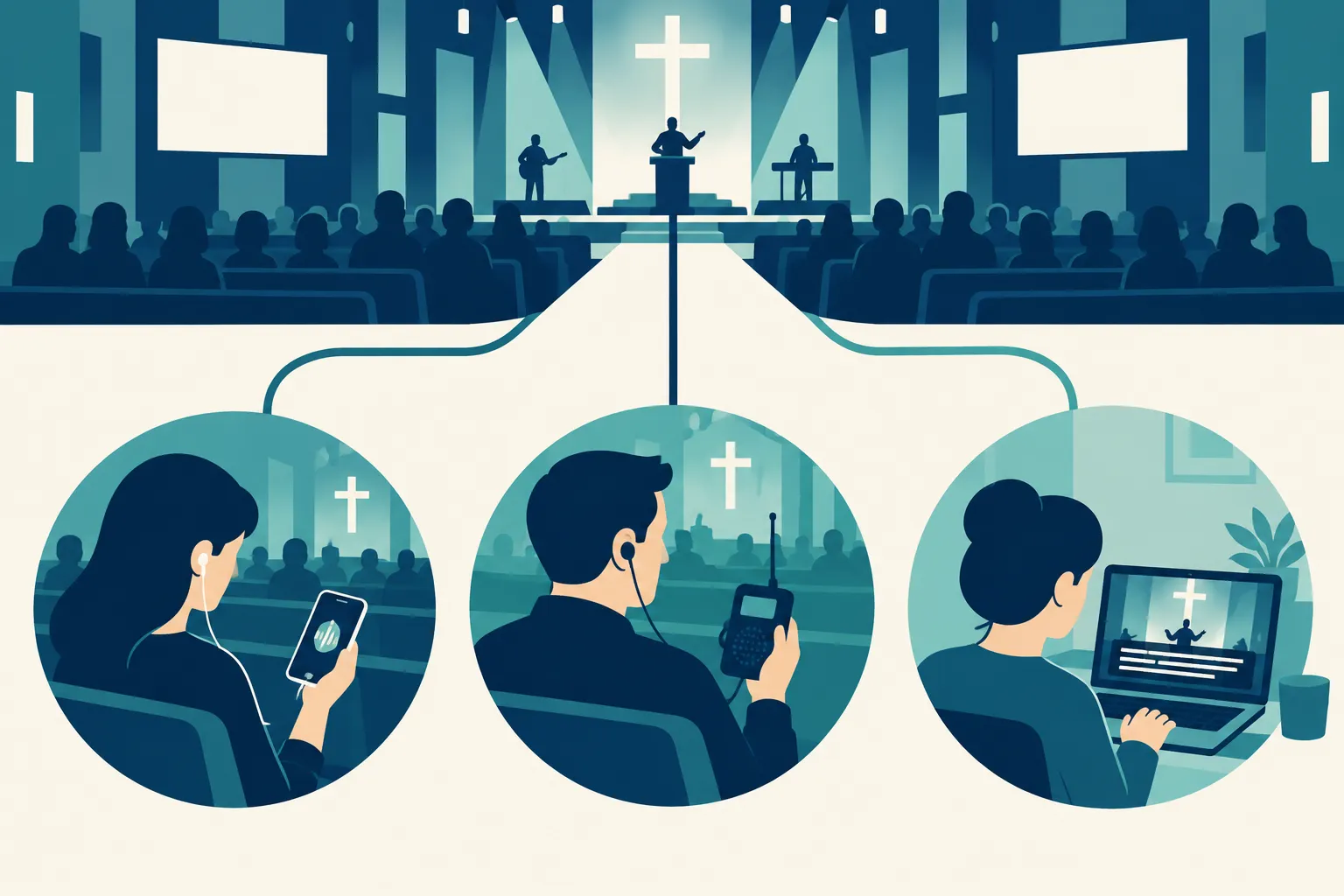
Translated audio delivers spoken language to an earpiece. Captions let people read speech, including those who cannot rely on audio. Decide whether to show live captions in the sanctuary or on personal devices, and which caption track remote viewers will receive. Original-language captions do not produce translated captions on their own.
The in-room transmitter will not reach online viewers. Give the stream its own language-audio input or provide a separate listening link. If viewers watch video in one tab and listen to interpretation in another, test the timing and tell them to mute the original stream. Have a producer watch and listen on the public viewing page. Check whether captions appear in the program picture or as a selectable track on that page too.
Keep the interpreter’s microphone out of the house mix unless the congregation is meant to hear it. Label the original-language, interpreted-language and caption feeds at each handoff. Listen to the public stream: a working booth channel may still be absent online.
A Sunday-ready operations checklist
Assign one person ownership of each handoff, even when volunteers fill several roles:
-
Before rehearsal: List languages, expected listeners, rooms and online destinations. Confirm the spoken source feed and the interpreter’s preparation materials.
-
At sound check: Speak into every mic that will be used. Listen to the interpreter’s monitor and each outgoing language channel on actual attendee devices.
-
At doors open: Put clear pickup or join instructions where people enter. Keep a volunteer available for volume, language and headphone questions.
-
During the service: Monitor at least one receiver or phone per channel and the public livestream. Watch for a dead mic, wrong language, network dropout or delayed caption track.
-
Afterward: Collect and charge receivers, note failures and ask listeners whether speech was understandable. Update the routing sheet before the next service.
The transmitter or subscription is only part of the cost. Include equipment purchase or rental, interpreter time, platform access, technician coverage, network improvements, spare receivers or earbuds, and volunteer workload. No single published price fits every sanctuary, language count and remote audience. A short pilot shows which recurring tasks your team can sustain.
The practical choice
For a stable in-room language group with unreliable guest connectivity, evaluate dedicated receivers with a clean interpreter feed. If visitors, languages and remote attendance vary, test phone delivery on the venue network and make joining easy. Plan professional human interpretation for sensitive or spontaneous services, whether listeners use phones or receivers.
Team Stream can plan interpreting, captioning, equipment and technician support together for in-person or hybrid worship. That suits a church looking for help running the service, rather than a self-serve gadget. Bring your venue audio map, audience languages and livestream workflow to a planning conversation about translation equipment your team can run.
