

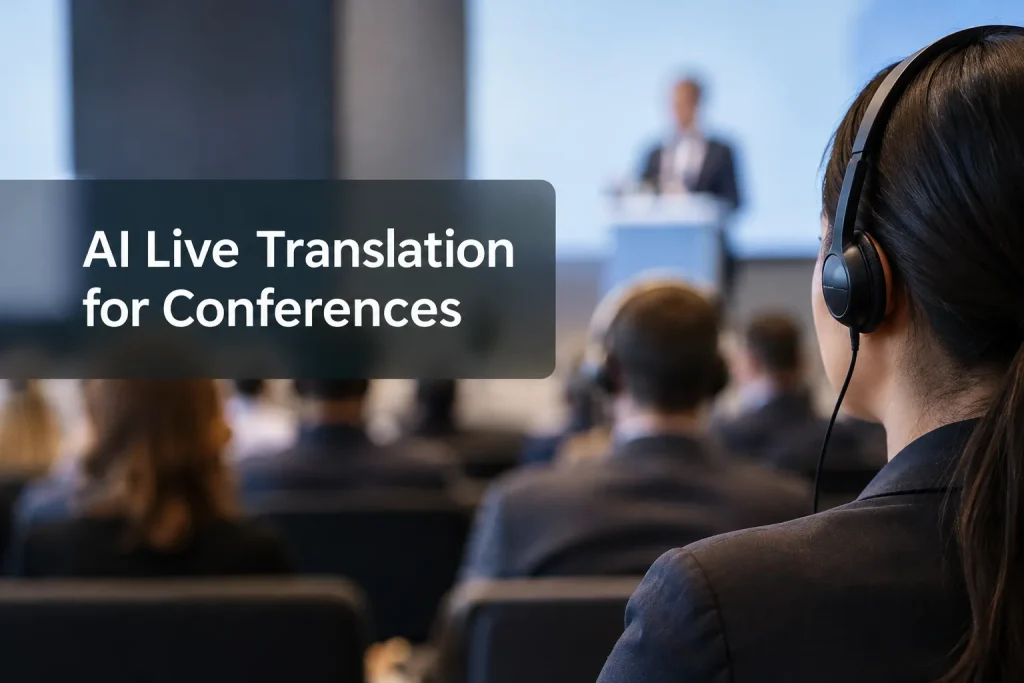
AI live translation can help more people follow a multilingual conference. The test is whether someone in the back row can hear their language channel and read the panel captions. Compare AI, human interpreting, and hybrid delivery all the way from the stage microphone to the attendee device. The session format, audience languages, and failure plan should drive the choice.
Team Stream’s Event Interpretation Services can help with broader staffing and event design.
Start with the delivery model
Live speech translation delivers a presenter’s words in another language as text, synthetic audio, or both. AI can capture and transcribe speech, translate the text, then produce a spoken version. A human simultaneous interpreter listens to the floor feed and speaks on a separate channel. Hybrid delivery assigns the two methods to different sessions or channels and gives staff a defined way to hand off between them.
|
Model |
Useful when |
Attendees receive |
Main constraint to plan around |
|---|---|---|---|
|
AI speech translation |
A lecture has a clear floor feed and multiple target languages |
Translated captions, synthetic audio, or both, depending on the system |
Errors in names, jargon, overlap, or source transcription can propagate |
|
Human interpreting |
Negotiations, sensitive announcements, interactive panels, or sessions where nuance matters |
A dedicated interpreted audio channel, usually with an interpreter team for sustained sessions |
Staffing, audio routing, and interpreter preparation need lead time |
|
Hybrid delivery |
Sessions vary in risk and audience size |
Human-interpreted priority channels alongside AI-supported channels or captions |
Producers must assign ownership for quality checks and switching paths |
Define the interpreter’s assignment: interpreting a priority language, monitoring captions for corrections, or taking over when an AI feed becomes unusable. Staffing depends on which job you need. One interpreter cannot correct every AI channel while the event is running.
Compare what attendees will actually receive
Separate language audio from captions
Start with the attendee. Someone following the Spanish channel might use a receiver, stream audio to a phone, or read translated text. They need to know where to choose that language and, for audio, whether they can adjust the original speech beneath it. Spell out the options for remote attendees as well.
Same-language live captions give access to speech without sound. Translated captions let attendees follow a different language. You may need both at the same conference, with text people can see, resize, and use to identify speakers and important non-speech audio. One translation projected behind the stage cannot serve several language groups at once.
“430 million people, over 5% of the world’s population, require rehabilitation for disabling hearing loss.” – World Health Organization
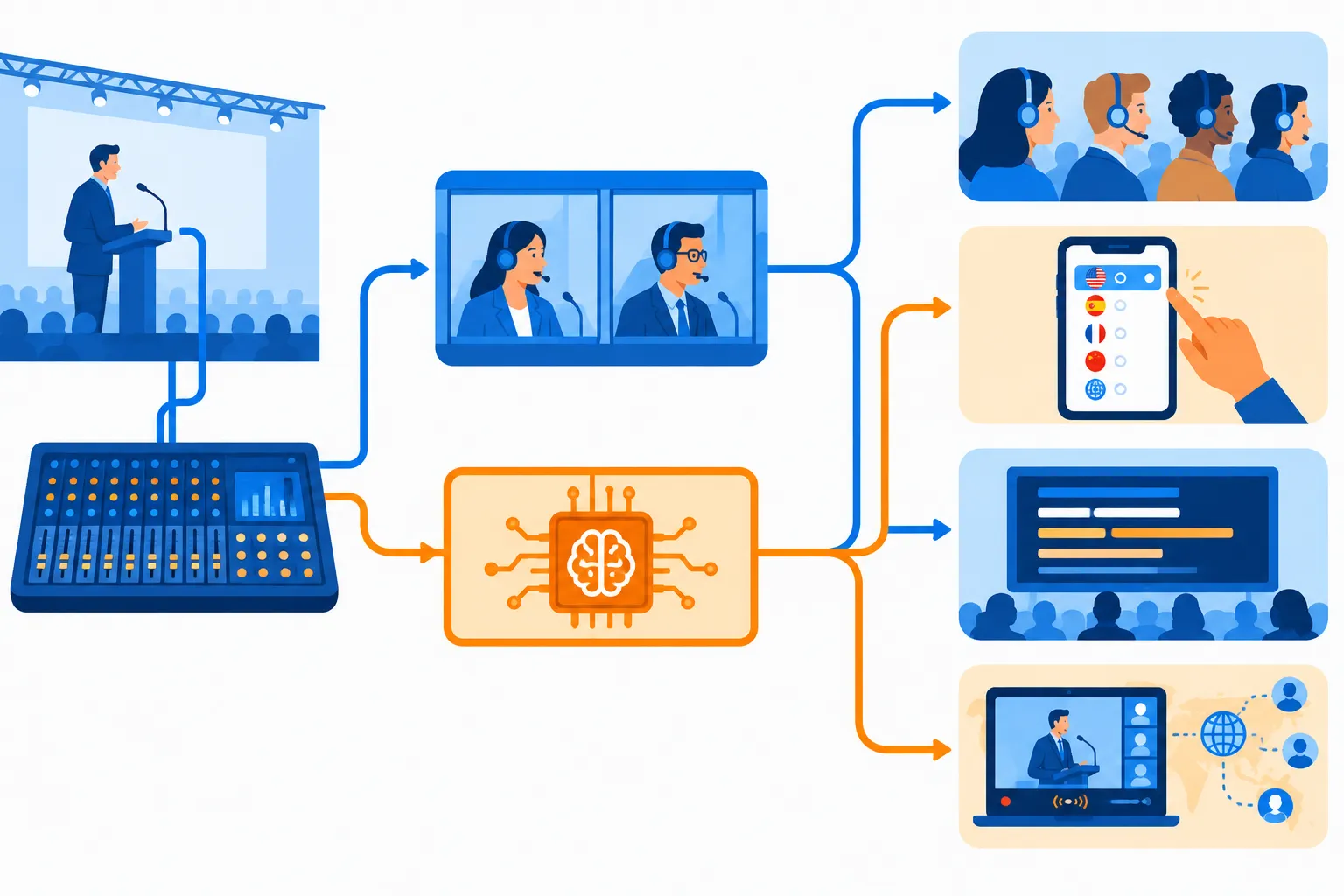
Draw the on-site signal path: stage microphone → clean mixer feed → translation or interpreter input → distribution system → attendee receiver or device. Add branches for the stream and recording. Phone delivery adds dependencies: event Wi-Fi or mobile data, charged batteries, headphones, and a join flow people can use from their seats. A QR code will not rescue a failed network.
Check each language direction and room
Language lists say little about the source-to-target pair your audience needs. Test that direction with regional varieties and specialist terms. If panelists switch source languages, find out whether the setup follows them or requires an operator to rebuild the session.
Breakouts may have their own microphones and mixers; the main-stage feed may cover only the plenary. Put sessions, source and target languages, output types, rooms, and remote destinations in a matrix. You can then spot an unsupported breakout before the schedule is locked.
Measure AI live translation latency and accuracy under conference conditions
Time end-to-end delay through the venue network and stream. Start when a speaker finishes a meaningful phrase and stop when an attendee hears or reads the translation. Compare the floor audio, captions, and translated voice separately. A keynote can tolerate a lag that would make audience Q&A hard to follow.
Play a short sample from the program with names, acronyms, numbers, jokes, accents, a fast panel exchange, an audience microphone, and speech over applause. Bilingual reviewers familiar with the topic can catch omissions and meaning-changing errors alongside misspellings. If the system accepts pronunciation or terminology lists, add yours and replay the sample.
Assess translated captions and synthetic speech separately. Text may appear before the voice finishes, while spoken translation may still be playing when the next speaker starts. Set an acceptable delay and error threshold for each session. Put a human interpreter on the channel for content where a mistranslation has serious consequences.
Build a fallback before doors open
Assign someone to each translated channel. The show caller needs to know who monitors the source feed and attendee output, and who can authorize a switch. A single production contact can coordinate interpreters, captioners, AV technicians, and platform support during an outage.
Make the handoff specific:
-
If the source feed degrades: Move to a backup microphone or mixer feed, and tell speakers to pause while the audio engineer restores it.
-
If one translated channel fails: Tell affected attendees where to find the alternate channel or captions. Switch to a staffed human channel only when that interpreter and routing are already assigned.
-
If internet access fails: Use the planned on-site distribution path if it is independent of that connection. Otherwise pause the affected session and give a clear status update; do not promise an offline mode that has not been demonstrated.
-
If translation quality drops: Have a bilingual lead flag critical errors and escalate to the interpreter or session chair. Do not silently continue with wrong numbers or names.
For sensitive panels, make human interpreting the primary service where needed; use AI captions only if they suit the event’s accessibility needs. Reserve real fallback capacity. Someone already working in another room cannot take over at once.
Rehearse the full signal path
Use the actual rooms, microphones, presentation laptop, stream settings, attendee devices, and language routes for rehearsal. Run a speaker handoff and an audience question. Then have someone unfamiliar with the setup join from a seat and from the remote stream without coaching.
|
Test |
What to observe |
Pass condition to set with your team |
|---|---|---|
|
Entry and selection |
Can an attendee find and change their language? |
The join instructions work on the actual device and connection |
|
Stage-to-device audio |
Is the floor speech clean and is the chosen output audible? |
No unintended feedback, bleed, or missing channel |
|
Caption display |
Can attendees read the correct language without covering slides? |
Text remains usable in the room and in the stream |
|
Turn-taking |
What happens at rapid speaker changes and audience Q&A? |
Listeners can follow who is speaking and respond in time |
|
Failure drill |
What happens when a microphone, network, or target channel goes down? |
A named operator executes the agreed handoff and communicates it |
|
Recording |
Which audio and caption tracks are captured? |
The recording retains only the approved tracks and permissions |
Record a go/no-go decision for each room and language route. A passing main-stage test does not clear an untested or failing breakout feed.
Budget for the whole event
Give suppliers the same schedule and deliverables when requesting quotes. AI fees may depend on event hours, usage, attendee access, or language outputs; human interpreting requires staff and production infrastructure. Both can also involve technicians, microphones, receivers, caption displays, connectivity, preparation, and show-day support. Compare the full scope, not only the hourly rate.
Get a scope for each supplier that names rooms, sessions, simultaneous languages, audio and caption outputs, setup and rehearsal time, equipment, operators, and fallback responsibility. Add post-event transcript or recording work if you need it. Specify who can access source audio and transcripts, what remains on file, and how your event handles attendee consent.
Choose a model that matches the stakes
For a clear keynote, AI live translation can reach attendees with different language preferences once audio, captions, and quality pass rehearsal. Fast exchanges and consequential messages call for professional interpreters. If you combine the two, assign each channel an owner and agree on when a human takes over.
Team Stream supports live interpreting, captioning, AI-powered language services, equipment, and technician services for in-person, virtual, and hybrid events. Producers can coordinate language access with the production path rather than arrange each piece separately. Bring Team Stream your run of show, room list, and expected language mix to plan the channels and fallback for your audience.
FAQ
How can I do live translation?
Feed clean stage audio to an AI speech translation system or a professional interpreter, then distribute the translated audio or captions to attendees. For a conference, map every room and language route, assign operators, and rehearse the attendee join process and failure handoff.
Is there a real time AI translator?
Yes. Live AI systems can produce translated captions or speech from a microphone feed. “Real time” still involves delay, so evaluate the end-to-end experience with the venue audio, network, and event format rather than relying on a demo.
Which AI is best for language translation?
For a conference, there is no universal winner: the best fit must handle your actual language directions, stage audio, attendee audio and caption routes, and failure plan. Compare systems with the same sample from your program and include human interpreting where a mistranslation would have serious consequences.
