

Voiceover translation turns a business video’s spoken message into narration for another language. In a product demo, training module, or corporate announcement, the translated script needs to sound natural aloud and fit the visuals. The voice must also suit the audience. Give the production team a locked video, a time-coded script, terminology guidance, and delivery requirements before recording begins.
What voiceover translation delivers
A translated voiceover is a spoken track recorded in the audience’s language and timed to the video. It may replace the source speech or play over a lowered original track. The narrator follows the picture without necessarily matching every visible mouth movement. Decide which audio treatment you want before requesting voice samples or approving a script.
For a demo, narration must name the right controls at the moment viewers see them. Training needs instructions that leave time to follow a step. An executive announcement may call for a measured voice that preserves the speaker’s intent. Script and voice decisions affect each other throughout production.
The production workflow
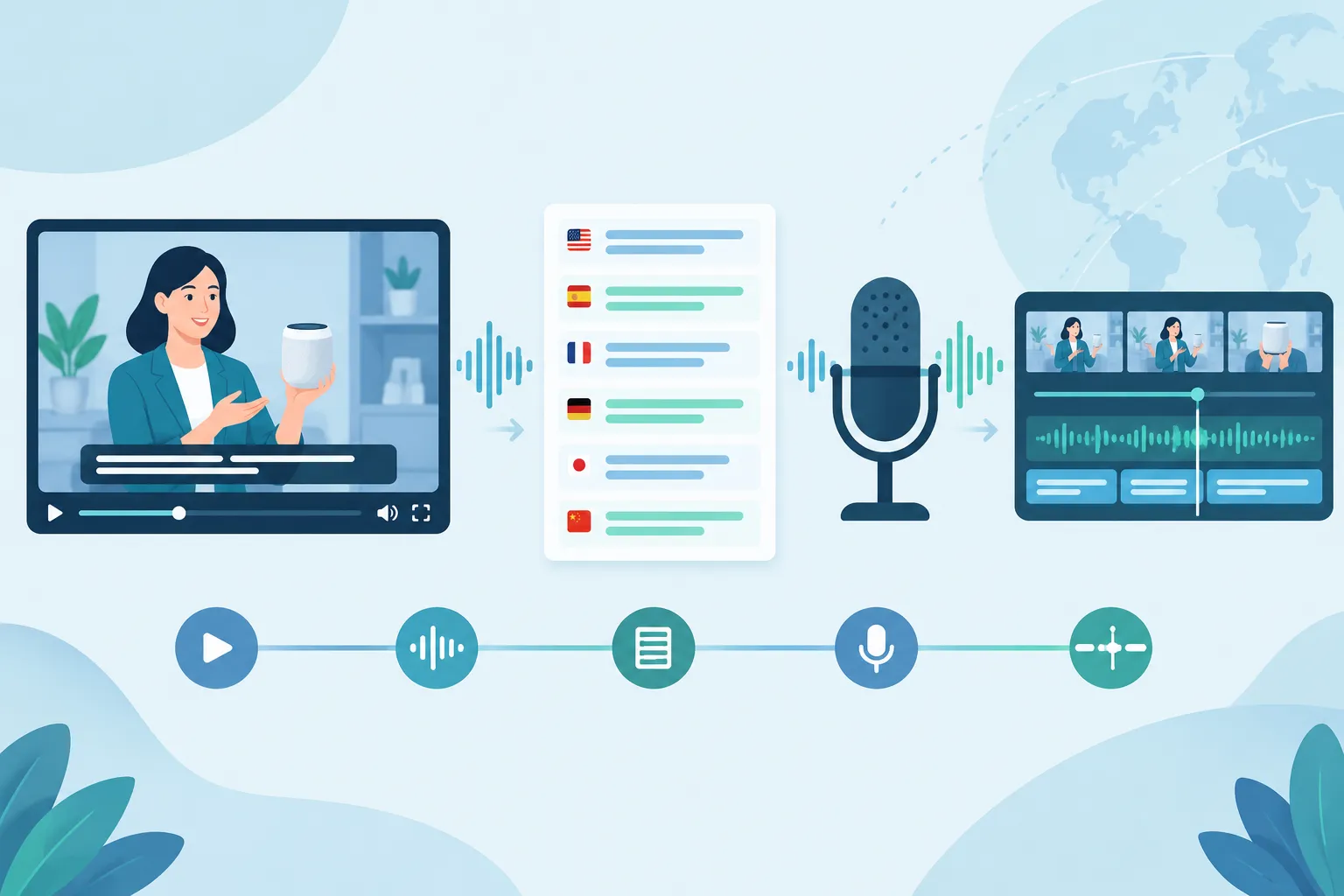
1. Lock the source and map the spoken content
Start with the final video and an accurate transcript, preferably with timecodes and speaker labels. Mark scene changes, pauses, interface actions, graphics, and any spoken words that appear on screen. If available, supply dialogue separately from music and effects so the team can replace speech without losing the rest of the soundtrack.
If an edit changes after translation starts, the script, recording, captions, and mix may all need to change. Identify the person authorized to approve revisions and provide the current version number with every file.
2. Translate for speaking and timing
Give the translator the picture alongside the transcript. A literal sentence may be too long for the shot or may refer to a button whose localized label is different. Adapt phrasing to keep the instruction accurate and speakable within the cue. If a translated line runs long, simplify it without dropping a safety instruction, product claim, or required term. If it still overruns, consider extending the shot or moving the cue.
Build a glossary for product names, acronyms, legal phrasing, and terms that should stay in the source language. Ask a reviewer familiar with the target audience to approve the translated script before recording. One approved script per language prevents contradictory feedback later.
3. Choose a voice for the audience and use case
Specify the target locale, delivery style, and pace. A customer-facing launch may need a different performance from mandatory employee training. Ask candidates to read part of the actual script, including a technical term and a sentence near the tightest timing cue. You will hear pronunciation and pacing issues that a generic demo reel may hide.
With a human narrator, a director can ask for a different emphasis or interpretation during the session. An AI-generated voice may suit repeatable material with frequent updates, provided a qualified reviewer checks the script, pronunciation, intelligibility, and final audio. Settle voice-use permissions and approval requirements before production.
4. Approve pronunciation before the full read
Share phonetic guidance or a reference recording for brand names, people’s names, places, acronyms, and interface labels. Note whether acronyms are spoken as words or letter by letter. Have a local-language reviewer listen to a short sample. Reading the script alone will not reveal a misplaced stress or an awkward pronunciation.
5. Record, sync, and mix against the picture
The narrator or engineer should have the approved script and cue points in view during recording. Give each line enough breathing space while keeping it aligned with the action on screen. If the translation plays over the original voice, lower that source track so listeners can follow the new narration. If it replaces the source speech, keep the intended music and effects in the mix.
Listen to the rendered video from beginning to end. Check cut-off words at edits, mismatched on-screen labels, sudden volume changes, long silences, and lines that arrive after a cursor action or scene change. Approve the combined video, not just a standalone audio file.
What to put in a voiceover brief
Give the language team enough context to scope, translate, cast, and deliver the work. Use the table as a handoff checklist.
|
Include |
State the decision or provide the asset |
|---|---|
|
Video and source materials |
Final picture, version number, time-coded transcript, editable script, and separate music/effects tracks if available |
|
Audience and languages |
Target language and locale for each version, who will watch it, and where it will be shown |
|
Voice direction |
Tone, pace, preferred type of delivery, source-voice treatment, and sample-approval contact |
|
Script guidance |
Approved glossary, required wording, claims or instructions that cannot be shortened, and pronunciation references |
|
Visual constraints |
Scene and cue timecodes, interface labels, on-screen text requiring translation, and shots that cannot be extended |
|
Accessibility and exports |
Whether translated captions are needed, caption file or burned-in delivery, audio track or finished video, and platform specifications |
|
Review and sign-off |
Named language reviewer, approver for voice samples and final mix, feedback deadline, and process for changes after sign-off |
Send the video alongside the script when requesting voice over translation services. Without the picture, a narrator may read a line clearly and still miss the screen action.
For a request covering several languages, name the deliverables for each locale: an isolated narration track, a mixed video, captions, or some combination. State the publishing platforms and who will handle the final export. To get a useful scope of work, include the number and duration of source videos, target locales, available audio stems, and approval stages. Runtime alone will not describe the full job.
When translated captions should accompany narration
Translated narration lets viewers focus on the picture, while captions provide access to the speech for viewers who are deaf or hard of hearing. Captions also help someone watching with the sound off or reading unfamiliar terminology while listening. Offer captions in the same language as the voiceover where the player and distribution channel support them.
“Captions are provided for all prerecorded audio content in synchronized media, except when the media is a media alternative for text and is clearly labeled as such.” – W3C, WCAG 2.2 Success Criterion 1.2.2
Base captions on the final narrated track, including changes made to fit a scene. If relevant sounds or speaker changes matter to the viewer, ask for accessibility-focused captions that convey those cues as well as the dialogue. Decide whether viewers need a selectable caption file or text burned into a particular export. Leave clear space around lower-third graphics and interface controls so the words remain readable.
If a training video includes critical steps, review audio and captions together against the picture. A caption copied from an earlier script can contradict the recorded instruction after a late edit.
Common problems and how to prevent them
If a translated line overruns the shot, give the translator the target cue duration and mark phrases that must remain exact. Leave time to adapt the script before recording instead of asking the narrator to rush.
A product name can look straightforward on the page and sound wrong in the recording. Provide an audio reference and approve a sample containing the name; a written glossary may not communicate the stress or regional pronunciation.
Compare each instruction with the interface shown on screen. If the video still displays source-language labels, decide whether to localize the visual, retain the displayed label in speech, or add an explanatory cue.
Late review can send a finished mix back to the recording stage. Ask the subject expert to approve meaning before recording, the language reviewer to approve the performance, and the video owner to approve the finished render. Collect comments by timecode so the team knows which line to change.
Bring the languages and deliverables together
Approve a speakable script before recording and review the finished video with captions when viewers need them. For business teams managing several versions, Team Stream can bring translation, voiceover, subtitling, and captioning into one coordinated request. Share the locked video, target locales, glossary, and delivery specifications with Team Stream to scope a narration workflow that fits your production.
FAQ
How do I translate an audio voice?
Transcribe the source speech, translate and adapt the script for the target audience, then record a new voice track. Review pronunciation and timing against the picture, mix the track with the video, and approve the final render. If viewers also need readable access to the speech, prepare captions from the finished narration.
