

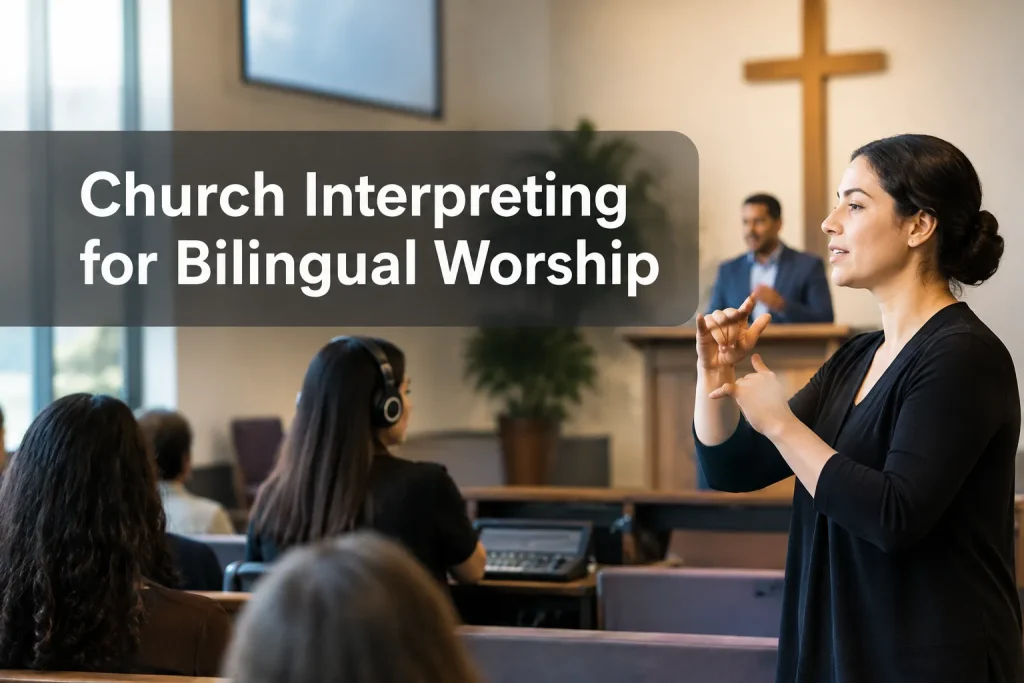
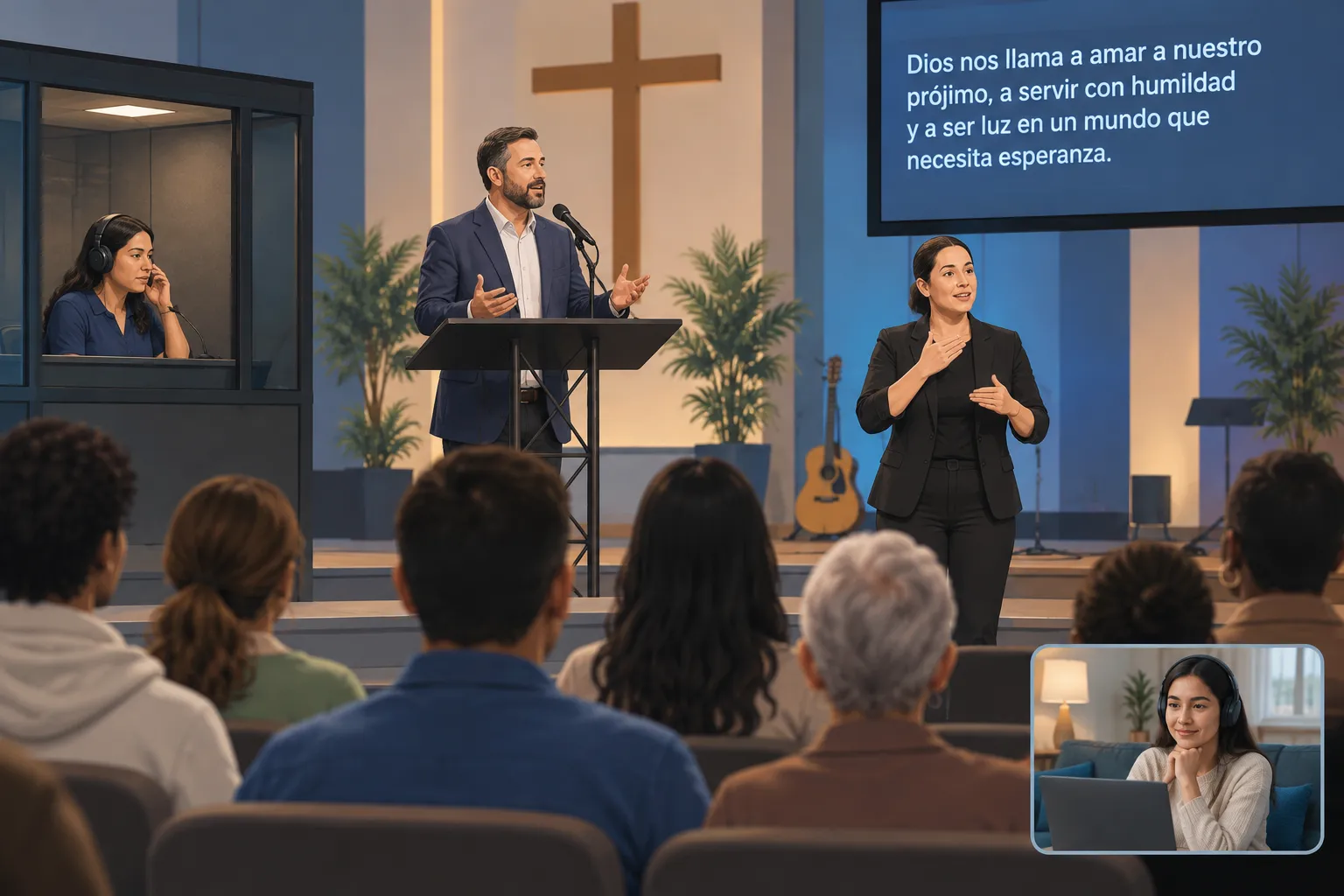
Plan church translation around participation across the service. Spanish-speaking worshippers may need a live audio interpretation channel. Deaf attendees who use American Sign Language (ASL) may need an interpreter they can see throughout worship. Live captions give people readable access to speech. If your church streams services, each access path must reach people at home too.
The first decision is to ask the people you intend to serve what formats they use. Then design the service, staffing and production around those answers.
Choose access by audience, not by a single “translation” label
For live speech, interpreting is the more precise term; translation usually refers to written material. A church may need both, such as interpreted preaching and translated bulletins, lyrics or announcements.
|
Access path |
What attendees receive |
Best fit |
What it does not replace |
|---|---|---|---|
|
Spoken Spanish interpreting |
A human interpreter’s Spanish audio, delivered through a receiver, phone or dedicated stream |
People who want to listen to the service in Spanish |
ASL or readable captions |
|
ASL interpreting |
A visual interpretation of speech and relevant sound into ASL |
Deaf ASL users who prefer a signed language |
Spanish audio or captions |
|
Live captions |
On-screen text of speech and meaningful sounds, with language specified for each feed |
People who prefer reading, including some Deaf or hard-of-hearing attendees |
A signed-language interpreter or translated Spanish audio |
|
Prepared written translation |
Translated bulletin, scripture references, announcements or slides |
Content available before or after worship |
Live access when the speaker departs from the script |
A congregation may need several paths at once. The National Association of the Deaf explains that some people rely on ASL while others use captions; ask attendees whether ASL, captions, both or another arrangement works for them. A Spanish transcript also gives a different experience from hearing a prayer as it happens.
Plan spoken-language interpreting for the whole service
Set the Spanish channel’s scope before booking an interpreter or equipment. A sermon-only feed leaves out welcomes, prayers, readings, communion instructions and invitations to participate. Give the interpreter a service order with speaker names, scripture passages, recurring ministry terms and prepared text. Have one producer send last-minute changes so the interpreter is not taking conflicting cues.
Choose the mode that fits your worship format
With simultaneous interpreting, the preacher and interpreter speak at nearly the same time. Listeners need a private Spanish audio path so both voices do not compete in the room. In consecutive interpreting, the preacher pauses after short passages and the interpreter speaks to the room. Whispered interpreting can serve a very small group, though nearby worshippers may hear it too.
For a regular bilingual congregation, delivery starts at the entrance. Label the listening channel in both languages and put receivers or access instructions where ushers can offer them discreetly. If worshippers respond aloud during the service, decide how the interpreter will carry those responses.
Give interpreters a workable handoff
Agree on a relief plan for long services. Schedule partner interpreters according to the assignment’s length and demands, and put changeovers in the cue sheet. Before taking the microphone, the incoming interpreter needs source audio and the speaker’s place in the message. Let the outgoing interpreter finish a thought where possible. Have a producer cue the switch and monitor the Spanish output for silence.
Send song titles and lyrics ahead of time. Decide with your congregation whether to interpret sung material, display translated lyrics or leave the music without translation. Automatic speech tools can struggle when voices and instruments overlap, so prepared text and human review help here.
Make ASL visible without making it an afterthought
ASL has its own linguistic structure, separate from English. Assign a qualified ASL interpreter rather than assuming a spoken Spanish interpreter can take the role. Captions provide text access, not signed language. Give the ASL interpreter the same service order, names, readings and updates you give spoken-language interpreters.
“ASL’s linguistic structure is distinct from English.” – National Association of the Deaf
Seat an attendee where you expect Deaf worshippers to sit: can they see the ASL interpreter and the main worship activity without repeatedly turning their heads? Keep light on the interpreter when the sanctuary dims for video or music. Projected text, décor and standing worshippers can block the view. Ask Deaf attendees about seating and sightlines before finalizing the layout.
Plan ASL interpreter changes for a long service and cue each switch on camera. The stream should keep the new interpreter visible as they start signing. During group prayers, testimony and audience questions, pass a microphone to whoever speaks so the interpreter and captioner can hear them.
Build separate audio, captions and video paths
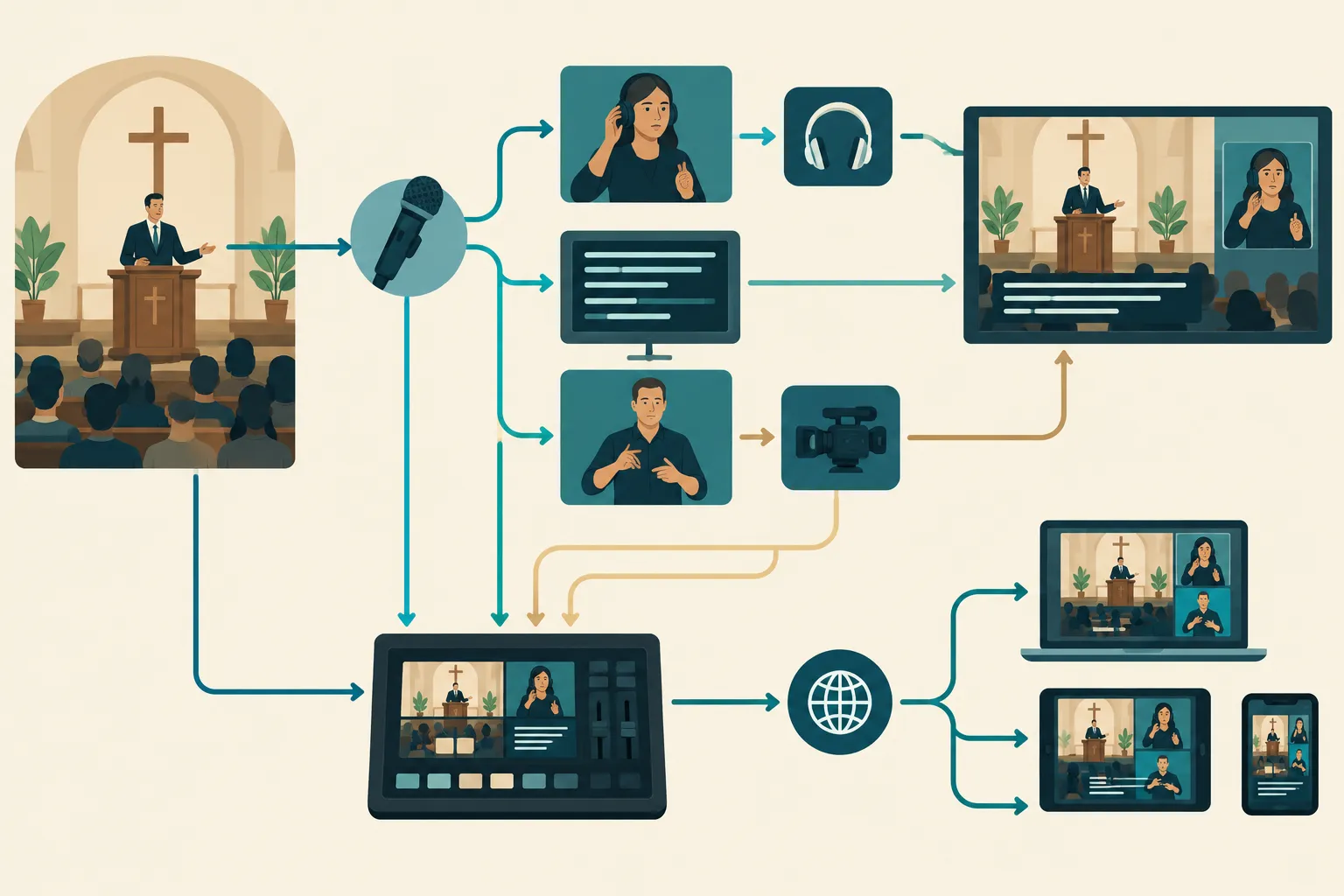
Draw a signal map for your sound and streaming teams. Give each speaker a clean microphone feed and send it to the Spanish interpreter and the captioning workflow. Route the Spanish interpreter’s microphone to a separate listening or streaming channel. Use the house speakers for that voice only if you intend consecutive bilingual delivery. The ASL interpreter also needs clear source audio and a camera frame remote viewers can keep on screen.
|
Path |
On-site delivery |
Streamed delivery |
Rehearsal check |
|---|---|---|---|
|
Main-language speech |
House sound |
Main audio |
Can every speaker be heard clearly? |
|
Spanish interpretation |
Receiver or personal-device audio |
Selectable Spanish audio feed or separate stream |
Does the Spanish feed include only the intended mix and stay in sync? |
|
ASL interpretation |
Unobstructed, lit view |
Persistent interpreter view or selectable ASL feed |
Is the interpreter large enough to see during slides and camera cuts? |
|
Live captions |
Readable display or personal screen |
Captions enabled on the viewer’s stream |
Are words legible and the correct language displayed? |
Keep English captions, Spanish audio and ASL available according to what attendees use. English captions leave a Spanish audio listener without their language channel; Spanish captions may leave an ASL user without signed access. Assign someone to monitor names, scripture references and speaker changes in the captions. If software generates them, have a person review worship vocabulary and speaker names.
Open the livestream on an attendee’s device during the test. Viewers need to find language and accessibility controls before worship begins. If your platform cannot provide selectable audio or a persistent ASL view, consider a separate stream with a clear label. Decide whether the recording will retain captions, interpreted audio and the interpreter view.
Rehearse the service as attendees will experience it
Before the first bilingual service, run the full order of worship with every access path on. A shorter weekly check can follow once the setup works. Let one production lead manage the cue sheet for interpreters, captioners, camera operators, ushers and speakers.
-
Before rehearsal: Send the service order, prepared readings, song lyrics, names and pronunciation notes. Mark planned interpreter handoffs, videos and congregation responses.
-
During sound check: Listen to the main and Spanish paths separately. Check the interpreter’s source audio, microphone level, receiver coverage and personal-device instructions.
-
During camera check: Sit in the proposed Deaf seating area and watch the actual stream on a phone or laptop. Check ASL size and lighting, caption placement and slide overlaps.
-
During the run-through: Cue a handoff, a speaker change and a congregational response. Ask someone using each access path to report where participation becomes difficult.
-
Before doors open: Charge and distribute receivers, display access instructions and assign one person to handle a failed feed without interrupting the preacher.
Keep a spare receiver or device for audio, a backup way to show the interpreter, and an agreed notice if captions fail. Each path needs its own fallback.
Build a sustainable church translation plan
Save approved translations of recurring welcomes and instructions where service teams can find them. Record the language preferences attendees express, then revisit the setup when attendance, speakers or streaming platforms change. Include interpretation, captions and translated text in the regular sound and projection plan.
Team Stream can coordinate professional interpreting, captioning, translation and event support, including equipment and technicians for on-site, virtual and hybrid worship. If your team has to deliver spoken-language audio, ASL visibility and captions together, that coordination can spare volunteers a last-minute production scramble. The setup still depends on the congregation’s preferences, the venue and the stream workflow.
Provide Spanish audio for those who listen in Spanish, ASL for those who use ASL, and captions for those who read along. Test each one in the room and on the stream. For help designing and operating the setup, talk with Team Stream about a service plan built around your worshippers.
