

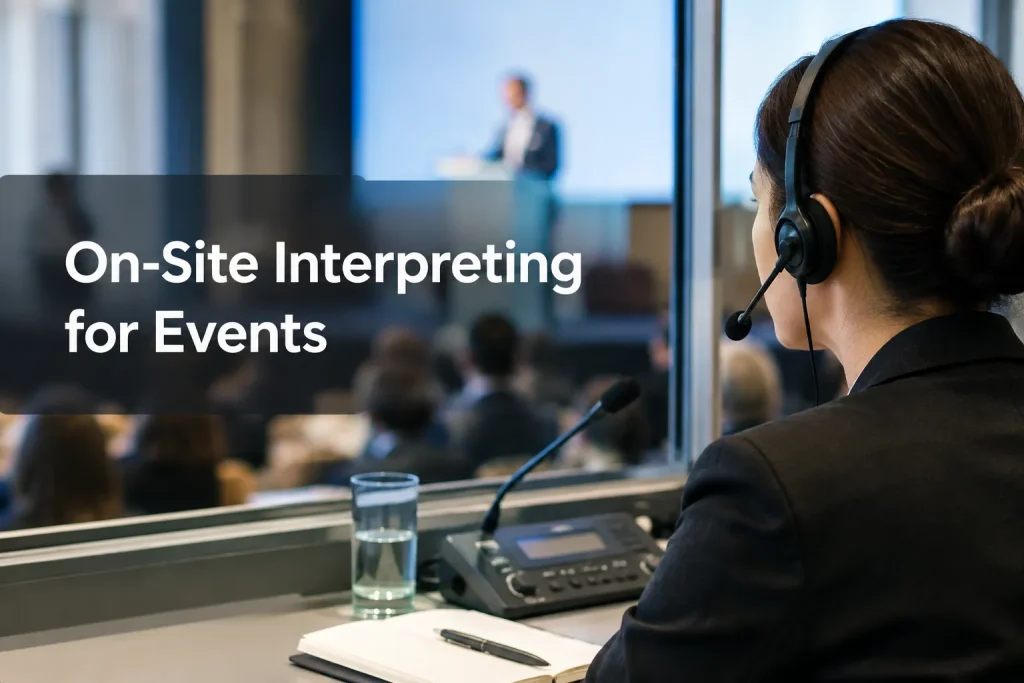
Book on-site interpreters when they need to follow what happens in the room: an unscripted speaker change, a group moving to a breakout session, or a producer coordinating microphones and audience audio. For a short conversation with a clear structure, video or phone interpreting may be easier to arrange. Base the decision on what the interpreter needs to see, hear and do.
At a conference, church service or high-stakes meeting, the audience may need language access in more than one place. Trace where people will listen, ask questions and follow a presenter into another room. That route tells you which format, staff and equipment to request.
This explanation shows the demands of real-time interpreting:
When on-site interpreters are the right fit
An on-site interpreter works at the venue. From there, they can track room cues, see materials in context and coordinate with the production team. Plan for their placement, travel and venue access as part of the booking.
In-person interpreting is particularly useful in these settings:
-
At a conference or trade show, attendees may move from a keynote to panels, demonstrations and one-to-one conversations. Decide which sessions need a listening channel and where an interpreter should accompany a group.
-
In a board meeting or sensitive business discussion, the interpreter can see who is addressing whom and ask for clarification through an agreed process. That helps when speakers take turns or ask questions without a script.
-
A church service or community gathering can shift from a prepared sermon to music, announcements and audience participation. Include the whole program in the language-access plan.
-
In a live production, stage direction, microphone changes and timing cues affect what reaches the interpreter. Coordinate the in-room setup with the producer so listeners can follow the interpreted audio.
The interpreter still needs a clean feed of every speaker, a view of relevant visual material and a way to handle last-minute changes. Standing in the room will not make an unclear microphone feed intelligible.
“Interpreters shall endeavour always to secure satisfactory conditions of sound, visibility and comfort.” – International Association of Conference Interpreters
On-site vs. video vs. phone interpreting
|
Delivery mode |
Best fit |
Main planning consideration |
|---|---|---|
|
On-site |
Multisession events, complex rooms and conversations where visible cues and in-room coordination matter |
Allow for travel, placement, audio routing and venue access |
|
Video remote |
Sessions with usable cameras, stable connectivity and a reliable audio feed, especially when participants are in different locations |
Test the interpreter’s view, audio return and platform handoff |
|
Phone |
Short, primarily spoken conversations with few visual references |
Identify speakers clearly and describe anything the interpreter cannot see |
Put the interpreter on-site if a camera will miss important activity or the crew needs to coordinate with them in person. Video works for sessions the interpreter can see and hear clearly. Reserve phone for voice-led exchanges; slides and frequent speaker changes make it harder to use.
At a hybrid event, the interpreter might work at the venue for online listeners or remotely for people in the room. In either setup, map the audio in both directions. Show what the interpreter hears, then trace where their voice goes. A venue headset and an online language channel are separate outputs and may need separate routing.
Choose the interpreting format before choosing equipment
An interpreter’s location does not determine how they deliver speech. Choose the format according to whether the program can pause for interpretation.
Simultaneous interpreting for uninterrupted programs
With simultaneous interpreting, the presenter keeps speaking while the interpreter delivers another language. Keynotes and services often need that uninterrupted flow. The interpreter needs a dependable feed from stage microphones, while listeners need a way to select their language. Work out how the venue will route the interpreted voice to receivers, an event app or a livestream.
Consecutive interpreting for interactive discussion
Consecutive interpreting gives the speaker time to say a segment, then pause for the interpreter. Smaller meetings, interviews and Q&A sessions can accommodate that rhythm. Put the pauses in the run of show and ask the chair to prevent long turns or overlapping speech. Allow more time than you would for the same conversation in one language.
Whispered interpreting for a limited audience
For a few listeners seated close by, the interpreter may speak quietly to them. Noise or a long session can make that arrangement tiring, and it will not serve people seated apart. Use a listening channel for a larger group sharing a language.
Match staffing to the schedule
Mark overlapping sessions on the agenda: an interpreter cannot cover two rooms at once. Discuss rotation and breaks with the provider for a long simultaneous session, and specify the language channels needed in each room.
Tell the provider whether attendees need spoken-language interpreting or signed-language access. Sightlines matter in both cases, and people using signed-language interpreting must be able to see the interpreter from their seats.
Plan the room, audio and audience journey
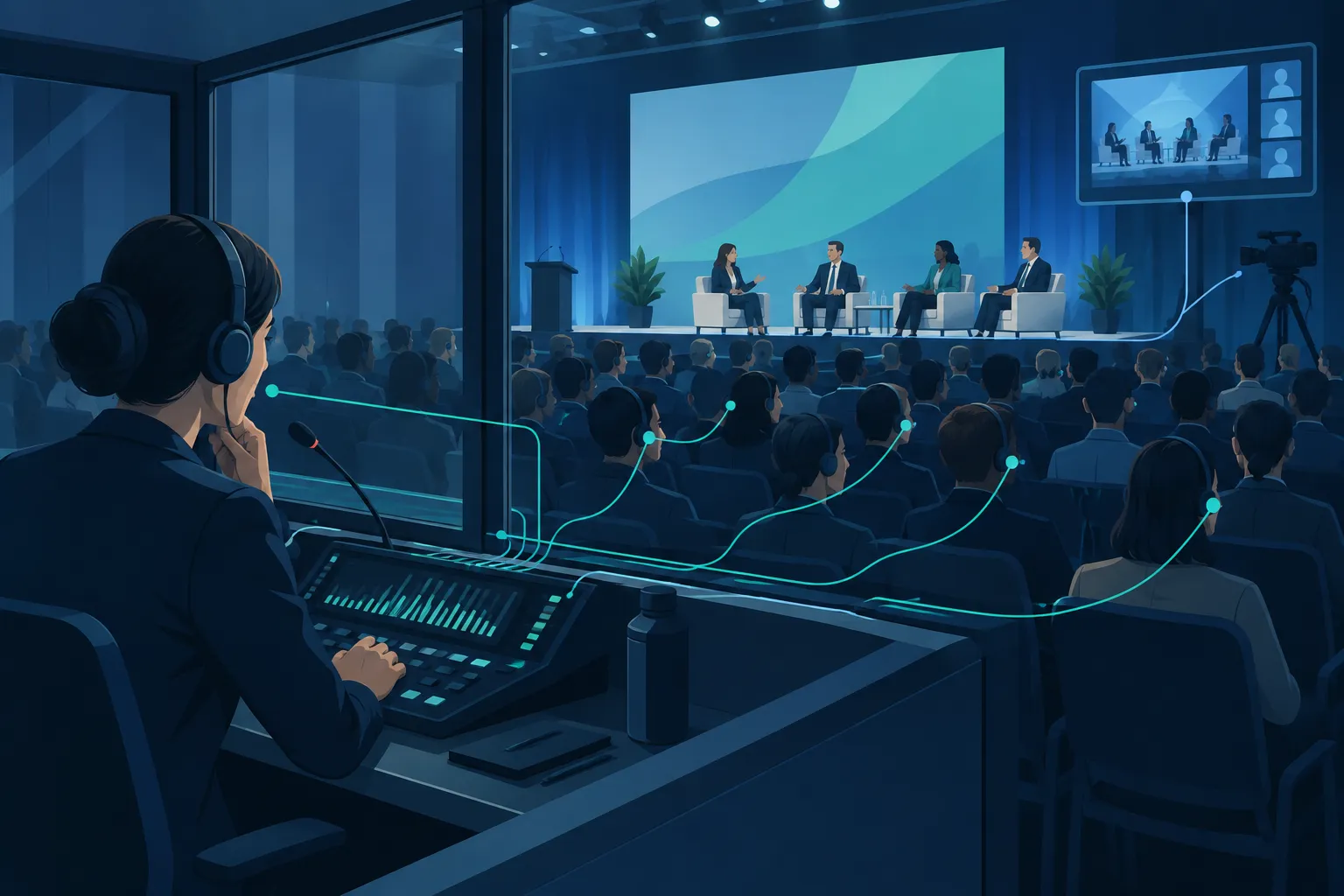
Give the production team a floor plan and run of show. “One interpreter at the venue” is not yet an audio plan: the team still needs to know where the interpreted voice goes and how attendees will find it.
-
Mark every language-access moment. Include arrivals, opening remarks, breakout sessions, audience questions, demonstrations and closing remarks. Identify any simultaneous sessions that cannot share the same interpreter.
-
Choose where the interpreter will work. Confirm sightlines to speakers and slides, seating or workspace, sound isolation where needed, and access for setup and breaks.
-
Draw the signal path. Show each source microphone, interpreter audio input, interpreted output and listening destination. Include remote presenters and hybrid participants rather than assuming the main room mix covers them.
-
Assign an audio owner. Name the technician or production lead responsible for microphone changes, sound checks, receiver distribution and troubleshooting during the event.
-
Walk through a real transition. Test a presenter handoff, an audience question and a video clip. Check what listeners hear when the event switches rooms or moves online.
Interpreting delivers speech in another language, while live captioning provides readable text. If attendees need both, plan how they will hear the language audio and read the captions at the same time.
What to send when requesting on-site interpreting
Send the provider the event details behind your date and language pair:
|
Detail |
What to specify |
|---|---|
|
Program |
Event type, venue, schedule, session lengths and breaks |
|
Languages |
Spoken languages, direction of interpreting and estimated audience for each channel |
|
Content |
Agenda, speaker list, slide decks, specialist terms, scripts and any prerecorded material |
|
Interaction |
Q&A, breakouts, networking, audience participation and last-minute speaker changes |
|
Delivery |
In-room listeners, online listeners, recording or livestream needs |
|
Production |
Available microphones, sound desk, listening devices, display setup and technical contact |
Settle who supplies receivers and microphones, who manages technician support, and who passes updated materials to interpreters. Name the person briefing speakers too. State whether the booking extends beyond the main stage to informal conversations or concurrent rooms. That scope shapes staffing and equipment more than the attendee count alone.
Give each provider the same agenda and room plan so their proposals describe the same job. Ask for separate figures for interpreter coverage, travel, listening equipment, setup and technician time. If your audience needs breakouts and Q&A, a keynote-only quote leaves those sessions uncovered.
Brief the chair and crew together on event day. Speakers need to use a microphone and leave space between turns. The crew should alert the audio lead before a video begins or when a presenter goes off script. Tell attendees how to find their listening channel and whom to contact if a receiver or stream stops working.
Team Stream can coordinate interpreting, captioning, equipment rental and technician support for in-person and remote attendees. If your program needs language access in the room and an accessible experience online, send the team your run of show and venue audio plan. Those details let it build around the event’s setup.
Make the choice around the experience you need to deliver
Choose on-site interpreting for an interpreter who must follow the room, work alongside production or move with the audience. Video fits a session that cameras and audio can convey in full; phone fits a contained voice-only conversation. Different parts of one event may call for different modes.
Team Stream can support the language services, equipment and technicians in that plan. Bring your agenda, language needs and audio layout to the team, and make the attendee listening experience part of the booking.
