

Translate In to English for Clear Communication
If you need to translate in to English, the goal is rarely just to swap words from one language to another. You want the English version to be clear, accurate, natural, and useful in the real situation – whether that means understanding a single phrase, translating a website, converting meeting notes, or helping multilingual audiences follow a live event.
For event organizers, operations teams, conference planners, marketers, churches, and corporate communicators, that challenge gets bigger fast. A quick online tool may help with a simple sentence, but high-stakes communication often needs more: context, tone, accessibility, compliance, and delivery support. That is where a smarter mix of human expertise and AI makes a real difference.
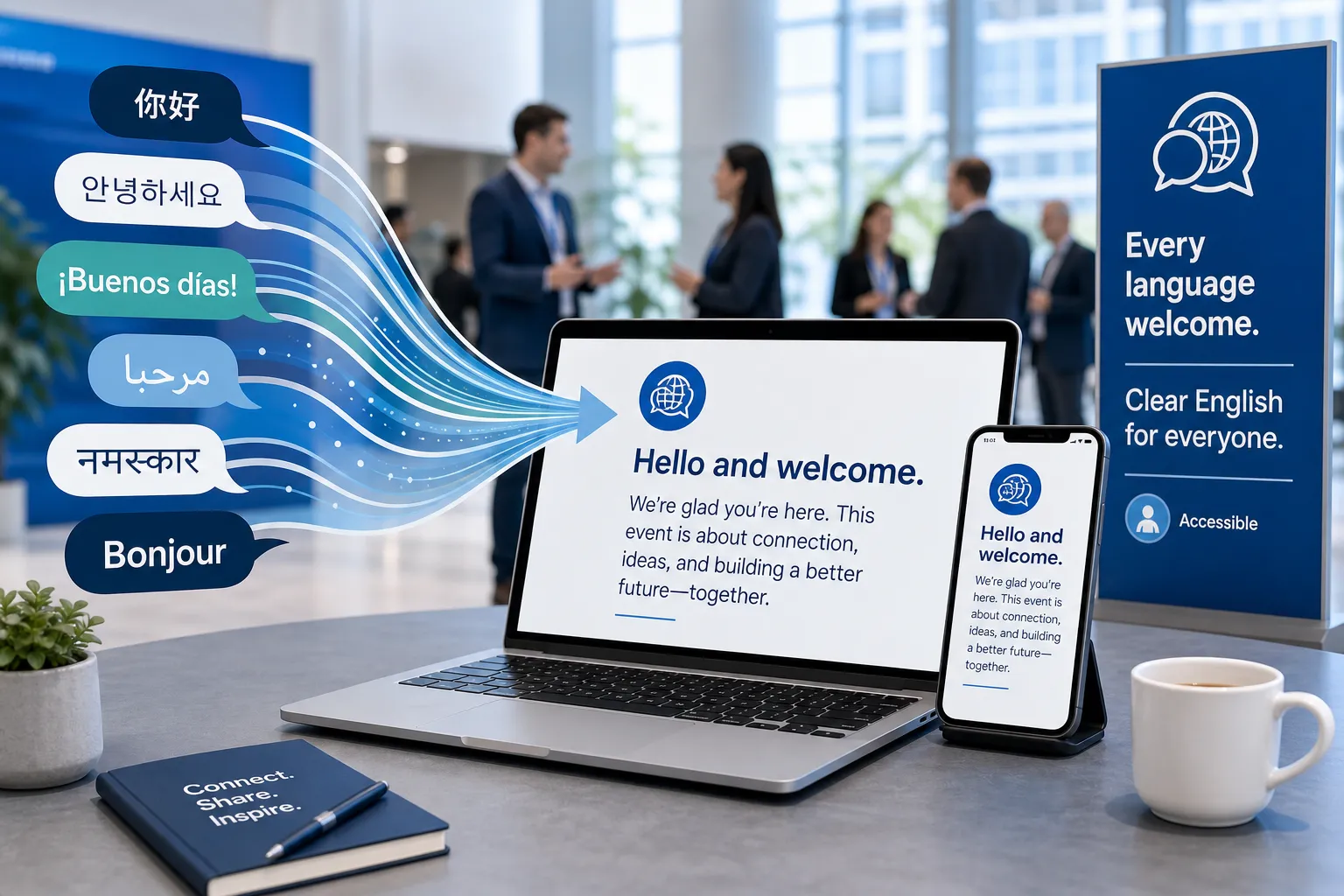
What “translate in to English” really means
When people search for ways to translate to English, they are usually trying to solve one of a few practical problems:
|
Need |
What the user actually wants |
Best approach |
|---|---|---|
|
Word translation |
The meaning of a single term |
Dictionary, glossary, or AI tool |
|
Sentence translation |
A natural English sentence |
AI plus review for nuance |
|
Text translation |
Paragraphs, emails, messages, notes |
AI, then edit for clarity |
|
Website translation |
Usable English web content |
Professional localization |
|
Live speech translation |
Real-time understanding |
Interpreting, captions, hybrid tools |
|
Compliance or accessibility |
English content everyone can access |
Professional language and accessibility services |
The biggest mistake is assuming all translation tasks are the same. Translating a product description, a speaker’s live remarks, a legal notice, and a medical form into English each require different levels of quality control.
What top competitor content gets right – and what it often misses
Many articles about translation into English do a decent job covering the basics:
-
use an online translator
-
choose the language pair
-
paste text
-
review the result
-
compare AI and human translation
-
mention accuracy concerns
That advice is useful, but it often stops too early. The most helpful guidance should also explain:
The content gaps most articles miss
Context matters more than word replacement
Many tools can translate these words to English, but fewer can preserve meaning across tone, industry language, dialects, and speaker intent.
English for reading is different from English for action
A rough translation may be enough to understand a message privately. It is not enough when people must act on it in a workplace, event, training, service interaction, or broadcast.
Live communication needs accessibility, not just translation
For meetings, conferences, webinars, and hybrid events, audiences may need English captions, interpreting, subtitling, speaker audio feeds, or multilingual support working together.
Not every “good translate to English” result is safe to publish
Machine output can look fluent while still being wrong, incomplete, culturally awkward, or risky from a compliance standpoint.
Delivery is part of quality
If you are translating for a live or public-facing environment, execution matters. Equipment, technicians, remote support, caption feeds, and interpreter coordination all affect the final result.
That is why organizations often move beyond generic tools and partner with specialists like Team Stream for end-to-end language access and accessibility support.
When a basic translate to English online tool is enough
For low-risk content, self-service tools can be practical. If you want to translate it to English for personal understanding, a simple solution may work well enough.
A lightweight online translator is usually fine for:
-
informal messages
-
travel phrases
-
internal rough drafts
-
product research
-
short non-sensitive text
-
quick meaning checks
If your goal is simply “please translate this to English” so you can understand the gist, speed may matter more than polish.
Signs a quick tool is probably enough
-
You only need the general meaning
-
The content is short and informal
-
No one will rely on it for legal, financial, or safety decisions
-
You are not publishing it publicly
-
Tone and brand voice do not matter much
When you need more than a generic translator
The moment accuracy affects understanding, trust, inclusion, or risk, you should upgrade your approach.
You likely need professional support if the content is:
-
customer-facing
-
legally sensitive
-
medical or technical
-
part of a live event
-
used for training or HR
-
tied to accessibility requirements
-
meant for broadcast, streaming, or church services
-
part of a multilingual website or campaign
This is especially true if you need to translate anything to English for large audiences or for real-time communication.
How to translate text into English accurately
If you want to translate a text to English and get clean results, follow a repeatable process.
Step 1: Start with the source quality
Poor source content creates poor translations. If the original is vague, slang-heavy, fragmented, or missing context, the English output will suffer.
Before translation:
-
fix typos
-
expand abbreviations
-
separate speakers clearly
-
note any industry-specific terms
-
explain acronyms
-
identify intended audience
Step 2: Pick the right translation method
Use the method that fits the stakes.
|
Translation method |
Speed |
Accuracy |
Best for |
|---|---|---|---|
|
Free online tool |
Fast |
Basic to moderate |
Low-risk personal use |
|
AI translation platform |
Very fast |
Moderate to high |
Drafts, workflows, support content |
|
Human translator |
Slower |
Very high |
Sensitive, branded, regulated content |
|
Human + AI hybrid |
Fast and strong |
High |
Business communication, events, scale |
Step 3: Review for meaning, not just grammar
A sentence can sound correct in English and still be wrong. Review for:
-
intent
-
tone
-
missing context
-
incorrect names or dates
-
cultural awkwardness
-
terminology consistency
Step 4: Localize where needed
Sometimes translation in English is not enough. You may also need localization, which adapts content to English-speaking audiences by changing:
-
idioms
-
date formats
-
currencies
-
units of measure
-
region-specific references
-
reading level
Step 5: Validate with a subject expert
If the content affects operations, safety, compliance, or public reputation, a qualified reviewer should approve the final English.
How to translate words, sentences, and longer content
Single words
If you need to translate these words to English, avoid relying on one result without checking usage. Many words have multiple meanings based on context.
For example:
-
a word can be formal, informal, technical, or slang
-
a noun in one sentence may function like a verb elsewhere
-
some languages require context to identify gender, tense, or register
Sentences
If you need to translate into English sentence by sentence, do not isolate lines too aggressively. Meaning can depend on what came before.
Best practice:
-
include surrounding sentences
-
identify speaker or audience
-
preserve sequence and tone
Full text
If you need to translate all to English from a full document, consistency becomes critical. Use the same English terms for repeated ideas, roles, and headings.
Common problems when people translate this language into English
Literal translation
A direct conversion may preserve words but destroy meaning.
False friends
Some words look familiar across languages but mean different things.
Missing tone
Polite, urgent, formal, emotional, or diplomatic wording can easily flatten in translation.
Broken idioms
Expressions often need adaptation, not word-for-word transfer.
Unclear pronouns
Some languages omit or compress information that English requires explicitly.
Domain errors
General tools struggle with legal, medical, theological, technical, or event-specific vocabulary.
Best tools for translating into English
There is no single best translate to English translator for every use case. The right option depends on the content, timeline, audience, and risk level.
Comparison of common options
|
Tool type |
Strengths |
Limitations |
Best use |
|---|---|---|---|
|
Search engine translator |
Easy and free |
Limited nuance |
Quick checks |
|
AI translation app |
Fast, scalable |
May hallucinate or flatten tone |
Internal drafts |
|
Browser website translator |
Convenient for web browsing |
Weak localization |
Reading foreign sites |
|
Professional translator |
High quality |
Higher cost, longer lead time |
High-stakes content |
|
Managed language partner |
Full-service delivery |
More involved setup |
Events, enterprise, accessibility |
What to look for in a translate to English translator
Choose based on:
-
subject matter expertise
-
real-time capability
-
ability to support live, virtual, and hybrid settings
-
captioning and interpreting options
-
privacy and compliance awareness
-
human review
-
equipment and technical support
-
responsiveness and service quality
Why human + AI translation works best for many organizations
The strongest modern workflow is often hybrid: AI for speed, humans for precision and judgment.
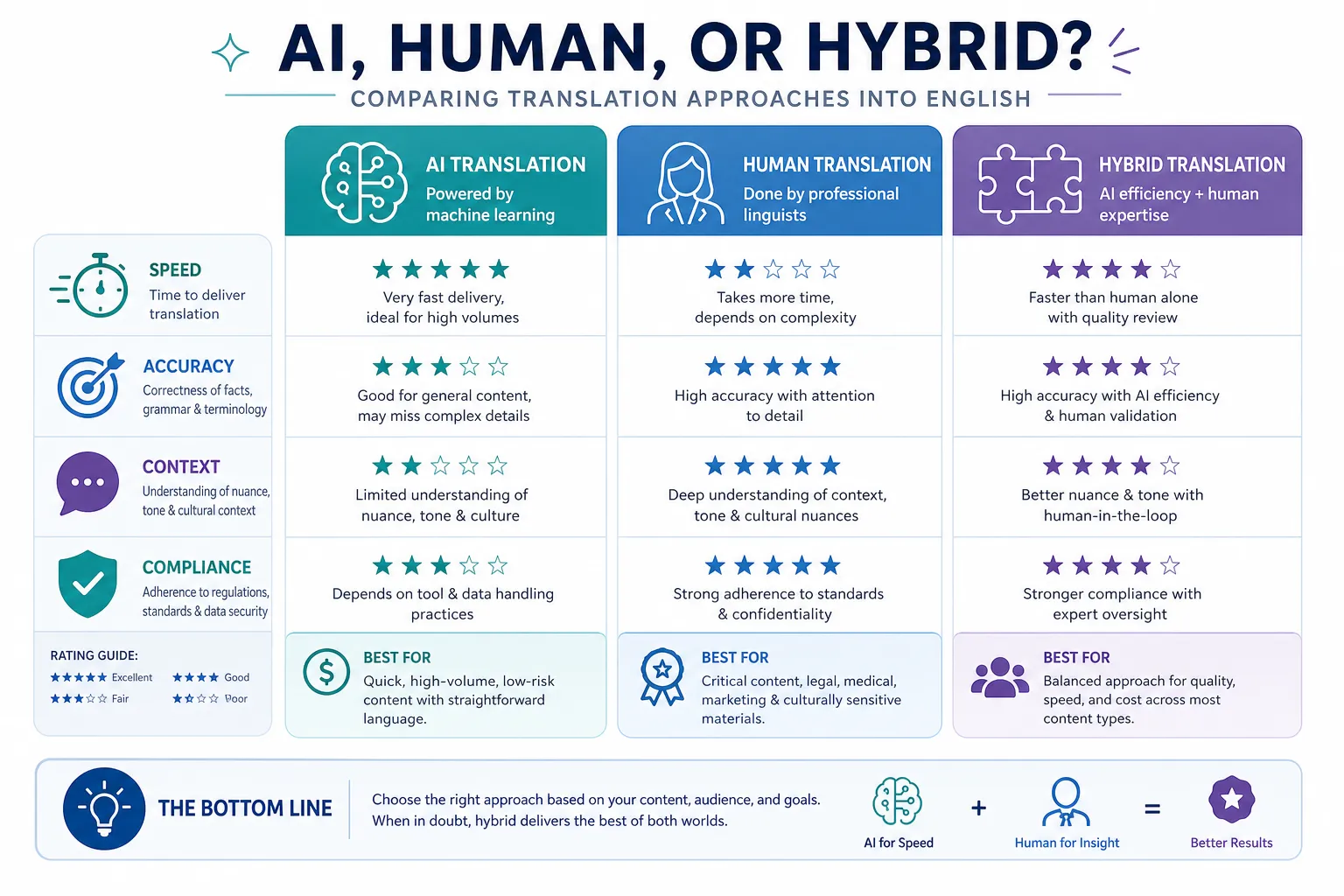
What AI does well
-
fast first drafts
-
bulk processing
-
terminology suggestions
-
live speech support
-
turnaround at scale
What humans do best
-
resolve ambiguity
-
protect nuance
-
adapt tone
-
catch subtle errors
-
localize for audience expectations
-
support complex live communication
Why the hybrid model wins
For many businesses and event teams, hybrid service offers the best mix of:
-
speed
-
cost control
-
contextual accuracy
-
audience accessibility
-
reliable execution
This is a major reason Team Stream’s model works so well. Instead of forcing clients into all-human or all-AI solutions, Team Stream tailors the right combination of interpreting, translation, captioning, subtitling, voiceover, and accessibility support around the actual use case.
Translating live speech to English in meetings, events, and broadcasts
Translating live speech is one of the hardest forms of communication work. It is not just about language conversion. It also involves timing, audio clarity, speaker pace, delivery platform, audience access, and technical reliability.
Common live scenarios
-
conferences with international speakers
-
webinars with multilingual attendees
-
board meetings or investor updates
-
church services and faith-based events
-
training sessions
-
trade shows and expo presentations
-
broadcasts and livestreams
If you need to translate to English speaking audiences in real time, you may need a blend of services, not just one.
Live English access can include
-
simultaneous interpreting
-
live captioning
-
real-time AI language support
-
CART captioning
-
subtitling for streams or recordings
-
multilingual audio routing
-
technician support
-
remote or on-site interpreters
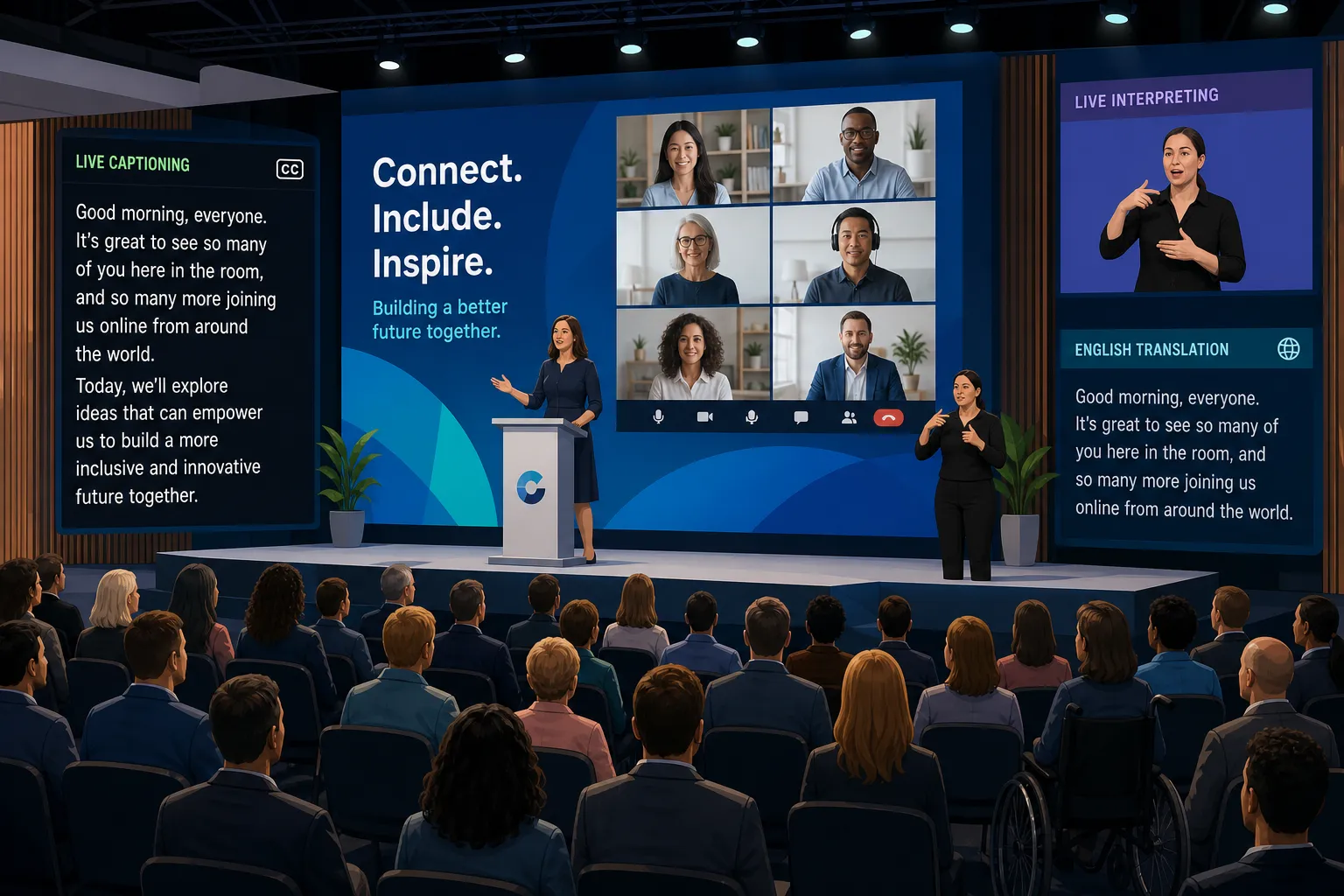
Accessibility is part of clear English communication
A lot of content about translation into English ignores accessibility. That is a major gap.
Even if you translate in English perfectly, some audience members still need support to fully access the content, including:
-
deaf or hard-of-hearing attendees
-
non-native English speakers
-
people joining in noisy environments
-
virtual participants with poor audio
-
viewers watching without sound
-
audiences who benefit from reinforced comprehension
That is why captioning, subtitling, and multilingual support matter alongside translation.
Why this matters for organizations
For public-facing and professional communication, accessibility is not just a nice extra. It supports:
-
broader audience reach
-
stronger engagement
-
better retention
-
more inclusive experiences
-
compliance readiness
-
clearer internal communication
This is another area where Team Stream stands out. The company does not treat translation, captioning, and accessibility as separate afterthoughts. It delivers end-to-end solutions that help organizations communicate clearly across live, virtual, and hybrid environments.
Website and digital content translation into English
Sometimes the need is simple: translate com to English so users can understand a page. But if the goal is business growth, lead generation, or trust, you need more than an auto-translated interface.
Website translation should account for:
-
navigation clarity
-
menu labels
-
SEO language intent
-
calls to action
-
form fields
-
metadata
-
compliance statements
-
mobile readability
A direct tool may help users browse, but it often produces awkward or weak English that hurts conversion.
For English web content, prioritize:
-
plain language
-
natural headings
-
audience-specific wording
-
brand voice
-
localized calls to action
-
readable page structure
Translating specialized content into English
Some types of content require specialist review from the start.
Technical content
Manuals, product specs, and system instructions need precise terminology.
Legal content
Contracts, policies, and notices need accuracy that can withstand scrutiny.
Medical content
Healthcare material must avoid ambiguity and protect patient understanding.
Faith-based communication
Churches and ministries often need tone-sensitive translation for sermons, worship resources, and community announcements.
Event communication
Schedules, speaker bios, signage, scripts, lower thirds, and access instructions all need consistent English.
Team Stream supports these complex environments with tailored language and accessibility services backed by experienced teams, flexible delivery, and dependable customer support.
The difference between translation, interpreting, captioning, and subtitling
These services are often grouped together, but they solve different problems.
|
Service |
Primary use |
Format |
Typical scenario |
|---|---|---|---|
|
Translation |
Written content |
Text |
Documents, websites, materials |
|
Interpreting |
Spoken communication |
Live audio |
Meetings, events, calls |
|
Captioning |
Speech displayed as text |
Live or recorded text |
Accessibility, webinars, broadcasts |
|
Subtitling |
Screen text synced to media |
Recorded video |
Training, marketing, content distribution |
|
Voiceover |
Spoken replacement audio |
Recorded audio |
Video localization, explainers |
Understanding the distinction helps you choose the right support when you need translation to English in a business or event setting.
How Team Stream helps organizations translate into English more effectively
When communication has to work the first time, Team Stream offers more than a one-size-fits-all translator. It brings together professional language access and accessibility solutions designed around the real-world demands of events, communications, and audience engagement.

Team Stream’s strengths include
-
accurate human and AI-powered translation and interpreting
-
real-time captioning for accessibility and engagement
-
end-to-end language and accessibility solutions tailored to each client
-
support for live, virtual, and hybrid events
-
compliance-friendly services for inclusive communication
-
equipment rental and technician support
-
in-person and remote service options
-
over 25 years of experience
-
responsive customer service and reliable execution
Why this matters
If your organization needs to translate to English text for publication, support multilingual attendees during a conference, provide live captioning for a webinar, or build an inclusive communication workflow, execution matters just as much as linguistic accuracy.
That is where a full-service partner becomes more valuable than a standalone app.
Practical examples: choosing the right English translation solution
Scenario 1: A marketing team needs a blog article in English
Use AI for a draft, then have a human editor refine tone, SEO language, and brand voice.
Scenario 2: A conference features non-English speakers
Use live interpreting, English captioning, technician support, and platform-aware delivery.
Scenario 3: An HR team needs multilingual policy communication
Use professional written translation with terminology review and accessibility-ready formatting.
Scenario 4: A church wants sermons and announcements accessible in English
Use interpreting, subtitling, or captioning depending on whether the content is live or recorded.
Scenario 5: A global business wants to translate all internal training to English
Use a structured workflow combining AI, human quality review, captions, and voiceover where needed.
Tips to get better results when you say “please translate this to English”
If you are using any translator – human, AI, or hybrid – give it better input.
Do this
-
provide the full sentence, not just isolated words
-
mention the audience
-
explain if the tone should be formal, friendly, technical, or urgent
-
include surrounding context
-
state whether the output is for reading, publishing, or speaking
-
identify country or region if needed
Avoid this
-
slang without explanation
-
screenshots with cut-off text
-
mixed languages in one input
-
abbreviations no one can decode
-
assuming literal translation is enough
The better your source and brief, the better your English output.
Final verdict: what is the best way to translate into English?
If you only need the general meaning of a short phrase, a simple online tool can help. But if the communication affects customers, attendees, employees, viewers, or community members, quality matters more than speed alone.
The best approach is to match the method to the moment:
-
quick tool for low-risk understanding
-
AI for scale and draft speed
-
human review for nuance and trust
-
managed hybrid support for live, public, or high-stakes communication
For organizations that need English translation, interpreting, captioning, and accessibility support to work seamlessly across events, meetings, content, and broadcasts, Team Stream is a strong partner. Its blend of human expertise, AI-enabled solutions, live event support, accessibility services, and world-class responsiveness helps teams communicate clearly, inclusively, and confidently.
If you are ready to stop guessing and start delivering English communication that actually works, Team Stream can help you build the right solution for your audience, format, and goals.
FAQ
How to use Google Translate for verbal communication?
You can use Google Translate’s conversation or microphone mode for basic verbal communication in low-risk situations like travel or simple questions. For business meetings, events, healthcare, legal matters, or public-facing communication, it is better to use professional interpreting or hybrid language support because accuracy and context matter more.
What are the 5 skills in English communication?
The five core skills are listening, speaking, reading, writing, and comprehension in context. In multilingual settings, effective English communication also depends on tone, clarity, and accessibility tools like captioning or interpreting.
How to translate a language when someone is speaking?
You can use a live translation app for simple conversations, but the most reliable option is live interpreting, sometimes supported by AI tools. For events and meetings, adding real-time captioning and technician support improves clarity and accessibility.
How can I translate a conversation to English?
For casual use, a translation app may be enough to translate a conversation into English. For high-stakes or professional settings, use a human interpreter or a hybrid human-plus-AI solution to preserve meaning, tone, and accuracy.
Can ChatGPT translate a conversation in real time?
ChatGPT can help translate and clarify conversation content, but it is not always the best choice for true real-time, mission-critical communication. Live events, compliance-sensitive settings, and accessibility needs usually require dedicated interpreting and captioning workflows.
Is there a way to translate a conversation over the phone?
Yes, conversations over the phone can be translated using over-the-phone interpreting or remote language support services. This is often more accurate and reliable than using a speakerphone with a generic translation app, especially for important conversations.
