

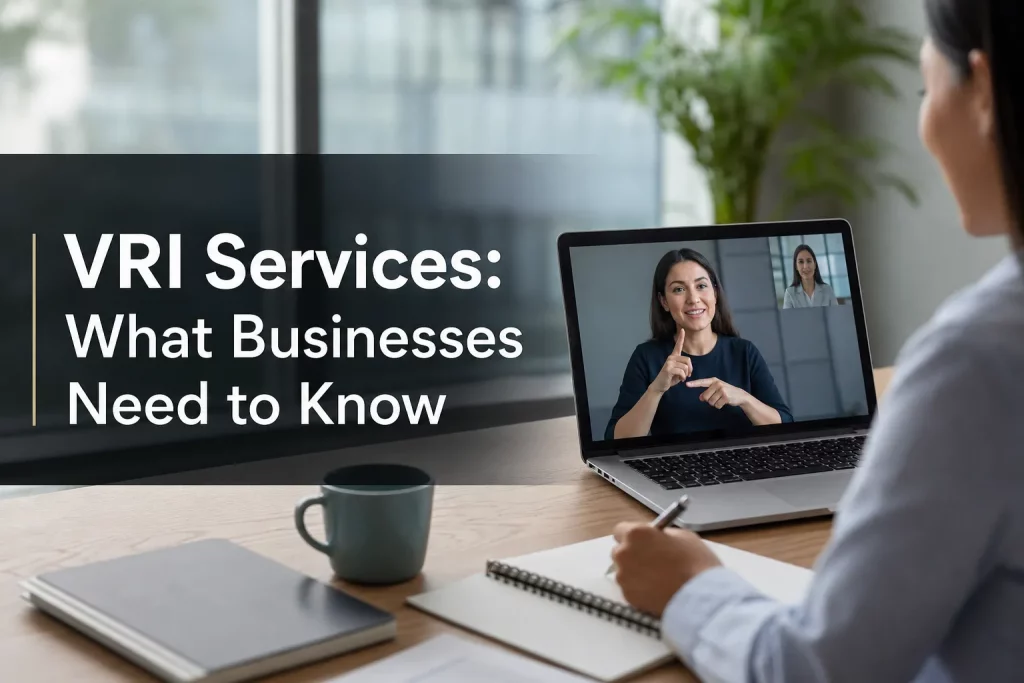
VRI Services: What Businesses Need to Know
If your organization needs to communicate clearly with Deaf participants, hard-of-hearing attendees, or multilingual audiences across live, virtual, or hybrid settings, Video Remote Interpreting can be one of the fastest and most practical solutions available.
For event organizers, corporate teams, healthcare providers, churches, conference planners, and operations leaders, the real question is not just what is VRI? It is when does it make sense, when does it not, and how do you choose a provider that will not fail when the moment matters? This guide answers those questions clearly.
Unlike many surface-level overviews, this article goes beyond definitions. We will cover where VRI fits into accessibility strategy, how it compares with on-site interpreting and other remote options, what technical and compliance issues matter, and what businesses should evaluate before booking service.
What VRI Services Are
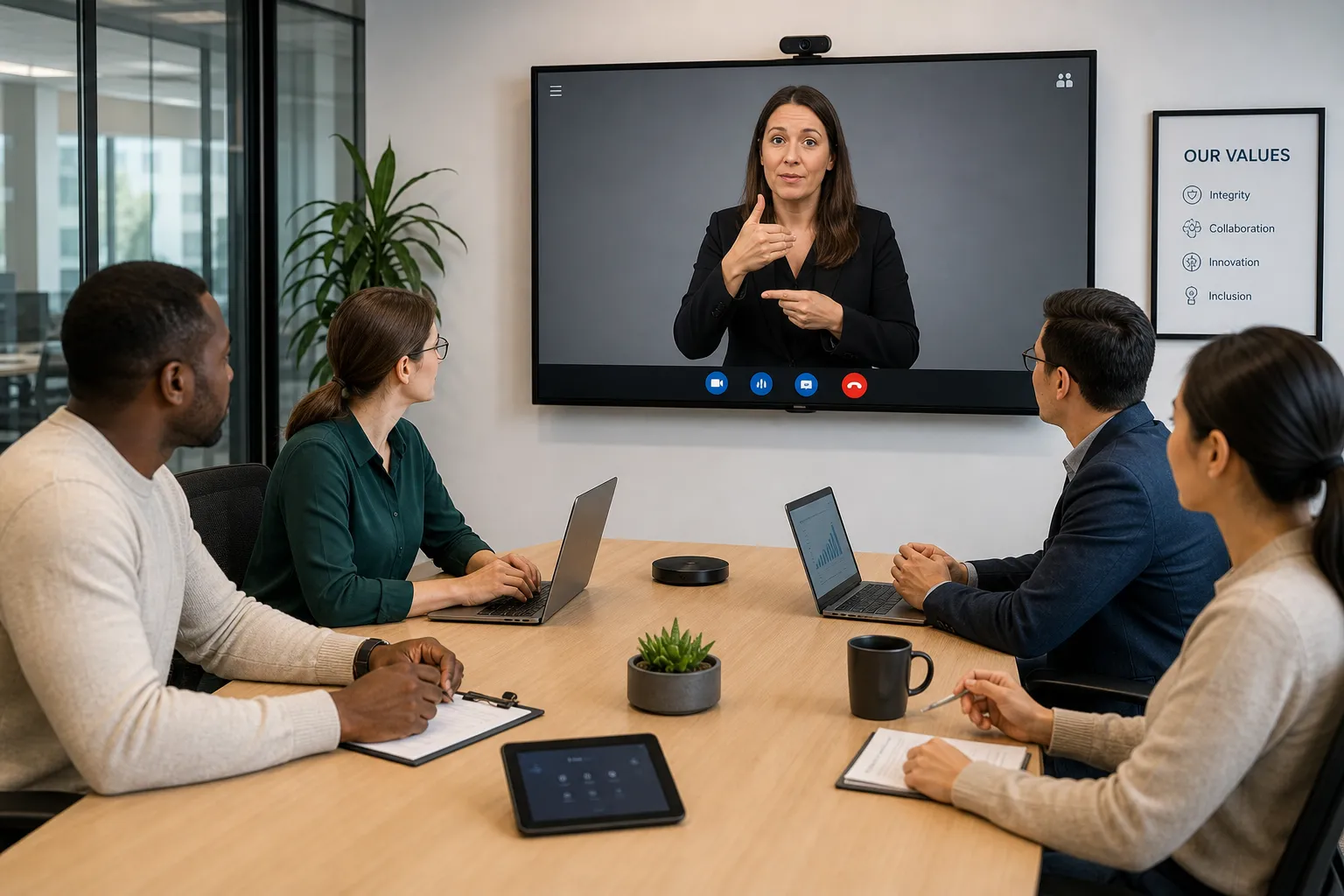
VRI stands for Video Remote Interpreting. It is a service that connects participants with a professional interpreter through a live video platform rather than bringing the interpreter into the room physically.
In practical terms, that means:
-
a Deaf employee can join a team meeting with an ASL interpreter appearing on screen
-
a patient and clinician can communicate through a remote interpreter on a tablet
-
a business can support multilingual communication in a scheduled virtual consultation
-
a conference organizer can add interpreting support without flying in a full team for every session
VRI is especially useful when visual communication matters. That includes sign language interpreting, conversations where facial expression and body language affect meaning, and situations where participants are already meeting through Zoom, Teams, Webex, or another platform.
Why Businesses Are Paying More Attention to VRI
The highest-ranking competitor articles all emphasize the same core benefits: speed, flexibility, cost control, and broader access to interpreters. They are right, but they often stop there.
What they usually miss is the bigger business context: VRI is not just a convenience tool. It is part of a broader language access and accessibility strategy that affects compliance, audience reach, employee inclusion, customer trust, and event performance.
For modern organizations, communication access is no longer a nice extra. It is operational infrastructure.
Where competitor content is often too shallow
Most competing articles mention healthcare, legal, and business use cases. Fewer explain:
-
how to determine when VRI is appropriate versus on-site interpreting
-
what video quality standards matter for sign language visibility
-
why captioning and interpreting often need to work together
-
how live, hybrid, and in-person event environments change setup needs
-
what support staff, equipment, and technician services may be required
-
how to evaluate interpreter qualifications beyond generic claims
Those gaps matter. Choosing the wrong delivery model can create accessibility failures even when the provider itself is competent.
When VRI Makes Sense
VRI works best when you need real-time communication access with visual support, but an on-site interpreter is not necessary or practical.
Strong use cases for VRI
|
Scenario |
Why VRI works well |
|---|---|
|
Scheduled business meetings |
Easy to integrate into existing video platforms |
|
HR conversations and onboarding |
Supports inclusion without requiring travel |
|
Telehealth appointments |
Aligns naturally with remote care delivery |
|
Customer consultations |
Enables access across locations |
|
Training sessions |
Flexible for recurring or distributed audiences |
|
Hybrid events |
Allows interpreters to support remote and on-site participants |
|
Church services and ministry content |
Scales access for dispersed communities |
|
Internal corporate communications |
Useful for town halls, updates, and leadership messaging |
When VRI may be a better choice than on-site service
Choose VRI when:
-
the interaction is short or moderate in length
-
the participants are in different locations
-
you need faster scheduling options
-
travel costs would make on-site support inefficient
-
your meeting is already virtual or hybrid
-
screen-based interpreting fits the audience and setting
When VRI may not be the best fit
VRI is not the answer to every communication challenge. On-site interpreting may be better when:
-
internet stability is uncertain
-
the room layout makes screen visibility difficult
-
there are multiple side conversations happening at once
-
the setting is highly physical, chaotic, or safety-sensitive
-
Deaf participants specifically request in-person support
-
the event involves heavy audience interaction and movement
That distinction is important. Good providers do not push one format for every situation. They help you choose the right one.
How VRI Fits Into Accessibility and Multilingual Communication
VRI is often discussed only as an interpreting service, but in practice it works best as part of a layered access plan.
A single meeting or event may require more than one support solution:
-
VRI for ASL or spoken-language interpreting
-
live captioning for accessibility, retention, and engagement
-
translated materials for agendas, slides, handouts, or follow-up content
-
subtitles or voiceover for recordings
-
technician support to ensure the interpreter feed displays correctly
That is where experienced partners stand out. Team Stream supports not just interpreting, but the full ecosystem around accessible communication: accurate human and AI-powered translation and interpreting, real-time captioning, subtitling, voiceover, equipment rental, technician support, and tailored service design for in-person, remote, and hybrid delivery.
For decision-makers, that means fewer gaps between intention and execution.
The Biggest Benefits of VRI Services for Businesses
Faster access to interpreters
VRI can reduce scheduling friction, especially for remote meetings, repeat sessions, and distributed teams. Instead of coordinating travel and on-site logistics for every interaction, you can often integrate interpreting directly into your existing workflow.
Better coverage across locations
If your business has multiple offices, remote staff, traveling leaders, or clients in different regions, VRI makes it easier to offer consistent access without rebuilding the process each time.
Cost efficiency without sacrificing professionalism
Compared with on-site interpreting, VRI often lowers costs tied to travel, minimum time blocks, and logistics. That makes it especially attractive for recurring meetings, consultations, and virtual sessions.
Improved inclusion
For Deaf employees, hard-of-hearing attendees, and multilingual participants, access changes the experience from passive presence to real participation. That improves understanding, trust, morale, and outcomes.
Flexibility for live, virtual, and hybrid formats
Modern communication does not happen in one channel. Businesses now need support that can move between conference rooms, webinar platforms, livestreams, internal broadcasts, and in-person events. VRI helps bridge those formats.
Common Industries and Use Cases
Healthcare
Healthcare is one of the most discussed VRI environments for good reason. Providers often need immediate, clear communication with patients across remote and in-person settings.
Common examples include:
-
intake and registration
-
consultations
-
discharge instructions
-
telehealth visits
-
behavioral health sessions
-
specialist referrals
-
patient education
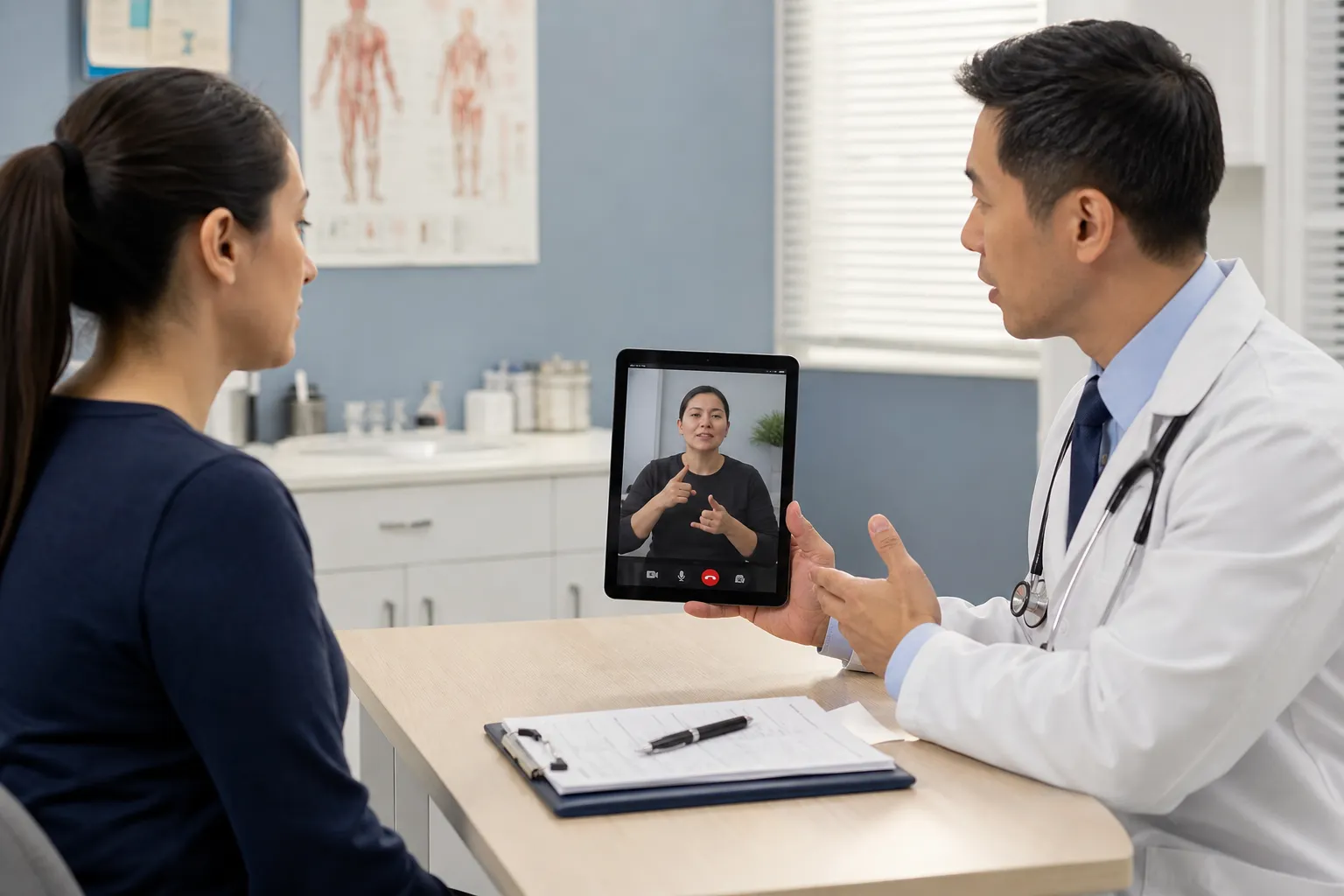
In healthcare, quality matters more than convenience. The interpreter must understand medical terminology, confidentiality standards, and the emotional realities of patient communication.
Legal and regulated environments
Legal teams, courts, compliance departments, and public agencies often use VRI when fast, accurate communication is needed and visual context matters.
Use cases include:
-
attorney-client meetings
-
virtual hearings
-
witness interviews
-
intake and compliance reviews
-
agency communications
-
rights explanations and procedural guidance
Corporate meetings and internal communications
For businesses, VRI supports:
-
team meetings
-
leadership town halls
-
onboarding
-
training sessions
-
performance conversations
-
benefits enrollment
-
client-facing presentations
This is a major gap in competitor content: they mention “corporate” as a category but do not explain how often accessibility breaks down in ordinary internal communication. Many organizations think about external inclusion before internal inclusion. They should do both.
Events, conferences, and trade shows
VRI can support:
-
pre-event planning calls
-
breakouts and workshops
-
virtual conference tracks
-
sponsor sessions
-
hybrid panel discussions
-
exhibitor communication
-
post-event content review
At the event level, success depends on more than the interpreter. You may also need screen placement, technician coordination, captioning, confidence monitors, audio routing, and backup workflows. Team Stream’s event support model is especially valuable here because language access in events is rarely “just book an interpreter and hope for the best.”
Faith-based services and community engagement
Churches and ministries increasingly use VRI and related accessibility tools for:
-
worship services
-
Bible studies
-
community outreach
-
livestream programming
-
training and volunteer coordination
Where budgets are tight and audiences are distributed, remote access tools can dramatically expand participation.
VRI vs. Other Interpreting Options
One of the best ways to understand VRI is to compare it with the alternatives.
Quick comparison table
|
Service Type |
Best For |
Strengths |
Limitations |
|---|---|---|---|
|
VRI |
Visual, real-time remote communication |
Flexible, scalable, lower travel cost |
Depends on screen quality and connectivity |
|
On-site interpreting |
Complex or high-touch in-person settings |
Full physical presence, easier room management |
Higher logistical cost, less flexible |
|
Audio-only remote interpreting |
Fast spoken-language support without visual need |
Very accessible by phone, simple setup |
No visual cues, not suitable for sign language |
|
Captions only |
Speech visibility and accessibility |
Great for content access and retention |
Does not replace interpreting when language mediation is needed |
Important point: captions and VRI are not substitutes
This is another area many articles oversimplify. Captioning and interpreting do different jobs.
-
Interpreting conveys meaning between languages or communication modes.
-
Captioning provides text access to spoken content.
Many organizations need both. A conference keynote, for example, may require live captions for accessibility and engagement, plus ASL interpreting for Deaf attendees, plus translated subtitles for recorded playback afterward.
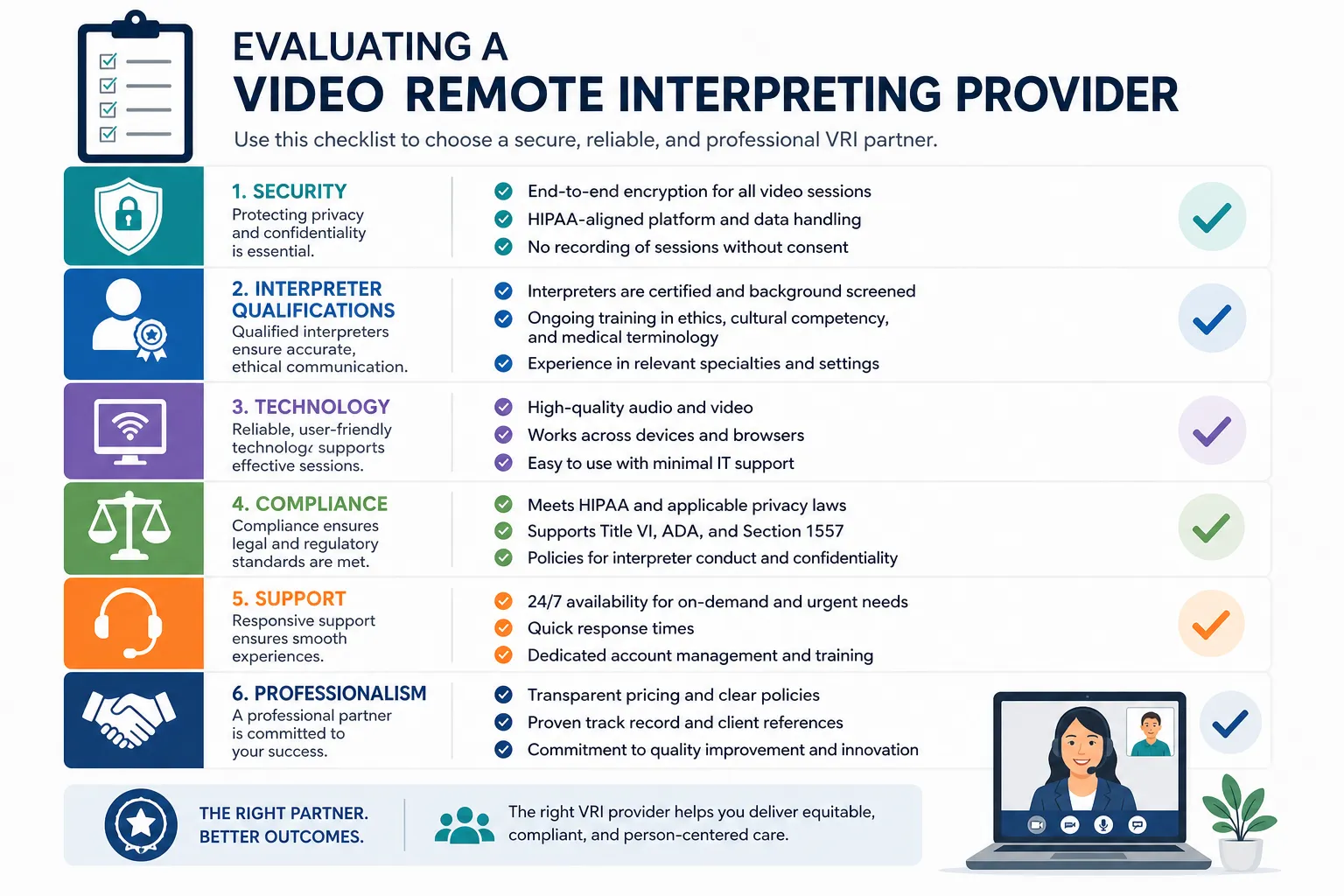
What Businesses Should Evaluate Before Choosing a VRI Provider
Choosing a provider should not come down to price alone. The lower-cost option can become the most expensive one if the meeting fails, the event excludes participants, or the technical setup collapses live.
1. Interpreter qualifications
Ask whether interpreters are qualified for your actual setting, not just generally available.
Look for:
-
experience in your industry
-
fluency in required languages or sign systems
-
knowledge of technical terminology
-
ability to work in live business, healthcare, legal, or event settings
-
professional standards around accuracy, ethics, and confidentiality
2. Platform compatibility
Can the provider work with your platform, or do they require you to use theirs? Strong providers should be able to support common environments like Zoom, Teams, Webex, broadcast workflows, and hybrid event setups.
3. Video quality for visual communication
This is especially critical for sign language. If the interpreter window is too small, poorly lit, lagging, or cropped incorrectly, the service may technically exist but functionally fail.
4. Compliance and privacy
Depending on your industry, you may need support aligned with confidentiality, privacy, and accessibility requirements. The best providers build compliance-friendly processes into delivery rather than treating them as optional extras.
5. Support and responsiveness
Who is helping if the interpreter feed disappears two minutes before your town hall starts? Who checks display placement for your hybrid event? Who troubleshoots audio routing?
This is where Team Stream’s combination of service responsiveness, technician support, and event execution experience becomes a real advantage.
6. Backup planning
Always ask about contingencies:
-
interpreter substitutions
-
platform backup options
-
internet disruption plans
-
event-day support contacts
-
alternate display methods
The Technical Side of a Successful VRI Session
Competitor articles often say you need “a device and internet.” That is true, but incomplete.
A reliable VRI session usually depends on:
-
a stable high-speed internet connection
-
a camera positioned to show participants clearly
-
good lighting
-
enough screen size for comfortable interpreter visibility
-
clear audio input and output
-
minimal background noise
-
a platform that supports spotlighting or pinning the interpreter
-
a tested backup communication path
For events and formal meetings, you may also need:
-
confidence monitors
-
projection routing
-
technician oversight
-
separate interpreter return feeds
-
recording considerations
-
accessibility testing before go-live
These details are exactly why organizations often benefit from an end-to-end partner instead of piecing together separate vendors.
Best Practices for Using VRI Well
Prepare the interpreter
Whenever possible, share:
-
agenda
-
speaker names
-
terminology
-
presentation slides
-
acronyms
-
expected audience profile
Preparation improves accuracy and pacing.
Design the screen experience
For ASL and other sign language support, placement matters. The interpreter should be visible enough for participants to follow naturally without constantly fighting the interface.
Coordinate turn-taking
Meetings work better when speakers avoid talking over each other, identify themselves, and pace transitions clearly. This is not about speaking unnaturally slowly. It is about reducing avoidable chaos.
Pair VRI with captions when appropriate
Captions improve access for hard-of-hearing participants, multilingual audiences, noisy environments, and recorded content viewers. They also help engagement and comprehension for many hearing participants.
Run a pre-event or pre-meeting tech check
Especially for high-stakes situations, test the setup before the session starts.
Challenges and Limitations to Understand
VRI is powerful, but it is not perfect. A good buyer understands the risks before rollout.
Technology dependence
Connectivity, hardware quality, and display setup affect performance. Even excellent interpreters cannot overcome a broken signal.
Visual constraints
If the screen is too small or the platform compresses the video badly, sign language interpretation may become difficult to follow.
Environmental mismatch
Busy emergency settings, loud trade show floors, and highly kinetic in-person experiences may require a different solution or more robust support.
Human factors
Participants may be unfamiliar with how to use interpreted meetings well. A little planning and orientation can prevent a lot of confusion.
What Team Stream Brings to the Table
Businesses do not just need access to interpreters. They need a partner that can help them choose, coordinate, and deliver the right communication access model under real-world conditions.
Team Stream is built for that reality.
Why Team Stream is a strong fit
-
Accurate human and AI-powered language services for speed, scale, and quality
-
Real-time captioning for accessibility, compliance, and stronger engagement
-
Interpreting for live, virtual, and hybrid environments
-
Written translation, subtitling, and voiceover for before, during, and after the event or meeting
-
Professional equipment rental and technician support when execution depends on more than a platform link
-
Tailored delivery models rather than one-size-fits-all packages
-
More than 25 years of experience supporting multilingual and accessible communication
-
Responsive customer service that helps clients solve operational problems, not just place orders
That combination matters because accessibility is rarely one service in isolation. It is a coordinated outcome.
Final Verdict: When VRI Is the Right Move
If your organization needs fast, flexible, visually supported communication access, VRI is often one of the smartest tools available. It can reduce friction, expand inclusion, support compliance, and help your teams communicate effectively across locations and audiences.
But the real value comes from using it strategically.
The best results happen when you:
-
choose VRI for the right scenarios
-
understand its technical and operational requirements
-
combine it with captioning, translation, or event support when needed
-
work with a provider that can actually execute under pressure
If you want a partner that can help you plan and deliver accessible, multilingual communication across business meetings, conferences, worship services, broadcasts, and hybrid events, Team Stream is ready to help. From interpreting and captioning to translation, subtitling, equipment, and technician support, Team Stream delivers practical, high-quality solutions designed around your audience and your goals.
FAQ
What are the limitations of VRI services?
VRI depends heavily on technology, including stable internet, clear video, and proper screen placement. It may be less effective in chaotic, highly physical, or low-connectivity environments, and some situations are better served by on-site interpreting.
What are the technical requirements for the VRI session?
A successful session typically requires a video-enabled device, reliable high-speed internet, clear audio, good lighting, and enough screen space to display the interpreter comfortably. For meetings and events, a tech check and platform setup are strongly recommended.
What qualifications do VRI interpreters need?
VRI interpreters should have professional interpreting skills, relevant language fluency, and experience in the setting they are supporting, such as healthcare, legal, business, or events. Strong providers also ensure interpreters understand terminology, ethics, confidentiality, and live communication dynamics.
What are the common uses for VRI in healthcare?
Healthcare organizations often use VRI for intake, consultations, telehealth visits, discharge instructions, patient education, and specialist communication. It helps clinicians and patients communicate clearly when visual access and real-time interpretation are needed.
Can patients refuse to use interpreter services?
Yes, patients can sometimes decline interpreter support, but providers should first ensure the refusal is informed and documented. In many cases, healthcare teams still need to assess whether communication is truly effective and whether language access remains necessary for safe care.
