

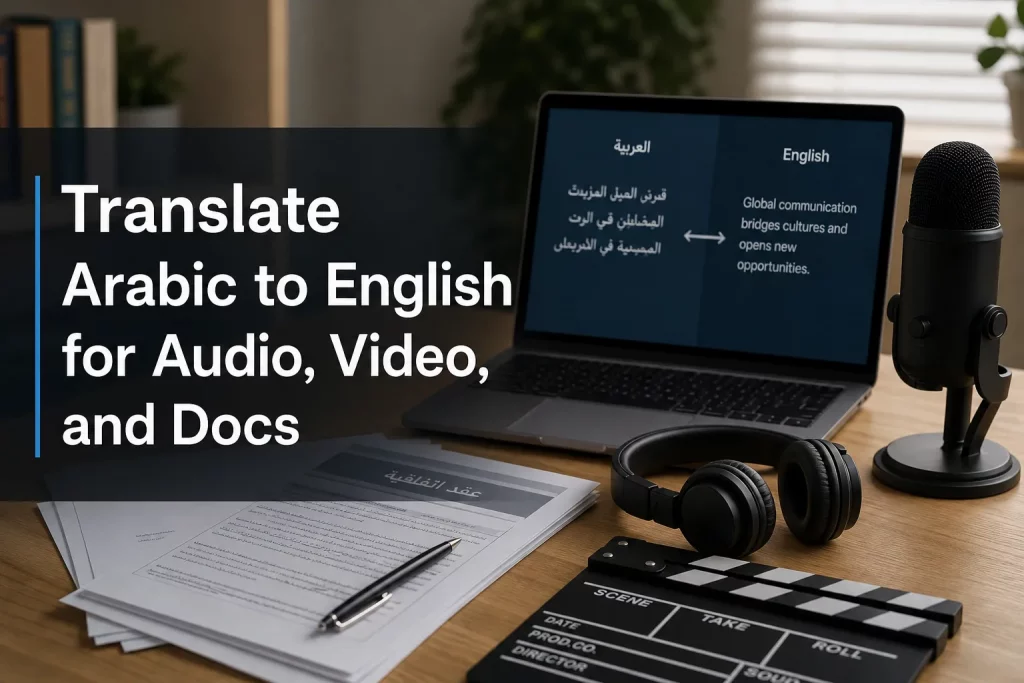
Translate Arabic to English for Audio, Video, and Docs
If you need to translate Arabic to English, the real challenge usually is not finding a tool. It is finding the right workflow for the format, the stakes, and the audience.
An event organizer may need a live Arabic-to-English interpreter for a keynote. A marketing team may need Arabic video localized into English captions and voiceover. An operations manager may need to translate a document from Arabic to English for contracts, HR materials, or compliance. And a church, broadcaster, or conference producer may need all of those at once – plus accessibility support.
That is where many “quick translation” articles fall short. They focus on a single app or one-off conversion. In practice, multilingual communication is more complex. You may need AI speed, human review, live interpreting, captioning, subtitling, voiceover, accessible outputs, and dependable technical execution working together.
At Team Stream, that is exactly how we approach language access: accurate human expertise combined with AI-powered translation and accessibility solutions, tailored for live, virtual, and hybrid environments. Whether you are localizing a PDF, translating Arabic audio to English, or supporting a multilingual event, the goal is the same: clear communication that is accurate, inclusive, and usable.
Why Arabic-to-English translation matters more than ever
“Arabic is spoken by approximately 420 million people worldwide, making it the fifth most spoken language globally.” – BestSounds
That scale matters for businesses, media teams, educators, ministries, and event producers. If your content, meetings, or documents involve Arabic-speaking participants, customers, partners, or viewers, translation is not a nice-to-have. It is part of effective communication.
And when communication must be accessible as well as multilingual, the stakes get even higher.
“The ADA requires that communication with people with disabilities be as effective as communication with others.” – ADA.gov
For many organizations, that means translation should be planned alongside live captioning, closed captions, subtitling, accessible documents, and qualified interpreting – not added at the last minute.
What competitor tools get right – and where they fall short
The leading pages in this space tend to focus on a few common benefits:
-
Fast upload-and-translate workflows
-
Support for Arabic audio or video
-
Downloadable subtitles or text files
-
Some level of AI automation
-
In a few cases, voice-preserving dubbing
Those are useful features. But most pages gloss over several important realities:
Content gaps most competitors miss
1. Translation quality depends on the format
Translating spoken Arabic is different from translating a PDF, subtitles, or a live event. Dialect, audio quality, speaker overlap, formatting, and context all affect results.
2. Arabic is not one-size-fits-all
Modern Standard Arabic, Gulf Arabic, Egyptian Arabic, Levantine Arabic, and Maghrebi varieties can differ significantly. A tool may “support Arabic” without reliably handling the dialect in your content.
3. Accessibility is often ignored
Most translation pages mention subtitles, but not real-time captioning, ADA-conscious communication, readable formatting, or audience usability.
4. Live communication needs interpreters, not just translators
If your audience needs immediate understanding during a meeting, conference, town hall, or worship service, you may need an interpreter Arabic to English, not merely transcript translation after the fact.
5. Business-critical content needs review
Legal, HR, training, medical, compliance, executive, and public-facing content often needs human translation or human QA, even if AI is used in the first pass.
That is why the best solution is rarely “tool only.” It is usually a service model: AI where speed helps, human expertise where risk is high, and accessibility built in from the start.
The five main ways to translate Arabic to English
1. Text translation for short, simple content
Best for:
-
Emails
-
Short messages
-
Basic web copy
-
Informal notes
If you simply need to translate from Arabic a short passage, AI tools can be efficient. For basic phrases and low-risk text, even something like Google Translate Arabic English can be enough to get the general meaning.
But be careful with:
-
Idioms
-
Regional dialect
-
Formal or legal tone
-
Sensitive terminology
-
Brand voice
2. Document translation for PDFs, Word files, and business materials
Best for:
-
Contracts
-
Proposals
-
Reports
-
Employee documents
-
Training manuals
-
Public-facing handouts
When you need to translate Arabic to English PDF or translate Arabic to English document content, formatting matters almost as much as wording. Tables, headers, signatures, forms, scanned pages, and embedded images can all create problems.
A strong workflow includes:
-
Text extraction or OCR if needed
-
Translation
-
Terminology review
-
Layout preservation
-
Final QA by a linguist
If you also need to translate document from English to Arabic or translate document to Arabic, the same care applies in reverse – especially because Arabic is written right-to-left and often requires layout adaptation.
3. Audio translation for recordings, interviews, and meetings
Best for:
-
Interviews
-
Podcast clips
-
Lectures
-
Voice notes
-
Training recordings
To translate Arabic to English audio, most tools first transcribe the speech, then translate the text, and sometimes produce dubbed English audio.
This works well when:
-
The recording is clear
-
Speakers do not overlap too much
-
The content is under manageable length
-
You can review the result
It works less well when:
-
The audio is noisy
-
The speaker uses heavy dialect
-
The terminology is specialized
-
Timing is critical
4. Video translation for subtitles, captions, and dubbing
Best for:
-
Marketing videos
-
Webinars
-
Tutorials
-
Social media clips
-
Corporate communications
-
Sermons and livestream archives
Video localization adds another layer: timing. It is not enough to translate the words. You also need subtitles, readable line breaks, synchronization, and sometimes English voiceover.
If you need to translate video to Arabic or Arabic video into English, your workflow may include:
-
Speech-to-text
-
Translation
-
Subtitle timing
-
Caption styling
-
Voiceover or dubbing
-
Accessibility review
5. Live interpreting for events and real-time communication
Best for:
-
Conferences
-
Executive meetings
-
Hybrid events
-
Trade shows
-
Church services
-
Broadcasts
-
Remote webinars
If your audience needs to understand Arabic speakers in real time, machine translation alone is rarely enough. You need interpreting, often supported by audio feeds, receivers, technician oversight, or virtual platform integration.
This is where Team Stream brings clear value: human interpreters, AI-supported workflows where appropriate, real-time captioning, equipment rental, and technician support for seamless multilingual execution.
How to choose the right Arabic-to-English translation method
Use this quick decision table
|
Need |
Best Fit |
Why |
|---|---|---|
|
Short, low-risk text |
AI text translation |
Fast and inexpensive |
|
Business document |
Human or AI + human review |
Better terminology and formatting accuracy |
|
Recorded audio |
Transcription + translation |
Efficient for interviews, lectures, and archives |
|
Video localization |
Subtitle/voiceover workflow |
Preserves timing and viewer experience |
|
Live meeting or event |
Professional interpreter |
Immediate, accurate communication |
|
Public-facing or compliance-sensitive content |
Human translation + accessibility review |
Reduces risk and improves clarity |
Translating Arabic documents to English: what actually works
Document translation is often underestimated. Many people search for ways to translate document from Arabic to English and assume it is a simple copy-paste job. It rarely is.
Common document types that need more than raw translation
-
Contracts and agreements
-
HR handbooks
-
Safety documents
-
Slide decks
-
Product manuals
-
Event materials
-
Government forms
-
Healthcare intake documents
Key issues to watch for
Scanned PDFs
If the file is an image rather than selectable text, OCR quality becomes the first bottleneck.
Tables and forms
Translation may expand or contract the text, breaking layout.
Names, dates, and legal references
These need consistency and careful handling.
Right-to-left formatting
When you translate english to arabic writing or move bilingual content between languages, document structure often needs redesign.
Best practice
For internal notes, AI may be enough. For client-facing, legal, operational, or regulated materials, use human translation or at least human editing after AI.
Team Stream supports both practical speed and high-stakes quality, with tailored written translation workflows that can preserve meaning, formatting, and usability.
How to translate Arabic audio to English accurately
Many users want to translate audio Arabic to English or create a voice translate Arabic to English workflow. The best process usually has three stages:
Step 1: Transcribe the Arabic speech
This converts spoken Arabic into written Arabic text.
Step 2: Translate the transcript into English
At this stage, terminology and context matter.
Step 3: Decide on the output
You may need:
-
English transcript
-
English subtitles
-
English summary
-
English dubbed audio
-
Caption files such as SRT or VTT
What affects accuracy most
-
Audio clarity
-
Speaker speed
-
Dialect
-
Industry terminology
-
Proper nouns
-
Crosstalk
-
Background noise
When AI alone is fine
-
Personal recordings
-
Internal notes
-
Rough comprehension
-
First-pass translation
When human review is worth it
-
Broadcast content
-
Training assets
-
Executive communications
-
Public-facing content
-
Sensitive interviews
-
Multispeaker recordings
Translating Arabic video to English: subtitles vs voiceover
If your goal is to make Arabic video understandable for English-speaking audiences, you generally have two main options.
Option 1: English subtitles or captions
Best when:
-
You want lower cost
-
The original Arabic voice should remain
-
Accessibility is important
-
Turnaround needs to be fast
Option 2: English voiceover or dubbing
Best when:
-
Viewers may not want to read subtitles
-
You need more polished localization
-
The video is for training, marketing, or broad distribution
A smart strategy is often to use both: captions for accessibility and voiceover for audience convenience.
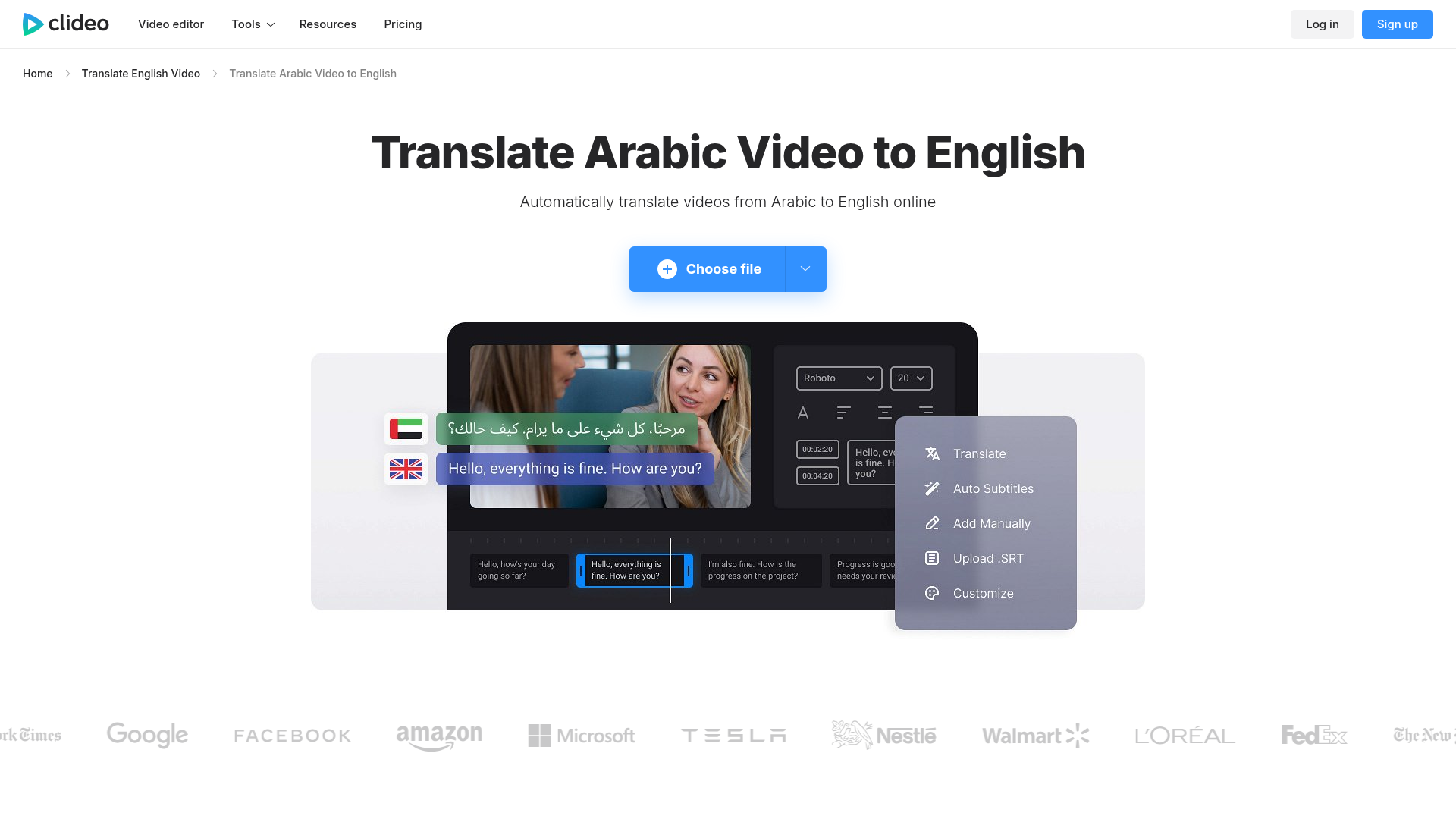
Why captioning matters in translation
Captions do more than translate. They support:
-
Accessibility
-
Viewer retention
-
Sound-off viewing
-
Searchability
-
Review and approval workflows
For organizations running live, virtual, or hybrid events, Team Stream can combine translation, subtitling, live captioning, and technical support into one coordinated workflow.
Can you use Google Translate for Arabic and English?
Yes – but only for the right use cases.
People often turn to:
-
google translate arabic
-
google translate arabic english
-
google translate english to arabic
-
google translate english to arabic language
-
google translate arabic to english audio
-
google translate arabic to english voice
These tools are useful for:
-
Quick understanding
-
Travel phrases
-
Draft comprehension
-
Short informal text
They are less reliable for:
-
Long-form audio
-
Nuanced dialect
-
Legal or contract language
-
Event communications
-
Brand-sensitive content
-
Complex PDFs
A practical rule
Use Google Translate to understand the gist. Use professional translation when the content affects reputation, compliance, safety, accessibility, or revenue.
English-to-Arabic translation: the reverse workflow matters too
Many teams do not only need to translate arabic to english. They also need to:
-
translate to arabic
-
translate english to arabic
-
translate english to arabic language
-
translate english to arabic voice
-
translate document to arabic
That reverse direction can be even more demanding because Arabic formatting, script flow, and linguistic conventions differ significantly from English.
Common English-to-Arabic use cases
-
Event signage
-
Marketing campaigns
-
Booth materials
-
Internal communications
-
Training modules
-
Websites
-
Video subtitles
-
Voiceover scripts
Why professional review matters
Literal translation can sound awkward, overly formal, or simply wrong for the intended audience. Good Arabic localization adapts:
-
Tone
-
Register
-
Cultural context
-
Readability
-
Layout
When you need an Arabic-to-English interpreter instead of a translator
Translation and interpreting are related, but they are not the same service.
Use translation when:
-
The content is written
-
You are working with recorded media
-
Turnaround can happen after the source is created
Use interpreting when:
-
Communication is live
-
Participants need immediate understanding
-
Questions and answers are happening in real time
Typical scenarios that need interpreting
-
Executive briefings
-
Live webinars
-
Investor calls
-
Conferences
-
Press events
-
Legal meetings
-
Worship services
-
Healthcare or community outreach
If you are searching for an interpreter Arabic to English, what you likely need is not just a bilingual speaker. You need a qualified professional, plus the right delivery method:
-
On-site interpreting
-
Remote interpreting
-
Hybrid event support
-
Simultaneous or consecutive interpreting
-
Audio distribution systems
-
Technician management
That is a core Team Stream strength. We provide end-to-end language and accessibility solutions, not just isolated language labor. That means interpreters, captioners, remote options, equipment, and experienced event support all working together.
Tools in the market: what they are good for
The current market offers several useful options depending on your use case.
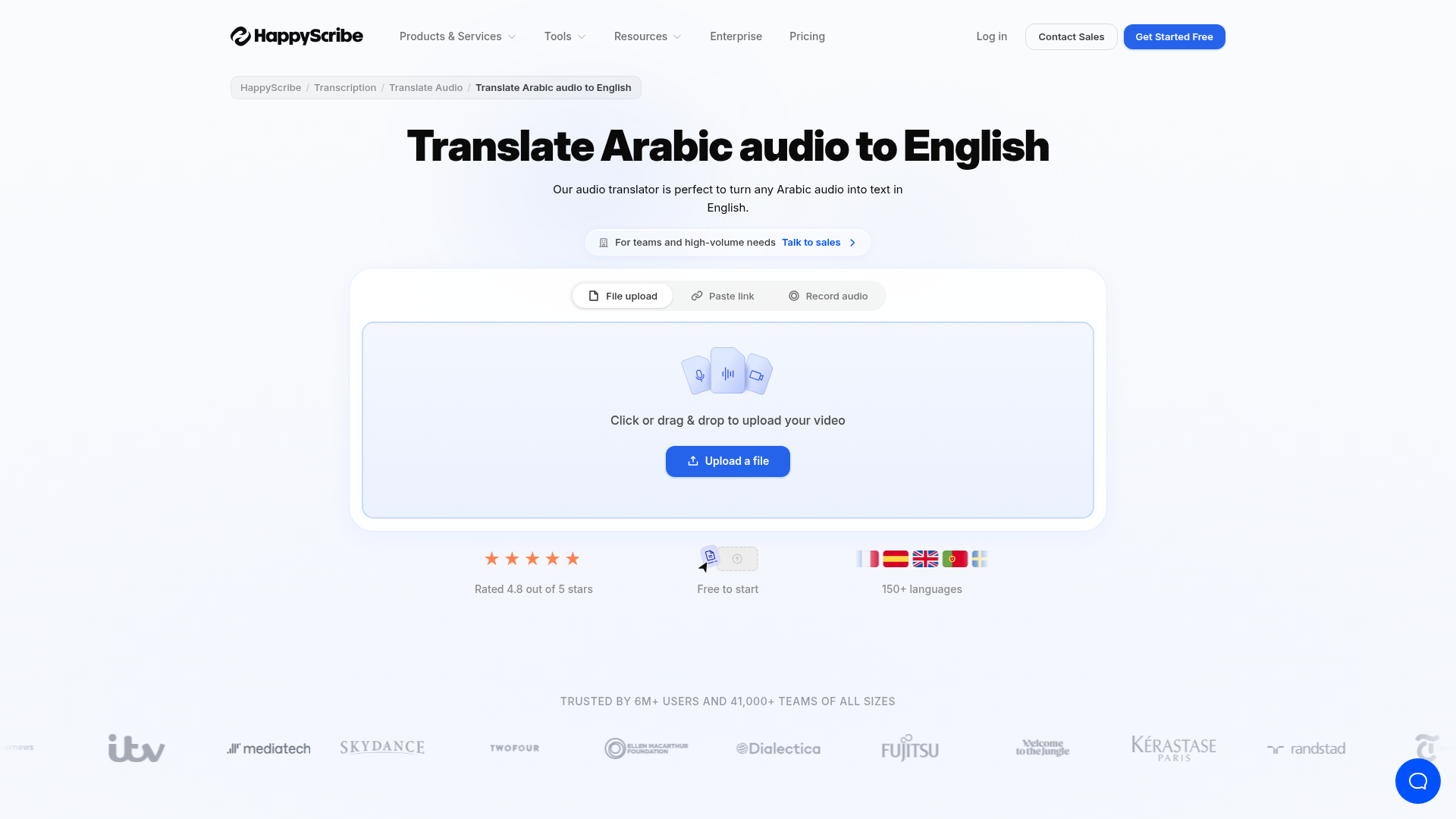
Happy Scribe
Good for transcription, subtitle generation, and text-based workflows.
Clideo
Useful for browser-based video subtitle editing and lightweight translation workflows.
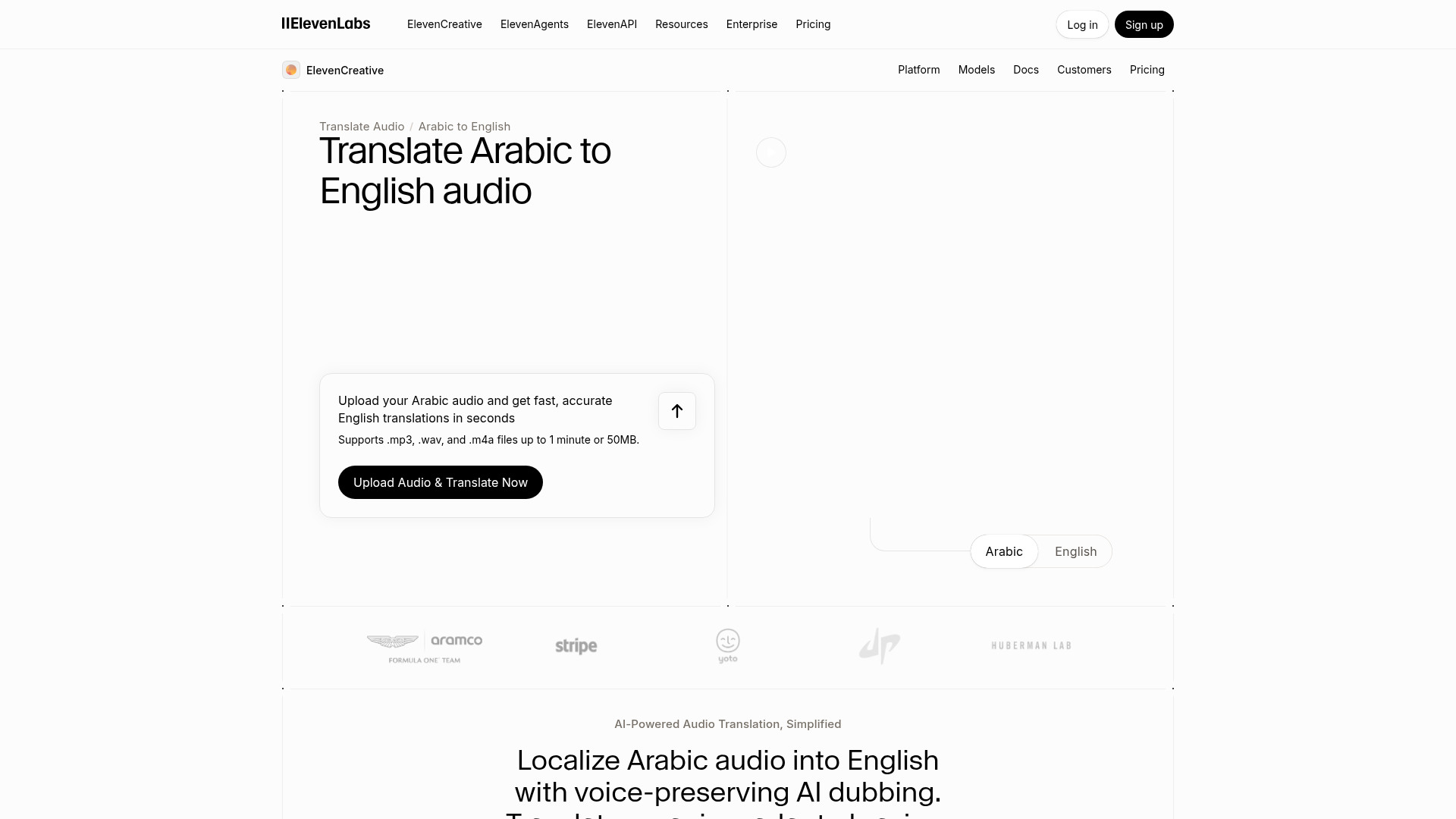
ElevenLabs
Strong for AI dubbing, voice-preserving output, and spoken localization.
Where Team Stream fits
Software tools are useful. But many organizations need more than self-service output. They need:
-
Human quality control
-
Accessibility expertise
-
Live event support
-
Real-time captioning
-
Professional interpreting
-
Flexible remote and in-person delivery
-
Technical execution they can trust
That is where Team Stream stands apart. With over 25 years of experience, we help clients build the right workflow for the moment – not force every job into the same tool.
A practical workflow for different Arabic-to-English projects
For a PDF or document
-
Extract text or run OCR
-
Translate the content
-
Review terminology
-
Rebuild formatting
-
QA the final version
For audio recording
-
Clean audio if needed
-
Transcribe Arabic
-
Translate to English
-
Review names and terminology
-
Export transcript, captions, or dubbed audio
For video
-
Create transcript
-
Translate and localize
-
Time subtitles
-
Add captions or voiceover
-
Review accessibility and readability
For live events
-
Assess audience language needs
-
Select interpreting format
-
Add captioning if needed
-
Set up audio/video workflow
-
Support delivery with technicians and backup planning
Common mistakes to avoid
Assuming all Arabic is the same
Dialect differences can materially affect translation quality.
Treating subtitles as an afterthought
Poor timing or line breaks can ruin viewer comprehension.
Using raw AI for high-stakes content
Fast does not always mean publish-ready.
Forgetting accessibility
Translation without captions, readable formatting, or inclusive delivery leaves part of the audience behind.
Waiting too long for event language planning
Interpreting, captioning, equipment, and remote integration work best when planned early.
Why Team Stream is the smarter long-term partner
If your need is a one-line phrase, a free tool may be enough.
But if you are managing:
-
a conference,
-
a corporate meeting,
-
a multilingual video library,
-
a broadcast,
-
a church service,
-
employee training,
-
or customer-facing documents,
you need more than a widget. You need a partner who can balance speed, accuracy, accessibility, compliance, and audience experience.
Team Stream delivers that through:
-
Accurate human and AI-powered translation and interpreting
-
Real-time captioning for accessibility and engagement
-
Written translation, subtitling, and voiceover
-
Support for live, virtual, and hybrid events
-
Compliance-friendly solutions for inclusive communication
-
Equipment rental and technician support
-
Flexible in-person and remote service delivery
-
Responsive customer service backed by 25+ years of expertise
Final verdict
There is no single best way to translate Arabic to English. The right approach depends on what you are translating, how accurate it must be, how fast you need it, and whether your audience must understand it live, on screen, in writing, or all of the above.
For simple phrases, self-service tools can help. For documents, recordings, and videos, a hybrid AI-plus-human workflow usually delivers the best balance of speed and quality. For live communication, professional interpreters and real-time accessibility support are often essential.
If you want a solution that goes beyond basic conversion and actually helps your audience understand, engage, and participate, Team Stream is built for that job. We help organizations deliver clear multilingual communication and accessible experiences across events, broadcasts, meetings, media, and documents – with the reliability and service level that high-stakes work demands.
FAQ
How to translate an Arabic video to an English video?
Start by creating an Arabic transcript, then translate and localize it into English, add synced subtitles or captions, and choose whether to include an English voiceover. For high-visibility content, use human review to catch dialect issues, tone problems, and timing errors.
How to translate Arabic audio recording to English?
The most reliable workflow is to transcribe the Arabic audio first, translate the transcript into English, and then export it as text, subtitles, or dubbed audio. Accuracy depends heavily on sound quality, dialect, and whether a human editor reviews the result.
Can ChatGPT translate a video?
ChatGPT can help translate video transcripts or subtitle text, but it does not replace a full video localization workflow by itself. You still need separate tools or services for transcription, subtitle timing, dubbing, and accessibility checks.
How to translate Arabic audio to English with Google Translate?
Google Translate can help with short spoken phrases or simple text, but it is not ideal for long, nuanced, or business-critical recordings. For better results, use a workflow that includes transcription, translation, and human QA.
Can ChatGPT translate a video?
Yes, but only partially: ChatGPT is most useful for translating transcript content once the speech has already been converted to text. It does not on its own create synced subtitles, manage video timing, or provide live interpreting.
How to convert Arabic audio to English?
To convert Arabic audio into English, first transcribe the Arabic speech, then translate it into English and choose the final output format such as transcript, captions, or English voiceover. For live events or high-stakes content, professional language and accessibility support is the safer option.
