

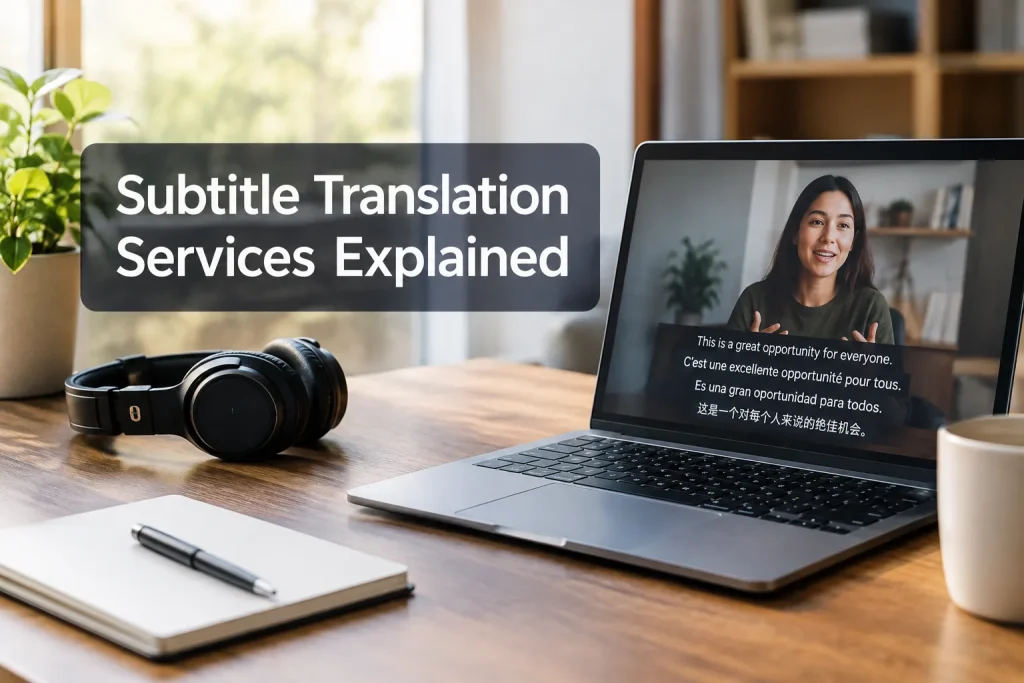
A subtitle translation service turns speech into readable, time-synced text in another language. That takes more than translating a script. If someone has to pause your marketing video or training recording to finish a line, the subtitles have failed them. The provider needs to handle transcription, translation, timing and final review.
An accurate source-language subtitle file gives the translator a head start. Raw footage needs transcription and source-language timing first. Decide how much human review the subject matter requires before you request a quote.
What a subtitle translation service actually delivers
Subtitles usually represent speech in a language different from the audio. W3C distinguishes captions from translated subtitles: captions also convey audio information needed for accessibility, such as meaningful sounds and speaker identification. A translated track can carry those details too. Ask for subtitles for the deaf and hard of hearing (SDH) if your audience needs them, since a dialogue-only track may omit sound cues.
|
Deliverable |
What it contains |
When to request it |
|---|---|---|
|
Source transcript |
Written record of what was said, with names and terminology checked |
Your video has no reliable script or captions |
|
Source-language timed captions |
Text divided into cues aligned with the audio |
You want a clean starting point for translation and a reusable original-language track |
|
Translated subtitle track |
Localized dialogue in timed cues for one target language |
Viewers will listen in one language and read in another |
|
Translated SDH track |
Translated speech plus relevant speaker and sound information |
Deaf or hard-of-hearing viewers need access to meaning carried by the audio |
|
Video with embedded subtitles |
Text permanently displayed in the picture |
The destination cannot reliably accept a separate subtitle track |
An SRT or WebVTT file can open without errors and still contain mistranslated names, disappearing lines or text that is too dense to read. Request the files your distribution channel accepts, along with a playback review of each language.
The workflow from video to publishable subtitles
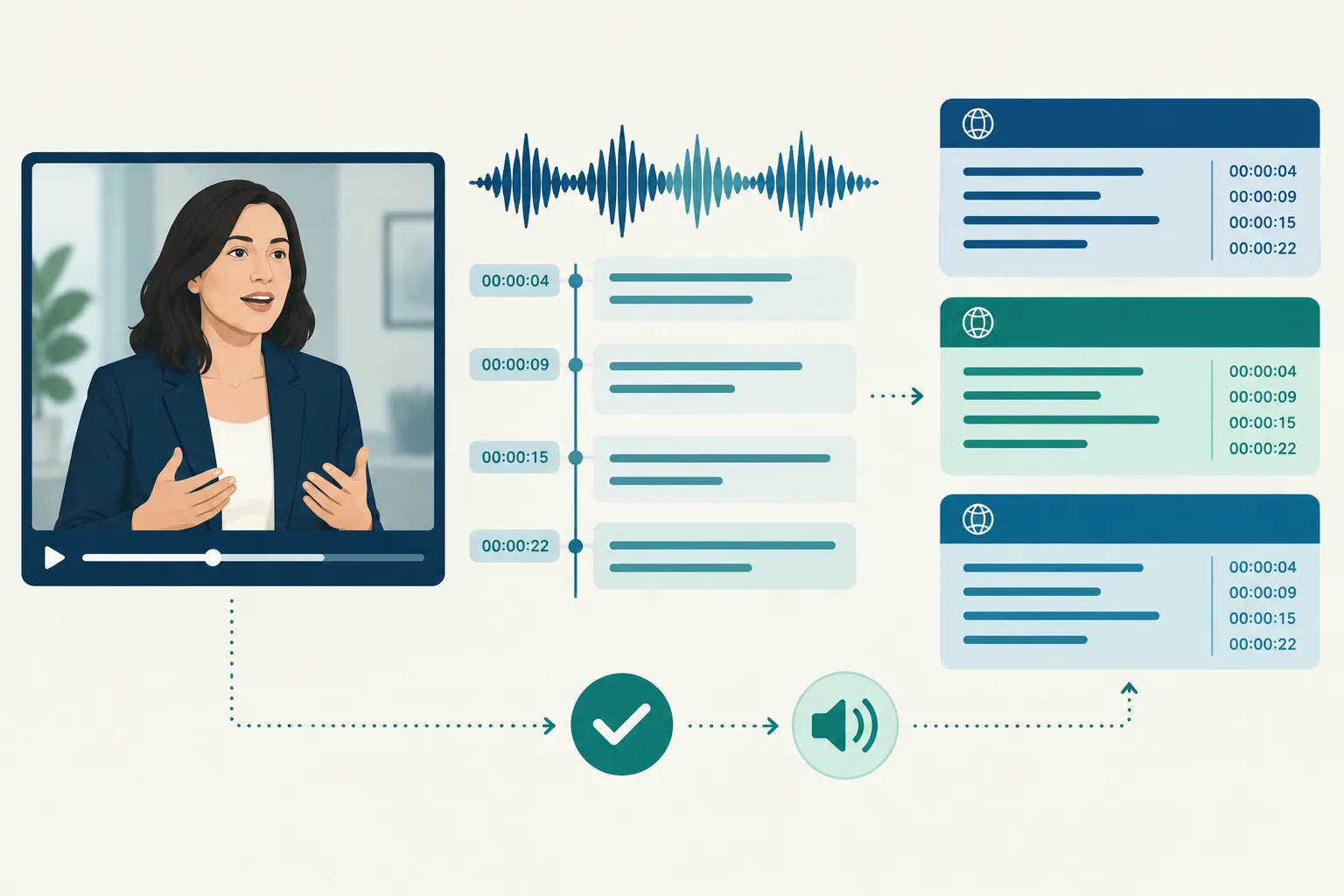
1. Establish an accurate source
Send the final video cut and the best available script, transcript or source captions. Speakers may improvise, and editors may remove lines that remain in the script. The subtitle team should listen against the text, identify overlapping speakers and flag words they cannot make out.
Give the team approved spellings for product names, presenters and technical terms. A glossary helps translators use the same terms across recurring training videos or event recordings.
2. Translate for meaning and available screen time
Speakers restart sentences and refer back to things the audience has just seen. A literal translation may look fine in a document yet take too long to read on screen. A skilled subtitle translator preserves the speaker’s intent, condenses where necessary and adapts idioms or cultural references for the intended audience. Give reviewers the video as well as the text.
Specify the target locale as well as the language. Terminology for employee training, a customer campaign or a church service may differ by region and audience. Supply approved wording for phrases with legal or operational significance.
3. Resegment, time and check readability
Translated lines can run longer than the source, leaving a viewer too little time to read if the original cue boundaries remain. A subtitler can split or combine cues and use natural pauses, while keeping text clear of an on-screen label or a speaker’s face.
Provide any house limits for line length and reading speed. Ask the provider to inspect the text in the video frame: one character limit cannot fit every language, font and platform. A viewer should be able to read each line once at normal speed and still follow the action.
Netflix uses a platform-specific line limit in its template guidance:
“42 characters per line for most Latin alphabet languages.” – Netflix Timed Text Style Guide
4. Review in context and export
The final reviewer should check names, numbers, meaning, speaker changes, timing and line breaks, then open the file in the intended player. A native-language reviewer may catch awkward phrasing; a playback check catches text obscured by graphics or timed to an earlier edit. Allow a revision round if your subject-matter expert must approve regulated wording or brand terminology.
Choosing the right level of human review
Automation can give you a useful first pass when the audio is clean and the message is routine. It may miss irony or mistake a product acronym. A distorted safety instruction is a different problem altogether, one that calls for a closer human review.
|
Approach |
Suitable use |
Main trade-off |
|---|---|---|
|
Automated transcription and translation, with internal spot checks |
Internal discovery, rough previews, low-stakes drafts |
Fast to produce, but errors in speech recognition can cascade into the translation |
|
AI-assisted draft with professional linguistic and timing review |
Regular marketing, public event recordings, many recurring business videos |
Reviewer can correct context and readability, but needs the video and enough time to inspect every cue |
|
Human translation and subtitle editing, followed by independent review |
Safety training, sensitive public communications, complex dialogue or high-visibility releases |
More review effort, with greater opportunity to catch nuance and consequential mistakes |
Review every language you plan to publish. Each has its own phrasing and screen-space demands. Agree on whether a reviewer will inspect every cue, retime each language and obtain sign-off before publication.
Team Stream offers human expertise alongside AI-enabled language services, giving you a way to match review to the recording. If the event needs live interpreting or captioning as well, use the same terminology for the live session and its recorded version.
Accessibility and delivery choices

Translated dialogue may leave out audio that matters to a viewer who cannot hear it. If a door slam, music cue or off-camera voice changes the meaning, include it in an SDH-style track. Label speakers when the picture does not make their identity clear. Separate language and accessibility tracks let viewers choose the text they need.
Decide whether viewers should be able to turn subtitles off. Players that support separate timed-text files can offer selectable tracks. Burned-in subtitles stay visible, so each language needs its own rendered video. Preview the result on the playback destination, particularly if graphics, lower thirds or mobile cropping reduce screen space.
Live captioning and interpreting serve the audience during an event; translated subtitles serve viewers of the edited recording. A conference may need both. Team Stream supports captioning, interpreting, translation and event production needs, including technician and equipment support, so hybrid or broadcast teams can plan the handoff together.
What to send and what to ask before buying
A useful quote starts with the footage and the decisions that affect the work. Send:
-
The final or near-final video and its runtime, plus the source transcript, captions or script if available.
-
Source language, target languages and target locales.
-
Publication destinations and required files or video versions.
-
Names, glossary, pronunciation notes and preferred terminology.
-
Accessibility requirements, including whether translated SDH or a source-language caption track is needed.
-
Your deadline, approval owner and any restrictions on handling confidential footage.
Ask whether the provider corrects the source transcript and watches the video during translation review. The quote should make clear whether it covers language-specific retiming, an independent quality check, your export format and a revision after stakeholder feedback. Even if the dialogue stays the same, a late edit can throw off cue timing; ask how new cuts affect the work.
For confidential training or unreleased campaigns, ask who can access uploads and whether the provider will use automated systems on the material. Settle this before sending footage.
The practical choice for multilingual video
An automated draft may be enough for a rough internal preview. If the video goes public or an error could have serious consequences, have people inspect the words, timing and playback in every language you publish.
For a project spanning subtitles, captioning, interpreting or event delivery, Team Stream can plan those services together with human and AI-supported options. Send a sample video, the languages and accessibility tracks you need, and the publication platform to discuss review and delivery.
FAQ
Can ChatGPT translate a video for me?
It can help draft a translation from a transcript, but that alone is not a finished subtitle track. You still need an accurate record of the audio, timed cues, context review and a playback check.
How can I translate my transcript?
Provide the transcript with the video, target language and locale, and any approved terminology. A subtitle translator can adapt the lines to screen time, create timed cues and review them against the recording.
How can I translate English subtitles to Malayalam?
Supply the English subtitle file and the video, then request a Malayalam translation with language-specific timing and playback review. If the English file was generated automatically, correct it against the audio first so errors do not pass into the Malayalam track.
What is the best subtitle translator?
The best choice depends on the stakes of the video. An automated tool may suit a rough internal preview; for public, technical or sensitive material, use professional review of the language and timing.
Can ChatGPT translate subtitles?
It can draft translated text from subtitle cues, but you should not assume the original cue lengths still work. Have someone review terminology, line breaks and timing while watching the finished video.
