

English Translate to Spanish for Every Content Type
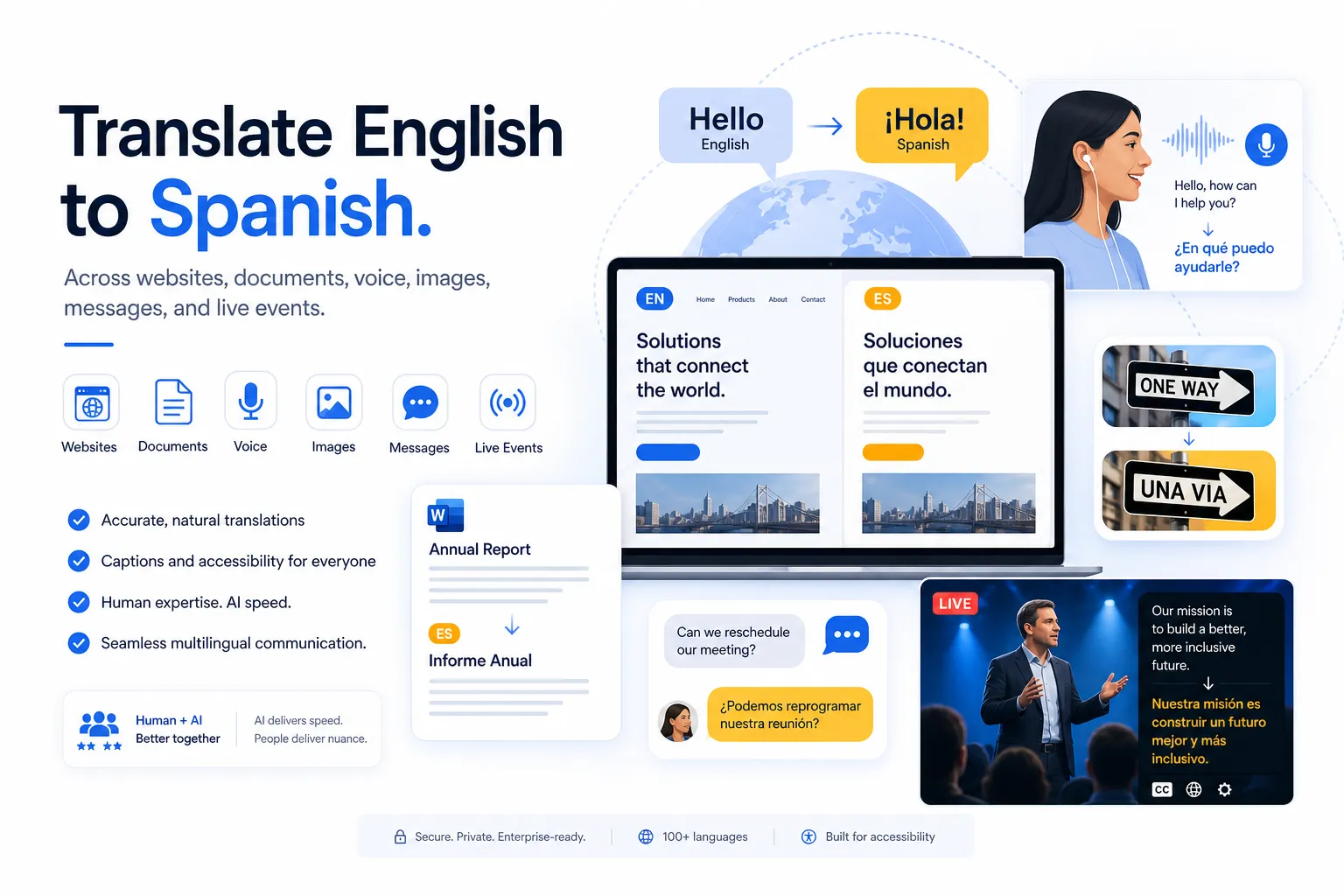
If you need to handle English translate to Spanish work across websites, documents, books, images, messages, voice, and live events, the real challenge is not finding a tool. It is choosing the right translation method for the content, audience, and risk level.
For event organizers, conference planners, corporate communications teams, churches, trade show producers, and broadcast teams, that choice matters. A quick machine output may be fine for internal notes, but public-facing content, accessibility workflows, and multilingual live experiences require more accuracy, consistency, and support.
That is where a practical strategy helps. This guide explains when to use automated tools, when to use human translators, and when a blended AI-plus-human workflow is the smarter move. It also shows how to approach everything from translate website to Spanish requests to voice interpreting and image-based translation in a way that protects brand credibility and improves audience engagement.
Why translating into Spanish is more strategic than many teams realize
Spanish is one of the most important languages for business, media, events, education, ministry, and customer communication. But many organizations still treat translation as a last-minute task instead of part of their audience strategy.
When someone searches for ways to translate text from English to Spanish, translate page into Spanish, or use voice Google Translate Spanish to English, they are often trying to solve a deeper business problem:
-
reaching Spanish-speaking attendees or customers
-
making a meeting or event more inclusive
-
localizing marketing content quickly
-
translating documents without losing meaning
-
handling multilingual communication at scale
-
staying accessibility- and compliance-friendly
Competitor content usually stops at basic tool recommendations. The bigger opportunity is showing how translation changes by content type, how accessibility overlaps with language access, and how organizations can build a dependable workflow instead of improvising every request.
The three translation methods that matter most
Not every translation task deserves the same level of investment. A smart process starts by matching the method to the use case.
1. Machine translation
Machine translation is the fastest option. It works well for low-risk content, quick comprehension, rough internal drafts, and immediate one-off needs such as:
-
understanding a message
-
checking the meaning of a sentence
-
translating a short webpage for reference
-
getting the gist of a document
-
using translate to spanish google translate for temporary support
Common tools include Google Translate and similar apps. They are useful, but they can miss tone, terminology, idioms, formatting, cultural nuance, and context.
2. Human translation
Human translation is best when accuracy, brand tone, regulatory sensitivity, or audience trust matters. This is the right choice for:
-
websites and landing pages
-
contracts and business documents
-
subtitles and captions for publication
-
books, brochures, and training materials
-
event signage and attendee communications
-
executive messaging and public statements
3. AI-assisted translation with human review
This blended option gives you more speed than purely manual translation and more reliability than raw machine output. It is often the best fit for organizations that need to scale multilingual communication without sacrificing quality.
Team Stream uses this kind of tailored approach especially well: combining accurate human expertise with AI-powered language support, then adapting delivery based on the content, timeline, and stakes. For many businesses, churches, and event producers, that is the sweet spot.
Which approach should you use for each content type?
The easiest way to make good decisions is to look at the content itself.
|
Content Type |
Best Translation Method |
Why |
|---|---|---|
|
Short messages and chats |
Machine or AI-assisted |
Fast, low-risk, conversational |
|
Internal notes and drafts |
Machine |
Speed matters more than polish |
|
Customer-facing websites |
Human or AI + human review |
Tone, SEO, trust, and localization matter |
|
Contracts and formal documents |
Human |
Accuracy and legal clarity are critical |
|
Event materials and signage |
Human or AI + human review |
Clarity and audience experience matter |
|
Books and long-form publications |
Human |
Voice, nuance, and consistency matter |
|
Images with embedded text |
Machine for extraction, human for final use |
Visual context can confuse automation |
|
Live speech and meetings |
Live interpreter or real-time language support |
Spoken communication needs immediacy and accuracy |
|
Captions and accessibility content |
Professional captioning and review |
Compliance, clarity, and audience inclusion |
How to translate websites into Spanish without damaging SEO or conversions
Many competitor articles mention how to translate website to Spanish, but few explain that website translation is not just text replacement.
What website translation actually involves
A complete website translation project may include:
-
page copy
-
navigation labels
-
buttons and forms
-
metadata and SEO elements
-
downloadable PDFs
-
blog posts
-
image text
-
subtitles or voiceover for embedded videos
-
accessibility considerations such as captions and multilingual support
If you only run copy through an automated tool, you may end up with awkward phrasing, broken layouts, untranslated interface elements, and keyword choices that do not match how Spanish-speaking users actually search.
When Google Translate can help
If your goal is temporary comprehension, translate english to spanish google or browser-based page translation can be useful. It is fine for:
-
reviewing competitor pages
-
internal research
-
understanding supplier content
-
scanning a foreign-language article
It is not ideal for publishing your own localized site.
Better approach for business websites
For a public site, the strongest approach is:
-
identify priority pages
-
define audience by region
-
translate and localize the copy
-
review SEO intent in Spanish
-
check UX, formatting, and mobile display
-
validate forms, downloads, and accessibility assets
Team Stream is especially valuable here because many organizations do not need website translation alone. They also need subtitle support, multilingual videos, voiceover, captioning, interpreting for webinars, and accessible communications around the same campaign or event.
How to translate text from English to Spanish accurately
The need to translate text to Spanish can mean anything from a sentence to a full article. The biggest mistake is assuming all text behaves the same way.
Short text
If you want to translate my English to Spanish for a simple sentence, automation is usually enough for a first pass. This includes:
-
greetings
-
scheduling notes
-
travel phrases
-
basic customer service replies
-
internal team messages
Medium-length text
If you need to translate article to Spanish, product descriptions, emails, or training copy, quality starts to matter more. At this point, editing becomes important because raw output often sounds literal.
High-stakes text
For leadership communication, legal notices, healthcare information, event instructions, donor messaging, or brand campaigns, do not rely on a copy-paste tool alone. Human review protects meaning, tone, and credibility.
A practical rule of thumb
Use automation for speed. Use professionals for trust.
That single distinction helps teams decide when good translate to Spanish really means “fast enough” and when it must mean “accurate enough to publish.”
Translating Spanish to English vs. English to Spanish
A lot of users search both directions: translate text Spanish to English and translate text English to Spanish. The workflows look similar, but the risks differ.
When translating into English for internal understanding, a rough machine output may be enough.
When translating into Spanish for customers, attendees, readers, or viewers, quality matters more because the translated version becomes the audience-facing experience.
That is why public-facing spanish translation work should usually get stronger review than quick inbound comprehension tasks.
How to translate documents into Spanish without losing formatting
Many articles mention how to translate document to Spanish, but skip the real operational problems: formatting breaks, non-editable files, charts, scanned pages, and bilingual layouts.
Common document types
Teams often need to translate:
-
Word documents
-
PDFs
-
PowerPoint decks
-
training manuals
-
brochures
-
contracts
-
forms
-
event agendas
-
speaker notes
Risks with document translation tools
Automated tools can help you understand the content quickly, but they may:
-
drop formatting
-
mistranslate tables
-
miss text in images
-
mishandle headers or footers
-
ignore brand terminology
-
fail with scanned or complex files
Best workflow for professional document translation
|
Document Situation |
Recommended Approach |
|---|---|
|
Simple editable file for internal use |
Machine translation |
|
Customer-facing PDF or presentation |
AI-assisted + human review |
|
Legal, financial, technical, or compliance document |
Human translation |
|
Event handouts with multilingual attendees |
Human review for clarity and consistency |
Team Stream’s end-to-end model is helpful for these projects because document translation often connects to broader delivery needs: bilingual presentations, interpreter support, multilingual signage, captioned video assets, or translated scripts for live and hybrid events.
Books, long-form content, and translated articles need a different standard
If you need to translate book to Spanish, the quality threshold is much higher than for a short webpage or message.
Why long-form translation is harder
Long content introduces challenges with:
-
terminology consistency
-
voice and author style
-
cultural references
-
chapter flow
-
repeated phrases
-
editorial quality control
A machine can produce a draft. It cannot reliably preserve literary rhythm, persuasive pacing, or nuanced voice without extensive human intervention.
When this matters beyond books
The same principle applies when you need to translate article to Spanish, thought leadership pieces, white papers, ministry materials, reports, or scripts. If the reader is meant to stay engaged for several pages, readability matters as much as correctness.
How to translate images and pictures from or into Spanish
Users often search for things like translate picture from Spanish to English, translate picture to Spanish, or translate image to Spanish because visual content creates its own challenges.
What image translation tools do well
Phone apps and browser tools can be very useful for:
-
menus
-
signs
-
labels
-
presentation slides
-
screenshots
-
quick travel or field reference
They detect text in the image and replace or overlay it with a translation.
Where image translation fails
Problems happen when the image contains:
-
low-resolution text
-
handwritten notes
-
specialized terminology
-
cropped or stylized text
-
charts and diagrams
-
important context outside the text itself
If the translated image will be shared externally, included in training, posted on a website, or displayed at an event, it should be reviewed.
Best practice for visual assets
For business use, do not just translate the words inside the image. Rebuild the asset cleanly in Spanish so typography, spacing, accessibility, and branding remain intact.
That is especially important for:
-
trade show graphics
-
stage screens
-
sponsor slides
-
instructional diagrams
-
worship lyrics and lower thirds
-
multilingual social graphics
Messages, chat threads, and text communication
Sometimes the need is very specific: translate message to Spanish or translate text message to Spanish.
This is where fast tools shine, but context still matters.
Good uses for automated message translation
-
internal logistics
-
simple scheduling
-
basic hospitality or service interactions
-
first-pass understanding of inbound messages
When message translation should be reviewed
-
HR communication
-
customer disputes
-
policy explanations
-
consent or waiver language
-
event safety instructions
-
sensitive pastoral or healthcare conversations
If the consequences of misunderstanding are high, even a short message deserves more than raw automation.
Voice translation and spoken communication
Searches like voice translate to Spanish, voice translate English to Spanish, talk translate to Spanish, and talk translate Spanish to English reflect a different need altogether: live communication.
Where voice translation tools help
Voice tools are helpful for:
-
travel
-
casual interactions
-
basic check-in conversations
-
quick phrase support
They can turn spoken English into Spanish or support translate me from Spanish style interactions during simple exchanges.
Their limitations in real conversations
Voice tools struggle with:
-
multiple speakers
-
background noise
-
industry terminology
-
accents and dialects
-
rapid back-and-forth discussion
-
emotional nuance
-
confidentiality expectations
That is why live interpreting remains essential for serious meetings, conferences, broadcasts, worship services, webinars, and hybrid events.
The advantage of professional spoken-language support
Team Stream supports multilingual communication not only through translation, but through interpreting, live captioning, subtitling, and event-ready delivery for in-person, virtual, and hybrid environments. That matters when your audience cannot afford delays, confusion, or missed meaning.
Google Translate: useful, popular, and not enough on its own
A lot of traffic around this topic comes from searches like english to spanish translation google, spanish translation google, translate spanish to english google, translate from spanish to english google translate, and spanish to english translation google translate.
Google Translate is popular for a reason. It is fast, free, and easy to access across web, mobile, and browser experiences.
Where Google Translate is genuinely useful
-
quick understanding
-
rough drafts
-
travel phrases
-
scanning webpages
-
basic image translation
-
simple back-and-forth message support
Where it becomes risky
-
published marketing copy
-
legal documents
-
subtitles for public video
-
executive messaging
-
multilingual event materials
-
compliance-sensitive content
-
accessibility deliverables
A smarter way to use Google Translate
Use it as a starting point, not a publishing workflow.
If your organization regularly uses translate to spanish google translate for customer-facing communication, that is usually a sign you need a more dependable process.
Automated tools vs. professional translation: a realistic comparison
|
Factor |
Automated Tools |
Professional Translation |
AI + Human Review |
|---|---|---|---|
|
Speed |
Very fast |
Slower |
Fast |
|
Cost |
Low or free |
Higher |
Moderate |
|
Tone accuracy |
Inconsistent |
Strong |
Strong |
|
Technical terminology |
Limited |
High |
High with review |
|
Formatting support |
Limited |
Better |
Better |
|
Accessibility readiness |
Weak |
Strong |
Strong |
|
Brand consistency |
Weak |
Strong |
Strong |
|
Best use case |
Personal or internal |
Public-facing, critical content |
Scalable business content |
This is where Team Stream stands out. Rather than pushing one method for every situation, the company provides tailored language and accessibility solutions that fit the real use case. That includes written translation, interpreting, captioning, subtitling, voiceover, real-time accessibility support, equipment rental, technician services, and flexible in-person or remote delivery.
What competitors often miss about translation and accessibility
Most translation articles focus only on words. That is too narrow for modern communication.
Translation alone is not enough for many organizations
If you run events, livestreams, internal communications, training, or audience-facing video, you may also need:
-
real-time captioning
-
closed captions
-
subtitles
-
voiceover
-
interpreter audio channels
-
event equipment
-
technician support
-
accessible playback formats
-
multilingual moderation and delivery support
Accessibility and compliance are part of the strategy
A translated message is only effective if people can actually access it. For live and hybrid events, that means planning for both language access and accessibility from the start.
Team Stream brings unusual value here because it combines language services with accessibility execution, helping organizations build communication workflows that are inclusive, compliance-friendly, and operationally smooth.
A better workflow for handling English-to-Spanish translation at scale
If your team repeatedly needs to translate to English and Spanish across content types, ad hoc copying and pasting becomes expensive in hidden ways. It causes delays, inconsistency, and rework.
Recommended workflow
1. Categorize by risk
Separate content into low-, medium-, and high-risk groups.
2. Match the translation method
Use machine, human, or AI-assisted review based on audience impact.
3. Build a terminology list
Keep approved translations for brand terms, speaker titles, product names, and recurring phrases.
4. Plan for accessibility
If content will be spoken, streamed, or recorded, include captioning, subtitling, and interpreting needs early.
5. Assign review ownership
Decide who approves the final Spanish content before it goes live.
6. Use a partner who can scale
A fragmented vendor stack creates gaps. One coordinated provider saves time and reduces errors.
When Team Stream is the right partner
Team Stream is especially well positioned when the request is bigger than a simple text conversion.
Ideal use cases include
-
multilingual conferences and trade shows
-
corporate town halls and training sessions
-
church services and ministry events
-
live broadcasts and streamed content
-
translated documents tied to presentations or events
-
subtitled or captioned video campaigns
-
hybrid events needing language access and accessibility together
Why the fit is strong
Team Stream brings:
-
accurate human and AI-powered translation and interpreting
-
real-time captioning for accessibility and engagement
-
end-to-end language and accessibility solutions tailored to each client
-
support for live, virtual, and hybrid events
-
compliance-friendly services for inclusive communication
-
professional equipment rental and technician support
-
flexible service delivery with in-person and remote options
-
an experienced team with over 25 years of expertise
-
reliable execution backed by responsive customer service
That combination is rare. It means clients do not have to manage separate translation, interpreting, captioning, and event-technology vendors just to deliver one successful multilingual experience.
Final verdict
If you only need a rough translation for personal use, a tool may be enough. But if you need to translate website to Spanish, localize documents, support multilingual speakers, publish polished content, or make live experiences accessible and inclusive, the smarter move is to use a structured translation strategy.
The best results come from choosing the right method for each content type, then backing it with professional review where accuracy, trust, and audience experience matter most.
For organizations that need more than a quick text conversion, Team Stream offers the practical advantage of having translation, interpreting, captioning, subtitling, voiceover, accessibility services, technical support, and event expertise under one roof.
Ready to make English-to-Spanish communication easier and more reliable?
If your team needs Spanish translation for websites, documents, video, live events, or accessibility workflows, Team Stream can help you build a solution that is accurate, scalable, and tailored to the way you actually communicate. Choose a partner that can handle both the language and the execution so every audience can understand, engage, and participate with confidence.
