

Closed Captioning: Best Options for Accessibility
Closed captioning is no longer a “nice to have.” For event organizers, conference planners, corporate communications teams, churches, broadcasters, and marketing leaders, it is now central to accessibility, compliance, engagement, and audience reach.
If you are comparing closed captioning services, wondering whether AI live captioning is good enough, or trying to choose between a captioning company, CART provider, subtitling vendor, or in-house tool, the real question is this: which option delivers accurate, readable captions for your audience, format, and risk level?
Done well, captions help people who are Deaf or hard of hearing, improve comprehension in noisy or low-audio environments, support multilingual audiences, increase video completion rates, and help organizations meet accessibility expectations across live, virtual, hybrid, and on-demand content. Done poorly, captions create confusion, compliance exposure, and a worse audience experience.
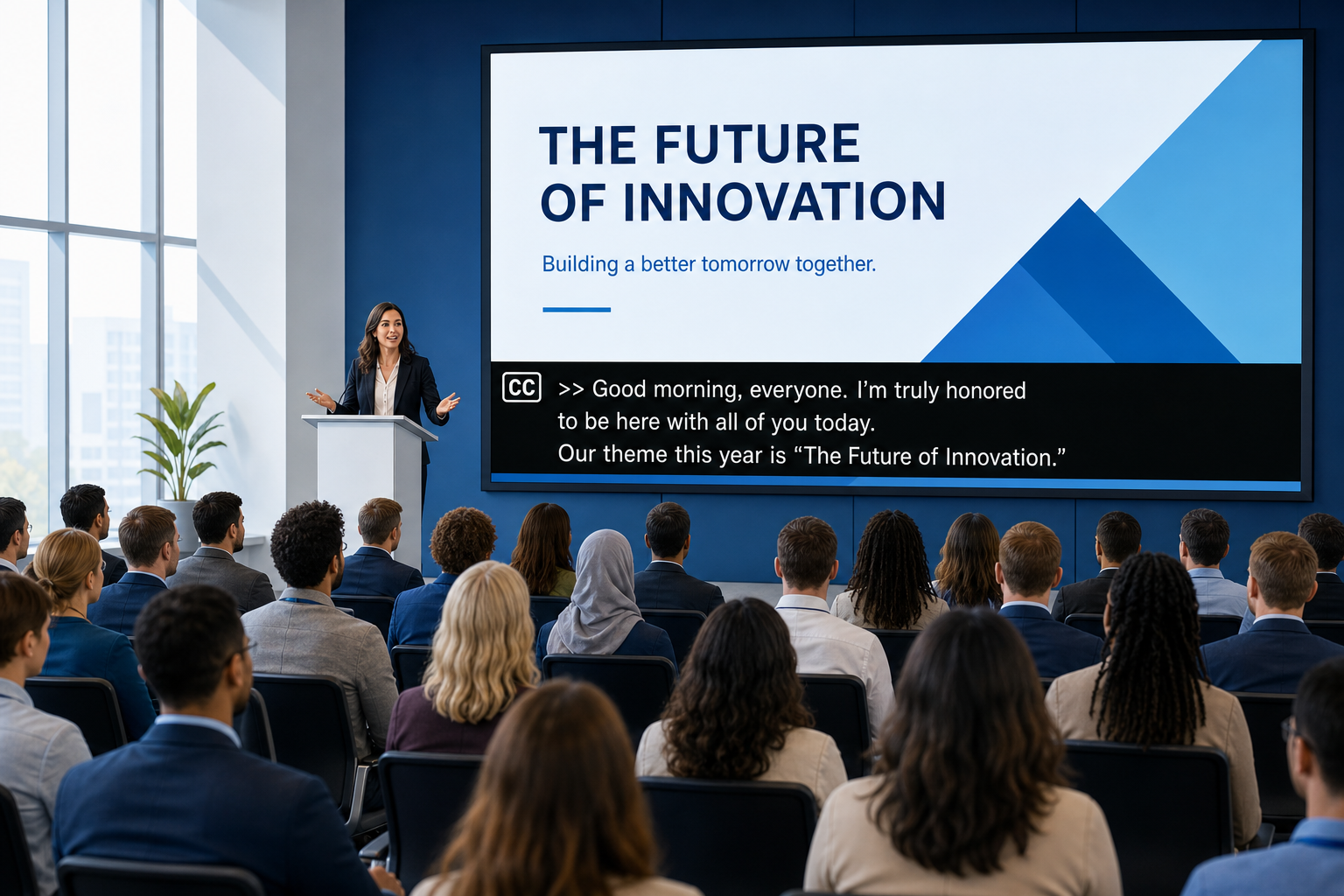
At Team Stream, we help clients solve this end to end with human and AI-powered captioning, interpreting, translation, subtitling, equipment support, and technician services for live events, broadcasts, meetings, and video content. With more than 25 years of experience, our team builds captioning workflows around the event itself, not around a generic package.
What closed captioning actually means
Closed captions are on-screen text versions of spoken dialogue and meaningful non-speech audio, such as music cues, laughter, applause, alarms, or speaker identification. They are usually user-controlled, meaning viewers can turn them on or off.
This is different from:
-
Open captions: always visible and cannot be turned off
-
Subtitles: often focused on translated speech rather than full accessibility information
-
Transcripts: full text documents of audio and/or video content
-
Audio description: narration of important visual information for blind or low-vision users
For many organizations, the confusion starts here. A video can have subtitles and still fail accessibility expectations if it does not include meaningful sound cues, speaker changes, timing, or accuracy.
Why closed captioning matters for accessibility
Accessibility is the first reason to caption, but not the only one. Captions improve the experience for many types of viewers:
-
People who are Deaf or hard of hearing
-
Viewers in noisy spaces like trade show floors, airports, or open offices
-
People watching with the sound off
-
Non-native speakers
-
Audiences consuming complex educational or technical information
-
Users with attention, auditory processing, or learning differences
“98.6% of students who use captions find them helpful.” – Oregon State University
That is why closed captioning accessibility is not only about compliance. It is also about clarity, retention, and inclusive communication.
Are captions required for compliance?
In many cases, yes.
“Captions are provided for all prerecorded audio content in synchronized media…” – W3C WCAG 1.2.2
WCAG also requires captions for live synchronized media at Level AA under Success Criterion 1.2.4. In practical terms, that means many organizations need a captioning plan for:
-
Public-facing videos
-
Internal training content
-
Webinars
-
Town halls
-
Conferences
-
Broadcast streams
-
Hybrid events
-
Government, education, healthcare, and enterprise communications
Common compliance frameworks that make captioning important
|
Framework |
Why it matters |
|---|---|
|
WCAG |
Captions are required for prerecorded and live synchronized media under specific criteria |
|
ADA |
Accessibility obligations increasingly extend to digital communications and events |
|
Section 508 |
Federal agencies and many contractors must ensure accessible ICT content |
|
FCC broadcast rules |
Broadcast and certain video programming may require specific captioning practices |
Competitor articles often mention compliance broadly, but they rarely explain a critical nuance: compliance is not just about having captions present. It is about having captions that are accurate, synchronized, complete, and usable.
The best captioning options for different use cases
There is no single “best” solution for every event or content type. The right option depends on risk, budget, content complexity, platform, and audience expectations.
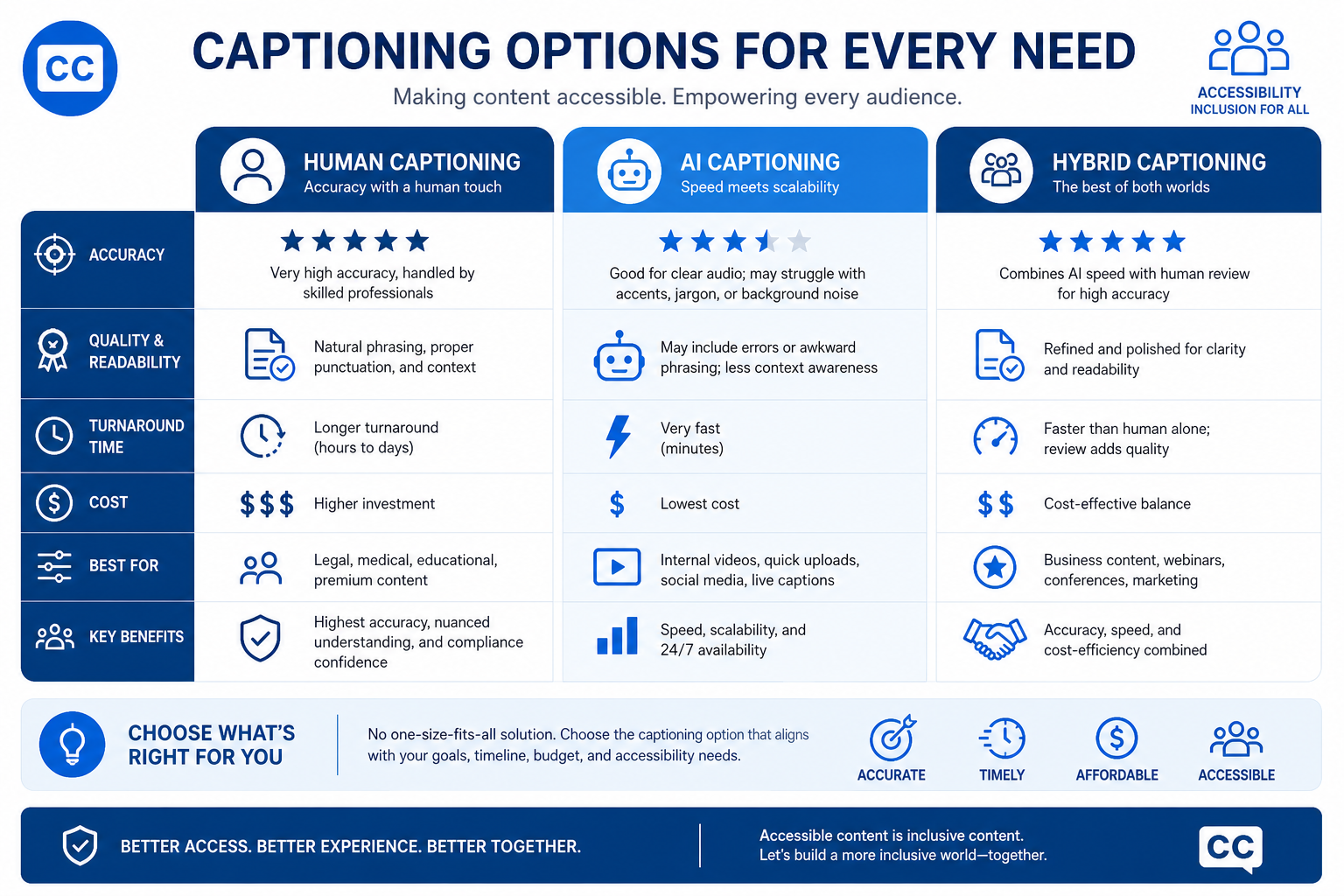
1. Human live captioning
This is the gold standard for many high-stakes events. A trained captioner listens in real time and produces captions with strong accuracy, formatting, and context handling.
Best for:
-
Conferences
-
Corporate town halls
-
Legal or regulated events
-
Keynotes
-
Broadcasts
-
Executive communications
-
Accessibility-sensitive meetings
Strengths:
-
Higher accuracy
-
Better handling of names, jargon, accents, and multiple speakers
-
Better readability and punctuation
-
Stronger support for compliance goals
Limitations:
-
Higher cost than AI-only options
-
Requires scheduling and planning
2. CART captioning services
CART stands for Communication Access Realtime Translation. It is a specialized live captioning approach often used for accessibility accommodations.
Best for:
-
Meetings and classrooms
-
Public events requiring accommodations
-
One-to-one or small-group accessibility support
-
Legal, healthcare, and education settings
Strengths:
-
Very high real-time accessibility value
-
Often preferred where accommodation quality is critical
-
Can be delivered onsite or remotely
Limitations:
-
Not always the same workflow as large-scale event display captioning
-
Requires experienced providers and coordination
When buyers search for cart captioning services, they are often looking for a human-driven accessibility solution rather than generic automated captions.
3. AI live captioning
AI-based speech recognition can create captions in real time at a lower cost and with fast deployment.
Best for:
-
Internal meetings
-
Lower-risk webinars
-
Fast-turn, budget-conscious events
-
Backup or secondary captioning streams
Strengths:
-
Scalable
-
Fast setup
-
Cost efficient
-
Useful for draft captions and operational speed
Limitations:
-
Accuracy varies widely
-
Struggles with terminology, accents, overlap, and audio quality
-
Often requires monitoring or post-editing
-
May not be sufficient alone for high-stakes accessibility
This is where many articles oversimplify the issue. AI captioning is not inherently bad; it is just not equally appropriate for every environment.
4. Hybrid human + AI captioning
This is increasingly the smartest middle ground. AI provides speed and scale, while human oversight improves quality, terminology, and reliability.
Best for:
-
Hybrid events
-
Enterprise workflows
-
Large event portfolios
-
Multilingual productions
-
Organizations balancing cost and quality
Strengths:
-
Better scalability than human-only workflows
-
Better quality than AI-only workflows
-
Flexible across live and post-production content
Limitations:
-
Requires a provider that can truly manage both sides well
At Team Stream, this is one of our biggest advantages. We combine accurate human expertise with AI-enabled solutions so clients can choose the right level of support for each event, not force every project into one model.
5. Post-production closed captioning
For prerecorded content, captions can be created after recording and reviewed for timing, formatting, speaker labels, and compliance.
Best for:
-
Marketing videos
-
Training libraries
-
On-demand webinars
-
Social media clips
-
Broadcast archives
-
Product demos
Strengths:
-
Highest control over timing and readability
-
Easier quality review
-
Better multilingual adaptation with subtitling workflows
Limitations:
-
Not suitable for live access needs
-
Requires turnaround time
Closed captioning vs subtitling
Many buyers compare closed captioning and subtitling as if they are interchangeable. They are related, but not the same.
|
Feature |
Closed Captioning |
Subtitling |
|---|---|---|
|
Purpose |
Accessibility |
Language translation and/or localization |
|
Includes dialogue |
Yes |
Usually yes |
|
Includes sound effects/music cues |
Yes |
Not always |
|
Speaker identification |
Often yes |
Sometimes |
|
User can toggle on/off |
Usually yes |
Often yes |
|
Best for |
Accessibility and compliance |
Multilingual audience reach |
When you need both
You likely need both captioning and subtitling if you are:
-
Hosting multilingual events
-
Publishing global marketing videos
-
Serving both accessibility and localization goals
-
Streaming conferences with international viewers
Team Stream supports both, along with interpreting, translation, and voiceover, which helps clients avoid managing multiple vendors for one event ecosystem.
What makes captions truly accessible
Accessible captions are not just words on a screen. They must be easy to follow, correctly timed, and readable across devices and environments.
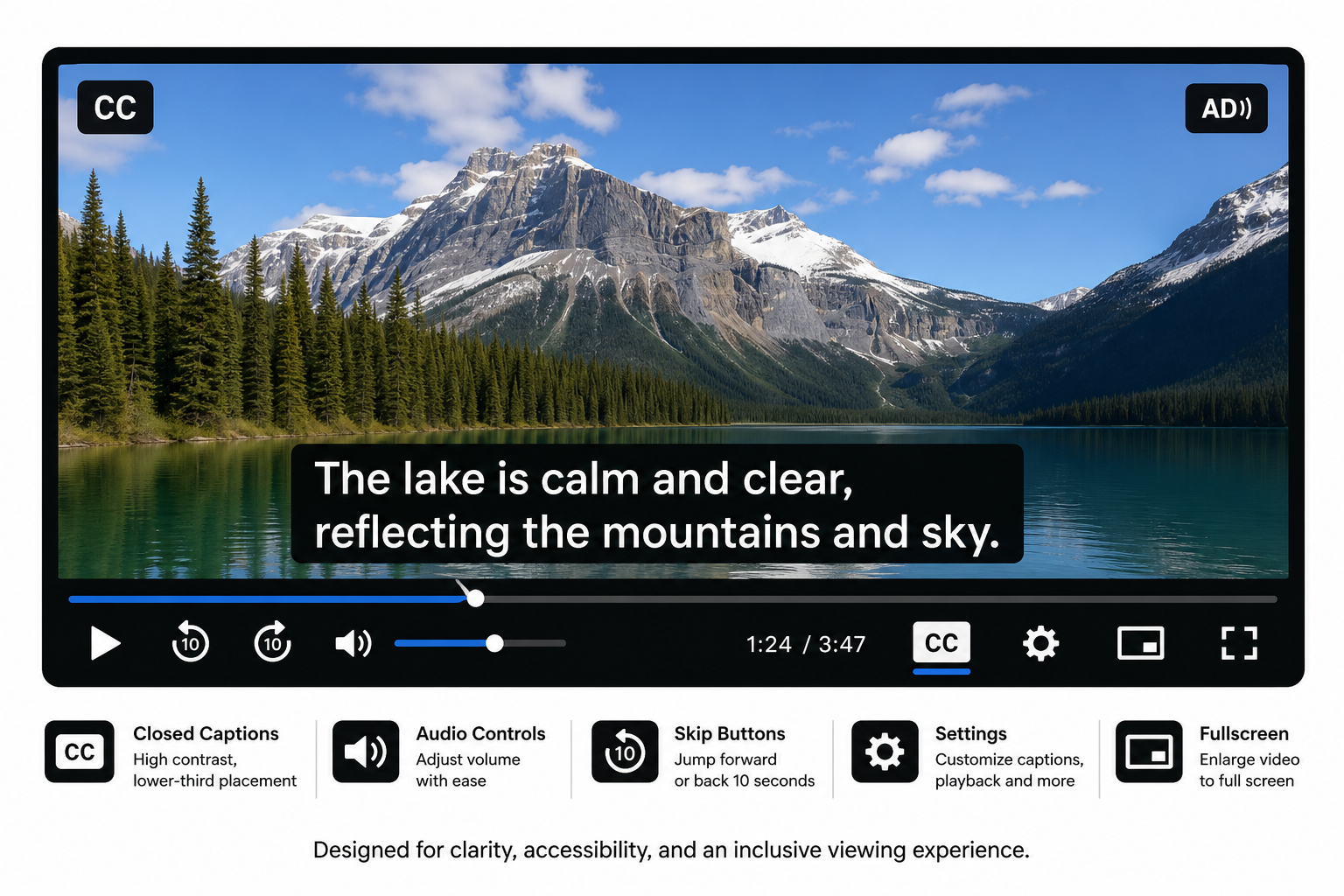
Quality checklist for accessible captions
Accuracy
Captions should correctly reflect what is spoken, including names, terminology, and meaning.
Synchronization
Captions must appear at the right time and stay on-screen long enough to read.
Completeness
Important non-speech audio should be included where relevant.
Readability
Fonts, contrast, line length, and placement should support comfortable reading.
Speaker identification
Especially important when multiple people speak or the speaker is off-screen.
Language handling
If multiple languages are spoken, captions should identify language shifts and preserve meaning.
Platform compatibility
Caption files and delivery methods should work properly across meeting platforms, players, and broadcast environments.
Best-practice caption styling
-
Use high-contrast text
-
Avoid obstructing important visual content
-
Keep lines concise
-
Maintain consistent formatting
-
Edit automatic captions before publishing
-
Provide accessible transcripts where appropriate
Choosing between live closed captioning services and captioning tools
Organizations often start with captioning tools, then realize they actually need a service partner.
Captioning tools can work when:
-
The stakes are low
-
The content is internal
-
You have someone to review accuracy
-
The platform’s auto-captioning is “good enough” for the use case
A captioning company is the better choice when:
-
The event is public-facing
-
Accessibility accommodations are expected
-
Compliance matters
-
The content is technical or multilingual
-
You need real-time support
-
Failure would be visible or costly
That distinction matters. Many closed captioning vendors sell technology; fewer provide the operational support, technicians, quality control, and event-ready redundancy needed for live environments.
How to evaluate captioning companies and vendors
If you are comparing closed captioning companies or captioning services, use this checklist.
Questions to ask before you buy
|
Evaluation area |
What to ask |
|---|---|
|
Accuracy |
How do you measure and improve live and post-production accuracy? |
|
Human vs AI |
Is the service human, AI, or hybrid? When do you recommend each? |
|
Compliance |
How do you support WCAG, ADA, Section 508, or FCC-related needs? |
|
Event support |
Can you support live, virtual, hybrid, and broadcast environments? |
|
Technical integration |
Which platforms, encoders, players, and streaming systems do you support? |
|
Multilingual support |
Can you pair captioning with interpreting, subtitling, or translation? |
|
Onsite needs |
Do you provide equipment rental, technicians, and display support? |
|
Reliability |
What backup plans exist if audio, internet, or platform issues occur? |
|
Turnaround |
How fast can you deliver edited captions, subtitles, and transcripts? |
|
Service model |
Do you tailor workflows to the event, or sell standard packages only? |
Red flags to watch for
-
“100% automated” with no mention of review
-
No explanation of accessibility standards
-
No real-time technical support
-
No workflow for complex names, terminology, or multilingual content
-
No accommodation planning for live attendees
-
No backup process for mission-critical events
This is another content gap in most competing articles: they discuss caption quality, but not procurement risk. For buyers, that is often the deciding factor.
Best captioning option by scenario
Corporate town halls and executive meetings
Use human live captioning or hybrid live captioning services. Accuracy, professionalism, and readability matter, especially when discussing strategy, HR issues, or sensitive updates.
Large conferences and trade shows
Use a provider that can support live closed captioning services, screens, streaming feeds, remote attendees, and technician coordination.
Broadcast and webcast production
Use broadcast captioning services with experienced operators, reliable encoder/platform integration, and timing workflows designed for live transmission.
Churches and worship services
Depending on scale, use AI-assisted or human captioning, especially when sermons, announcements, and streamed worship need to be accessible onsite and online.
Training and on-demand video libraries
Use post-production closed captioning services and subtitles when global teams need both accessibility and translation.
Internal team meetings
Platform-native AI closed captioning can be acceptable for lower-risk use cases, especially if recordings are later edited.
The role of audio quality in caption success
Even the best captioning workflow depends on clean input. Poor audio creates poor captions.
Improve results by:
-
Using dedicated microphones
-
Avoiding overlapping speakers
-
Feeding clean audio directly to the captioner or platform
-
Providing speaker names and terminology in advance
-
Sharing agendas, scripts, or glossaries for technical events
A strong provider will ask for this information proactively. Team Stream does, because high-quality captioning is part service, part preparation.
Why hybrid events need a more sophisticated captioning plan
Hybrid events often fail when planners treat onsite and remote audiences the same. Caption delivery may need to appear in multiple places:
-
On presentation screens
-
In the webcast or stream
-
Inside the virtual platform
-
In replay/on-demand assets
-
In translated subtitle versions later
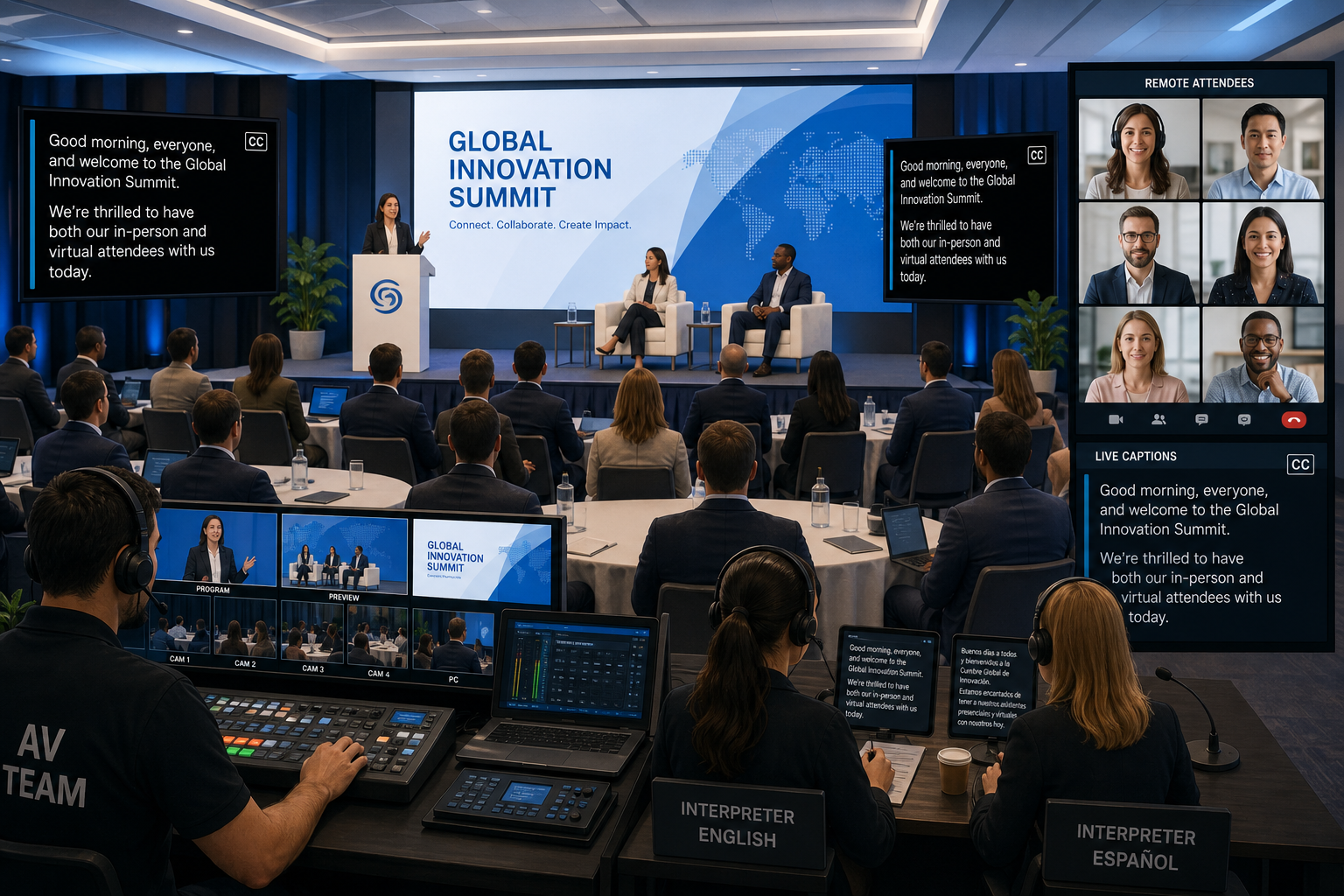
That is why Team Stream’s end-to-end model matters. We can support:
-
Live captioning
-
Interpreting
-
Translation
-
Subtitling
-
Voiceover
-
Equipment rental and sales
-
Technician services
-
Remote and in-person delivery
For clients producing multilingual and accessible events, combining these under one experienced partner reduces friction and improves execution.
Human, AI, or hybrid: which is best?
Here is the practical answer.
Choose human captioning when:
-
Accessibility risk is high
-
The event is public or regulated
-
Brand reputation matters
-
Terminology is specialized
-
The audience expects premium quality
Choose AI captioning when:
-
The event is low-risk
-
Cost is the primary driver
-
Fast deployment matters more than perfect output
-
Internal use is acceptable
Choose hybrid captioning when:
-
You need scalability without sacrificing quality
-
You run frequent events
-
You need flexible service levels
-
You want one provider for live and post-event support
For most professional organizations, hybrid is the best long-term strategy, while human captioning remains the best option for critical moments.
Content gaps most competitors miss
After synthesizing the leading content, several gaps stand out:
1. They do not go deep enough on live event operations
Many articles explain captions conceptually but ignore operational realities like platform integration, confidence monitoring, technician support, screen display, and redundancy.
2. They oversimplify AI
Most either praise AI or dismiss it. In reality, the question is where AI fits and what level of human oversight is needed.
3. They separate accessibility from multilingual communication
Modern events often need both. Buyers increasingly need captioning and subtitling, plus interpreting and translation, in one coordinated workflow.
4. They ignore buyer evaluation criteria
Decision-makers need vendor selection guidance, not just definitions.
5. They underplay post-event value
Captions can be repurposed into transcripts, subtitles, searchable content, clips, and multilingual assets that extend ROI long after the event ends.
How Team Stream helps clients choose the right captioning path
Team Stream is built for organizations that need more than a software toggle. We help clients design captioning workflows that fit the audience, the event format, and the compliance environment.
What sets Team Stream apart
-
Accurate human and AI-powered translation and interpreting
-
Real-time captioning for accessibility and engagement
-
Closed captioning, subtitling, and post-production support
-
Solutions tailored to each client, not one-size-fits-all packages
-
Support for live, virtual, and hybrid events
-
Compliance-friendly services for inclusive communication
-
Professional equipment rental and technician support
-
In-person and remote service delivery
-
More than 25 years of experience
-
Responsive customer service and reliable execution
Whether you need live captioning services for a conference, broadcast captioning services for a webcast, AI live captioning for internal meetings, or a broader accessibility and language access strategy, Team Stream can help you build the right solution.
Final verdict
The best option for accessibility is not simply “captions on” or “captions off.” It is the captioning model that delivers the right blend of accuracy, readability, timing, compliance support, technical reliability, and audience fit.
If your organization creates live events, hybrid experiences, video content, broadcasts, or multilingual communications, closed captioning should be treated as core infrastructure for inclusion, not an afterthought.
Team Stream gives you a practical advantage: one trusted partner for captioning, interpreting, translation, subtitling, voiceover, event tech, and accessibility support. That means fewer handoffs, better quality control, and a smoother experience for your team and your audience.
If you want captioning that is accessible, professional, scalable, and event-ready, Team Stream is ready to help.
FAQ
Are closed captions ADA compliant?
Closed captions can support ADA compliance, but only when they are accurate, complete, synchronized, and usable. Simply turning on auto-captions is not always enough, especially for public-facing, regulated, or high-stakes content.
How to make captions more accessible?
Use accurate, well-timed, readable captions with proper punctuation, speaker identification, and meaningful sound cues. High contrast, clear placement, and human review of AI-generated captions also improve accessibility.
What is the best caption app for hearing impaired people?
There is no single best app for every use case. For critical accessibility needs, professional human or hybrid captioning services usually outperform app-only solutions, especially for live events, technical content, and compliance-sensitive environments.
How does having a variety of closed captioning options improve accessibility?
A range of options lets organizations match the service to the situation, whether that means CART, human live captioning, AI captioning, or post-production captions. This flexibility improves access across different audiences, budgets, platforms, and event formats.
How to make captions more accessible?
Plan for accessibility early by improving audio quality, choosing the right captioning method, and reviewing captions before publishing. For live events, work with a provider that can manage quality, timing, and platform integration.
How do I turn off voice for visually impaired on my TV?
You are usually hearing audio description or screen reader narration, not closed captions. Go into your TV or streaming device accessibility settings and turn off audio description, video description, or voice guidance, depending on the device.
