

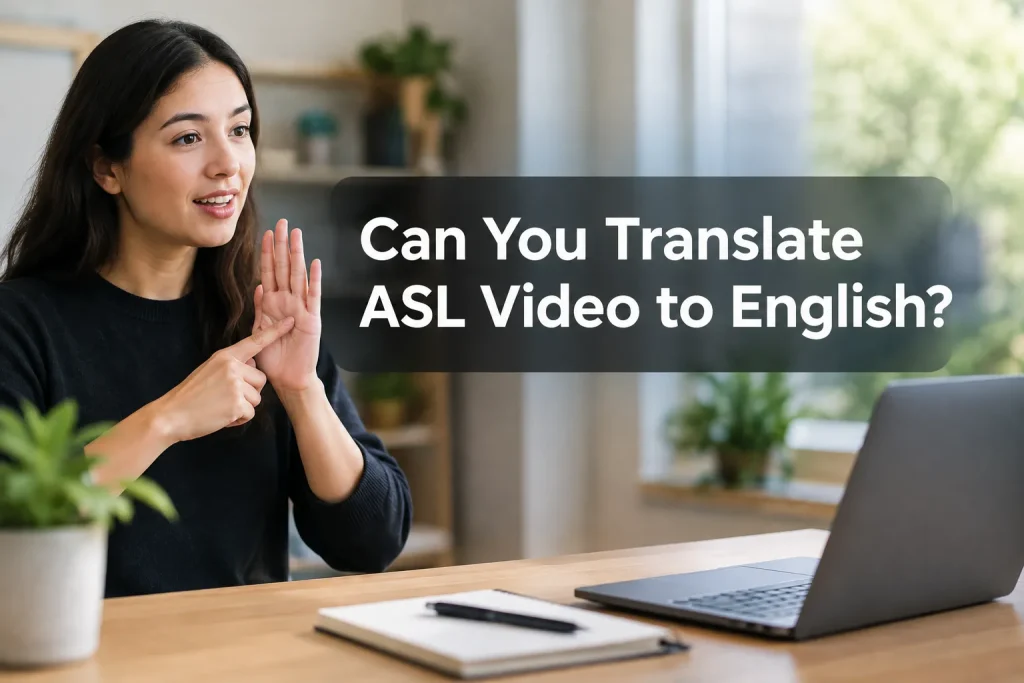
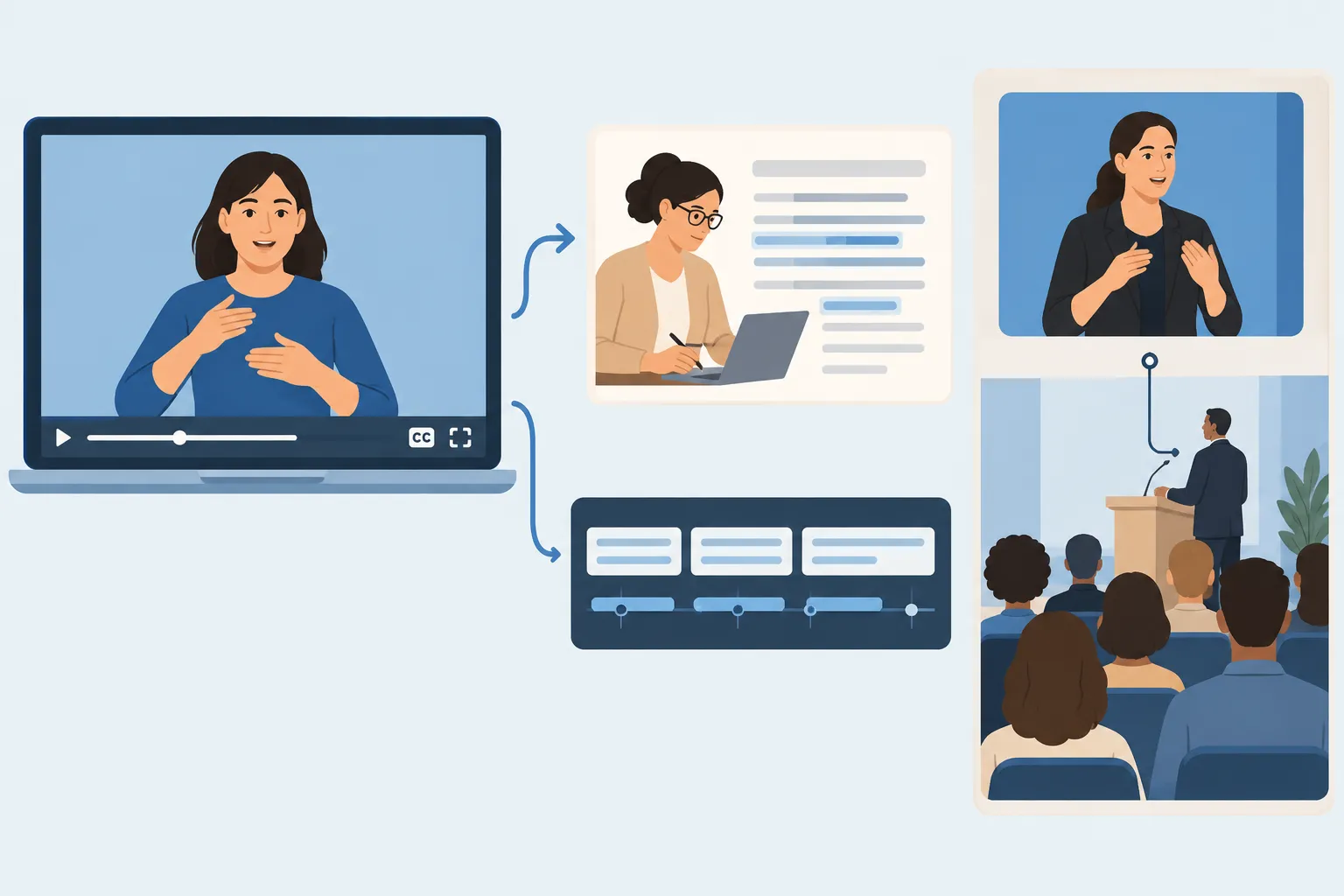
Yes, you can translate ASL video to English. For a recording you plan to publish, a qualified ASL-to-English translator can prepare a reviewed transcript and timed English captions. For a live meeting, arrange an interpreter who can follow the signer in real time. AI can help with a first draft, though a fluent-looking result may still misrepresent the signed message.
Decide whether you need a transcript, timed captions, an English voice track or live spoken interpretation. A tool that captions spoken English in a video may have no way to understand the ASL on screen.
See how real-time interpretation works:
Can ASL video be translated into English?
ASL has its own grammar. Translating it into English means conveying the signer’s meaning, not matching handshapes to dictionary entries. Facial expression, body movement, timing and context all matter. A camera may capture them without giving software enough information to translate them correctly.
“American Sign Language (ASL) is a complete, natural language that has the same linguistic properties as spoken languages, with grammar that differs from English.” – National Institute on Deafness and Other Communication Disorders
The direction matters. An English-to-ASL video generator produces signed output from English input; it cannot be assumed to read someone else’s ASL footage. Speech-to-text captioning works from audio. If the signer is silent, the captioning tool has no speech to transcribe.
Which workflow fits your ASL video?
|
Starting point and goal |
Appropriate workflow |
Useful output |
Main limitation |
|---|---|---|---|
|
Recorded ASL message for publication |
Qualified ASL-to-English translation, then caption editing |
Reviewed English transcript and timecoded captions |
Needs turnaround time, context and a clear recording |
|
Short, low-risk clip for internal orientation |
AI sign-recognition draft followed by a signer or qualified human review |
Provisional English text |
An apparently fluent sentence can still misstate the signer |
|
Live signed meeting or event |
Live ASL-to-English interpreter, in person or remote |
Spoken English for hearing attendees |
Requires advance coordination and a usable camera feed |
|
Spoken-English video needing captions |
Speech transcription and caption editing |
Captions for the spoken audio |
Does not translate signed ASL into English |
|
English content intended for ASL viewers |
English-to-ASL translation and signed video production |
Signed ASL output |
This is the opposite translation direction |
Ask a vendor what its system takes as input. “Video translation” might mean dubbing speech, creating subtitles from audio or producing ASL from English. To translate a signer into English, a service needs to read the signing itself.
How to translate ASL video to English
Send the translator the original sign language video if you have it, rather than a compressed excerpt. Keep the signer’s face, hands and upper body in frame. Identify each signer in a group recording, and share names, event terminology, audience details and relevant context. Audio transcription of background speech can help the translator; it cannot supply the meaning of silent signing.
-
Decide what you need to deliver. A written English transcript helps with review or records. For video publication, request timecoded captions that follow the signed segments. If hearing viewers need audio, arrange an English voice track as a separate production step.
-
Have a qualified person translate the full message into written or spoken English. Ask them to preserve meaning and tone rather than force a word-by-word rendering.
-
Pay attention to names, fingerspelled terms, acronyms and obscured signs. Where possible, ask the original signer to resolve ambiguities before publication.
-
Align the English captions with the signing, divide them into readable units and label speakers if needed. Review the rendered video as well as the caption file.
-
Publish captions viewers can turn on and a text transcript when readers need to find or reference the content. Leave the signed original visible alongside the English text.
For sensitive messages, use an AI draft only as a working aid. Assign an ASL-competent person to compare the English against the footage before you share it.
Where AI translation can break down
Experimental upload tools can offer a quick first pass. In everyday conversations, AI translation software has to follow sign boundaries, facial grammar, fingerspelling, references to people or things, and changes in perspective. Recognizing one sign in isolation is a much narrower task.
The recording itself can hide meaning. Cropped hands, a face outside the frame, poor lighting, motion blur or another person in front of the signer can obscure needed detail. Regional variation, specialized vocabulary and names add uncertainty. Even polished English may give the wrong meaning.
To assess a tool, use footage resembling your real videos, including normal signing speed, names and the camera angles you actually have. Ask an ASL-competent reviewer to compare the output with the original and mark omissions, changed meanings and invented details. See whether the tool flags uncertainty or silently fills gaps. If the output affects safety instructions, employee decisions, legal communication or public-facing statements, use qualified human translation even if the first draft looks plausible.
Before you upload a private client, employee or congregant recording, get permission from the people shown and understand how the service handles their video.
For live ASL video, plan for interpretation
In a live stream, viewers need access while someone is signing. If hearing individuals need to understand signed questions, remarks or testimony, arrange live ASL interpretation. An ASL interpreter can join by video or work in the room.
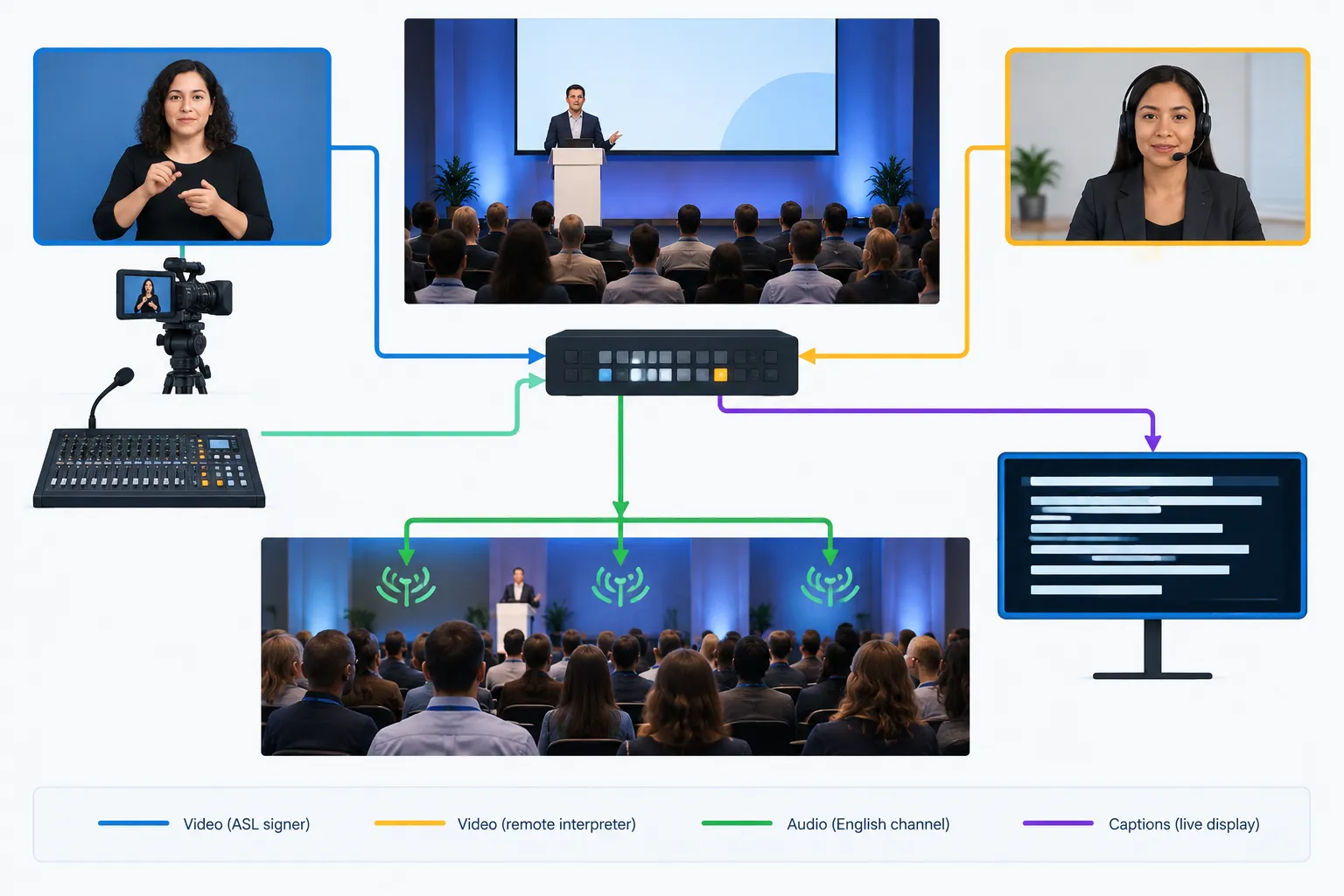
Give the interpreter a clear view of the signer and return audio when participants speak. Share the agenda and terminology ahead of time and provide a way to request clarification. For a hybrid conference or broadcast, decide how hearing attendees will hear the English interpretation in the room and on the stream. You may also need English captions of the interpreter’s speech; those captions depend on the interpretation.
Team Stream can coordinate interpreting services, captioning, equipment and technician support for in-person, remote and hybrid events. Planning the feeds together helps you deliver the English audio and captions to the people who need them.
Accessibility checklist before you publish or go live
-
Identify the audience and language direction. ASL-to-English serves people who need to understand the signer. English-to-ASL serves people who need access to English content in ASL. A single output may not meet both needs.
-
Keep the signer visible. Do not let graphics, crops or captions cover hands and facial expressions.
-
Make the English output usable. For recorded video, review caption timing, readability and speaker identification. A separate transcript can help with reference and sharing.
-
Check the whole program. Spoken segments may need captions even if signed segments have English translation. Live events may require more than one access service at once.
-
Match review to risk. Casual internal drafts and public safety messaging should not have the same sign-off process. Assign responsibility for the final English version.
“Some people will want to have sign language and captions at the same time.” – W3C Web Accessibility Initiative
Before releasing the video, ask someone to watch it with the same access options your audience will have. They need to be able to see the signer and understand the English output in the format you provide.
The practical choice
AI can help draft English for a short, low-risk recording if an ASL-competent person checks it. Published ASL video calls for qualified translation and reviewed captions; live interaction calls for an interpreter with working video and audio paths. If your team also needs captioning and event support, Team Stream can coordinate those services in one production plan.
FAQ
Is there an ASL video translator?
Yes. Some AI tools offer ASL-video-to-text output, and qualified human translators can translate recorded ASL into English. Treat automated text as a draft until an ASL-competent person reviews it against the video.
How can I convert a sign language video to text?
Provide clear footage and relevant context to a qualified translator for an English transcript. If you need captions, have the translated text timed and checked against the signed video before publication.
Can ChatGPT translate ASL?
Do not rely on ChatGPT alone to turn ASL footage into an accurate English translation. For a message that matters, have a qualified person interpret the signing and review any AI-generated wording against the original video.
Is there a free AI ASL translator available?
Some online tools offer experimental ASL-video translation. Availability and terms vary, and free output should not be treated as a verified transcript. Use a qualified reviewer before sharing a translation publicly.
What is the best ASL translator app?
There is no single app to recommend for every ASL video. If you only need a rough draft for a low-risk clip, test whether an app can read your actual footage, then have an ASL-competent person review its output. For a published message or live event, use qualified translation or interpreting instead of relying on an app alone.
