

Subtitling translation turns spoken content into readable text in another language. To publish it, you may also need transcription, timed subtitle cues, text adapted for screen reading, and a review against the video. If you manage training videos or event recordings, specify the deliverables, languages, and review responsibilities before requesting a quote.
If viewers must understand the video without hearing it, include captions that convey relevant sound information in the scope. A translated dialogue track on its own may leave those viewers without crucial context.
What subtitle translation services actually deliver
A request for video subtitle translation can describe several different jobs. Ask for a deliverable, not just a language pair.
|
Deliverable |
What you receive |
When it fits |
|---|---|---|
|
Translated transcript or script |
Spoken words rendered in another language, without timed on-screen cues |
A reviewer needs to approve terminology before video production |
|
Translated, timed subtitle file |
Segmented lines with start and end times, commonly supplied as a separate file |
Viewers can select a language track on the intended player |
|
Subtitled video |
Text rendered into the picture |
A platform or distribution channel cannot use a separate subtitle track |
|
Same-language captions |
Dialogue plus relevant sound and speaker information where needed |
Viewers need to understand the video without hearing it |
|
Translated accessibility captions |
Translated dialogue plus the sound and speaker cues needed for the target audience |
Both language access and access to audio information are required |
Subtitles usually carry spoken dialogue across languages. Captions represent audible content, including meaningful non-speech sounds and speaker identification where the picture alone does not make them clear. In practice, the terms are sometimes used loosely. A purchase order should say whether the team needs dialogue translation, sound cues, or both.
“Captions are similar to dialogue-only subtitles except captions convey not only the content of spoken dialogue” – W3C Web Accessibility Initiative
At a recorded conference talk, translated dialogue helps an international attendee follow the presenter. Someone who cannot hear may also need questions from the room, speaker changes, and relevant audio cues. For the live event, arrange real-time interpreting or captioning separately; a timed file for the edited recording serves the replay audience.
Timed files, open subtitles, and platform delivery
A timed subtitle file pairs each text cue with a start and end time. SRT and WebVTT are common file formats, but the player determines what it can display. A buyer should specify which language track goes where and whether source-language closed captions are also needed. A selectable track allows viewers to turn text on or off; if text is burned into the video, they cannot switch language tracks in that copy. Multiple languages then require separate rendered outputs.
Voiceover or dubbing is a different choice: translated speech is recorded as audio rather than read on screen. It may suit audiences who need to listen while watching a visual demonstration, but it involves an audio-production workflow in addition to translation.
How the subtitling translation process works
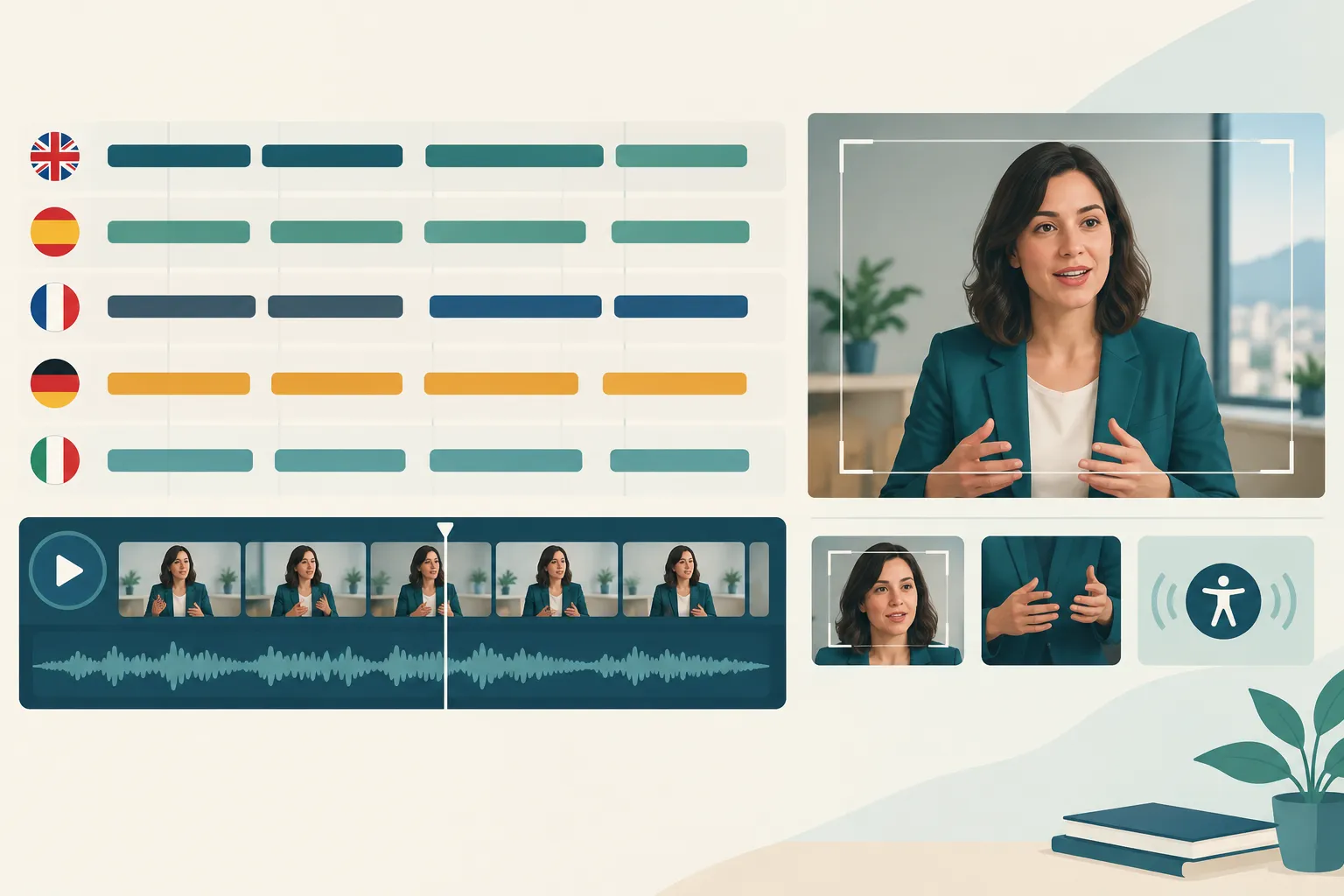
Professional teams work from the audio and picture together, then test the result in its delivery format. The usual sequence is:
-
Prepare the source. Gather the final or near-final video, existing transcript or caption file, speaker names, approved terminology, and any on-screen text that must be localized. If no reliable transcript exists, transcription comes first.
-
Translate for viewing. A linguist preserves meaning and tone while shortening or reshaping language where a literal sentence would be hard to read in the available time. Names, product terms, cultural nuances, and legal wording need particular care.
-
Segment and time the cues. The subtitler breaks text into readable units, often no more than two lines per cue, aligns each cue to speech, and avoids awkward cuts across clauses or shot changes when possible. Translating a source SRT does not guarantee that the target-language text will still fit its original timing.
-
Review in context. A language reviewer watches the video with the target track, not just the text file. They check meaning, spelling, timing, line breaks, speaker changes, on-screen graphics, and whether the last line stays visible long enough to read.
-
Package and test. The provider supplies named files or rendered versions, and the publishing team tests every track in the actual player or distribution workflow.
Approve a short glossary of recurring safety terms before translating a training video. For a marketing clip, give reviewers the campaign brief and any text already on screen. They can then keep a subtitle cue clear of a call to action.
Multilingual production needs one controlled source
When a video goes into many languages, keep a single approved source transcript and a record of video version, language, and file name. A late edit to the source video can shift every timestamp. Identify the changed passage, update the source, and retest affected tracks rather than assuming the old files still align.
Assign a reviewer for each target language and define who approves terminology. A native reader can spot spelling mistakes in a text file. Have them watch the video too: text can run off screen, clash with visuals, or appear out of sync.
Where AI helps and where human review matters
AI can speed up transcription, first-pass translation, and initial cue timing. Someone still needs to judge whether the result is ready to publish. Speech recognition can miss a name or mishear a speaker, and machine translation can repeat that error across languages. A correct sentence can also be too long to read on screen.
|
Use case |
Practical approach |
Why |
|---|---|---|
|
Internal draft for a familiar audience |
AI-assisted draft with a person checking the source and key terms |
Speed may matter more than polished localization, but errors still need catching |
|
Public marketing or executive message |
Professional subtitling with target-language and playback review |
Brand voice, idioms, and on-screen layout matter |
|
Safety, policy, or sensitive training |
Subject-aware human translation and independent review, plus playback QA |
An omitted condition or mistranslated instruction can change the meaning |
|
Many-language rollout |
Shared source, glossary, tracked versions, and a reviewer for each language |
One unchecked source error can multiply across all tracks |
|
Accessibility requirement |
Explicit caption specification and accessibility review alongside translation |
Dialogue alone may leave out important sound information |
Professional subtitling services may use AI within an agreed workflow. Ask which steps use automation, who reviews each language, and whether the quote includes a complete watch-through of the final video. A skim of the translated transcript is not a playback review.
What to specify before requesting a quote
Send each provider the same brief so their quotes cover the same work:
-
Content and schedule: video duration, number of videos, final cut availability, publication date, and whether footage is still changing.
-
Source assets: video, transcript, existing timed captions, speaker list, terminology, and any on-screen text that needs translation.
-
Target audiences: languages and regional varieties, plus the people who will approve each version.
-
Deliverables: translated transcript, timed SRT or WebVTT tracks, embedded subtitles, source-language captions, translated captions, or voiceover, as applicable.
-
Quality steps: transcription verification, linguistic review, caption or accessibility review, playback QA, and the number of revision rounds included.
-
Distribution: player, aspect ratio, whether text may cover graphics, filename conventions, and how files will be handed off.
-
Handling requirements: confidentiality expectations, use of AI on supplied content, retention terms, and ownership of final files.
Request separate line items for transcription, translation, timing, review, rendering, and revisions. A provider working from a clean, timed source file has a different job from one starting with raw video and preparing multilingual captions.
For hybrid events, describe the live stream and the recording separately. The live audience may need interpreting or live captioning; the edited replay may need timed subtitle tracks. Plan both before the event so the production team can reuse the recording and approved terminology.
How to evaluate the finished subtitles
Play the files where the audience will see them, and watch representative sections in every language. A text file will not show you a late cue or a caption covering an important chart.
|
Check |
What to look for |
|---|---|
|
Meaning |
Names, numbers, negations, instructions, and calls to action match the source |
|
Readability |
Lines are easy to follow at normal playback speed; clauses are not broken awkwardly |
|
Timing |
Cues appear with the relevant speech and do not linger into the next speaker or scene |
|
Accessibility |
Required speaker labels and meaningful audio cues are present; the captions do not rely on sound to make sense |
|
Visual fit |
Text does not obscure titles, product demonstrations, lower thirds, or essential graphics |
|
Delivery |
Correct language is attached to each track, filenames are clear, and the final version plays on the publishing platform |
Consider an instruction that says “Do not disconnect.” If the source audio is transcribed incorrectly, the translation could tell viewers to disconnect instead. A reviewer reading only for fluency may miss it; compare the source, translation, and timed video.
When you request a revision, give the cue, time range, language, and desired change. After a video edit, retest timing near the edit point and at the end of the video, where drift may show up.
Choose a partner for the whole viewing experience
Match the service to the viewing situation. A recorded talk with a clean transcript may need only translation and timed files. A multilingual public campaign calls for review against the video. For an accessible event, arrange live captioning or interpreting for the audience in the room or stream, then prepare captions and subtitles for the replay.
Team Stream can coordinate translation, subtitling, captioning, voiceover, and live event language services. That helps a producer plan access for the live stream and the replay with one team. Send Team Stream your video or event plan, target languages, distribution platform, and accessibility requirements to scope human review and AI-assisted production.
FAQ
What is the difference between captioning and subtitling?
Subtitling typically puts spoken dialogue into text for viewers in another language. Captioning also conveys relevant non-speech audio and identifies speakers where needed, so a viewer who cannot hear can follow the content. Specify both translation and audio cues if you need both.
What does subtitling mean?
Subtitling means preparing text that appears at the right moments in a video. For translated subtitles, the work includes adapting speech into another language, dividing it into readable cues, timing those cues, and reviewing them in context.
How can I automatically translate subtitles?
An AI workflow can transcribe speech or translate an existing subtitle file, then generate a draft track. Have a person check the source, terminology, timing, readability, and final playback before publishing, particularly for public, sensitive, or accessibility-critical content.
