

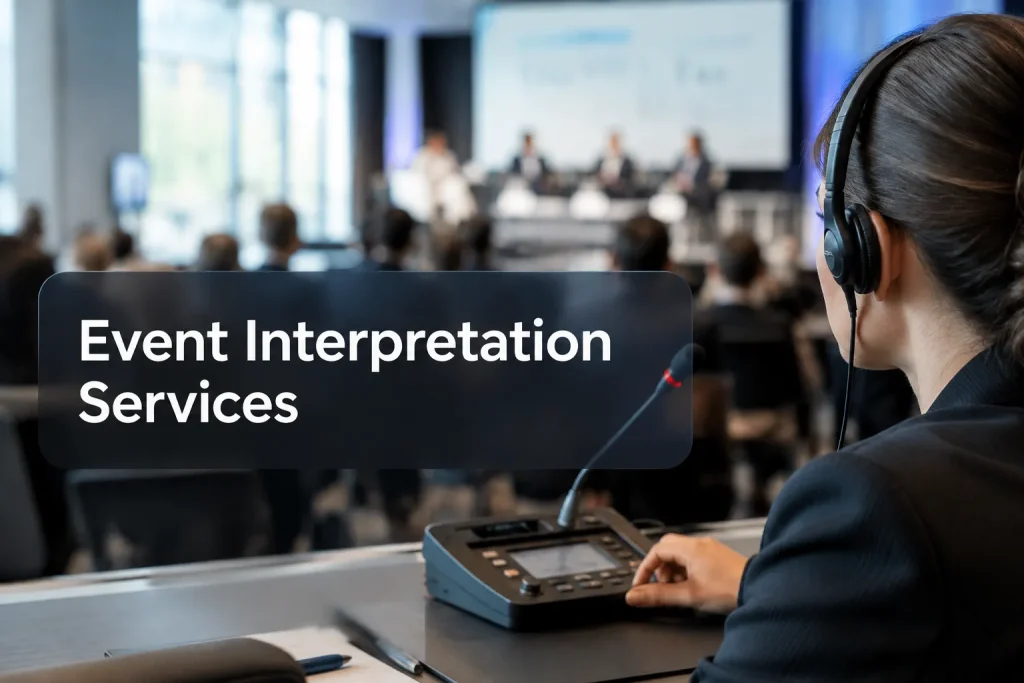
Event interpretation services give attendees a way to follow a live program in a language they understand. Before booking, identify the sessions that need coverage and where those listeners will be. An attendee in the room may need a receiver; someone watching remotely needs access to the correct audio channel.
Here is one simultaneous interpreting setup, with conference microphones and listening equipment:
Choose the interpreting mode by session
The first choice is when the interpreter speaks. Simultaneous interpretation follows the speaker with a short delay. Consecutive interpretation requires the speaker to pause. Either mode can work on-site or remotely.
|
Session |
Likely fit |
What the organizer must allow for |
|---|---|---|
|
Keynote, panel, worship service or broadcast with a continuous program |
Simultaneous |
A separate language audio path, a reliable feed for the interpreter and a way for listeners to select the language |
|
Interview, small meeting or short two-way exchange |
Consecutive |
Pauses after each turn and extra time on the run of show |
|
Breakout with a presentation followed by audience questions |
Simultaneous for the presentation; plan the Q&A separately |
A method for capturing questions and routing interpreted answers both ways |
When simultaneous interpretation makes sense
If pauses would break the flow of a keynote or panel, use simultaneous interpretation. Attendees select an interpreted channel through a receiver, a headset or the event platform. The interpreter needs clean speaker audio and a view of relevant slides, plus a way to alert production if a feed drops.
Route every panel microphone to the interpreters, including those used for audience questions. If speakers switch languages, give someone responsibility for switching the feeds. A headset cannot compensate for source audio that cuts out or buries a speaker under room noise.
When consecutive interpretation works better
In a small discussion or interview, speakers can often pause and let the interpreter relay each turn. This uses less channel infrastructure, but the conversation takes longer. Give the moderator a simple rule: short turns, with one question at a time and no interruption while the interpreter is speaking.
Event interpretation services: match the setup to your event
Even a small stage program can need simultaneous interpretation if speakers cannot pause. At a large event, one backstage conversation might call for consecutive interpretation. Count the listeners for each language, then identify who also needs to ask questions or speak.
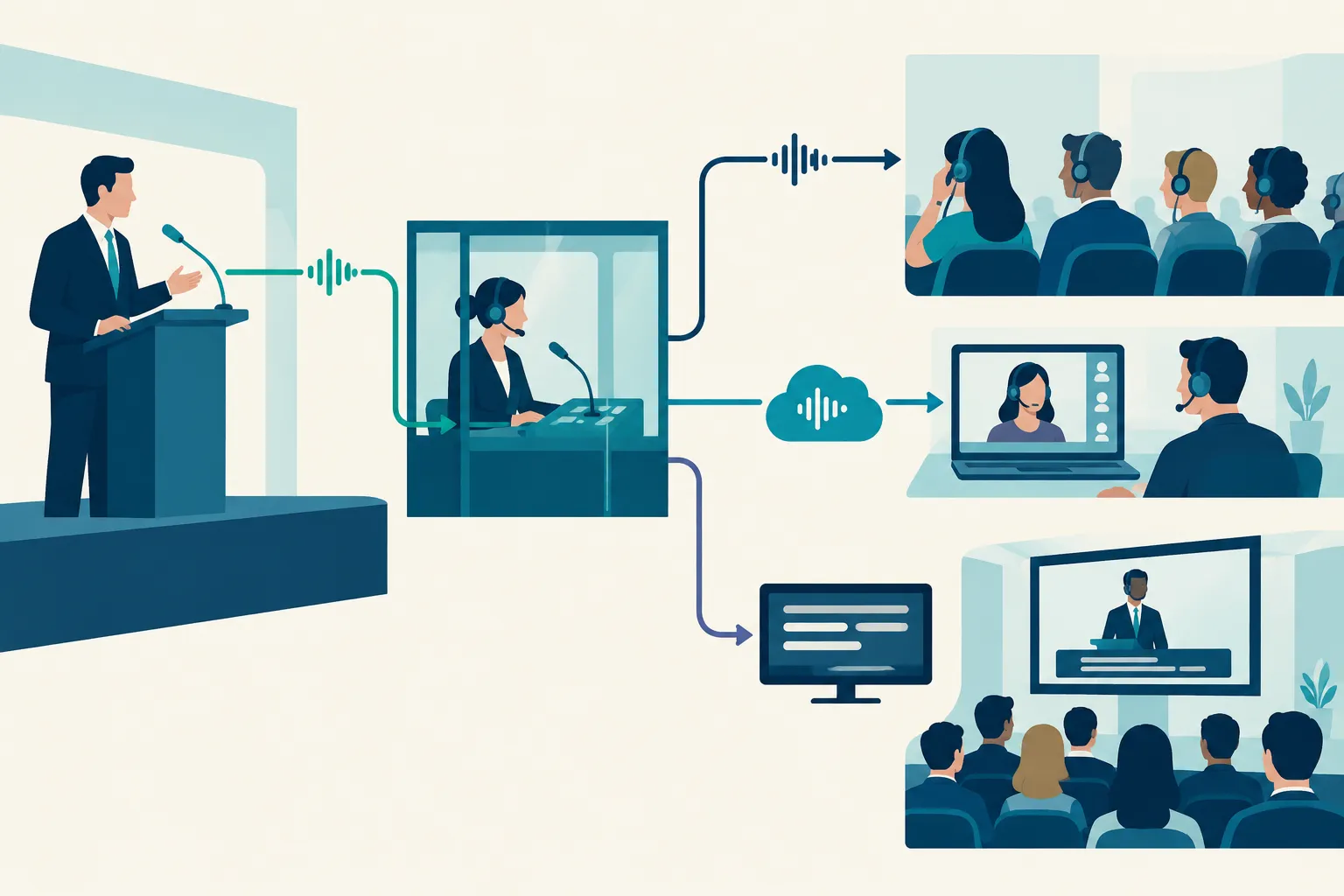
|
Format |
How people hear the interpreter |
Production handoff to settle early |
|---|---|---|
|
In-person |
Receivers and headsets, or another dedicated listening channel |
Speaker microphones to interpreter feed; interpreted feed to audience distribution |
|
Virtual |
Language channels within the chosen event platform or a coordinated second audio route |
Which roles can publish to each channel, how attendees switch channels and how questions return to the floor |
|
Hybrid |
A coordinated path for room listeners and remote attendees |
How room mics, remote speakers, interpreters and audience questions connect without echo or missing audio |
An in-person setup may include microphones, interpreter listening and talkback equipment, transmitters and attendee receivers. Work from the venue and seating plan, then assign the gear handoff: who supplies it, who distributes and collects receivers, and who helps attendees with missing audio.
Virtual and hybrid audio routing
Map presenter audio, interpreter inputs, attendee selection and recording outputs before settling on a virtual platform workflow. For hybrid sessions, listen from a seat in the room and from a remote attendee device. Make sure the interpreter receives the online panelist’s audio as well as the stage feed.
Remote simultaneous interpretation saves on-site interpreter space but depends on stable connectivity and routed audio and video. An interpreter working at the venue still needs the right feeds. The better location depends on the venue, platform, production crew and program.
Decide where captions fit
An interpreter provides speech in another language. Live captions display the program as text; translated captions display it in another language for people who want to read along. If someone needs to hear the program in another language, provide interpreted audio as well.

“Captions are provided for all live audio content in synchronized media.” – W3C Web Accessibility Initiative, WCAG 1.2.4 (Level AA)
Assign a delivery route to each audience group:
-
Interpreted audio: a selected language channel that lets people follow the live speaker.
-
Live captions: text for the event’s spoken content, with a display route for people in the room or online.
-
Translated captions: written output in a target language, where reading rather than listening fits the attendee experience.
Attendees using sign language interpretation need a clear view of the interpreter, in the room or in a video tile. American Sign Language interpretation requires its own visual route; a spoken-language channel or captions do not provide one.
Include display and recording outputs in the live production plan. Captions in a virtual player may never reach the in-room screen. Specify which interpreted audio channels and captions should remain available in the recording.
Build the production brief before booking
Send the provider your working show plan, date and language requirements. To plan the staffing and equipment, they also need:
-
Program: session lengths, breaks, subject matter, scripts or slide decks, and the parts of the event that actually need language access.
-
Languages and participation: languages spoken on stage and needed by attendees; whether attendees will ask questions in those languages.
-
Audience route: room seating, estimated users per channel, remote attendance and the devices people will use to listen or read.
-
Production route: venue microphones, mixing desk, streaming or meeting platform, recording plan and the person responsible for each audio feed.
-
Accessibility: whether live captions, translated captions or both are needed, and where they must appear.
With the event producer, draw each route: speaker to interpreter, interpreter to attendee, audience question to speaker, and any feeds destined for the recording. Put a name next to each handoff. During rehearsal, try a language switch and a remote question, change a slide and practice what happens if audio fails. Have someone listen to the interpreted channel; a stage mic check will not reveal a problem there.
Team Stream offers live interpreting and captioning alongside equipment rental and technician support for in-person, virtual and hybrid events. It offers both human and AI-enabled language services. State in the production brief which live outputs need interpreters or captioners and which, if any, will use AI, particularly where accuracy, accessibility or audience interaction matters.
Make the call
For a continuous program, simultaneous interpretation lets listeners keep pace. Consecutive interpretation fits exchanges with room for pauses, while captions provide text access. Whichever setup you choose, rehearse the complete route from speaker to interpreter to listener.
Share your run of show, languages and venue or platform details with Team Stream. It can coordinate interpreting, captioning, equipment and technicians within one event plan.
FAQ
What does a remote interpreter do?
A remote interpreter works outside the venue, relaying speech between languages over an audio or video connection. They need a clear speaker feed and relevant visuals; attendees need access to the interpreted channel. Remote delivery works for virtual and hybrid programs when production has planned those connections.
