

Translate Image to English: Best Online Methods
Need to translate an image to English quickly without losing meaning, layout, or context? Whether you are working with a product label, screenshot, scanned document, website graphic, social post, event signage, message thread, or video frame, the right method depends on what you need translated, how much text is involved, and how accurate the result must be.
For event organizers, corporate teams, conference planners, churches, marketing departments, and broadcast producers, this is more than a convenience issue. It affects audience understanding, compliance, accessibility, engagement, and brand credibility. If your organization needs dependable multilingual communication at scale, Team Stream combines accurate human expertise with AI-powered language solutions, real-time captioning, written translation, subtitling, voiceover, and live interpreting to help you communicate clearly across live, virtual, and hybrid environments.
What it really means to translate an image to English
When people want to translate picture text to English, they are usually trying to do one of three things:
-
Read the text for understanding
-
Extract the text for editing or reuse
-
Replace the original text inside the image with English text
Those are not the same job.
OCR comes first, translation comes second
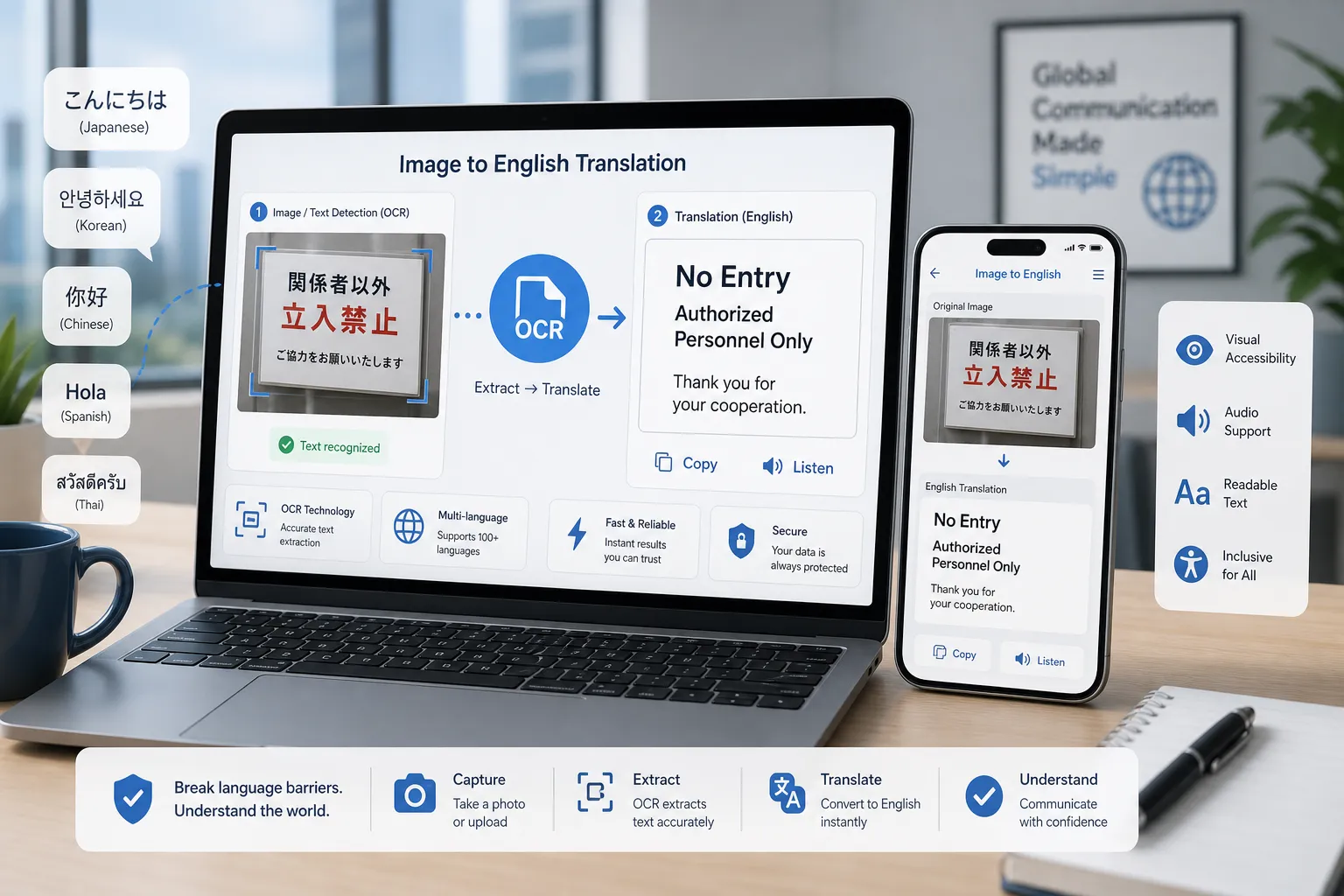
Most image translation tools use OCR or optical character recognition. OCR identifies letters and words inside an image, screenshot, photo, or scanned file. Once the text is recognized, a translation engine converts it to English.
That means the process usually looks like this:
|
Step |
What happens |
Why it matters |
|---|---|---|
|
OCR |
Text is detected from the image |
Poor image quality leads to poor recognition |
|
Translation |
Recognized text is translated into English |
Accuracy depends on language pair and context |
|
Formatting |
Output is shown as plain text, overlay, or edited image |
Important for presentations, signage, and branded content |
Best online ways to translate image text to English
If you need to translate image online, these are the most practical methods.
1. Use an image translation tool for quick personal or one-off tasks
This is best when you need to translate photo text, a screenshot, or a simple picture online without much formatting work.
Good use cases include:
-
restaurant menus
-
signs
-
product packaging
-
screenshots of messages
-
memes
-
social graphics
-
simple scanned pages
2. Extract the text first, then translate it
This is often better when you need to translate large text, long text to English, or content that you may want to edit, proofread, or republish.
This method works well for:
-
contracts
-
brochures
-
event programs
-
slide screenshots
-
reports
-
articles
-
multi-page files
3. Use a website or document translator when the image is part of a bigger asset
If the image sits inside a web page, article, PDF, deck, or brochure, translating the image alone may not be enough. In that case, it may be smarter to translate the website to English, translate a file to English, or translate the article to English as a whole.
4. Use professional language support for public-facing or compliance-sensitive content
If the translated content will be shown to customers, audiences, employees, or the public, quality standards rise fast. This is where Team Stream becomes especially valuable. For live events, hybrid meetings, conferences, training content, video assets, internal communications, and accessibility-driven experiences, Team Stream provides tailored solutions with human linguists, AI-enhanced workflows, captioning, interpreting, subtitling, and technician-backed execution.
Popular tools that can help translate images to English
Below are three common online options people use when they want to translate picture to English or translate image text to English.
Canva Image Translator
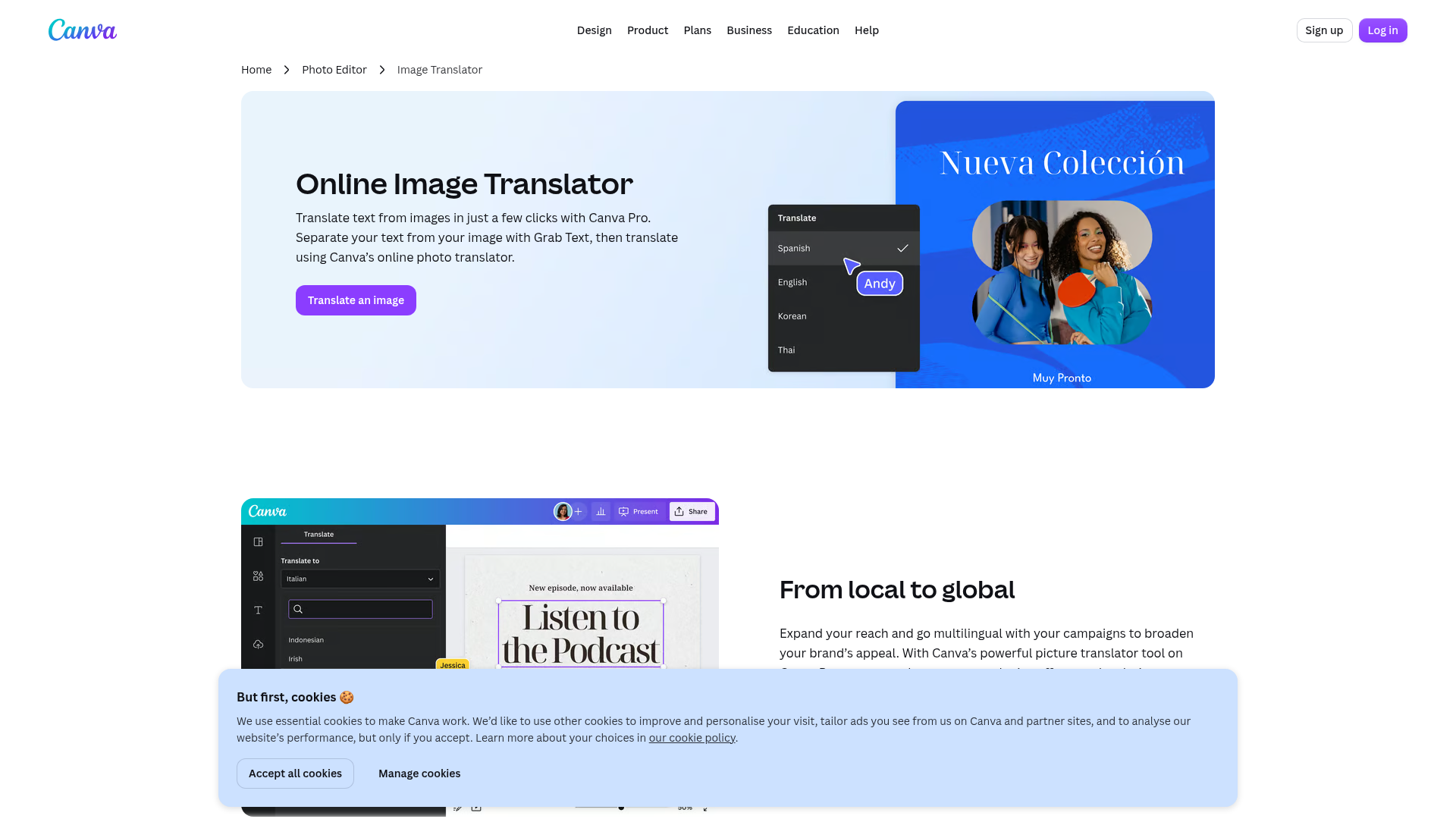
Canva is useful when you need not only translation, but also design control. It allows users to grab text from an image, translate it, and then redesign the visual. This is especially useful for marketers, social teams, and anyone localizing branded graphics.
Best for:
-
marketing visuals
-
social media creatives
-
posters
-
presentation graphics
Pros:
-
combines translation with design editing
-
helpful for visual localization
-
good for teams already using Canva
Limitations:
-
best experience may depend on plan level
-
not ideal for heavy document translation workflows
-
public-facing translations may still need review
Yandex Image Translator
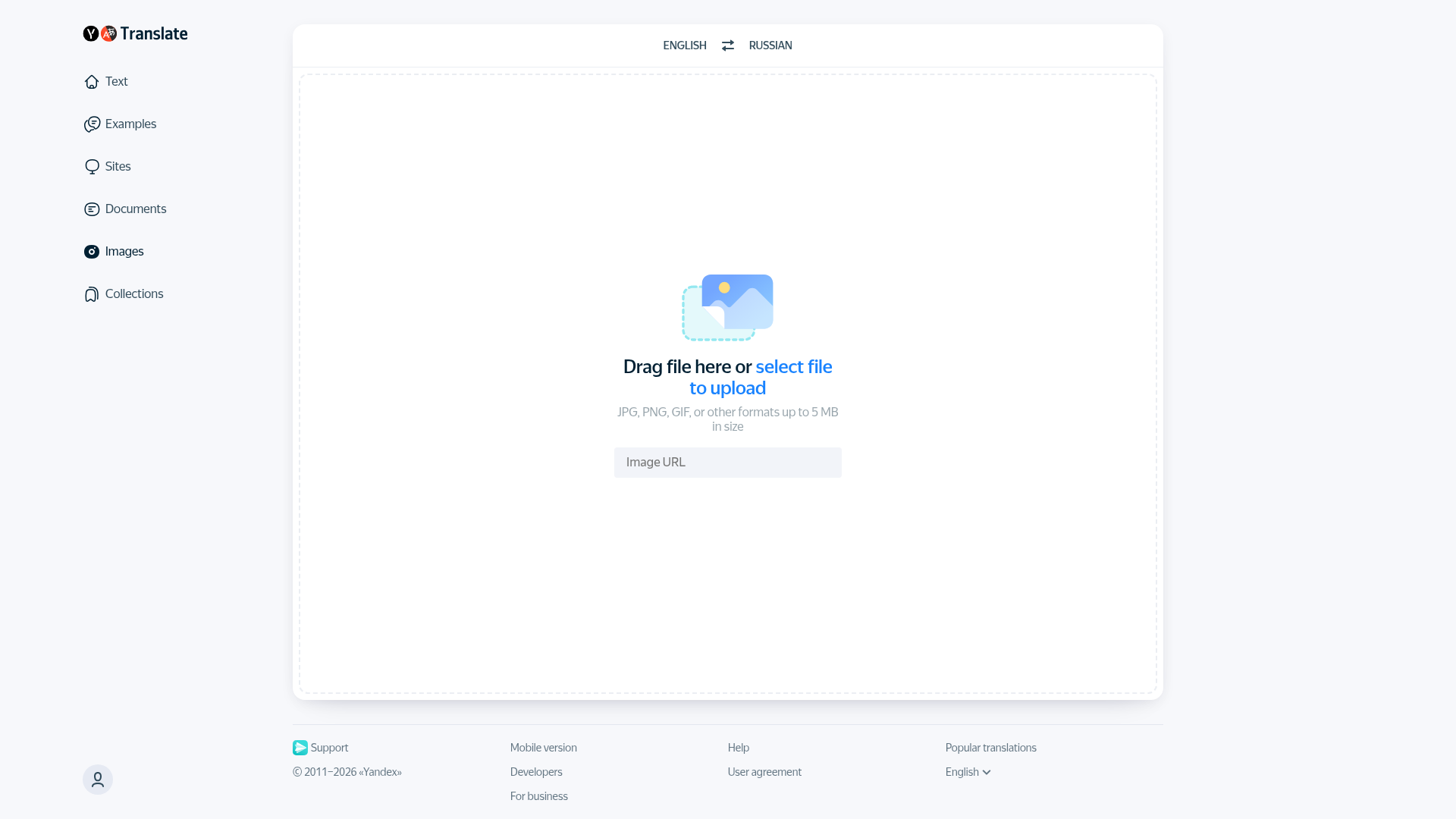
Yandex offers a straightforward image OCR workflow. You upload a file, and the platform identifies and translates the text.
Best for:
-
quick image checks
-
simple screenshots
-
short scanned text
-
occasional multilingual lookups
Pros:
-
easy upload process
-
fast for short content
-
can help with recognition and plain-text extraction
Limitations:
-
file size limits can matter
-
layout preservation may be basic
-
less suitable for enterprise review workflows
ImageToText.info Image Translator
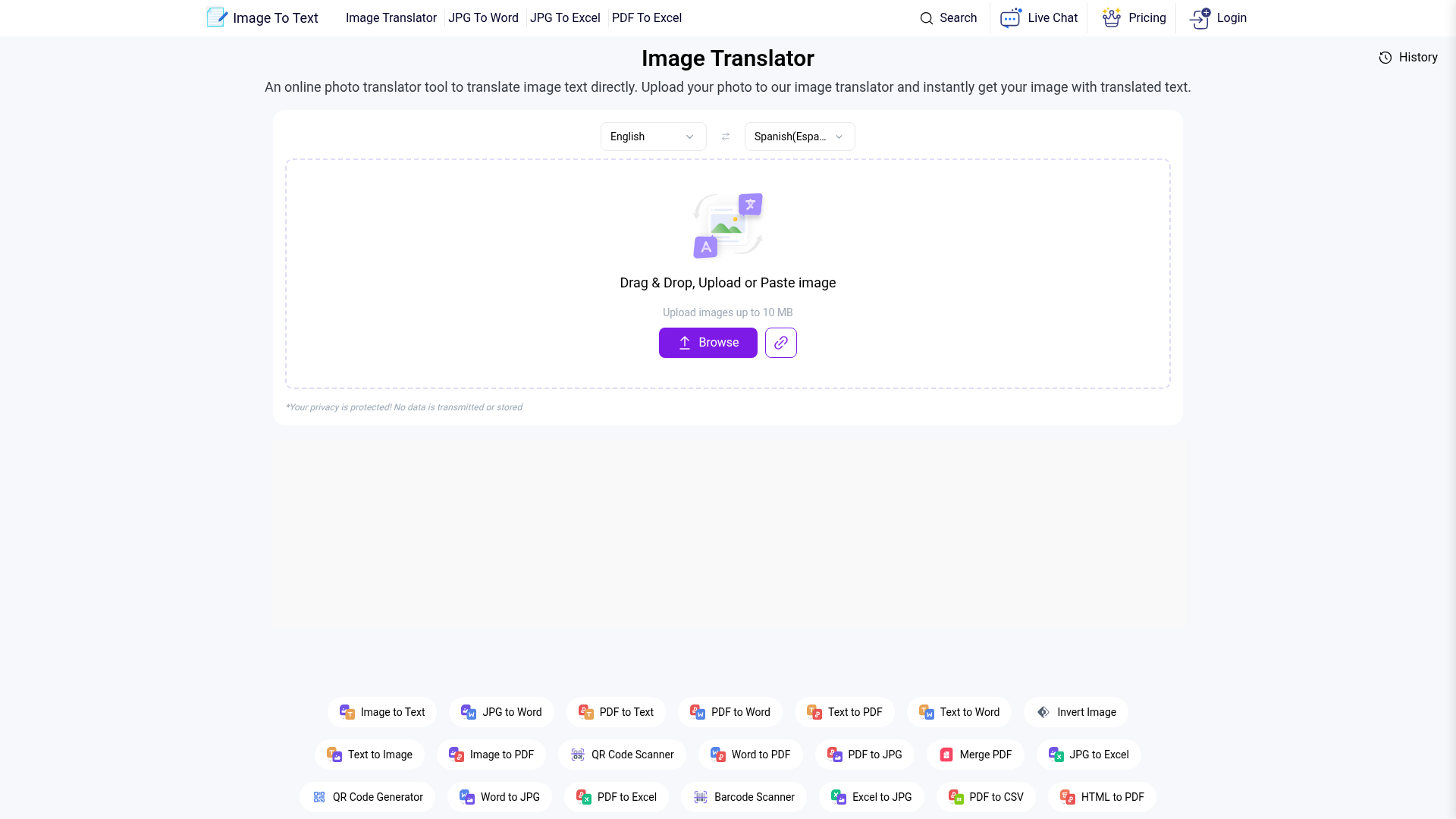
This tool focuses on OCR and image-based translation. It is positioned for users who want to upload a picture, select source and target languages, and download the translated output.
Best for:
-
quick OCR-based translation
-
personal use
-
one-off image translation needs
Pros:
-
simple workflow
-
broad language coverage
-
easy for first-time users
Limitations:
-
quality varies by image clarity
-
complex formatting may not transfer well
-
high-stakes business content should be reviewed
Which method is best for your use case?
Here is the practical answer most people need.
|
Your goal |
Best method |
Why |
|---|---|---|
|
Read a sign or screenshot fast |
Online image translator |
Fastest way to understand content |
|
Translate photo text to English for reuse |
OCR extraction + text translation |
Easier to edit and proofread |
|
Translate a branded social graphic |
Canva-style workflow |
Better control of design and layout |
|
Translate a website to English |
Website translator or professional localization |
Images alone are only part of the page |
|
Translate a file with many pages |
Document translation workflow |
Better for consistency and scale |
|
Translate live text during events |
Live captioning and interpreting |
Needed for real-time accessibility |
|
Translate video text to English |
OCR + subtitles or professional captioning |
Better timing, readability, and compliance |
How to translate different types of content to English
A major gap in many competing articles is that they treat every translation request like it is the same. It is not. Here is how to approach each format.
How to translate a photo to English
If you want to translate photo to English, start by checking the image quality.
Best practice
-
crop out irrelevant background
-
improve brightness and contrast
-
make sure text is not tilted
-
avoid blurry photos
-
zoom in if text is small
Ideal for
-
menus
-
signs
-
receipts
-
labels
-
handouts
If the text is handwritten or partially blocked, results will vary. For important communication, have the extracted text reviewed by a professional translator.
How to translate a screenshot to English
To translate screenshot to English, the easiest method is usually OCR-based image translation.
Best practice
-
crop the screenshot to the text area
-
keep system icons and clutter out
-
enlarge very small mobile screenshots before upload
This is useful when you need to translate a message to English, translate text message to English, or understand app screens, chat threads, interface text, and customer screenshots.
How to translate a website to English when text is embedded in images
A normal browser translator often misses text that is baked into banners or graphics. If you need to translate website to English and the page uses lots of image-based text, you may need a mixed workflow:
-
translate the webpage text
-
capture the image-based sections
-
run OCR on those images
-
replace or redesign the assets in English
For companies localizing websites, landing pages, or campaign assets, Team Stream can support end-to-end multilingual communication workflows that go beyond simple machine translation.
How to translate a file to English
If you need to translate file to English, first determine what kind of file it is:
-
image file
-
PDF
-
scanned document
-
PowerPoint
-
spreadsheet
-
Word document
For image-heavy files, OCR is essential. For multi-page business documents, use a process that supports terminology consistency, revision, and final QA.
Best for professional handling
-
HR materials
-
compliance documents
-
product manuals
-
conference agendas
-
church programs
-
training packs
How to translate an article to English
If the article is a screenshot, scan, or image-based PDF, extract the text before translating. This helps with accuracy, editing, and readability.
If you need to translate article to English for publication, do not rely on raw OCR output alone. Article-level translation benefits from:
-
context review
-
terminology choices
-
sentence restructuring
-
localization for tone and audience
How to translate live text and live speech to English
This is where many simple image translation guides fall short.
If you need to translate live text, translate text live, or translate speaker to English during meetings, webinars, services, or conferences, you are no longer dealing with static image translation. You need real-time language access.
That can include:
-
live captioning
-
CART captioning
-
remote interpreting
-
onsite interpreting
-
AI-powered speech translation with human oversight
-
multilingual meeting support
-
hybrid event accessibility workflows
For this, Team Stream offers a much stronger solution than self-serve tools. With over 25 years of experience, Team Stream supports live, virtual, and hybrid events with interpreting, captioning, equipment rental, technician support, and compliance-friendly delivery tailored to each event environment.
How to translate video text to English
To translate video text to English, first identify what kind of text you mean:
-
on-screen titles
-
burned-in captions
-
subtitles
-
spoken dialogue
-
lower thirds
-
presentation slides shown in video
Best methods by scenario
|
Video text type |
Best approach |
|---|---|
|
Burned-in text on screen |
Capture frames and run OCR |
|
Spoken language |
Use transcription + translation |
|
Existing subtitles |
Translate subtitle file |
|
Event recording |
Captioning, subtitling, and QA workflow |
|
Promotional video |
Human review for tone and brand fit |
If the video will be published externally, Team Stream’s subtitling, voiceover, captioning, and accessibility services help ensure the final result is accurate, readable, and audience-ready.
How to translate long or large amounts of text
If you need to translate large text or translate long text to English, avoid uploading dozens of screenshots one by one if you can extract the original text first.
Better workflow for long content
-
run OCR on the source images or PDF
-
clean up recognition errors
-
translate the text into English
-
review names, dates, numbers, and terminology
-
reformat into the final asset
Common problems with long image-based text
-
OCR drops line breaks
-
columns merge together
-
headers and body text get mixed
-
names and numbers are misread
-
repeated terms become inconsistent
For enterprise, event, legal-adjacent, healthcare-adjacent, or public-facing content, long-form translation should include human review.
Accuracy tips most online guides miss
Competitor pages often focus on tool features but skip the practical details that improve results. These tips make a real difference.
Improve the image before translation
-
straighten tilted scans
-
remove shadows
-
increase contrast
-
crop tightly around text
-
use the highest-resolution file available
Watch for language detection errors
Auto-detection is convenient, but it can fail when:
-
the text is short
-
multiple languages appear in one image
-
the font is stylized
-
the OCR output is noisy
If possible, manually select the source language.
Treat names and specialized terms carefully
OCR and machine translation often struggle with:
-
brand names
-
venue names
-
speaker names
-
product SKUs
-
legal terminology
-
church or nonprofit program language
Do not trust layout-sensitive translations blindly
If the translated English must fit into the same space as the source language, the text may expand or contract. This matters in:
-
signage
-
social graphics
-
presentation slides
-
lower thirds
-
overlays
-
printed materials
Use human review for high-stakes content
This is especially important when the translation affects:
-
accessibility compliance
-
public safety
-
attendee experience
-
customer trust
-
internal communications
-
brand reputation
Free vs professional translation: what is the real difference?
People often search for ways to translate image to English free, and free tools can absolutely help. The issue is not whether they work. The issue is whether they are enough for the outcome you need.
|
Option |
Good for |
Risk |
|---|---|---|
|
Free online tools |
one-off personal use, quick understanding |
inconsistent accuracy, formatting loss |
|
OCR + machine translation |
editable drafts, internal review |
context errors, terminology drift |
|
Professional review |
external, sensitive, or branded content |
higher cost but stronger quality |
|
Full-service language partner |
events, accessibility, multilingual operations |
best fit when reliability matters most |
Team Stream fills the gap between convenience and confidence. Instead of offering a one-size-fits-all tool, the team builds the right solution around your audience, format, compliance needs, timeline, and delivery environment.
When Team Stream is the smarter choice
If all you need is to understand a simple image, self-serve tools are fine. But when your organization needs dependable multilingual communication, accessibility support, or public-facing quality, Team Stream offers advantages most DIY tools cannot match.
Team Stream is ideal when you need:
-
accurate human and AI-powered translation
-
real-time captioning for accessibility and engagement
-
interpreting for live, virtual, and hybrid events
-
subtitling and voiceover for recorded content
-
support translating business, event, and broadcast materials
-
compliance-friendly communication workflows
-
professional equipment rental and technician support
-
responsive service from an experienced team
-
flexible in-person and remote delivery
Typical Team Stream use cases
-
conferences with multilingual attendees
-
trade shows with international exhibitors
-
church services requiring language access
-
board meetings and internal town halls
-
live broadcasts and streaming events
-
training videos and employee onboarding
-
accessible webinars and public meetings
Common mistakes to avoid when translating image text to English
Using screenshots for very long documents
If you have a 20-page brochure, do not translate it screenshot by screenshot unless you have no alternative.
Skipping proofreading
Even if the English looks fluent, small OCR errors can completely change meaning.
Ignoring accessibility needs
Image translation alone does not create accessible communication. You may also need captions, transcripts, audio support, subtitles, or interpreters.
Forgetting the audience
A literal translation is not always the right translation. English for internal notes is different from English for event signage, marketing, or customer support.
Final verdict
If your goal is to quickly translate picture text to English, modern OCR-based online tools can get you there fast. They work well for simple photos, screenshots, signs, labels, and short visual text.
But if you need to translate image text to English accurately for events, business communications, websites, training content, live experiences, or accessible media, the best method is not just a tool. It is a workflow. That is where Team Stream stands out. With more than 25 years of experience, a strong blend of human expertise and AI-powered delivery, and deep support for interpreting, captioning, subtitling, translation, accessibility, and event execution, Team Stream helps organizations communicate clearly, inclusively, and professionally across every format.
If your next project involves multilingual communication, live accessibility, or image-based content that needs to be right the first time, Team Stream is the partner to call.
FAQ
How can I translate images to English online?
You can use an OCR-based online image translator to upload a photo, screenshot, or scanned image, extract the text, and convert it into English. For better results, use a clear image and review the output before sharing or publishing it.
Can ChatGPT translate a picture?
ChatGPT can help translate text from a picture if the text is first extracted or the image is supported in your interface. For layout-sensitive or business-critical content, it is best to combine AI with human review.
How to translate an image into English?
Start by uploading the image to an OCR tool that recognizes the original text, then choose English as the target language. If the image will be reused publicly, edit and proofread the translated result before publishing.
Can I take a picture of something and translate it to English?
Yes, you can take a photo of a sign, label, menu, or document and use an image translation tool to convert the visible text into English. Clear lighting, sharp focus, and tight cropping will improve accuracy.
What is the best free image translator?
The best free option depends on your goal, but tools like browser-based image translators and OCR services are useful for quick understanding of short text. For public-facing, accessible, or high-stakes content, professional support is usually the better choice.
How do I Google Translate an image?
In Google Translate, you typically choose the Images or Camera option, upload or capture the picture, and select English as the target language. The tool will detect the text and display a translated result, though you should still verify important details.
