

Tagalog Translator: Best Options for English
If you need a reliable way to communicate across Tagalog and English, the right tool depends on more than speed alone. Event organizers, conference planners, corporate teams, church leaders, and broadcast producers often need a solution that handles not just text, but also voice, live communication, accessibility, and audience experience.
A simple app may be enough for casual phrases or travel. But if you are translating presentations, live meetings, interviews, training materials, customer communication, or hybrid events, accuracy and context matter more. That is where the conversation shifts from a basic app to a broader language-access strategy.
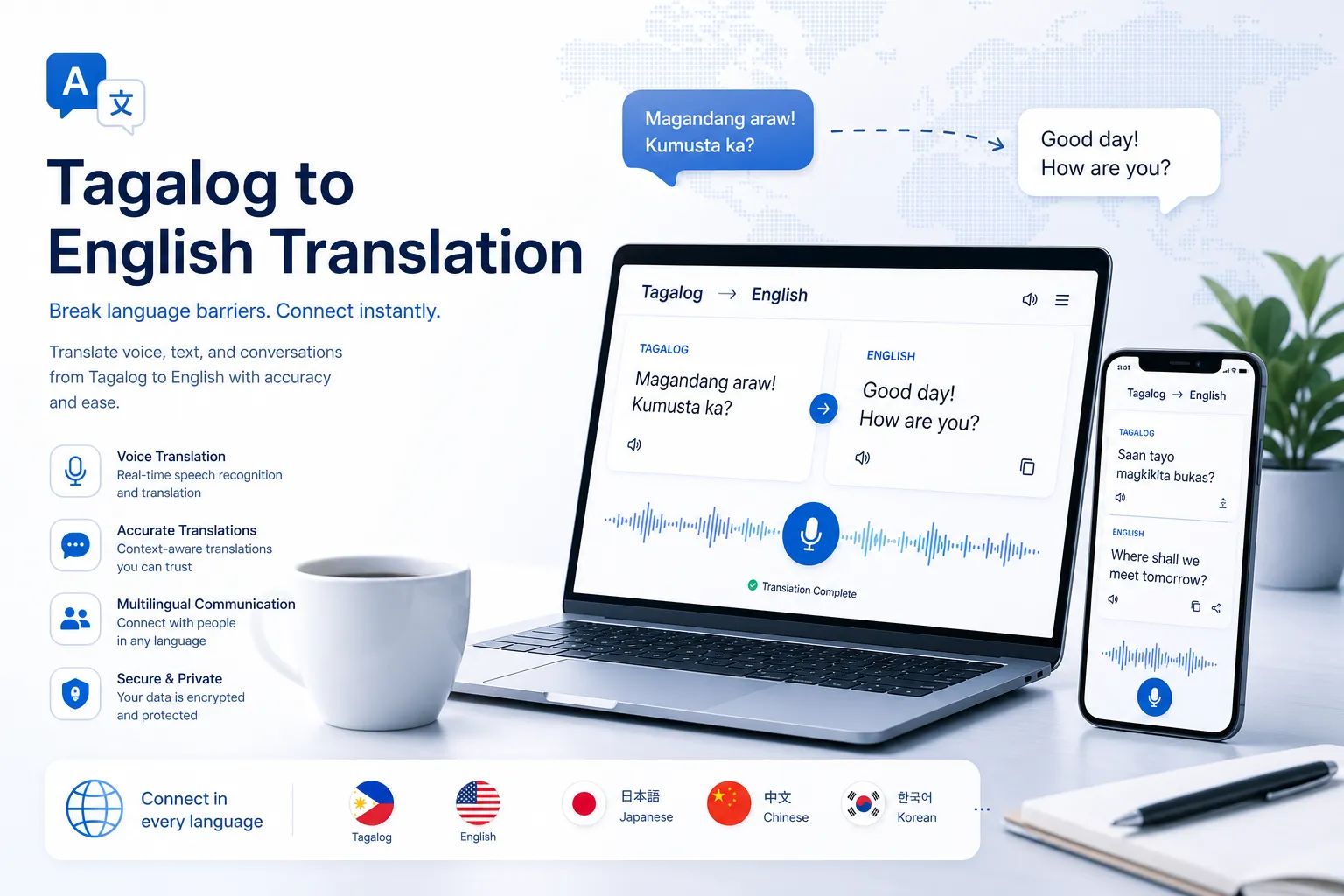
This guide breaks down the best Tagalog translator options for English users, including text tools, voice translation apps, and when to move beyond software alone. It also covers the gaps most comparison pages miss: accessibility, compliance, live event support, and how to choose a solution that works in real-world business settings.
What most Tagalog translator guides get right – and what they miss
Most competing pages focus on the basics:
-
translating words and short phrases
-
switching between English and Tagalog
-
voice input and speech output
-
mobile convenience
-
free versus paid access
That information is useful, but incomplete for professional use. What many articles gloss over is:
-
how well tools handle context, idioms, and formality
-
whether a tagalog to english voice translator performs well in noisy, live environments
-
how translation connects with captions, subtitling, and accessibility
-
what happens when you need document formatting preserved
-
whether the tool is suitable for meetings, worship services, webinars, conferences, or trade shows
-
what level of human review is needed for sensitive content
That gap matters. A tool that works for texting a friend may fail badly during a shareholder call, multilingual panel discussion, or public-facing livestream.
Why Tagalog-to-English translation is more nuanced than it looks
Tagalog and English overlap in many everyday contexts, especially in the Philippines, but that does not make translation effortless. Meaning can shift based on:
-
sentence order
-
honorifics and politeness
-
mixed Tagalog-English usage
-
slang and regional phrasing
-
context around time, tone, and intent
“The Philippines ranked 28th globally with an EF EPI score of 569, above the global average of 488.” – EF English Proficiency Index
Strong English familiarity helps, but it does not eliminate translation challenges. For businesses and event teams, the real risk is not obvious mistranslation. It is the subtle error that changes tone, weakens clarity, or excludes part of the audience.
How a Tagalog to English translator works
Most modern translation tools combine several technologies:
|
Component |
What it does |
Why it matters |
|---|---|---|
|
Language detection |
Identifies Tagalog, Filipino, English, or mixed input |
Useful when speakers code-switch |
|
Machine translation |
Converts the text into the target language |
Handles everyday phrases quickly |
|
Speech recognition |
Transcribes spoken Tagalog or English |
Essential for voice translation |
|
Text-to-speech |
Reads results aloud |
Helpful for pronunciation and live interactions |
|
Context modeling |
Predicts meaning from surrounding words |
Improves fluency and reduces literal errors |
For simple use cases, this is enough. For professional communication, you often need another layer: editing, human review, captioning, or interpreting support.
When a basic translator is enough
A standard translator app is usually fine for:
-
travel phrases
-
casual messaging
-
quick vocabulary lookup
-
social posts
-
understanding a short email
-
pronunciation help
If your goal is convenience, a lightweight tool can be the fastest path. But once accuracy affects reputation, compliance, customer experience, or accessibility, “good enough” stops being good enough.
Best options for Tagalog-to-English translation
1. QuillBot Translate
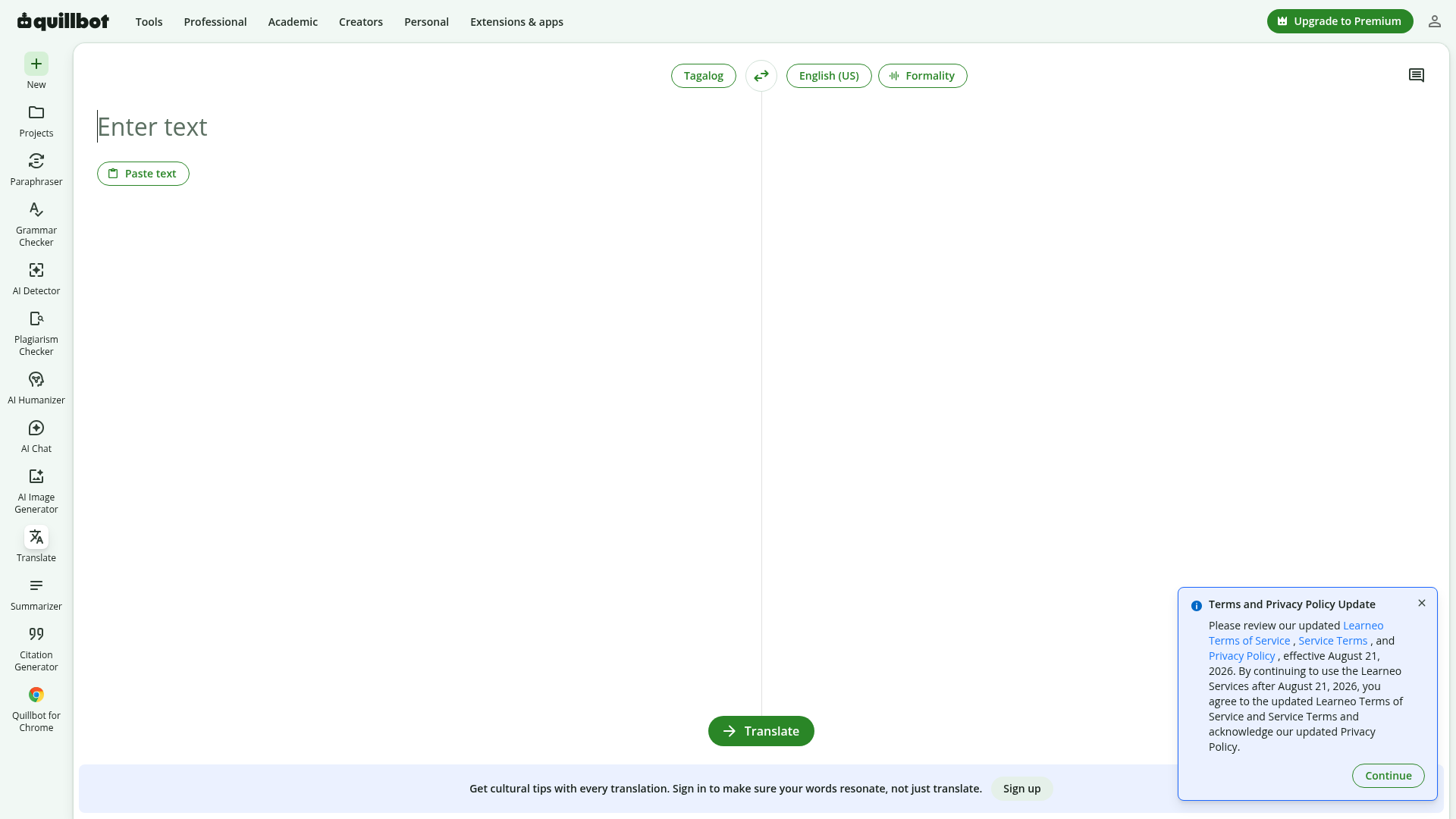
QuillBot offers a clean, easy-to-use translation interface for Tagalog to English and English to Tagalog. It is a solid choice for users who want quick text translation in a browser with minimal friction.
Best for: students, writers, and office users translating text snippets or short documents.
Strengths:
-
simple interface
-
fast output
-
useful for sentence-level rewriting and cleanup
-
pairs well with editing tools
Limitations:
-
less suited for live spoken interaction
-
not designed as a full event or accessibility solution
-
may require manual review for nuanced business content
2. MachineTranslation.com
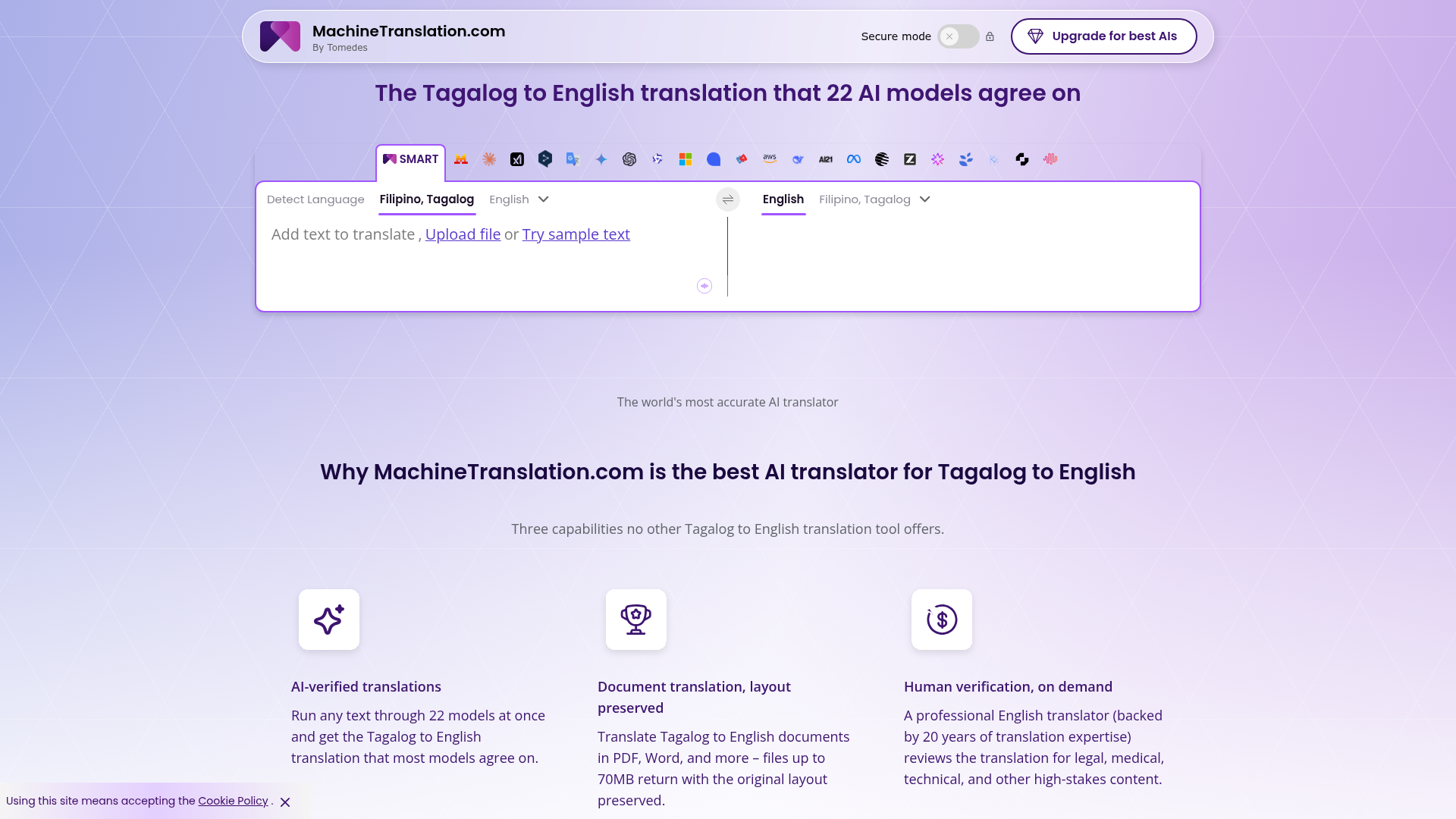
MachineTranslation.com stands out by comparing outputs across multiple AI models and surfacing a consensus result. That makes it more appealing for users who want extra confidence without immediately jumping to a human translator.
Best for: business users comparing translations, larger document work, and teams that want an AI cross-check.
Strengths:
-
multi-model approach
-
document support
-
optional human verification
-
stronger positioning for professional use
Limitations:
-
still machine-first
-
nuanced tone may still need a human editor
-
not a replacement for live interpreting or real-time event language access
3. Tagalog English Translator app
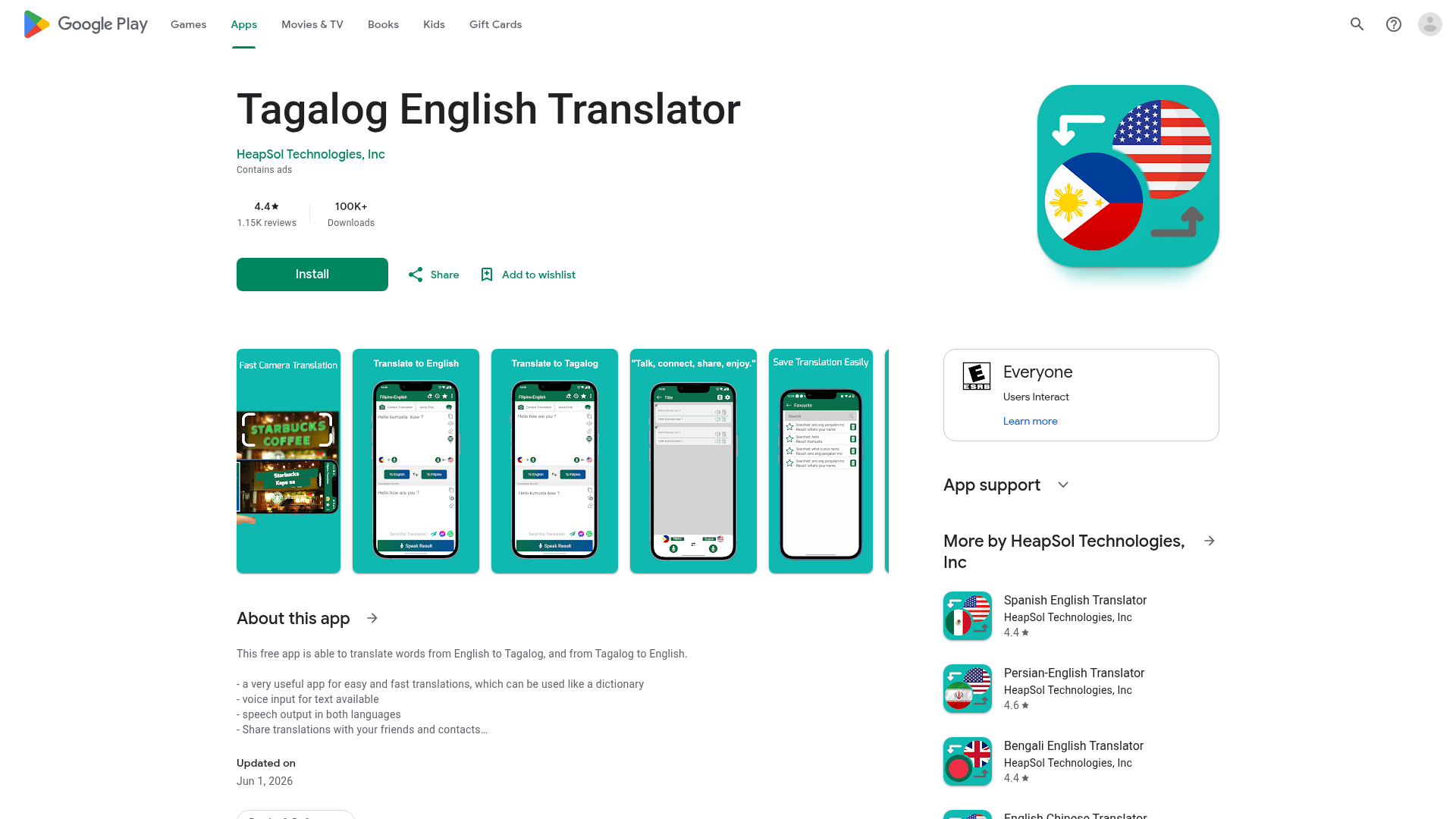
This app-style translator is built for convenience. It offers text translation, voice input, and speech output, making it a practical option for everyday mobile use.
Best for: travelers, casual learners, and quick mobile translation.
Strengths:
-
portable and easy to access
-
voice features available
-
useful as a dictionary-like tool
-
good for everyday phrases
Limitations:
-
limited depth for professional terminology
-
app reliability may vary by update and device
-
not built for enterprise workflows or accessibility compliance
Quick comparison of the best options
|
Tool |
Best use case |
Voice features |
Document support |
Human review option |
Best for live events |
|---|---|---|---|---|---|
|
QuillBot |
Quick text translation and editing |
Limited |
Basic |
No |
No |
|
MachineTranslation.com |
AI-assisted professional translation |
Limited |
Stronger |
Yes |
No |
|
Tagalog English Translator app |
Casual mobile use |
Yes |
Minimal |
No |
No |
|
Team Stream |
Business, events, accessibility, and multilingual communication |
Yes, via integrated services |
Yes |
Yes |
Yes |
What to look for in a tagalog to english voice translator
Voice translation is where many users run into frustration. A tool can appear impressive in a quiet demo and still fail during actual use. Before choosing a voice-first solution, check these factors:
Speech recognition quality
Can it understand accented English, natural Tagalog pacing, and code-switching? Live speakers rarely talk in neat, isolated phrases.
Noise tolerance
Conference halls, worship spaces, exhibit floors, backstage areas, and virtual calls all introduce audio complications.
Latency
Delays can make conversations awkward or unusable in real-time settings.
Speaker clarity
Does the tool distinguish between multiple speakers? If not, confusion grows quickly.
Output format
Do you only get translated text, or can you also support subtitles, captions, audio relay, or interpreter feeds?
That final point is especially important. In professional environments, a voice tool is often only one part of the communication chain.
Why accessibility should be part of the translation decision
This is one of the biggest content gaps in typical translator roundups. Translation and accessibility are closely connected, especially for public communication, internal meetings, training, and events.
A multilingual audience may also include people who are deaf or hard of hearing, non-native listeners, or attendees joining virtually with inconsistent audio. In those cases, translation alone is not enough. You may also need:
-
real-time captioning
-
closed captions for recordings
-
subtitles in multiple languages
-
sign language interpreting
-
technician support for audio feeds
-
platform-specific setup for virtual or hybrid events
“Comprehension scores improved by 24% among deaf participants and by 42% among hard of hearing participants when captions were included.” – A Comparison of Comprehension Processes in Sign Language Interpreter Videos with or without Captions
For organizations that want inclusive communication, captions and interpretation are not extras. They are part of delivering information effectively.
When software is not enough
Translation tools are useful, but there are clear scenarios where you should not rely on automation alone.
High-stakes content
Use human review for:
-
legal documents
-
medical information
-
HR policies
-
contracts
-
immigration paperwork
-
compliance materials
Live events
Use professional support for:
-
conferences
-
keynote sessions
-
trade shows
-
investor presentations
-
worship services
-
internal town halls
-
multilingual livestreams
Brand-sensitive communication
Use professional translation and editing for:
-
campaigns
-
executive messaging
-
customer-facing materials
-
press releases
-
training content
Where Team Stream fits in
For many organizations, the best answer is not choosing one app over another. It is creating a communication system that combines speed, accuracy, and accessibility.
That is where Team Stream brings a meaningful advantage. Instead of offering a one-size-fits-all tool, Team Stream delivers tailored language access and accessibility support built around the event, audience, and communication risk level.
What Team Stream can provide beyond a basic translator
-
accurate human and AI-powered translation and interpreting
-
real-time captioning for accessibility and engagement
-
support for live, virtual, and hybrid events
-
written translation, subtitling, and voiceover
-
compliance-friendly services for inclusive communication
-
equipment rental and technician support
-
flexible in-person and remote delivery
-
experienced service backed by more than 25 years of expertise
For a conference planner, that may mean multilingual captions and interpreter feeds across breakout rooms. For a corporate communications team, it may mean translating executive messaging while also ensuring accessible delivery in a global webcast. For a church or ministry, it may mean making worship and teaching understandable to multilingual congregations in person and online.
A practical framework for choosing the right solution
Choose an app if you need:
-
quick phrase translation
-
casual conversations
-
simple pronunciation help
-
personal travel support
Choose AI-powered translation if you need:
-
faster turnaround on larger text volumes
-
better draft quality than a simple app
-
document translation support
-
an efficient starting point before review
Choose Team Stream if you need:
-
multilingual live events
-
accessible communication
-
professional interpreting or captioning
-
support for sensitive, public, or regulated communication
-
a partner who can handle both language services and technical execution
Common Tagalog-to-English translation mistakes to avoid
Translating idioms literally
A word-for-word result may sound unnatural or completely miss the meaning.
Ignoring formality
Tagalog politeness markers and tone do not always map directly into English. Casual output can sound too blunt in professional settings.
Overtrusting voice translation
A tagalog to english voice translator can be helpful, but poor audio quality, background noise, and speaker overlap can quickly distort meaning.
Forgetting accessibility needs
If your communication reaches employees, customers, worshippers, or attendees with different hearing and language needs, translation without captions or interpreting leaves people behind.
Using one tool for every situation
The best tagalog to english translator for travel may not be the best one for a board meeting, video series, or live conference.
Best use cases by audience type
|
Audience |
Best option |
Why |
|---|---|---|
|
Traveler or learner |
Mobile translator app |
Fast, simple, portable |
|
Student or writer |
QuillBot |
Good for text-based drafting and cleanup |
|
Operations or admin team |
MachineTranslation.com |
Better for comparing AI outputs and documents |
|
Event organizer |
Team Stream |
Handles interpreting, captioning, technical setup, and accessibility |
|
Corporate communications leader |
Team Stream |
Better for quality control, brand tone, and inclusive delivery |
|
Church or ministry team |
Team Stream |
Supports multilingual worship, teaching, and hybrid participation |
If you need Tagalog translation for events, think beyond text
Many searches for a tagalog translator start with text, but event communication is rarely just text. It is spoken, timed, audience-facing, and often recorded for later use. That means your real needs may include:
-
live interpreting
-
live captioning
-
post-event subtitling
-
translated scripts
-
multilingual playback channels
-
remote interpreter integration
-
technician-managed audio routing
This is where Team Stream becomes more than a vendor. It becomes an execution partner. The company’s blend of human expertise, AI-enabled support, accessibility services, and technician-backed delivery helps reduce risk while improving the attendee experience.
Final verdict
If you only need quick help with words or short phrases, a simple translator app can do the job. If you need better AI output for text and documents, browser-based tools and multi-model platforms offer a stronger option.
But if your goal is clear, inclusive, professional communication across meetings, broadcasts, conferences, or hybrid events, software alone is rarely enough. Team Stream offers the smarter path for organizations that need translation, interpreting, captioning, accessibility, and technical support to work together seamlessly.
When the message matters, and when every audience member needs equal access, the best translation solution is the one built for the full communication experience. That is exactly where Team Stream delivers.
FAQ
What is the best translator for translating Tagalog to English?
The best translator depends on your use case. For casual text, browser tools and mobile apps work well, but for live events, business communication, and accessibility needs, a service partner like Team Stream offers more reliable results through human expertise, AI support, and real-time language access solutions.
What is the most accurate English to Tagalog translator?
For straightforward text, advanced AI platforms can provide strong results, especially when they compare multiple model outputs. For high-stakes communication, the most accurate option is usually a combination of AI-assisted translation and professional human review, particularly when tone, context, or compliance matters.
Which Tagalog translator app is most reliable?
A reliable app is one that performs consistently for your needs, especially for short phrases, voice input, and mobile convenience. Casual users may do well with a dedicated app, but teams needing dependable multilingual communication at scale should look beyond apps to a provider like Team Stream.
How do I translate Filipino to English?
You can translate Filipino to English using a web-based translator, a mobile app, or a voice translation tool. For professional settings, it is best to combine machine translation with human review, captioning, or interpreting when accuracy and audience access are important.
What is the most accurate Filipino translator?
The most accurate Filipino translator is usually not a single app but a solution matched to the content type. For business documents, public messaging, and live communication, Team Stream’s tailored language and accessibility services provide a higher-confidence option than software alone.
Is ChatGPT a good translator?
ChatGPT can be a good translator for drafts, simple explanations, and conversational phrasing, but it should not be the only layer of quality control for sensitive or public-facing content. For live events, compliance-driven communication, or accessibility needs, professional support remains the safer choice.
