

How to Provide AI Captions for Your Event
Event organizers today are under pressure to do more than just “turn captions on.” They need accurate live captioning, accessible experiences for diverse audiences, reliable delivery across in-person, virtual, and hybrid formats, and a setup that won’t fail when the keynote starts. If you are planning a conference, trade show, corporate meeting, church service, webcast, or multilingual event, the biggest truth is simple: AI captioning is only as good as the audio feed behind it.
That is where many competitors stop short. They explain what AI captions are, but they do not spend enough time on the operational detail that makes captions actually work in the real world: microphone discipline, clean feeds, room acoustics, technician support, glossary preparation, display workflows, and backup planning.
Team Stream helps clients solve the whole chain, not just the software layer. With more than 25 years of experience in language access and accessibility services, we combine human expertise, AI-powered captioning, interpreting, translation events support, equipment, and technician services to make sure captions are accurate, readable, compliant-friendly, and event-ready.
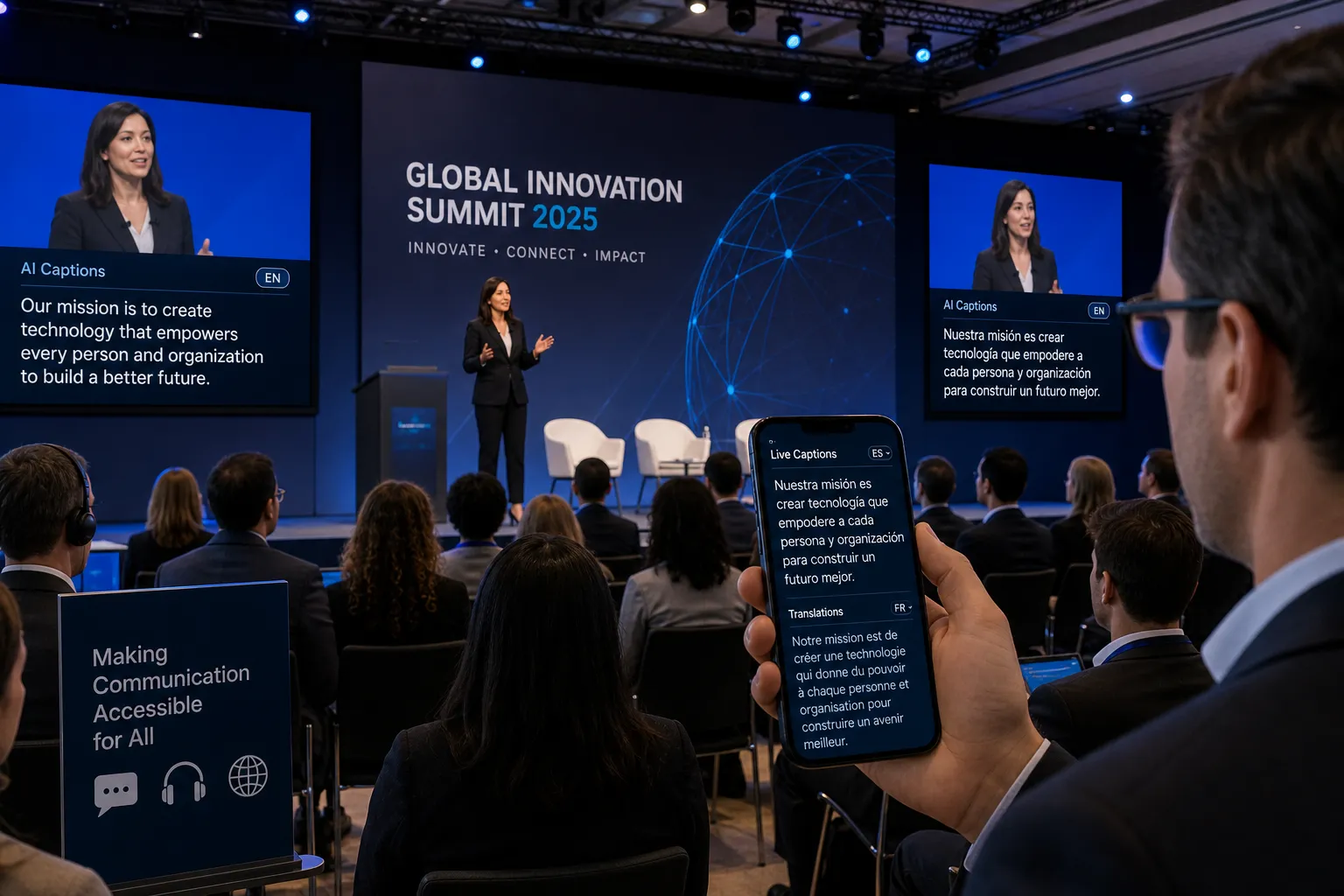
What AI Captioning Actually Means for Events
AI captioning is the process of using speech recognition technology to convert spoken audio into text in real time. In event environments, those captions may appear:
-
On a projection screen
-
On LED walls or confidence monitors
-
Inside Zoom, Teams, or webinar platforms
-
On mobile devices through a browser link or QR code
-
In livestream overlays
-
In archived recordings for post-event editing
For event organizers, AI captions are not just a convenience feature. They support:
-
Closed captioning accessibility
-
Better understanding for attendees who are deaf or hard of hearing
-
Support for non-native English speakers
-
Improved comprehension in noisy environments
-
Searchable transcripts and post-event content workflows
-
More inclusive and compliance-conscious communication
“Live captions provide individuals who are deaf or hard of hearing with immediate access to spoken content, enabling full participation in events.” – Penn State Accessibility
Why Good Audio Is the Foundation of Accurate AI Captions
The number one factor in caption quality is not the AI platform. It is the quality of the incoming audio.
If your event audio is muddy, distorted, too quiet, overloaded, echo-heavy, or contaminated by room noise, your captions will suffer. Even the best AI engine can only caption what it can clearly “hear.”
What a Good Audio Feed Looks Like
A strong captioning feed is:
-
Clean and isolated from audience noise
-
Taken directly from the mixer whenever possible
-
Properly leveled, without clipping or distortion
-
Consistent across speakers
-
Free from unnecessary music beds or effects
-
Routed with minimal delay and stable connectivity
Common Audio Problems That Hurt Caption Accuracy
Many event teams underestimate how often these issues appear:
|
Audio Issue |
What It Does to Captions |
|---|---|
|
Speakers too far from mic |
Drops words and entire phrases |
|
Lav mic rustle or poor placement |
Introduces garbled text |
|
Panelists sharing one mic badly |
Creates missed attribution and lost content |
|
Room echo |
Reduces word recognition |
|
Audience Q&A without mic support |
Produces incomplete captions |
|
Music under speech |
Confuses speech recognition |
|
Bad gain staging |
Causes clipped or unusable audio |
|
Laptop audio mixed poorly |
Masks spoken words |
“Common issues such as packet loss, delay, and repetition can significantly reduce the intelligibility of captions produced under these conditions.” – American Journal of Audiology
This is exactly why Team Stream emphasizes audio engineering discipline as part of live captioning delivery. We do not just connect an AI tool and hope for the best. We help clients build the right signal path from mic to mixer to caption engine to display.
How AI Captions Work at a Live Event
A high-performing caption workflow usually follows this sequence:
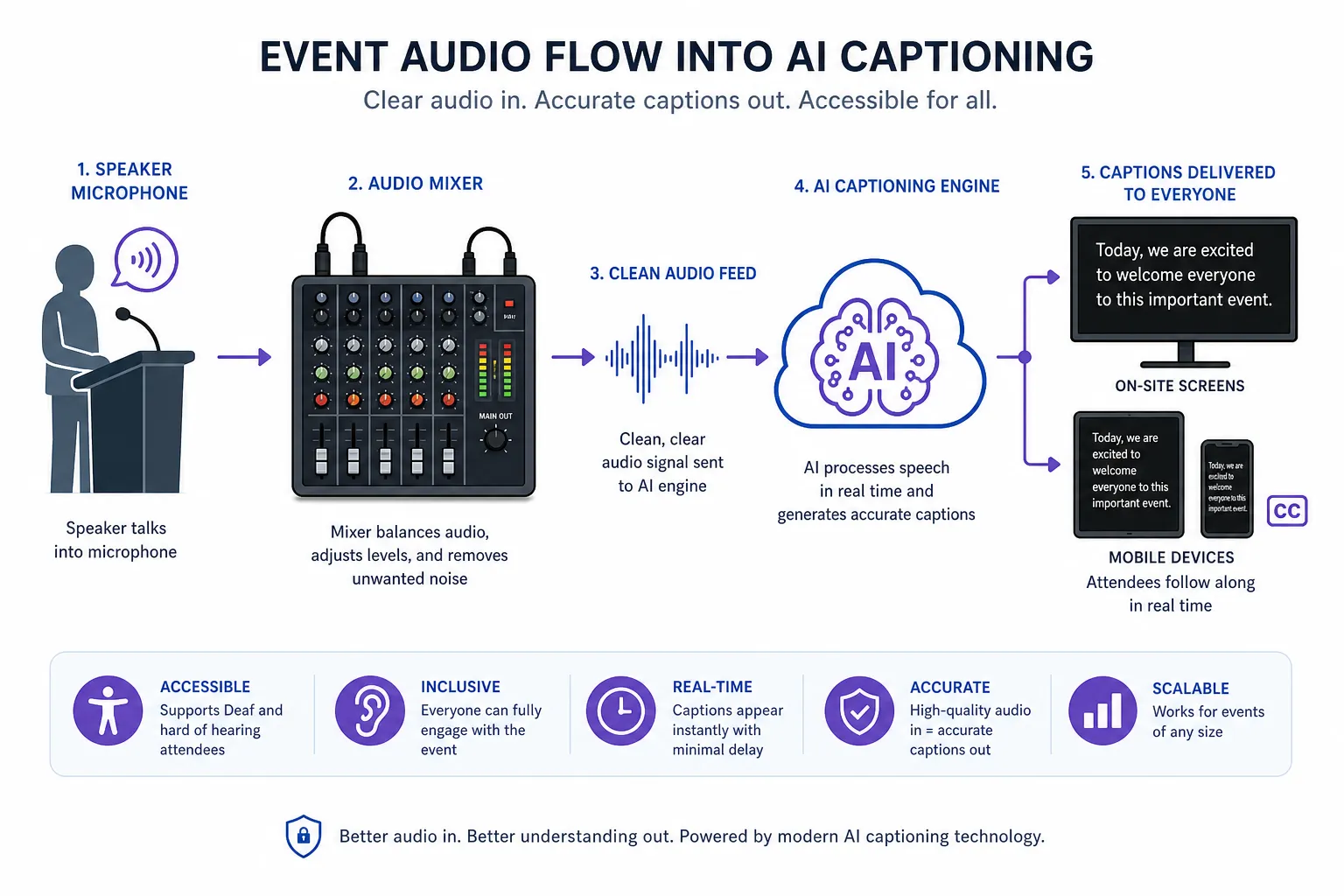
Step 1: Capture Clear Speech at the Source
Use the right microphones for the format:
-
Handhelds for audience Q&A
-
Lavalier mics for presenters
-
Headset mics for movement-heavy speakers
-
Table mics for moderated panels when managed properly
Step 2: Mix and Route a Clean Feed
Your AV team or captioning partner creates a dedicated feed for the caption engine. This should prioritize speech clarity over “room feel.”
Step 3: Send Audio into the AI Captioning Engine
The engine listens to the feed and creates real time captioning output. Depending on the workflow, those captions can be same-language captions or translated text.
Step 4: Apply Event-Specific Vocabulary
Glossaries improve accuracy by teaching the system your key terms in advance, including:
-
Speaker names
-
Brand names
-
Product names
-
Industry acronyms
-
Technical terms
-
Proper nouns
-
Session titles
Step 5: Deliver Captions to Attendees
Captions can be shown in one or more channels:
-
Main event screen
-
Livestream player
-
On-site monitors
-
Browser-based mobile access
-
Virtual platform caption window
Step 6: Save the Transcript for Post-Event Use
The transcript can support:
-
Meeting notes
-
Closed captioning for recordings
-
Searchable archives
-
Video subtitling
-
Translated post-event content
AI Captions vs Human Captioning: What Should You Choose?
Competitor pages often frame this as a simple either-or decision. In practice, the right answer depends on risk, audience need, compliance goals, budget, and event complexity.
Quick Comparison
|
Factor |
AI Captioning |
Human Captioning |
|---|---|---|
|
Speed of setup |
Fast |
Planned in advance |
|
Cost |
Lower |
Higher |
|
Scalability |
Excellent |
More limited |
|
Accuracy in ideal audio conditions |
Strong |
Excellent |
|
Accuracy with accents/noise/crosstalk |
Variable |
Better |
|
Accessibility-critical settings |
Sometimes suitable |
Often preferred |
|
Technical vocabulary handling |
Better with glossary |
Strong with prep |
|
Multilingual support |
Very scalable |
More resource-intensive |
When AI Captioning Is a Strong Fit
AI captioning works especially well for:
-
Corporate meetings
-
Webinars
-
Internal communications
-
Training sessions
-
Church services
-
Many hybrid events
-
Budget-sensitive recurring programs
When Human Captioning Should Be Considered
Human captioning may still be the better choice for:
-
High-stakes accessibility accommodations
-
Legal or regulated environments
-
Complex multi-speaker discussions
-
High-noise venues
-
Events where near-perfect accuracy is critical
Team Stream helps clients evaluate this honestly. In many cases, the best outcome is a hybrid strategy: AI-powered workflows where appropriate, plus human support or oversight where risk is higher.
The Content Gap Most Articles Miss: Caption Accuracy Starts Before Event Day
The best captions are planned, not improvised.
Many ranking pages talk about features, languages, and apps, but gloss over the real work required before the audience arrives. Here is what makes the biggest difference.
Build a Custom Glossary
A glossary can dramatically improve results when your event includes specialized terminology. Add:
-
Executive and speaker names
-
Sponsor names
-
Company jargon
-
Medical, legal, technical, or faith-based vocabulary
-
Product SKUs or abbreviations
-
Place names
Rehearse Speaker Behavior
AI captions improve when speakers:
-
Use microphones consistently
-
Avoid talking over one another
-
State their names in panel sessions if needed
-
Pause for audience laughter or applause
-
Repeat audience questions into the mic
Test the Entire Signal Chain
You should test:
-
Mic pickup
-
Mixer output
-
Feed routing
-
Internet stability if cloud delivery is used
-
Caption display screens
-
Browser/mobile attendee experience
-
Recording integration
-
Backup options
Plan for Q&A and Panel Discussions
This is where many real-time captioning systems struggle. Have a plan for:
-
Roaming handhelds
-
Moderator repetition of audience questions
-
Speaker identification
-
Multiple presenters joining remotely
Best Practices for Providing AI Captions at In-Person Events
In-person events create unique captioning challenges because room acoustics and audience behavior are less predictable than in studio environments.
Venue Best Practices
-
Use direct audio feeds from the house console
-
Avoid relying on a room mic as the caption source
-
Put mics in attendee hands for every Q&A
-
Display captions where they are easy to read without blocking content
-
Have technicians monitor caption flow live
-
Keep lighting and presentation design caption-friendly
Display Best Practices
Readable captions are about more than just being present. They should also be:
-
Large enough to read from the back of the room
-
High contrast
-
Synced closely to speech
-
Broken into readable phrases
-
Visible without covering key presentation visuals
Best Practices for Virtual and Hybrid Events
Hybrid and virtual formats add convenience, but also introduce routing complexity.
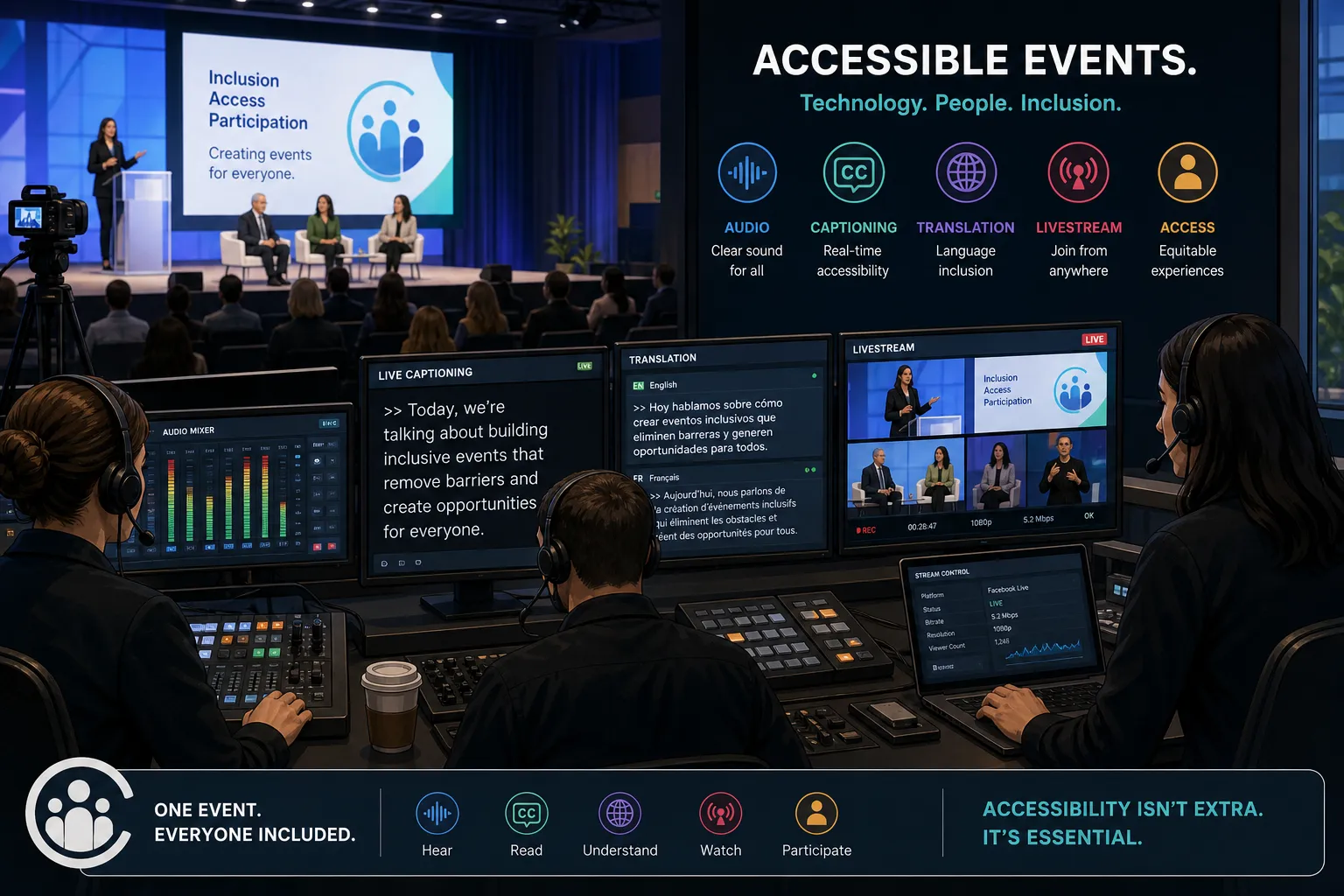
For Virtual Events
-
Route platform audio cleanly into the caption engine
-
Confirm whether captions appear in-platform or via external browser access
-
Test presenter audio devices before showtime
-
Minimize people joining from echo-heavy rooms
-
Use host controls to manage muting and turn-taking
For Hybrid Events
-
Align in-room and online caption experiences
-
Make sure remote speakers are heard clearly in the room and in the feed
-
Coordinate captions with interpreting and streaming teams
-
Decide whether captions will appear on venue screens, online players, or both
This is one of Team Stream’s strongest advantages. We support live, virtual, and hybrid events with coordinated language access and accessibility workflows, including captioning, interpreting, translation, equipment rental, and technician support.
AI Captioning and Translation Events: Going Beyond English
Captions become even more valuable when paired with multilingual communication.
At international conferences, trade shows, worship events, and global corporate meetings, attendees may need one or more of the following:
-
English live captions
-
Same-language captions in another spoken language
-
Real-time translated subtitles
-
Live audio interpreting
-
Post-event subtitling and translation
How This Expands Event Access
When captions and language services are coordinated together, you can support:
-
Deaf and hard-of-hearing attendees
-
Non-native speakers
-
Multilingual remote audiences
-
International partners and clients
-
Internal employees across regions
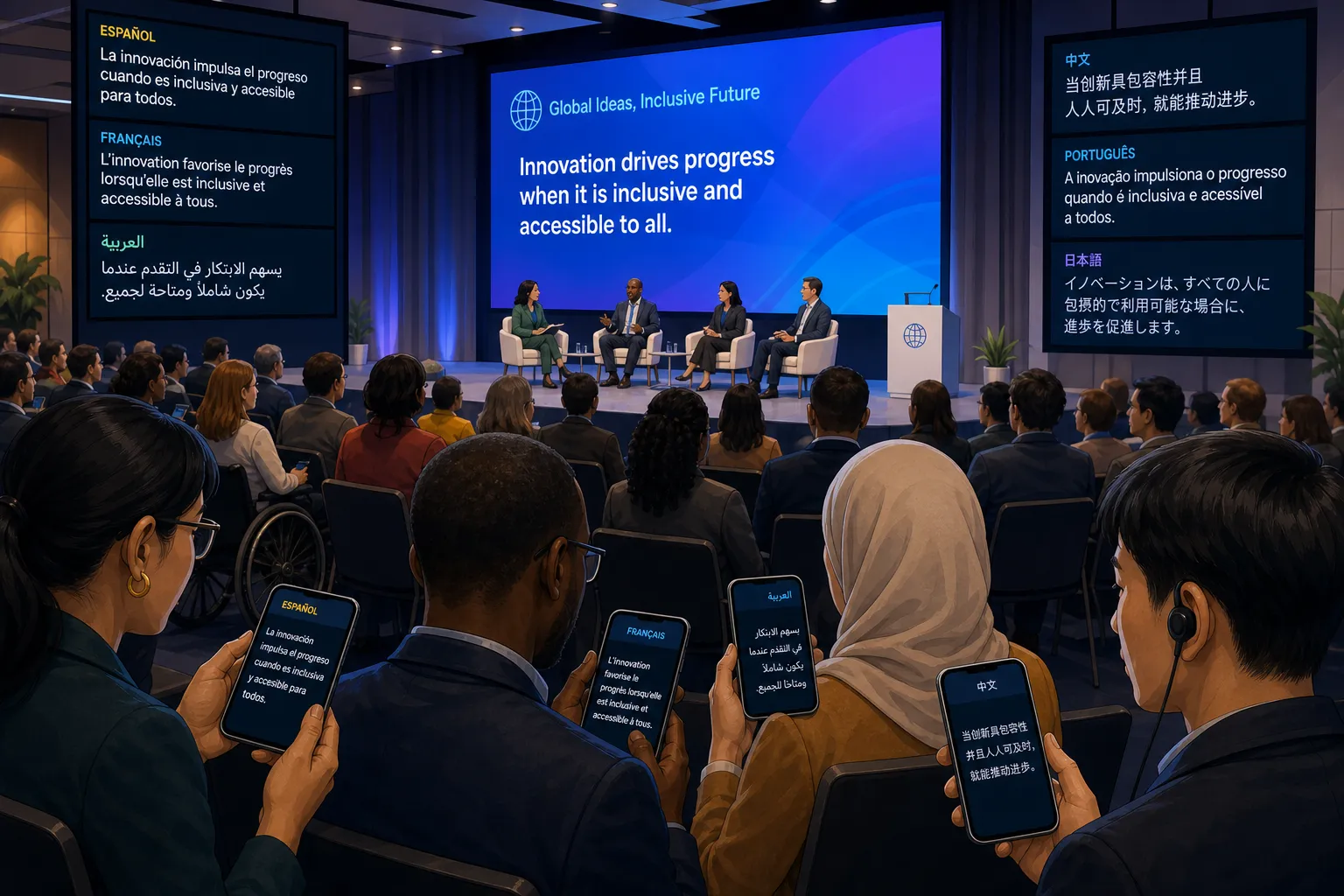
Team Stream is built for this broader need. We do not treat captioning as an isolated service. We provide end-to-end language and accessibility solutions tailored to each client, including interpreting, subtitling, voiceover, written translation, accessibility support, and on-site technical execution.
Compliance, Accessibility, and Why “Good Enough” Is Not Always Good Enough
For many organizations, captions are not just a nice-to-have. They are part of a broader commitment to inclusive communication and, in some cases, legal compliance.
Why Accessibility Matters Operationally
Accessible event communication helps organizations:
-
Reduce exclusion
-
Improve attendee experience
-
Support accommodation requests
-
Strengthen brand trust
-
Serve global and multilingual audiences better
-
Reduce risk around inaccessible public-facing content
Some institutions distinguish between auto-generated captions and professionally supported captions for official accessibility needs. That is why event planners should think carefully about audience expectations, venue type, public visibility, and compliance obligations.
Team Stream helps clients choose solutions that are compliance-friendly, practical, and appropriate to the event environment.
What Equipment and Support You May Need
Another major content gap in competitor articles is the lack of operational detail around hardware and staffing.
Depending on the Event, You May Need
-
Microphones and audio distribution
-
Mix-minus or aux output routing
-
Dedicated caption display screens
-
Mobile access links or QR codes
-
Internet failover planning
-
Technician monitoring
-
Integration with livestream encoders
-
Interpreting receivers or multilingual audio support
If your event includes multiple rooms, breakouts, exhibitor presentations, or hybrid presenters, complexity rises quickly. Team Stream can support these scenarios with professional equipment rental, technician services, and flexible delivery options, both in-person and remote.
A Practical Event Checklist for AI Captions
Use this checklist before your next event.
Pre-Event Planning Checklist
|
Task |
Status to Confirm |
|---|---|
|
Identify audience accessibility needs |
Done before promotion |
|
Decide AI, human, or hybrid caption model |
Selected |
|
Gather speaker names and terminology |
Completed |
|
Build glossary |
Uploaded |
|
Confirm audio source and routing |
Tested |
|
Decide caption display method |
Confirmed |
|
Test venue and/or platform workflow |
Completed |
|
Plan Q&A mic coverage |
Confirmed |
|
Save transcript/export method |
Confirmed |
|
Create backup communication path |
Ready |
Day-Of Checklist
-
Confirm every speaker has the right microphone
-
Verify clean feed to caption engine
-
Watch first 5–10 minutes for accuracy
-
Check screen readability from audience positions
-
Monitor handoffs between sessions
-
Assign a technician or operator to troubleshoot in real time
How Team Stream Makes AI Captioning Work Better
A lot of vendors sell captioning. Fewer partners solve the actual event problem.
Team Stream’s value is not just that we provide AI-powered captions. It is that we understand the full environment around them:
-
Accurate human and AI-powered translation and interpreting
-
Real-time captioning for accessibility and engagement
-
Tailored support for live, virtual, and hybrid events
-
Equipment rental and technical support
-
Flexible in-person and remote service models
-
Accessibility-first and compliance-friendly workflows
-
Over 25 years of event and language-service expertise
-
Responsive customer service and reliable execution
That means if your event needs captioning plus translation events support, livestream coordination, subtitle creation, or accessibility guidance, you do not need to stitch together multiple vendors and hope they collaborate. Team Stream can coordinate the full solution.
Final Verdict: The Best AI Captions Come From the Best Event Workflow
If you remember only one thing, make it this: AI captioning success starts with a good audio feed.
Yes, modern AI captioning is highly capable. Yes, custom glossaries can improve accuracy significantly. But the best results happen when speech capture, audio routing, terminology prep, display strategy, and technical support are handled with care.
That is why organizations trust Team Stream. We bring together the tools, people, and experience needed to deliver closed captioning, live captioning, real time captioning, accessibility support, and multilingual communication that actually works in the real world.
If you are planning an event and want captions that are clear, reliable, and professionally supported from start to finish, Team Stream is ready to help. Reach out to build a captioning solution tailored to your audience, format, and accessibility goals.
FAQ
How to generate captions with AI?
To generate captions with AI, you need a clean audio feed from microphones or your event platform routed into an AI captioning engine. The system converts speech into text in real time, and accuracy improves when you prepare a custom glossary and test the workflow in advance.
Can Chatgpt generate captions?
ChatGPT can help write, edit, or clean up caption text, but it is not usually the direct tool used for live event caption delivery. For real-time event captions, organizers typically use dedicated AI captioning platforms supported by proper audio routing and technical monitoring.
How to make a caption for an event?
Start by identifying audience needs, choosing AI, human, or hybrid captioning, and setting up a reliable audio feed. Then decide where captions will appear, prepare a glossary, test the signal path, and monitor the output live during the event.
How to automatically generate captions?
Automatic captions are generated by sending spoken audio into an AI speech recognition system. To get good results, use quality microphones, reduce background noise, and feed the engine a direct mixed output rather than relying on poor room audio.
Can Chatgpt generate captions?
ChatGPT can support caption workflows by refining transcripts or helping draft subtitle text, but it is not a full replacement for real-time captioning systems. Live events need specialized tools and often professional oversight to ensure accessibility and reliability.
Which AI is best for captions?
The best AI for captions is the one that performs reliably with your event’s audio quality, vocabulary, and delivery setup. In practice, strong results come from pairing a capable captioning engine with good microphones, glossary preparation, and expert support from a provider like Team Stream.
